Travel connectivity guide
YooMee eSIM in Cameroon: what to verify
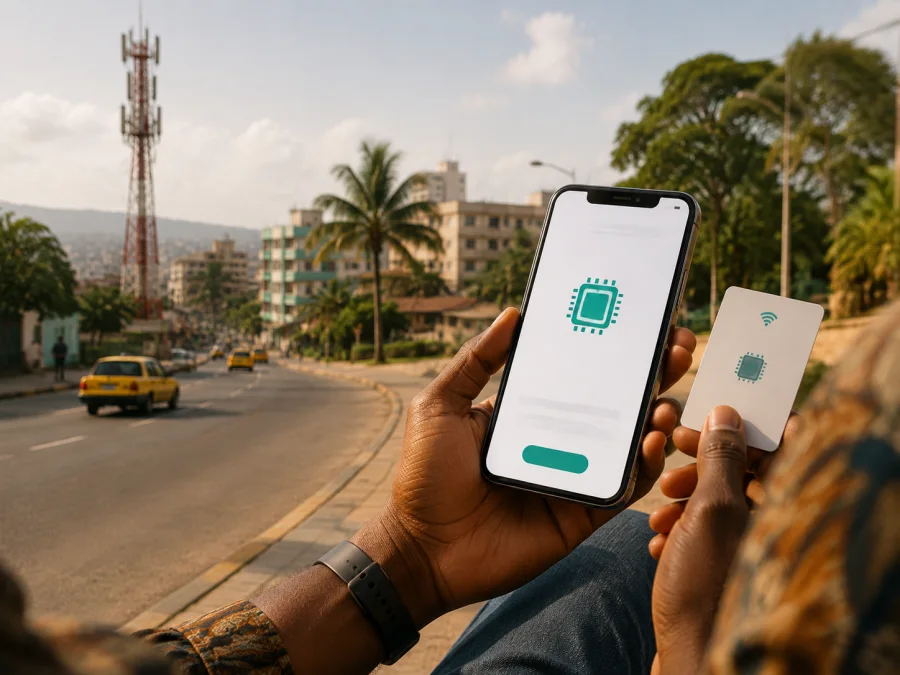
YooMee eSIM in Cameroon: what travellers should verify
If you are travelling to Cameroon and searching for “YooMee eSIM”, separate the local operator’s service from a travel eSIM for mobile data. YooMee’s current public pages describe its Cameroonian telecom activity, but do not confirm a YooMee eSIM product. Verify the operator directly and prepare a separate data option if you need connectivity on arrival. A phone’s general eSIM capability or a YooMee physical SIM is not proof that YooMee can issue an eSIM. Ask about your device, visitor status, registration route and activation method.
What YooMee’s public information shows
YooMee presents itself as a Cameroonian telecommunications business with a 4G LTE mobile service. Its current home and services pages describe a full-MVNO model using a national partner network operated by Camtel, and mention data and voice services, SIMs, activation, usage monitoring and recharges. This places YooMee in the local market as a mobile service provider in Cameroon.
That information does not verify eSIM availability. The pages opened during this run refer to SIM service without publishing an eSIM purchase path, QR-code procedure, visitor flow or compatibility list. The verification date is 5 September 2026, and confirmation of YooMee eSIM availability in Cameroon was not found. This does not prove YooMee can never support eSIM; it means support cannot be stated as fact. Ask whether a foreign visitor can receive an eSIM and which identification and activation steps apply.
| Point to verify | Current public support |
|---|---|
| Local market | Cameroonian 4G LTE telecom service and full-MVNO model. |
| SIM service | SIMs, activation, data and voice services, and recharges are mentioned. |
| YooMee eSIM | Not confirmed by the current pages reviewed on 5 September 2026. |
| Technology | YooMee identifies 4G LTE; a current 5G statement was not found. |
| Coverage | YooMee describes national coverage; this is not an independent performance measure. |
Is YooMee eSIM available in Cameroon?
Current confirmation was not found on the verification date. The official pages show local telecom information, but not an explicit YooMee eSIM offer. Do not turn an absent page into a definite “no”, or a general SIM reference into a definite “yes”. Ask whether visitors can request an eSIM, whether the process is remote, whether an unlocked phone bought in another region is supported and how the profile is delivered. YooMee’s 4G LTE service, SIM activation and recharges are documented, but they do not settle eSIM availability or the visitor process.
Prepaid and tourist access
The current YooMee pages refer to data and voice offers, SIM activation and recharges. They do not identify a dedicated tourist product or clearly publish a prepaid eSIM path. Confirm the general availability of prepaid or tourist access with YooMee before departure; do not rely on an old blog or reseller description.
Ask:
- Can YooMee register a short-term customer visiting Cameroon?
- Can that customer obtain a local SIM or eSIM with the documents available to them?
- Can the service be activated and recharged without a local address or account history?
The answer may depend on the channel, nationality, registration rules and YooMee’s process. Since a dedicated visitor offer was not found, request the current procedure. Cameroon’s Telecommunications Regulatory Agency says in its public FAQ that current and new subscribers must be identified at subscription; it includes a passport or residence permit for a foreigner staying in Cameroon and directs subscribers to an operator agency or authorised distributor. YooMee should confirm the exact documents and location. An eSIM does not automatically remove these requirements.
Network, coverage and technology
YooMee’s current telecom pages identify 4G LTE and describe service on a national partner network. The home and services pages name Camtel as the network partner for YooMee’s full-MVNO operation. YooMee’s history page also refers to the development of its mobile service and full-MVNO relationship. These pages support a neutral description of technology and market structure.
Coverage claims need context. YooMee’s pages use “national coverage”, but do not provide information for every building, road or rural area. This is not a guarantee of identical access in Douala, Yaoundé, coastal areas, inland routes, airports or remote destinations. Ask for route guidance. The pages support 4G LTE, but not a current band list, device list or clear 5G statement. Check the phone model, region and bands with YooMee and the manufacturer.
| Technical point | Traveller’s check |
|---|---|
| 4G LTE | Confirm the phone supports relevant local bands and the service area matches the route. |
| eSIM capability | Check the exact model and region of sale; this does not prove YooMee support. |
| Network lock | Make sure the handset is unlocked for another mobile profile. |
| Coverage | Ask about cities and routes; do not read “national” as a detailed map. |
| 5G | Do not assume it is available for YooMee; current confirmation was not found. |
Local YooMee service and travel eSIM are different choices
A local YooMee connection and a travel eSIM solve different problems. Local service may matter for a Cameroon mobile identity, voice calls, SMS or an operator account, but can involve registration and a point of sale. YooMee eSIM support was not confirmed. A travel eSIM is generally for mobile data abroad, installed as an additional profile on a compatible, unlocked phone. It may not provide a local number, voice or SMS, so keep the primary line for those needs or use internet messaging. Choose according to use case: ask YooMee about local service if you need its number, and prepare a travel eSIM if data is the priority.
Kaspersky eSIM Store is an app and website that helps a traveller choose, arrange and activate an eSIM data plan for an international trip. It is not a mobile operator, does not own YooMee’s or another local network, and is not the network providing the radio connection. It is a possible travel-data alternative to a local SIM on arrival, not a replacement when you need a local number or operator-specific voice and SMS.
After reviewing the conditions and confirming device support, you can choose an eSIM plan for Cameroon through the Kaspersky eSIM Store destination flow. Read current conditions at selection because supported services and activation rules can change. This link is a travel eSIM option, not evidence that YooMee supports eSIM.
Checklist before departure
1. Confirm the exact phone model
Check the exact model’s specifications and mobile settings for an eSIM option. Regional variants can omit eSIM, and two physical SIM slots do not prove support.
2. Check that the phone is unlocked
An operator-locked handset may refuse another profile. Confirm the unlock status with the provider that sold the phone. An eSIM purchase does not unlock a device.
3. Ask YooMee for a current answer
Request confirmation of eSIM issuance, visitor eligibility, identification, activation location, documents and device support. Keep a written response. If uncertain, treat YooMee eSIM as unconfirmed and prepare another data option.
4. Plan for identification and coverage
Be ready for the subscriber-identification process described by Cameroon’s regulator, including a passport or other document requested by the authorised channel. List the airport, cities and road journeys, then ask about coverage. Indoor access, terrain and outages can affect service.
5. Arrange a stable connection for installation
If you use a travel eSIM, install it with stable Wi‑Fi and keep instructions offline. Follow only current instructions from YooMee or the selected travel eSIM service, and save both support channels.
6. Choose the data line
After installation, select the eSIM for mobile data. Keep the primary line for needed functions and review roaming settings; some travel profiles require roaming. Check instructions before turning it off.
How to activate a confirmed YooMee service
Because the reviewed pages do not publish a YooMee eSIM workflow, this sequence is guidance, not a claim about the operator’s exact menu or delivery method.
- Ask YooMee to confirm eSIM support for the device and customer status.
- Complete Cameroon’s required mobile-service identification process.
- Obtain official instructions or a profile from YooMee or an authorised distributor.
- Connect to stable internet.
- Add the supplied profile in mobile-network settings.
- Follow the official QR-code or in-app instructions.
- Select the profile for data and check roaming requirements.
- Test it before leaving reliable Wi‑Fi.
If YooMee confirms only a physical SIM, ask where an authorised visitor can complete registration and activation. Keep the packaging until service works. If the visitor process is not confirmed, a travel eSIM may be a practical data-preparation route, subject to compatibility and destination conditions.
Installing a travel eSIM on Android or iPhone
Verify compatibility and unlock status, open mobile-network settings, choose the option for adding an eSIM, and scan the supplied QR code or use the supplied method. Name the profile, select it for data and leave the primary line for calls or messages if needed. On iPhone the control is usually in cellular settings; on Android it is commonly under SIM or mobile-network settings. Labels differ by model and region. The phone may need internet while downloading the profile, so installation at home can reduce tasks after landing. After arrival in Cameroon, enable roaming only if required.
For a separate device check, use the internal eSIM device compatibility guide. This checks the handset, not YooMee eSIM support. A compatible phone still needs a supported profile, Cameroon included in the service and an installation process allowed by the device region and operator lock.
Common problems
The phone says eSIM is not supported. Check the exact model, sales region and manufacturer’s documentation. If eSIM is absent, use a compatible physical SIM or another unlocked device.
The QR code scans but data does not work. Use native eSIM settings, enable the profile, select it for data, follow supplied access-point instructions and check the required roaming toggle. If the profile was already added, contact support rather than scanning repeatedly; a failed connection does not by itself prove a network-wide outage.
A YooMee request is delayed, or calls and SMS are missing. Ask whether a YooMee delay concerns identification, documents, device support or activation. The public pages do not document a YooMee eSIM workflow, so direct support is preferable. Many travel eSIMs are data-focused and may not include a conventional number; keep the primary SIM for calls or texts and contact support before deleting or transferring a profile.
Frequently asked questions
Does YooMee support eSIM in Cameroon?
Current confirmation was not found on the public YooMee pages reviewed on 5 September 2026. YooMee describes 4G LTE service, SIM activation and recharges, but that does not establish eSIM availability. Ask for a current answer for your device and visitor status.
Can a traveller buy YooMee prepaid or tourist service?
The reviewed pages do not clearly identify a dedicated tourist product or visitor-specific prepaid eSIM process. They mention data and voice services, SIMs, activation and recharges. Confirm the procedure and documents directly with YooMee.
Does Cameroon require mobile subscriber identification?
The Telecommunications Regulatory Agency’s public FAQ says new and existing subscribers must be identified. It includes a passport or residence permit for foreigners staying in Cameroon, subject to the procedure. Ask the authorised channel what applies.
Will any eSIM-compatible phone work with YooMee?
No such assumption is safe. The exact regional device version must support eSIM, be unlocked and work with the operator’s profile and bands. YooMee eSIM support was not confirmed.
What is Kaspersky eSIM Store here?
Kaspersky eSIM Store is an app and website that helps travellers select, arrange and activate an eSIM data plan for an international trip. It is not YooMee, a network owner or a replacement for a local operator when you need a local number or voice service. It is a possible data alternative when current conditions support Cameroon and the phone is compatible. No affiliation with YooMee is implied.
Sources checked and final advice
The facts above were checked during this run against YooMee’s official telecom homepage, services, history and contact pages; they support 4G LTE, its full-MVNO relationship using Camtel’s network, SIM activation, recharges and general coverage wording, but not YooMee eSIM or a dedicated tourist offer. Cameroon’s Telecommunications Regulatory Agency FAQ supports subscriber identification, and Kaspersky’s official travel eSIM article supports the general workflow and device checks. Pages were checked on 5 September 2026.
Contact YooMee if a local number, voice service or account matters, and ask for written confirmation of eSIM availability, visitor registration and route coverage. If mobile data on arrival is the priority, review a travel eSIM for Cameroon, check compatibility and keep the primary SIM when its number is needed. YooMee’s public information is inconclusive; wait for operator confirmation. For a separate route, you can review the Cameroon eSIM destination in Kaspersky eSIM Store. This is a possible travel-data option, not an assertion that Kaspersky operates a network in Cameroon or is affiliated with YooMee.


