Travel connectivity guide
Zabid eSIM: Mobile Internet for Your Yemen Trip
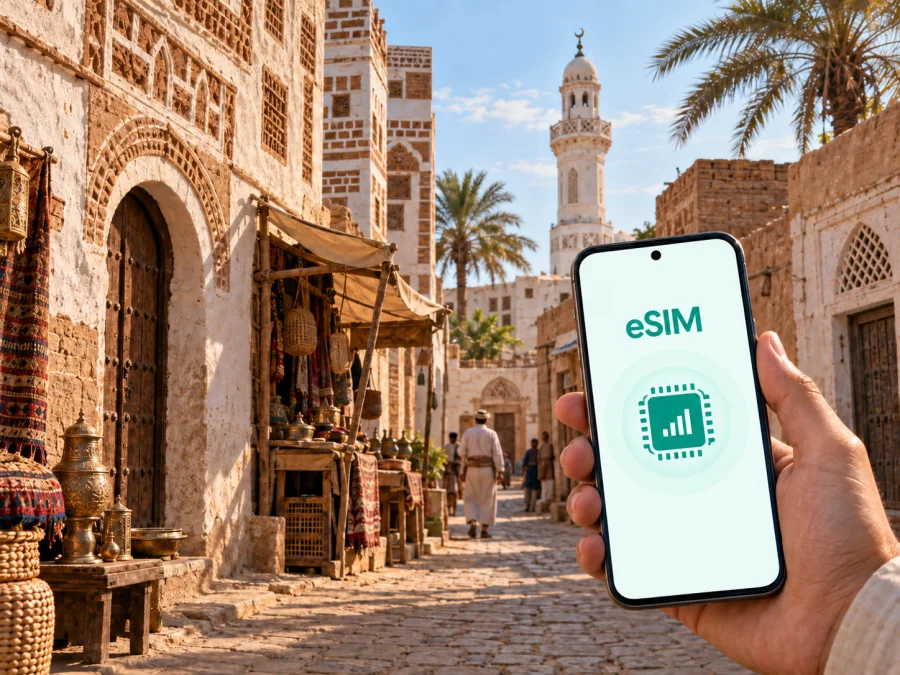
Zabid eSIM: mobile connection and internet for a practical Yemen trip
Zabid is a city for which preparation matters. Its historic town has a compact urban plan, narrow lanes, traditional courtyard houses, mosques, and a souq, while a journey to the city may also include a longer road segment and a change of transport. Mobile internet helps you coordinate arrival, read a booking message, send your location, check a route, contact a host, and keep travel details in one place.
An eSIM can help you prepare that mobile connection without looking for a physical SIM card immediately after arriving in Yemen. Kaspersky eSIM Store is an app and website where you can choose, arrange, and activate an eSIM with a suitable plan for mobile internet during an international trip. For Zabid, match the plan to your route and daily habits, then complete the technical steps before you leave whenever possible.
Why mobile internet is useful in Zabid
Zabid is not a generic city break where every movement follows a familiar tourist grid. UNESCO describes its historic town as a coastal settlement in Yemen’s Tihama area, set on a rise above a river junction and fertile flood plain. The old urban form includes a central mosque and souq, narrow enclosed streets, traditional brick buildings, and courtyard houses. Those details shape how a visitor moves: a map pin, a message, or a saved address can be more useful than a vague landmark description.
The city’s historic importance also affects the rhythm of a visit. Zabid was a capital of Yemen from the thirteenth to the fifteenth century and later became known for its Islamic university and mosques. A walk through the historic core may involve several short turns, so mobile internet helps keep the practical layer of the journey under control.
For a visitor, the most useful online tasks are usually simple:
- confirming the meeting point for a driver or guide;
- opening a saved map pin when the street layout is unfamiliar;
- messaging a host about arrival time;
- checking a booking, document, or itinerary stored in an account;
- sharing a location with family or colleagues.
These tasks do not require constant heavy use. They do require a connection at the right moment. That is why a plan for Zabid should be selected by the whole itinerary rather than by the city name alone.
The first hours after arriving
The first connection check should happen before the journey becomes complicated. If you are reaching Zabid after arriving in another Yemeni city or transport hub, you may need to coordinate a transfer, confirm where the next vehicle will meet you, and keep the address of your accommodation available. A phone that can access mobile data is useful before you are fully familiar with the route.
Use this arrival checklist:
- Keep the booking or host contact saved in the phone, not only in an email inbox.
- Save the destination as a map pin and write the address in a form you can show to another person.
- Share your expected arrival window with the person meeting you.
- Check which line is selected for mobile data before leaving the arrival point.
- Charge the phone and carry a power bank if the route to Zabid is long or has few convenient stops.
If the journey includes a pre-arranged car, the important information is often a name, phone number, meeting point, and time window. If it includes more than one vehicle, save each segment separately. A stable data plan cannot replace a clear itinerary, but it makes the itinerary easier to manage when plans change.
Moving through the historic town
The historic town of Zabid is known for its compact plan and narrow alleys. That makes orientation different from navigating a modern district with wide, numbered streets. Use the phone before you start walking: open the destination, save the return point, and make sure the map area you may need is available in the way your navigation app supports. Do not wait until the battery is low or the connection is uncertain to search for an address.
There is also a practical distinction between finding a place and reaching its entrance. A map pin may indicate a building or a central point, while the final approach can involve a lane that is easier to identify by a nearby mosque, market entrance, wall, or courtyard house. If you are meeting someone, agree on a visible point and exchange a message when you are close. This is especially helpful when several lanes join near the souq.
The historic setting deserves attention beyond the screen. Use mobile internet to orient yourself, then put the phone away while walking where practical. A small set of saved details—destination, host contact, return point, and onward route—often does more than repeatedly searching for everything from scratch.
Four Zabid travel scenarios
A short heritage-focused visit
For a brief visit, the data load may be modest, but the timing is important. You may need data during arrival, a walk through the historic center, a message to a driver, and the departure. Select a plan with a validity period that covers the complete itinerary, not just the hours spent inside the old town. Before leaving, save the places you intend to visit and the contact details for your return transfer.
A business trip
Business visitors should separate essential work from background phone activity. Email attachments, video meetings, cloud files, and automatic photo backups can consume traffic faster than text messages. Download an agenda or presentation before leaving a reliable connection, and set nonessential synchronisation to manual if your device allows.
An onward route from Zabid
Zabid may be only one part of the journey. If you continue to another Yemeni city or return to the point where you entered the country, check that the selected country plan is intended for the whole route, rather than assuming a city-specific product is required. The key question is geographical validity: the tariff must cover Yemen for the dates and route you actually plan to use. If the itinerary later crosses a border, treat that as a separate coverage decision.
How to choose an eSIM plan for Zabid
Start with four questions:
- How many days will you need mobile internet in Yemen?
- Will you use data mainly for messages and maps, or also for work, calls, and media?
- Does your route include only Zabid, or several places in the country?
- Do the tariff’s validity period, traffic allowance, activation conditions, and supported destination match the itinerary?
The right choice depends on use, not on a universal label such as “light” or “heavy”. A traveller who only checks a map twice a day has a different pattern from someone who uploads photographs, works from a laptop, or joins online meetings. At the same time, do not choose an allowance without considering the transfer to and from Zabid, because navigation and coordination are often most important outside the sightseeing window.
Kaspersky eSIM Store helps you review the destination and the available plan conditions so you can choose an option for the trip. For the country-level selection relevant to a Zabid itinerary, review eSIM plans for Yemen and compare the traffic allowance, validity, and activation terms shown for the current offer.
A simple traffic planning table
| Your pattern | Typical online actions | What to check first |
|---|---|---|
| Occasional use | Messages, short map checks, essential bookings | Validity and basic traffic allowance |
| Regular sightseeing | Navigation, translation, messages, occasional photos | Allowance for the complete route |
| Work on the move | Email, files, calls, hotspot or laptop use | Work traffic needs and tethering conditions |
| Shared planning | Frequent location sharing and coordination for a group | Whether one person’s usage could consume the allowance quickly |
The table is a planning tool, not a promise of data use. App settings, image quality, automatic updates, and connection conditions can change consumption. Check the tariff conditions and monitor the balance where that information is available.
Prepare the eSIM before departure
Installation is easiest when you have a compatible device, a reliable internet connection for downloading the profile, and the purchase details at hand. Before buying, check whether your device supports eSIM. Some device versions differ by market, and an operator lock can prevent the profile from being used. Compatibility is a device question, so confirm it in the phone settings or with the manufacturer’s documentation.
Use this sequence:
- Check eSIM support and confirm that the phone is not locked to an operator.
- Choose the Yemen destination and a plan that fits the dates, route, and expected traffic.
- Complete the order and keep the profile or QR code accessible.
- Install the eSIM while connected to the internet, following the instructions for your device.
- Label the new line clearly, such as “Yemen trip”, so you do not select the wrong SIM later.
- Decide which line will be used for mobile data and whether data roaming needs to be enabled for the eSIM according to the tariff instructions.
- Keep the home line’s settings unchanged if you need its number for calls or messages.
For device-specific steps, use the Android eSIM installation instructions or the iOS eSIM installation instructions. The menu names may vary by device and operating-system version, so follow the screen prompts rather than copying a step from another model.
Do not remove the eSIM profile simply because the phone is not using it at this moment. If you plan to activate it after arrival, keep the purchase information and installation details available. Once the profile is installed, allow a little time for registration after the correct data line is selected; the exact process depends on the device and local network conditions.
What to check before choosing a plan
Use this compact review before payment:
- Destination: the tariff covers Yemen and the places on your route.
- Validity: the active period covers arrival, the Zabid stay, and departure or the next leg.
- Traffic: the allowance suits maps, messages, work, and any intended media use.
- Device: the phone supports eSIM and is not operator-locked; check compatibility.
- Installation: you have internet access, the order details, and the right device instructions.
- Mobile data line: you know which SIM will handle data after arrival.
- Roaming setting: you understand whether data roaming must be enabled for this eSIM.
- Voice and SMS: you know that the eSIM is intended for mobile internet and does not automatically add a regular phone number; voice or SMS inclusion depends on the specific tariff conditions.
- Support: you know where to ask for help if installation or activation does not go as expected.
This check is deliberately more useful than a promise about speed or universal availability. Conditions vary by tariff, device, and local network, so the safest decision is the one based on the actual plan details and your own route.
Frequently asked questions
Is an eSIM useful for a trip to Zabid?
Yes, if you want mobile internet for arrival coordination, maps, messages, bookings, or work without first finding a physical SIM card. Its usefulness depends on device compatibility, the chosen Yemen plan, and the route.
Should I choose a city plan or a country plan?
Choose by the geography described in the tariff conditions. A Zabid visit that includes transfers or other Yemeni cities needs a plan that covers the complete route. Do not assume that a city name alone determines the coverage area.
Can I use an eSIM for ordinary calls and SMS?
Not automatically. In this use case, the eSIM is intended for mobile internet and does not automatically provide a regular phone number, ordinary voice calls, or SMS. If a tariff states otherwise, follow those specific conditions. Internet messaging and calling apps can work through data where their own service conditions allow it.
Should I install the eSIM before leaving?
Usually, preparing it before departure makes arrival simpler, provided the phone supports eSIM; check compatibility and use a reliable internet connection for installation. You can also install it after arrival if you have the profile details available.
What if the eSIM does not connect in Zabid?
First confirm that the eSIM is enabled, selected for mobile data, and configured according to the tariff instructions. Check whether data roaming is required, then wait a few minutes and restart the connection if appropriate. Do not delete the profile while troubleshooting. If the issue continues, contact support with the device model and the exact step where the problem occurs.
Will the plan start when I buy it?
The start of validity and the activation conditions depend on the chosen tariff. Read those terms before payment and note whether installation, activation, or first network registration affects the period.
Final preparation for Zabid
The best eSIM setup disappears into the journey. Save addresses and contacts, check the phone, select the Yemen plan by route and duration, and install the profile with the correct instructions. In Zabid, use mobile internet for coordination and navigation while leaving room to experience the historic town.
When you are ready, choose an eSIM plan for your Yemen trip through Kaspersky eSIM Store. Review the current traffic allowance, validity, and activation terms, then complete the setup on your device before the road to Zabid begins.


