Travel connectivity guide
Zain eSIM in Bahrain: activation guide
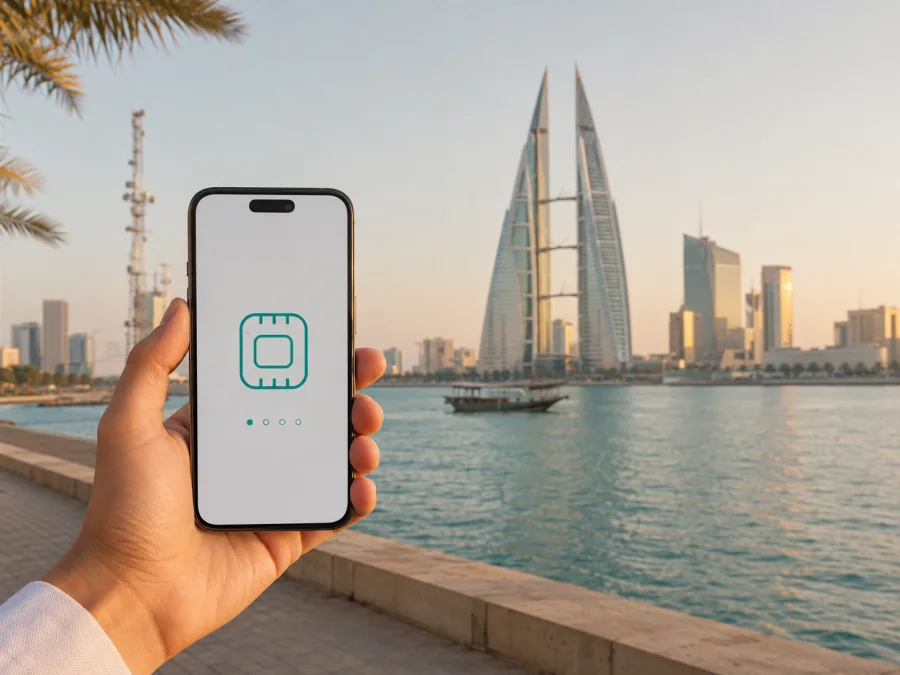
Zain eSIM in Bahrain: a practical guide for travelers
If you are preparing a trip to Bahrain and want mobile internet without changing the physical SIM in your phone, an eSIM is one option to consider. Zain is a mobile operator in Bahrain, and its public customer materials describe eSIM activation for existing and new customers as well as registration for tourists. The exact route, identity requirements, device support and current conditions can change, so check the operator’s current instructions before you travel.
This guide explains what to verify when you are looking for a Zain eSIM in Bahrain, how a local operator eSIM differs from a travel eSIM, and what to do before and after activation. Commercial details can change and must be checked directly with Zain.
Quick answer
Zain eSIM support is publicly documented for Bahrain. Zain Bahrain’s 2024 annual report described an instant self-registration service that lets existing and new customers switch to or activate an eSIM line through the redesigned portal. The same report said that tourists could register and connect through the service. Zain Bahrain’s current eShop also exposes a prepaid instant-activation route, although a purchase page can ask you to restart the journey if a session has expired or the flow is temporarily unavailable.
That evidence supports a Zain eSIM as a local-connectivity option in Bahrain, but it does not guarantee eligibility for every phone, visitor or channel. Confirm the current process, accepted documents and visitor conditions before activating.
For a short trip, a travel eSIM can be simpler when the priority is mobile data and advance preparation. For a longer stay or a need for a local mobile relationship, a local Zain eSIM may be more relevant.
Zain’s place in the Bahrain mobile market
Zain operates a consumer mobile service in Bahrain as part of Zain Group. It is a local network operator rather than a travel-only brand, so a local eSIM follows domestic registration and support rules. Zain’s customer-facing material uses prepaid and postpaid categories; prepaid can suit a visitor, but the label does not itself guarantee tourist eligibility or eSIM availability for a particular device.
Is a Zain eSIM available for tourists?
The public confirmation is positive but should be read precisely. In its 2024 annual report, Zain Bahrain stated that the self-registration eSIM service supported new and existing customers and that tourists could register in minutes and connect. A current Zain Bahrain eShop page also labels a prepaid instant-activation path. Together these pages support the general statement that Zain Bahrain has made eSIM onboarding available and has addressed tourists in its public communications.
The pages do not establish that every tourist can activate remotely or that every visitor follows the same process. Zain can require subscriber information, validate the line, limit activation to compatible devices, or direct a traveler to support.
Before flying, check the current Zain Bahrain eShop or support flow: can a visitor start online, which identity information is accepted, whether the eSIM is issued immediately or after a review, and how support is reached if the profile does not arrive. Keep the confirmation and reference number until the line works.
If the current public pages no longer clearly confirm tourist eSIM support, do not infer availability from an old article or from a search result. Ask Zain directly about current eSIM support for visitors and the exact Bahrain service you intend to use. The operator’s own answer is the appropriate authority for eligibility, registration and account conditions.
What a traveler should check before choosing a local eSIM
An eSIM purchase is easier when the practical questions are answered before the phone is placed in airplane mode. Use this short pre-trip checklist:
- Confirm that the exact phone model and regional variant support eSIM.
- Check that the device is not locked to another operator.
- Install system updates and make sure you can access the purchase email or account.
- Decide which line will remain the default for calls and messages.
- Decide which line will be used for mobile data after landing.
- Review activation instructions and registration conditions.
- Keep the original SIM active if you need important messages sent to your usual number.
- Save support and order details offline.
Do not delete your primary SIM merely because the new profile is installed. On a dual-SIM phone, the lines can often remain available for different purposes, but controls vary by manufacturer. A local eSIM may be used for data while the home line remains available for important messages, subject to your home operator’s settings.
Local Zain eSIM or travel eSIM?
The difference is about the service relationship, not about whether one profile is physical and the other is digital. A local Zain eSIM is issued within Zain Bahrain’s service environment. It can be suitable when you need a local account and want to deal with the domestic operator. A travel eSIM is arranged for a trip and is usually focused on data access across a selected destination or region.
| Question | Local Zain eSIM | Travel eSIM |
|---|---|---|
| Main purpose | Domestic mobile service in Bahrain | Mobile data for a trip or route |
| Setup | Operator registration and activation flow | Online selection, purchase and eSIM installation |
| Number and calling | Ask Zain what the current service provides | Usually keep your existing number; check voice and SMS conditions |
| Timing | May depend on eligibility, verification and local service rules | Often can be prepared before departure, subject to the product’s activation rules |
| Support | Zain Bahrain support and operator account | The travel eSIM service’s support channel |
| Best first check | Visitor eligibility and device compatibility | Destination coverage, device compatibility and activation conditions |
This table is a reference guide, not a comparison of tariffs. Neither option is universally better: a local line may suit a longer stay, while a travel eSIM may let you prepare mobile data before the flight. Consider your existing number, authentication messages, calling needs and route.
For mobile internet in Bahrain, you can choose a Bahrain eSIM for your trip. Kaspersky eSIM Store is an app and website that helps you select, arrange and activate an eSIM for a foreign journey; it is not a mobile operator, network owner or provider of mobile coverage. Review the destination and device conditions shown at the time of selection.
Network, coverage and supported technologies
Zain Bahrain’s public technology announcements describe both 4G and 5G service. The operator announced the commercial launch of 5G in Bahrain in 2020, and its March 2025 announcement with Ericsson described continued expansion and modernization of 4G and 5G networks. These facts confirm the technologies publicly associated with the network; they do not guarantee a particular speed, signal level or indoor experience at every address.
Coverage is a location question. Buildings, local capacity, handset bands, network selection and temporary maintenance can affect the connection. If a 5G indicator does not appear, the phone may use 4G instead; that is not by itself evidence that the eSIM is faulty.
Before relying on a local profile for navigation or a work call, check the operator’s current coverage information for the places you will actually visit. Verify that the phone supports the relevant local bands and that its software is up to date. In the device settings, allow the eSIM line to connect to mobile data and choose it as the data line. Keep automatic network selection enabled unless Zain support advises a different setting.
Zain’s roaming pages explain that roaming can use partner networks outside the home network. That is different from using a local Zain Bahrain eSIM in Bahrain, and a travel eSIM may use another network-selection and support path.
How Zain eSIM activation generally works
The labels can vary by phone and by the operator’s current customer flow, but the sequence is usually understandable:
- Start with the current Zain Bahrain eShop or the channel recommended by Zain support.
- Select the available eSIM service, complete the requested registration information, and confirm your details.
- Follow the operator’s instructions to receive the activation profile or QR code.
- In Mobile or Cellular settings, choose Add eSIM and scan the code or use the provided method.
- Label the line, select it for mobile data, wait for registration, and test with Wi-Fi disabled.
Do not scan an activation QR code from an unverified message or share it. If the profile is installed, do not erase it while troubleshooting unless Zain or the service provider tells you to do so. Some phones show a separate data-roaming switch; use the instructions for the exact profile rather than enabling roaming on every line by default.
Android and iPhone setup notes
On Android, open Settings and look for Network & internet, Connections or Mobile network. The wording depends on the manufacturer. Choose the option to add a SIM or eSIM, then scan the QR code or enter the activation information. Set the new profile as the mobile-data line only after it appears as active. Turn off automatic switching between data lines if the phone offers that control and you want predictable usage.
On iPhone, open Settings, choose Cellular or Mobile Service, and select Add eSIM. Follow the QR-code or transfer instructions supplied for the line. Give the profile a recognizable label, such as “Bahrain data,” and confirm which line is used for cellular data. If you need the home number for messages, keep the primary line enabled while checking the home operator’s roaming settings.
In either system, the menu may differ by software version, region and model. Use the eSIM compatibility guidance in the service flow and inspect the phone’s own Mobile settings. Two physical SIM slots do not automatically guarantee eSIM support.
Troubleshooting after arrival
If the line does not connect, work through these basics:
- Confirm that the eSIM profile appears in the SIM or Cellular section and is switched on.
- Check that the correct line is selected for mobile data.
- Turn airplane mode on briefly, then restart the phone.
- Confirm that the phone is unlocked and the eSIM is not disabled by a dual-SIM setting.
- Review APN instructions only if the provider supplied them; do not invent a value.
- Try the network-selection mode recommended by the operator, then contact support with the activation reference and device model.
Avoid repeated deletion and reinstallation. “No Service” or “Unable to activate” can relate to registration, account status, device compatibility, network selection or a temporary issue. A screenshot can help support, but do not send a QR code or full activation credentials in a public chat.
Using Kaspersky eSIM Store for a Bahrain trip
Kaspersky eSIM Store can be considered when the main goal is to arrange mobile internet before travelling. Kaspersky’s official product announcement dated June 17, 2025 says the service is available through its website and mobile application and helps users choose and manage eSIM plans for international travel.
Kaspersky eSIM Store is an app and website for choosing, arranging and activating a travel eSIM; Kaspersky is not the local operator, does not own Zain Bahrain’s network and does not provide radio coverage. Conditions depend on the selected eSIM service and destination arrangements shown at purchase.
This route may be convenient when you want to install an eSIM before landing or keep your primary SIM in the phone. Check compatibility, activation timing, data-line settings and whether the travel eSIM provides a local number, voice service or SMS. It is not a VPN.
In practical terms, a local Zain eSIM follows the operator’s registration and support process, while a travel eSIM is prepared through the travel service’s flow. Read the current Bahrain conditions, keep the order details available and install only on the compatible phone you intend to use.
Traveler checklist for Bahrain
Use this final check before leaving home:
- Phone model and regional variant: eSIM supported.
- Carrier lock: removed or confirmed absent.
- Software: current enough for activation.
- Registration: current Zain visitor requirements understood if choosing a local line.
- Primary and data lines: selected deliberately after installation.
- Activation details and support route: saved securely and offline.
- Testing: eSIM checked before relying on it for the first journey day.
After landing, disable Wi-Fi briefly, open a familiar website or map, and check the data indicator. If you use both lines, review which line is selected for mobile data and whether automatic switching is enabled.
Frequently asked questions
Does Zain support eSIM in Bahrain?
Yes, current public Zain Bahrain material supports that conclusion. Its 2024 annual report described instant self-registration eSIM activation for new and existing customers and mentioned tourist registration. Confirm the route and eligibility for your device and travel date.
Can a tourist activate a Zain eSIM remotely?
The public report described tourist registration and quick connection, but not a guarantee for every visitor today. Check current eShop or support instructions, including identity, eligibility and any in-person step.
Will a Zain eSIM work on every phone?
No. The phone must support eSIM, be compatible with the service and not be operator-locked. Regional variants can differ.
Does 5G work automatically after eSIM activation?
Not necessarily. Zain Bahrain publicly supports 4G and 5G, but the result depends on the handset, software, local coverage, account conditions and radio environment.
Conclusion
Zain eSIM in Bahrain is a documented local option, including a public reference to tourist registration, but the useful decision is more specific than simply asking whether eSIM exists. Confirm visitor eligibility, device compatibility, registration steps, network expectations and the service features you actually need. Choose a local Zain line when the domestic operator relationship suits the trip; consider a travel eSIM when preparing mobile data before arrival is the priority.
Kaspersky eSIM Store can help you review a travel-oriented eSIM for Bahrain through its app and website. It is not a mobile operator and does not own or supply Zain Bahrain coverage. There is no affiliation between Kaspersky eSIM Store and Zain Bahrain; operator names and services belong to their respective rights holders. Conditions can change, so verify the current details with Zain or the selected travel eSIM service on the date of purchase.
Information checked on September 7, 2026: Zain Bahrain customer and eShop pages, Zain Bahrain’s 2024 and 2025 public reporting, Zain Group’s 5G announcement, the March 2025 Zain Bahrain–Ericsson network announcement, and Kaspersky’s June 17, 2025 product announcement.


