Travel connectivity guide
Zain eSIM in Kuwait: What to Check
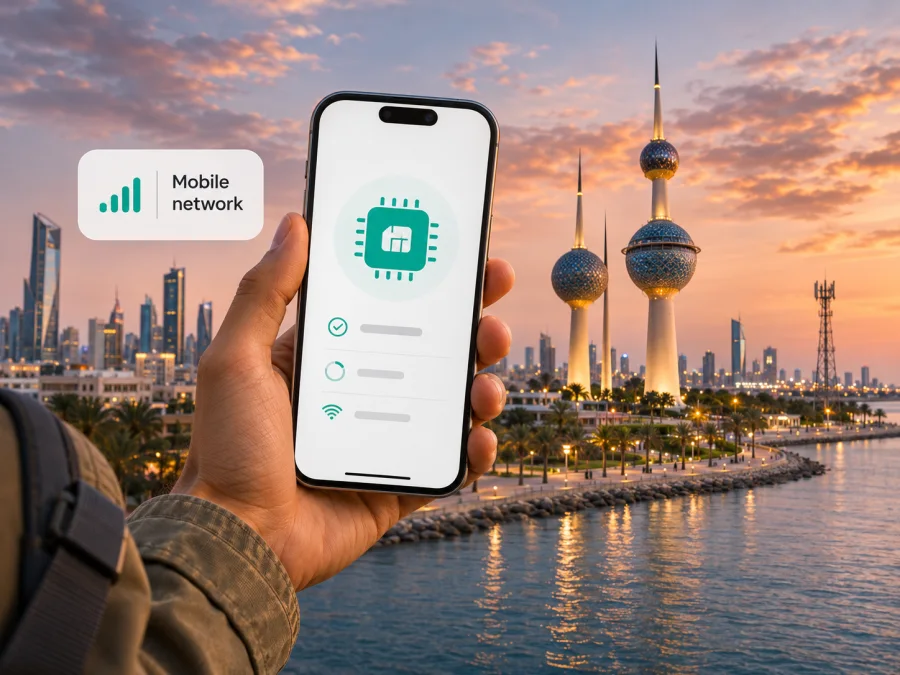
Zain eSIM in Kuwait: availability, activation and travel checks
If you are planning a stay in Kuwait and searching for a Zain eSIM, the key question is not simply whether the operator supports digital SIMs. It does: Zain Kuwait currently describes eSIM activation on its official website, including QR-code activation at a branch and, for supported iPhones, conversion from a physical SIM. What remains separate is whether a visitor can open a new Zain line, which identity documents are required for that specific application, and whether a particular device variant is accepted. Confirm those details with Zain before relying on a local line for arrival-day connectivity.
This guide summarizes confirmed activation information and visitor checks. Conditions can change, so confirm eligibility and device support with Zain before travel.
What Zain’s eSIM information confirms
Zain is one of the mobile network operators named by Kuwait’s Communications and Information Technology Regulatory Authority (CITRA). The regulator’s provider directory identifies Mobile Telecommunications Company (ZAIN) as a provider in Kuwait. For customers, that establishes Zain as a local operator; it does not by itself confirm that every visitor, resident, account type or handset qualifies for each service.
Zain Kuwait’s English eSIM page, checked on 3 November 2026, explains that an eSIM is a digital SIM profile and describes several ways to activate or move one. The page says a customer can scan a QR code obtained from a Zain branch. It also describes converting a physical SIM directly on a supported iPhone, as well as moving an existing eSIM from an old iPhone to a new one using a confirmation code. These are operator-described paths, not a guarantee that every line or phone will show the same menu or be eligible.
Apple’s current carrier support listing for Kuwait names Zain and includes eSIM, LTE and 5G among the supported carrier features. That listing helps confirm the operator and Apple-device context, but it is not a complete list of compatible devices. Android models, regional variants, software versions, account types and restrictions on carrier locking can affect what a customer can activate. Check the exact model and market variant with the manufacturer and Zain.
The public pages reviewed do not establish visitor eligibility for a new line or accepted identification documents. Do not assume an existing-customer QR process is also a tourist sign-up route. Ask Zain about visitor registration, required steps and whether a new line is available as eSIM.
The difference between local service and a travel eSIM
A Zain eSIM provisions a Zain subscription digitally. Whether it includes a local number, calls or SMS depends on the line and current terms; confirm this with Zain.
A travel eSIM is a separate product category. It is commonly set up to provide mobile data during a trip and may not include a local telephone number, standard voice calling or SMS. Its service is delivered through the network arrangements stated for that particular travel product. It should not be described as a Zain subscription unless the product terms explicitly say so. A travel eSIM may suit data use while keeping your home SIM installed; a local line may matter if you need a local number or operator-specific services.
Before deciding, write down what you need the connection to do:
- Mobile data only: navigation, messaging apps, email, booking details and online maps may be the main use. Compare eligible travel-data options with local service, after confirming that the travel eSIM is available for Kuwait and the device supports it.
- A Kuwait number: ask Zain about a new line for your visitor status, registration requirements, and whether the line is available as an eSIM for your exact phone.
- Calls or SMS: confirm whether these are included in the specific local service. A data-only travel eSIM should not be treated as a substitute for ordinary cellular calls or text messages.
- Keep your home number active: check dual-SIM support, which line is selected for data, and your home operator’s roaming settings and charges. A second profile does not automatically disable roaming on the primary line.
The right choice depends on your need for a local number, device support and registration eligibility. If you cannot confirm a route before departure, keep a backup for getting connected after arrival.
Is Zain eSIM suitable for a visitor?
Zain’s public eSIM page describes branch QR activation, physical-SIM conversion and iPhone transfer. It does not clearly confirm an online sign-up for overseas visitors or set out tourist registration conditions. General eSIM availability is not the same as eligibility for a new subscription.
Zain’s FAQ discusses prepaid services and points customers to its digital channels and branches for account-related tasks. This shows that prepaid service is part of the operator’s general offering, but it does not prove that a tourist can obtain a prepaid eSIM, or specify the documents, activation method or service features applicable to a visitor. Check current requirements directly with Zain. Ask specifically whether a passport is accepted, whether a local identification number or address is needed, whether registration requires a branch visit, and whether the eSIM can be issued to a non-resident.
If you already have a Zain line, ask whether it can be converted and which method applies. Keep the old profile and device available until the replacement works and Zain confirms the transfer is complete.
For a new connection, ask about the whole sequence rather than only asking “Do you support eSIM?” Useful questions include:
- Can a short-term visitor register for a new Zain mobile line?
- Can that line be issued as an eSIM, or must a physical SIM be activated first?
- Which original identification documents and local details must be presented?
- Can registration and identity checks be completed remotely, or must the customer visit a branch?
- Which phone models and regional variants are supported for that line type?
- Does the service include a local number, calls and SMS, or is it data-only?
- What should a customer do if the QR code fails or the phone is replaced?
The answers can depend on current regulations, Zain’s customer onboarding rules and the subscription type. Keep the response or confirmation from the operator with your travel notes, particularly if you depend on the connection for transport, accommodation or account access.
Coverage and network technology in Kuwait
CITRA’s public directory identifies Zain among Kuwait’s licensed mobile service providers. Apple’s carrier support page lists LTE and 5G support for Zain in Kuwait. The CITRA directory and Apple listing were checked on 3 November 2026. Together, these sources support a restrained statement that Zain offers mobile service in Kuwait and that LTE and 5G are listed for the carrier in the Apple compatibility context. They do not establish identical signal availability in every building, road, border area or handset configuration.
CITRA’s Mobile Network Operators Benchmark Report provides market-level measurements, not a prediction for a particular room or route. Signal depends on location, buildings, load, device and other conditions. Check Zain’s current coverage information for your destinations.
The handset matters too. A phone may support 5G generally but lack a locally used band, or have eSIM disabled in a regional version. It may also be carrier-locked. Check the full model code with the manufacturer and Zain; if your variant is not listed, ask support to confirm it.
A connection may use LTE or 5G depending on location, device and account. A 5G listing does not guarantee 5G everywhere. If service is unstable, check the selected data line and network settings, then contact the provider.
Prepare your phone before travelling
Before departure, check the following.
1. Confirm eSIM and carrier compatibility
Check that the phone has eSIM hardware and that eSIM use is enabled in your country or regional model. Review whether the device is unlocked. If you may use a Zain line, confirm the exact model and account eligibility with Zain. If you may use a travel eSIM, check compatibility for that product separately; compatibility with one operator does not guarantee compatibility with another eSIM profile.
You can check eSIM compatibility before choosing a digital SIM. Keep the model number handy when asking support for help. A device name such as a phone series is not precise enough if the same series has different regional variants.
2. Keep a reliable internet connection for installation
Profile downloads and activation usually need internet access. Use a stable connection and follow the service instructions. Keep activation details private and scan only a code provided through a verified channel.
3. Check account access and verification
For an existing Zain customer, confirm access to the account, the registered contact channel and any required verification code before beginning a SIM conversion. A transfer can interrupt the old profile once the new one becomes active. Keep both phones charged and connected where relevant, and do not remove the old profile early. For a new visitor line, confirm the registration route and documents before travelling to a branch.
4. Decide which line handles data
With dual-SIM support, you may be able to keep your regular number while using another line for data. Active combinations vary by phone. Label each line, select the intended data line and check roaming settings for that specific service.
Activating or transferring a Zain eSIM
Zain describes QR-code activation at a branch, conversion on supported iPhones, and transfer between iPhones. Use the method available for your line; screens may vary by device and software.
QR-code activation at a branch
If Zain confirms eligibility, request the QR code and device-specific steps at an official branch. Connect to the internet, open cellular settings, choose to add an eSIM and follow the prompts. Menu names vary. Ask whether the code can be reused before scanning it again.
Confirm activation with Zain and select the intended line for calls, messages or data. If it shows no service, check the instructions and contact support before deleting the profile.
Converting an existing physical SIM on iPhone
Zain says supported iPhones can convert a physical SIM on-device. The steps depend on model, software and carrier settings. Connect to Wi‑Fi, confirm eligibility and access to any verification code, then follow Zain’s current instructions. Keep the physical SIM until the eSIM works.
Moving an eSIM to a new iPhone
Zain describes a transfer to a new iPhone that uses an SMS code sent to the old phone. Keep it available until completion. If you cannot access the old device or code, contact Zain about replacement before repeating the transfer.
If setup does not complete
Note the error and step where it appeared. Check device compatibility, unlock status and internet access, then restart once. If the code is expired, used or rejected, contact Zain for the next step rather than repeatedly deleting and reinstalling the profile.
Using a travel eSIM for data in Kuwait
If a local Zain line is not essential or visitor eligibility is uncertain, a travel eSIM may be another way to prepare for mobile data. Kaspersky eSIM Store is an app and website where travelers can choose, arrange and activate an eSIM with a data plan for an overseas trip. It is not a mobile operator, does not own a network and does not itself provide mobile connectivity. Service depends on the particular product and its local network arrangements.
The Kaspersky eSIM Store Kuwait destination page is available for browsing current options. Check the live destination and product details before purchase because availability and terms can change. Confirm that the offer is intended for use in Kuwait, that it suits your travel dates and data needs, and that your exact phone variant supports eSIM. Do not assume the network partner, voice service or registration requirements without checking the current product information. The page identifies a technology partner and local telecommunications providers, but those details do not establish a Zain line or a particular network path for every product.
A travel eSIM may be used alongside another line on a supported phone. Follow its instructions for installation timing, activation and roaming. Keep access to your account and activation email, and have internet available during setup.
If you need standard calls or SMS, verify support for the selected service. The Kaspersky eSIM Store travel eSIM described on its Kuwait page is data-only and does not provide a regular number for conventional calls or texts. Messaging apps may work over data. Check your home operator’s roaming terms if you keep that SIM active.
Browse current eSIM options for Kuwait if mobile data is your priority. The destination page is a place to review current travel eSIM availability; it is not a Zain tariff page or a claim that Zain supplies the travel eSIM.
A practical arrival-day checklist
- Confirm that the phone is unlocked and the exact regional model supports eSIM.
- Save the relevant operator or travel-service instructions before leaving home.
- Keep your passport and any requested registration details available if you intend to apply for a local line; confirm requirements with Zain first.
- Install a travel profile only as directed, and keep the activation message or QR code secure.
- After landing, select the correct line for mobile data and check roaming settings for that profile.
- Test maps, messaging and a basic webpage before relying on the connection for time-sensitive tasks.
- If data does not work, check the selected line, data setting and network mode, then contact the provider with the device model and error message.
- Keep the home SIM’s roaming status and billing conditions in mind if it remains active.
These checks help narrow down whether the issue is compatibility, activation, line selection or local availability.
Questions travellers often ask
Does Zain Kuwait offer eSIM?
Yes. Zain Kuwait’s official eSIM page describes eSIM activation and transfer options. Apple’s carrier listing also identifies eSIM support for Zain in Kuwait. This confirms general availability, but not eligibility for every account, visitor or device variant.
Can a tourist buy a Zain eSIM online?
The public material reviewed does not clearly confirm an end-to-end visitor sign-up process. Zain describes branch QR activation and selected iPhone conversion and transfer methods. Ask Zain whether a new line can be registered by a visitor, which documents are needed, whether a branch visit is required and whether the specific device is supported.
Does Zain eSIM work on every phone?
No universal compatibility claim is supported. eSIM support depends on the device model and regional version, software, unlock status and carrier eligibility. Check the exact model with the manufacturer and Zain before relying on it.
Does Zain support 5G in Kuwait?
Apple’s current carrier support listing shows 5G and LTE for Zain in Kuwait. Actual access depends on the device, account, network availability and location. Check current operator information for the places you plan to visit.
Can I keep my existing SIM while using an eSIM?
Many dual-SIM phones allow more than one line to be configured, but the active combinations differ by device. Review your phone’s instructions and label the lines clearly. Choose which SIM handles data, and check roaming settings and charges for the home line.
Is a travel eSIM the same as a Zain subscription?
No. A travel eSIM arranged through Kaspersky eSIM Store is a separate travel-data product and is not automatically a Zain-issued local subscription. Review the destination page and the product terms to understand availability, network arrangements and included service.
Before you choose
Zain Kuwait’s public information confirms eSIM support and describes activation routes for eligible customers. Visitor eligibility, required documents and support for every regional phone variant remain unclear in the reviewed material. Confirm these with Zain before relying on a local line.
For a data-focused trip, you can also review the current Kuwait destination page in Kaspersky eSIM Store, check the exact device variant and read the activation instructions before purchase. Kaspersky eSIM Store helps travelers choose, arrange and activate a travel eSIM; the underlying connectivity depends on its stated service arrangements. The right choice is the one that fits your device, registration eligibility and need for a local number, voice or data.
Zain and Kaspersky eSIM Store are separate services. This article is independent and is not affiliated with, endorsed by or sponsored by Zain. Operator procedures and product availability can change, so confirm current information with the relevant provider before travel.


