Travel connectivity guide
Zain eSIM in Sudan: what to check
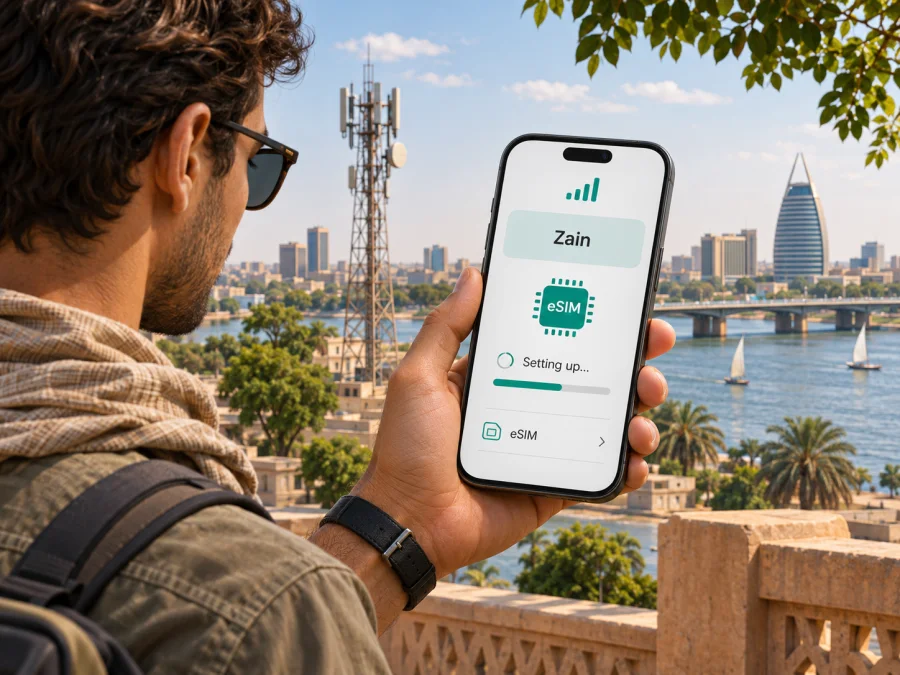
Zain eSIM in Sudan: availability, setup and travel checks
If you are travelling to Sudan and searching for a Zain eSIM, first separate two questions: whether your phone supports eSIM technology, and whether Zain currently offers eSIM service for customers in Sudan. The first depends on your device and its regional variant. The second needs confirmation from Zain Sudan: as of 4 November 2026, I could not verify a current public Zain source that confirms eSIM availability in Sudan. Zain Group’s 2025 annual report describes an eSIM launch in South Sudan, a separate country and market; that announcement does not confirm availability in Sudan.
This guide explains what is established, what still needs checking with Zain, and how to prepare mobile data for a trip without assuming that a device feature or a service in a neighbouring market is available locally. It does not list or compare any operator packages.
Zain in Sudan: the market and the name
Zain is a mobile network operator in Sudan and part of the wider Zain Group. In its 2025 annual report, Zain describes its Sudan operation as Zain Sudan and identifies it as a mobile operator. The same report presents Zain Sudan as an established business in the country. This is useful context when looking for local mobile service, but it does not by itself answer whether a specific customer can obtain an eSIM, activate a new line remotely, or use a tourist registration process.
Zain Group’s “Zain Operations” section in its 2025 Annual Report describes Zain Sudan’s role in the local mobile market. These company-reported figures are a dated market snapshot, not a live measure of signal at a particular address. For a visitor, the practical questions are whether the service works where you will stay, whether non-residents can register, and whether a line can be issued as an eSIM rather than a physical SIM.
Is Zain eSIM available in Sudan?
The careful answer is: I could not confirm it from a current public Zain Sudan source checked on 4 November 2026. Zain Group’s 2025 Regulatory Affairs report says that Zain launched eSIM services following regulatory approval in South Sudan. The report labels that announcement specifically as South Sudan. It does not establish that Zain Sudan has launched the same service. Search results, reseller descriptions and forum posts may mention eSIMs in Sudan, but they are not a substitute for a current, market-specific statement from the operator.
This is an unresolved verification point, not proof that Zain eSIM is unavailable. Product availability may differ by customer type, device, new-line or replacement request, and sales channel. Before making travel plans around a Zain eSIM, ask Zain Sudan directly whether it currently issues eSIM profiles in Sudan, whether the option is open to visitors, and how a profile can be obtained and activated. Ask for the answer to apply specifically to Sudan, not to Zain Group generally or to South Sudan.
A short checklist for the operator:
- Does Zain Sudan currently issue eSIM profiles for new customers, or only replace an existing SIM?
- Can a visitor or non-resident register, and which current identity documents are accepted?
- Must the request be made at a service centre, or can the profile be issued through an official digital channel?
- Is the activation QR code intended for one device, and what should you do if the phone is replaced or reset?
- Does the device need to be connected to Wi-Fi during installation, and is any local setting or customer-account step required?
- Which network generations are available along your planned route, and is there a current coverage map or local check for each stop?
If customer care cannot give a clear answer, plan for a physical local SIM as a possible fallback and check whether it can be purchased and registered at your arrival point. Do not assume that an international airport has a Zain eSIM counter, that a QR code can be sent abroad, or that a passport alone is sufficient for registration. Confirm the current procedure, documents, payment methods and service-centre availability before relying on them.
eSIM, prepaid service and travel data are different things
An eSIM is a digital SIM profile stored in a compatible device. It can serve the same broad purpose as a removable SIM, but the profile has to be issued by a provider that supports eSIM for that market and customer. A phone with eSIM hardware does not create a subscription by itself. Likewise, an operator’s prepaid service does not automatically mean that prepaid customers can use eSIM.
For a local Zain line, ask whether eSIM is available for prepaid customers, postpaid customers, or both. Ask whether an existing number can be converted from a plastic SIM, whether a new number can be issued digitally, and whether an account or identity check must be completed in person. These details matter because “eSIM available” can describe only one kind of transaction. A service may support replacement for current customers while not offering remote activation to a new visitor, or may have eligibility rules that depend on local regulation.
A travel eSIM is another arrangement. It is generally set up for mobile data while abroad and may connect through a local partner network, according to the destination and terms shown for that travel product. It is not automatically a Zain Sudan subscription, does not necessarily provide a Sudanese phone number, and should not be presented as a substitute for a local voice line. Check the destination, network access, activation timing, data-only limitations, tethering terms and device compatibility on the exact product page before purchase. Do not infer the partner network or coverage from the word “Sudan” alone.
For a trip, keeping a home SIM active for calls and verification while selecting a separate eSIM for mobile data may be convenient, if your phone supports dual SIM use and your home operator’s roaming settings are understood. Make sure the home SIM is not selected for mobile data by mistake. Calls, SMS, banking codes and data can follow different lines and charges. If connectivity is critical, keep an offline copy of important information and do not rely on one SIM profile as the only way to communicate.
Check your phone before you choose a connection
Device compatibility has two parts: the model must contain eSIM support, and the device must be eligible for use with another carrier. Names such as “Model X” are not enough to confirm this. Manufacturers sell region-specific variants, and a model with a familiar retail name may have different SIM hardware in another market. Some carrier-sold phones may also be network locked.
Before paying for an eSIM or travelling to a shop:
- Find the full model or part number in your phone’s settings or on the manufacturer’s support page.
- Check the manufacturer’s eSIM specification for that exact regional variant. Do not rely only on a generic compatibility list for the product family.
- Look in the cellular or mobile-network settings for an option to add an eSIM. Its presence is a helpful clue, but it does not guarantee Zain Sudan service.
- Confirm that the device is unlocked for use with another provider. Ask the original seller or home carrier if the status is unclear.
- Update the operating system before departure, while you have a stable internet connection and access to your account credentials.
- Keep access to the email address or account where an activation code would be delivered. Avoid deleting an installed profile unless the issuer tells you how to restore it.
If you need a model-specific answer, use the device compatibility guide and confirm the final result with your phone manufacturer and the service issuer. Compatibility can vary by country of sale, exact model number and software version.
Coverage and network technology in Sudan
Zain operates a cellular mobile network in Sudan, but no single country-wide description can predict the signal at every destination. The TPRA publishes telecommunications coverage information, while Zain’s public pages and customer channels are the appropriate places to ask about current service and local conditions. Treat maps as planning references. They may represent outdoor or population coverage, can be based on a particular reporting date, and cannot promise service inside a hotel, office, vehicle or remote settlement.
The current official information reviewed for this article did not provide a clear, detailed, current list of radio technologies available to each Zain customer throughout Sudan. For that reason, this guide does not claim that a particular generation, such as 4G or 5G, is available across the country or along a specific route. Ask Zain which technologies are active at your destinations and whether the exact phone bands are supported. A device may support eSIM but lack a radio band used locally; those are separate compatibility questions.
Coverage is also different from continuity. A map can show that a network has infrastructure in an area, but it cannot guarantee that the service will be operating when you arrive or that power, backhaul, capacity and access conditions will be unchanged. This is especially relevant for trips involving long transfers or multiple locations. Before departure, check official notices and local updates, download maps and tickets for offline use, and arrange a backup communication method appropriate to your itinerary. This is general preparation advice, not an assessment of current network quality.
How to verify a Zain Sudan eSIM request
Ask Zain Sudan a specific question: “I will be in Sudan and use [exact phone model and regional variant]. Does Zain Sudan currently issue an eSIM for [a new line / replacing an existing SIM] to a [visitor / resident]? Which documents are accepted, where do I apply, how is the profile delivered, and can I complete activation outside Sudan?”
Check that the answer names Sudan, applies to your customer type and transaction, and comes through an official Zain channel. Confirm the exact device, activation timing and recovery process for a lost QR code or replaced phone. Ask separately about network technology and coverage at the places on your itinerary. If the answer is unclear, seek written confirmation from Zain Sudan or ask at an official service location; a reseller listing does not establish that Zain itself issued the profile.
If Zain eSIM is not confirmed: plan a fallback
Until the operator confirms availability for your case, make a connection plan that does not depend on an unverified eSIM. You can ask about a physical SIM, assess whether your home plan’s roaming service is suitable, or consider a travel eSIM for mobile data if its current destination information explicitly covers the places you will visit. Each option has separate registration, billing and technical conditions.
For a physical local SIM, ask where it can be obtained, which identity documents are needed, whether registration is completed at purchase, and what support is available if the SIM stops working. For home-network roaming, check the destination, charges, data limits and any controls with your home operator before departure. For a travel eSIM, verify the country and any included regions, host network disclosure, whether it provides data only, activation rules, and whether hotspot use is allowed. These checks are more useful than assuming that every option works in every part of Sudan.
If you want to prepare travel data separately from a local voice line, browse current eSIM options for Sudan. Kaspersky eSIM Store is a website and app that helps travellers choose, order and activate a travel eSIM with a data plan. It is not a mobile network operator, does not own a cellular network and does not itself provide mobile internet. Availability and terms depend on the selected product and local providers. Review the live destination and product conditions before deciding; a country page is not a statement that Zain offers an eSIM subscription.
Installing a travel eSIM on a compatible phone
The steps below are general. Follow the instructions supplied with the eSIM you actually choose, since menu names and requirements vary by manufacturer, device model, operating-system version and provider. Install while connected to reliable Wi-Fi and keep the activation details until you can confirm that the profile is working.
- Check compatibility and carrier lock. Confirm that the exact phone variant supports eSIM and is unlocked. Ask the service issuer if you are unsure whether the profile works on your model.
- Prepare internet access. Use stable Wi-Fi to download the profile. Keep your confirmation email or account login available on another device if the QR code is displayed on the phone you are setting up.
- Add the profile. Open the mobile-network settings and choose the option to add an eSIM. Scan the provided QR code or use the installation method given in the provider’s instructions.
- Label the line. Give the travel profile a clear name, such as “Travel data,” so you can distinguish it from your regular SIM.
- Choose the data line. When you are ready to use the travel data, select the relevant profile for mobile data. Keep your usual line selected for calls or messages only if that suits your needs and you understand its roaming settings.
- Check roaming and APN instructions. Some travel profiles require data roaming to be enabled for that eSIM. Follow the provider’s instructions and make sure your home SIM is not unintentionally using roaming data. Enter an APN only if the provider gives one.
- Allow time to connect. After arriving and switching on the profile, registration may take a few minutes. If there is no service, check the selected data line, airplane mode, roaming setting and any manual network-selection instructions before contacting support.
For product-specific steps, see the iOS eSIM installation guide or Android eSIM installation guide. The Android guide is based on a Samsung menu layout, so other Android phones may use different wording. These instructions explain how to add a travel eSIM profile; they do not establish Zain Sudan availability.
A simple checklist before departure
- Confirm that your itinerary is for Sudan and that any service claim explicitly names Sudan.
- Ask Zain whether it currently issues eSIMs in Sudan for your customer type and exact transaction.
- Confirm the accepted identity documents, application channel, delivery method and activation process.
- Check the full device model, regional variant, eSIM support, carrier-lock status and local radio-band compatibility.
- Ask about current coverage and technologies at each planned location; do not treat a national map as a guarantee.
- If eSIM availability is not confirmed, prepare a physical-SIM, roaming or travel-data alternative.
- Install any travel profile over stable internet, store its instructions offline and understand which line will use data.
- Keep important contact details, maps and travel documents available offline in case mobile service is temporarily unavailable.
Frequently asked questions
Does Zain offer eSIM in Sudan?
I could not confirm a current public Zain source specifically stating that Zain Sudan offers eSIM as of 4 November 2026. Zain Group’s 2025 report confirms an eSIM launch in South Sudan, which is a different market. Ask Zain Sudan for current, market-specific confirmation before relying on this option.
Does Zain’s South Sudan eSIM announcement apply to Sudan?
No. The report identifies South Sudan specifically. Sudan and South Sudan are separate countries and operator markets. Always check the country named in the official product information and in any customer-care answer.
Can a phone that supports eSIM automatically connect to Zain?
No. Device support only means that the phone can store an eSIM profile. The operator must issue a suitable profile for your market and customer type, and the device must be unlocked and compatible with the local network.
Is a travel eSIM the same as Zain eSIM?
No. A travel eSIM is a separate travel-data product that may connect through a local partner network under its own terms. It is not automatically issued by Zain and may not include a local phone number, voice service or SMS. Check the exact product details before purchase.
Final guidance
Zain operates a mobile network in Sudan, but Zain Group’s published South Sudan eSIM announcement does not verify eSIM availability in Sudan. As of 4 November 2026, that specific service detail remains unconfirmed in the public Zain sources reviewed. Ask Zain Sudan directly about eligibility, registration, activation, supported devices and coverage for your route before buying or depending on an eSIM. If you need mobile data for travel, compare only current options whose destination and conditions are clearly stated, and prepare a fallback for places where network access may be limited.
Sources checked on 4 November 2026: Zain Group, “Zain Operations” and “Regulatory Affairs” in the 2025 Annual Report, and Zain Group’s “About Us” overview; the Telecommunications and Post Regulatory Authority (TPRA), “Telecommunications Coverage.” The eSIM announcement cited above is specifically for South Sudan.
Zain and related names are trademarks of their respective owners. Kaspersky eSIM Store is not affiliated with Zain and is not its official partner or distributor. Information was checked on 4 November 2026; operator features, activation procedures, registration rules and coverage information can change. Confirm current conditions with the relevant provider before purchase or travel.


