Travel connectivity guide
Zain Jordan eSIM in Jordan: travel guide
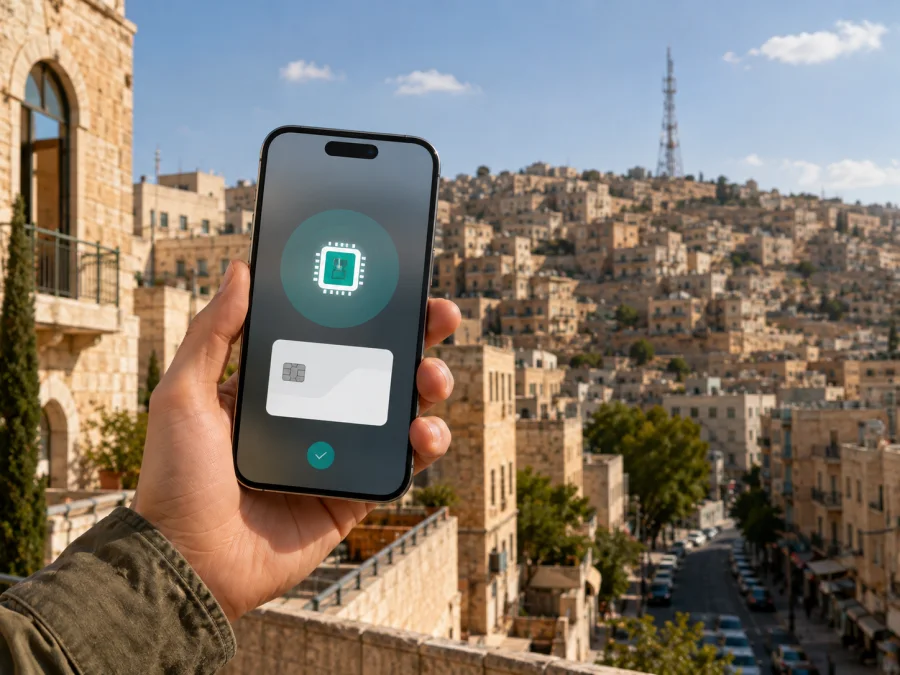
Zain Jordan eSIM in Jordan: what travellers should check
If you are travelling to Jordan and need mobile internet, an eSIM can help you connect without handling a plastic SIM card. Zain Jordan’s Jordan websites present consumer mobile, prepaid, visitor, roaming, 4G/LTE, 5G and eSIM services. The practical questions are how the service is issued, when it can be activated, what identity checks apply and whether the needed technology is available along your route.
This guide reflects current public information checked on September 3, 2026. Operator conditions can change, so read the current Zain Jordan information before purchase. Zain Jordan and Kaspersky eSIM Store are separate services. Kaspersky eSIM Store is not affiliated with, endorsed by or an official partner or distributor of Zain Jordan. It is an app and website that helps a traveller choose, arrange and activate an eSIM with a travel data tariff; it is not a mobile operator, network owner or provider of Zain Jordan coverage.
Quick answer: is Zain Jordan eSIM available in Jordan?
Yes. Current official public pages show eSIM as an option in Zain Jordan’s visitor and prepaid online journey. The Zain eShop visitor page presents a choice between a physical SIM and an eSIM and labels the visitor eSIM flow as activated upon arrival. The same page says that the device must support eSIM functionality. This directly confirms eSIM availability for at least the relevant visitor/prepaid flow in Jordan.
Zain Jordan’s dedicated eSIM help page lists selected phones and tablets and describes adding a mobile plan, scanning or entering a QR activation code and choosing a line when two SIM profiles are in use. Check your exact model, regional version, software and operator-lock status.
Zain Jordan in the local market
Zain Jordan’s public website presents consumer mobile, prepaid, visitor, roaming, 4G/LTE, 5G and eSIM services. A locally issued mobile line differs from a travel eSIM arranged before departure, so read the visitor journey’s current conditions carefully.
What current official pages confirm
The official Zain eShop visitor page, checked September 3, 2026, shows physical SIM and eSIM choices, arrival-based activation for the displayed visitor eSIM and the requirement that the device support eSIM. Zain Jordan’s official eSIM page, checked the same day, explains QR or manual activation through mobile-network or SIM settings, dual-SIM line selection and secure handling of the activation code.
Zain Jordan’s official announcement about electronic identity verification for prepaid lines, also checked that day, says verification can use a Jordanian national ID, the Sanad digital ID application or a passport. For a non-Jordanian traveller, the passport route is relevant, but the exact steps can vary by channel.
Together, these pages establish a baseline: eSIM is shown in a visitor/prepaid flow, compatibility is required, QR or manual activation may be used, the displayed visitor route associates activation with arrival and identity verification may apply. They do not guarantee activation on every handset.
Checks before choosing a local eSIM
Confirm the exact device
Open settings and look for Add eSIM, Add mobile plan or Manage SIMs. Check the exact model identifier and regional version because similar-looking devices can have different SIM capabilities. Also confirm that the phone is not carrier-locked; if it was bought through a contract, ask the original carrier about unlocking before departure.
Update the software and prepare internet access
Zain Jordan’s eSIM instructions require an internet connection and, for some device families, a current operating system. Install pending updates while you have reliable Wi-Fi and keep another connection available during installation; do not assume an arrival-based local eSIM will provide data before reaching Jordan.
Prepare identity information
Visitor and prepaid registration can involve identity verification. Zain Jordan’s current eKYC announcement names a passport as one possible document for non-Jordanian customers, alongside Jordanian identity methods. Carry the passport used for registration and follow the current prompts in the selected channel.
Check the activation wording
The official visitor eShop page currently labels the eSIM choice as activated upon arrival. Selecting that option does not necessarily mean it will work like a travel data profile that is fully usable at home. Read the activation wording before confirming and keep an alternative connection until the profile is ready.
Protect the QR code
QR and manual activation details are sensitive. Do not post them in a group chat or leave them in an unprotected screenshot. If a code is single-use or tied to one profile, deleting the profile may require support rather than a second scan.
Zain Jordan eSIM installation sequence
The menu names differ, but Zain Jordan’s official instructions follow this pattern:
- Connect to the internet. Use stable Wi-Fi or another working mobile line.
- Open mobile-network settings. Look for Cellular, Mobile Service, Connections or SIM management.
- Choose Add eSIM or Add mobile plan. Do not remove your existing SIM without checking the effect on calls and messages.
- Scan the QR code or enter details manually. Use the information supplied in the current Zain Jordan flow.
- Wait for installation. Keep the phone connected and avoid repeatedly deleting the profile.
- Label the lines. Clear labels make later selection easier.
- Select the data line. If two SIMs are active, confirm which one carries cellular data.
- Test after arrival. Turn Wi-Fi off and open a simple webpage if the flow specifies arrival-based activation.
Zain Jordan’s public instructions include iPhone, Samsung and Huawei menu paths. They are a guide, not a promise that every screen will be identical. If the QR code fails, stop after a few attempts and use the current support channel rather than creating duplicate profiles.
Choosing the data line
When the eSIM is active, select it for mobile data and decide whether the home line handles calls and messages. Disable automatic data switching if you want manual control. If data does not work, check the selected line, cellular data, airplane mode and any data-roaming toggle required by the device or service. Installation places a profile on the handset; network access still depends on activation timing, device and location.
Coverage and supported technologies in Jordan
Zain Jordan’s official pages describe 4G/LTE and 5G services. Its 5G information page, checked September 3, 2026, says deployment is ongoing, availability varies by location and a 5G-capable device is required. For a traveller, 5G should therefore be treated as area-dependent rather than as a nationwide guarantee.
An official Zain Jordan news release about the 5G rollout, published in October 2025 and still public when checked, reported expansion in Irbid and parts of several other governorates. This indicates ongoing rollout, not a substitute for checking a particular route. The operator’s 5G information directs users to check availability in their area.
Consider the actual itinerary: Amman, the airport, main roads, tourist sites, valleys, desert areas, indoor buildings and border approaches can present different radio conditions. If data is essential at a specific place, verify current availability with Zain Jordan and keep offline copies of maps, reservations and important contacts.
An eSIM changes how a subscriber profile is stored; it does not extend network reach or make an incompatible or locked handset connect.
Local Zain Jordan eSIM or a travel eSIM?
The decision is about the type of service you need, not a ranking of operators. A local Zain Jordan eSIM may fit a traveller who wants a locally issued mobile line and accepts the operator’s registration and arrival-based activation process. The official Kaspersky eSIM Store Jordan page, checked September 3, 2026, describes an app and website for arranging travel data through an eSIM; it is data-only, has no separate ordinary phone number, calls or SMS, and is not a full replacement for a local mobile line.
The distinction is practical:
- Zain Jordan local eSIM: a locally issued mobile service with the operator’s registration and support process. The visitor eShop shows arrival-based activation, while the help page describes QR installation.
- Travel eSIM through Kaspersky eSIM Store: the app and website help the user arrange a data-only travel eSIM; the service is not a mobile operator.
- Checks for either route: use a compatible, unlocked device, keep internet for installation, select the correct data line and follow current identity and channel requirements. A travel profile may need data roaming and may not be transferable after activation.
For either route, confirm current conditions immediately before purchase and save support details somewhere accessible offline.
Common problems and fixes
There is no Add eSIM option
The model may not support eSIM, the regional version may differ, the phone may be locked or the system may be outdated. Check the exact model, update the software and ask the original carrier about unlocking. Do not infer compatibility from the phone’s marketing name alone.
The QR code will not scan
Keep the phone online and increase the brightness of the screen displaying the code. Use manual entry only when the supplied instructions provide the details. Do not share the code; if it appears consumed, contact Zain Jordan through the current support route.
The profile installs but data does not work
Select the correct data line, confirm cellular data is enabled, turn airplane mode off and check for a service-specific data-roaming requirement. Turn Wi-Fi off for the test. If activation is associated with arrival, do not treat pre-arrival installation as a failed connection.
5G is not displayed
The phone, active service and location must support 5G, and local conditions must allow it. Zain Jordan states that availability varies by area and rollout is continuing. 4G/LTE can therefore be the expected result outside a current 5G area.
Calls or SMS are required
A data-only travel eSIM is not a replacement for ordinary voice and SMS service. Keep the home SIM or choose a local service whose current conditions cover the features you need. Messaging apps can work over data but still require their own accounts and settings.
Preparation checklist
- Confirm the exact phone model supports eSIM and is unlocked.
- Update the operating system and charge the phone.
- Read the current Zain Jordan visitor or eSIM instructions.
- Keep the passport available if identity verification is requested.
- Confirm arrival-based activation and save the activation details securely.
- Decide which line carries data, turn off automatic switching if needed and download essential information offline.
At the airport or accommodation, test the connection with Wi-Fi disconnected. For an arrival-based Zain Jordan eSIM flow, allow the service to reach its stated activation point. For a travel eSIM, follow the app or website instructions and check whether the device needs data roaming enabled for that profile.
Frequently asked questions
Can I get a Zain Jordan eSIM before travelling?
The current Zain eShop visitor flow displays an eSIM option but labels that route as activated upon arrival. Do not assume it will be fully usable before the trip. Read the purchase screen and ask Zain Jordan support if your itinerary requires connection before reaching Jordan.
Does Zain Jordan eSIM work on every phone?
No. The visitor page says the device must support eSIM, and the dedicated page lists selected compatible devices. Support can vary by model, region, software and lock status. Check the handset and the operator’s current list.
Do visitors need a passport?
Zain Jordan’s eKYC announcement says a passport can be used for prepaid identity verification alongside Jordanian identity methods. The required document and process depend on the channel and service, so keep your passport available and follow the current registration instructions.
Conclusion
Zain Jordan’s current public pages confirm an eSIM path in a visitor/prepaid journey, QR-based installation guidance and support for selected compatible devices. They also show why preparation matters: the visitor flow associates activation with arrival, prepaid registration may involve identity verification and 5G availability depends on location and ongoing rollout. A compatible unlocked phone, secure activation details, the correct data-line setting and offline backup information cover common points of failure.
If a local Jordanian mobile service and its registration process fit your needs, review the current Zain Jordan route directly. If you mainly need mobile internet for travel and prefer to prepare through an app or website, choose an eSIM plan for Jordan through Kaspersky eSIM Store. The service can help arrange and activate a travel eSIM, but it is not Zain Jordan, does not own a mobile network and is not affiliated with the operator.
Confirm current support, activation rules, registration requirements and network availability before travelling.
Final step
Check the device, prepare the required identity document, save the activation details and decide which line will carry mobile data. When you are ready to review the travel-data route, find an eSIM option for Jordan. Use the current on-screen conditions to choose, install and activate the service that matches your itinerary.


