Travel connectivity guide
Zantel eSIM: United Republic of Tanzania guide
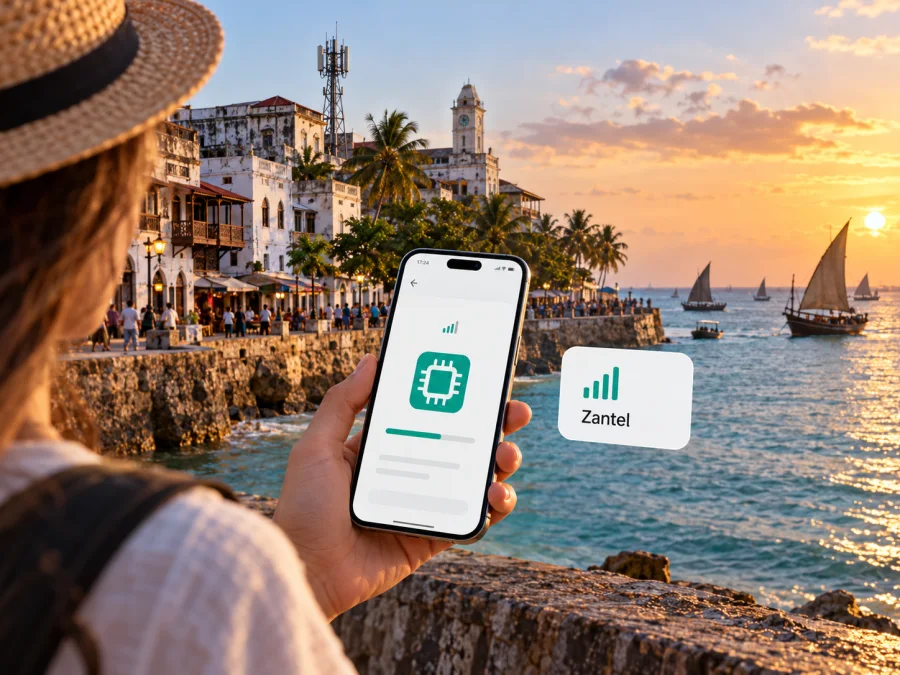
Zantel eSIM in the United Republic of Tanzania: what travelers should check
If you are travelling to the United Republic of Tanzania and searching for a Zantel eSIM, verify the exact service before relying on it. The current public information checked for this guide does not confirm that Zantel offers a local eSIM profile to visitors. Apple’s carrier-support directory lists Zantel in Tanzania, but its Zantel entry does not include an eSIM feature; it lists selected iPhone services instead. This is useful evidence, but not a complete statement about every handset, customer or roaming product. Zantel’s public website could not be opened during this check, so current activation steps and visitor requirements could not be confirmed.
An eSIM-ready phone can install a travel eSIM from a separate provider, but that does not mean it can download a local Zantel profile. Nor does an eSIM sold for Tanzania necessarily connect through Zantel. Check the profile’s supported network and destination before purchase, and ask Zantel directly if you specifically need its local service.
Verification checked on 17 October 2026: Apple Support’s “Wireless carrier support and features for iPhone in Africa” names Zantel under Tanzania but does not show eSIM beside the carrier. Apple’s directory concerns iPhone carrier features, not a universal product catalogue. The Zantel site could not be opened, and no current official Zantel eSIM instructions or visitor-activation page were confirmed. TCRA is Tanzania’s communications regulator; its general regulatory role does not confirm a specific Zantel retail offer or signal at a particular address.
What a Zantel eSIM search can and cannot confirm
The phrase “Zantel eSIM” can refer to different things: a phone’s eSIM capability, a local profile sold by the operator, international roaming, or a travel data eSIM for Tanzania. These products can have different issuers, networks, account rules and activation steps. A search result that says “eSIM for Tanzania” alone does not establish that Zantel issued it or carries its traffic.
Apple’s directory currently includes a Tanzania entry for Zantel and selected iPhone features. In the same country list Apple marks eSIM for another carrier, while the Zantel entry has no eSIM label. Treat that as a reason to confirm local support with Zantel, not proof that no Zantel eSIM exists for any device or customer. Carrier feature listings may differ by handset, account and location, and a phone can support eSIM generally even when a particular carrier does not provision a profile to it.
Prepaid and eSIM availability are also separate questions. A carrier may sell prepaid service only on a physical SIM, limit eSIM to eligible existing accounts, or require a store visit for a profile change. A travel eSIM may be data-only and have no local number. These are common distinctions, not confirmed details of Zantel’s current offer. Confirm the service type and eligibility before departure.
Zantel is the operator named in this article. Current public materials checked here do not establish its visitor eSIM offer, radio technologies or detailed retail terms. Archived pages and search results can use older corporate names. If a sales channel or brand is unclear, ask which company issues the profile, which network carries its traffic and who provides support.
The country and your itinerary
The United Republic of Tanzania includes mainland territory and Zanzibar. The Permanent Mission of the United Republic of Tanzania to the United Nations describes the country as formed from the union of Tanganyika and Zanzibar on its public “About Tanzania” page (checked 17 October 2026). A traveller may visit Dar es Salaam, continue inland, and then go to Zanzibar; another may visit the islands only. “Available in Tanzania” can describe a country-level offer, but does not guarantee identical reception, activation rules or support in every place. Confirm service across the locations that matter to your itinerary, including islands, rural stops, parks and transit routes.
A country listing is not a promise of usable signal indoors, on a road or in a remote location. Reception depends on the local network, device, buildings, terrain, congestion and roaming arrangements. Ask which local network a travel profile uses and whether it covers each destination. Keep offline maps and essential booking details as a backup if connectivity is important.
Before choosing a local service or travel eSIM
Start with what you need. If you need a Tanzanian number for ordinary calls, SMS or account verification, a data-only travel eSIM may not be enough. If your priority is maps, messaging apps, email and browsing, a travel data profile may suit you if it works with your device and its network serves your route. If you specifically need a Zantel number, get confirmation from Zantel or an authorized sales channel before travelling.
Use this checklist before paying:
- Identify the product: Is it a Zantel-issued local eSIM, Zantel roaming, or a travel eSIM using a partner network?
- Confirm availability: Can a new visitor obtain it? Is it prepaid or contract-based, and can it be activated before arrival?
- Check registration: Which identity document is accepted? Is an in-person visit required, and can a visitor complete the process?
- Verify the device: Is the exact regional variant unlocked and eSIM-capable? Does it allow another active profile?
- Check the route and network: Which local network is used, and does the provider support all the destinations you plan to visit?
- Confirm included services: Is the profile data-only, or does it include a local number, voice and SMS?
- Get setup directions: Ask whether you need an app, QR code, account or store visit, and when service begins.
- Plan a fallback: Keep another way to access essential information and contact support if activation fails.
Requirements can change, so do not rely on an old traveller’s post for identity rules or activation. Ask the provider whether to install the profile before departure or after arrival, whether its line needs data roaming enabled, and how to reach support without local data. Installation and connection are separate steps: a profile can be present on the phone without being registered on a network.
Compatibility: check the exact handset variant
eSIM is a device capability, not a feature of every phone with a familiar model name. Support can depend on the exact model number, country of sale, operating system and carrier lock. Some regional variants omit eSIM even where similar versions support it. Check the manufacturer’s specifications for the precise device and, where supported, look for its EID in settings. A model-family search alone is not enough.
Confirm the phone is unlocked if you intend to add a profile from another provider. Also check how many eSIM profiles the phone can store and how many lines can be active at once. Dual-SIM settings let you select a line for data, calls and messages, but they do not provide carrier support that is otherwise unavailable.
Apple’s carrier directory can help identify features listed for iPhone, while the phone’s own settings show whether it can add a mobile plan. Neither is a substitute for confirming that Zantel provisions the service you want. On Android, menu names vary by manufacturer and software version; consult the phone maker’s instructions and the provider’s current setup guide. If the phone was purchased in a market with eSIM restrictions, check the exact variant with its manufacturer or seller.
If you travel with a work phone, check that device-management rules allow another profile. Save activation details securely and do not share one-time codes with an unverified contact.
Check whether your device supports eSIM before choosing a travel profile. This checks device capability; it does not confirm Zantel availability, local registration eligibility or coverage.
If Zantel confirms a local eSIM
If Zantel confirms that it can issue a local eSIM for your customer type and handset, ask for the complete current procedure. Verify where it is sold, whether you must appear in person, what identity document is accepted, whether a visitor can activate it, and how support handles a failed download. Ask whether the profile converts an existing physical SIM or creates a new subscription; the process may differ.
A careful setup sequence is:
- Confirm that the phone is unlocked and the exact regional variant supports eSIM.
- Confirm Zantel can provision the profile for your account type and destination.
- Obtain the operator’s written installation instructions and registration requirements.
- Install over a stable connection at the time the operator recommends. Keep the QR code private.
- Label the line and choose which SIM should provide data, calls and messages if those services are included.
- At the destination, enable the intended line and follow Zantel’s network and roaming settings.
- Test data, voice and SMS separately, and keep the support contact available.
If a visitor eSIM cannot be confirmed, ask whether Zantel sells a physical prepaid SIM and what registration it requires. This may be practical if you need local voice or SMS, but can involve an in-person process and a physical SIM slot. Check that swapping SIMs will not prevent calls or security codes on your home number. A travel data eSIM is another option if local voice is not essential.
Do not delete a profile just because it fails to connect once. Some profiles have limited installation attempts. Contact the issuer first with the device model, software version, location and error message; never send passwords or one-time activation codes.
Travel eSIM as a separate option
A travel eSIM can help a traveller get mobile data without visiting a shop or replacing a physical SIM. It is separate from Zantel’s local service. Check the destination, named network, profile type and limitations before purchase. The Kaspersky eSIM Store page for the United Republic of Tanzania identifies Airtel and Vodacom as service providers. It does not identify Zantel as the network for those options, so it should not be described as a Zantel plan.
Kaspersky eSIM Store is an app and website for choosing, purchasing and activating an eSIM with a plan for mobile internet while travelling. It is not a mobile network operator, does not own local networks and does not itself provide radio access. The local telecommunications provider listed for an offer supplies the connectivity. Offers and availability can change, so check the destination page when planning your trip.
A travel data profile may not include a Tanzanian number, conventional cellular calls or SMS. Internet-based apps can still work when data is available, but the accounts should be set up before travel. Keep your home SIM if you need its number for calls or verification, and ask your home carrier about roaming charges. If you need local calls, SMS or a Zantel number, check a local SIM option directly with the operator.
A local SIM may suit an extended stay or the need for a local number, but could require registration and an in-person visit. A travel eSIM may be easier to arrange before departure, but can be data-only and uses the network specified by its provider. Neither is automatically better; choose according to your device, itinerary and service needs.
Browse current eSIM options for the United Republic of Tanzania to review the destination page. Treat it as a travel-plan listing, not a Zantel tariff or confirmation that a Zantel-issued profile is available. Check the named network and device compatibility before purchase.
Coverage and mobile technology
No current official Zantel coverage map or technical specification page could be verified in this check. Apple’s carrier directory recognizes Zantel as an entry in Tanzania, but it is not a radio coverage map. TCRA, whose regulatory role includes overseeing communications, is another place to look for current public notices; any report must be read with its measurement period and scope in mind. Ask Zantel for current coverage information for your route and verify which network a travel profile uses.
If a page claims 3G, 4G, LTE or 5G service, check its date and the geography it describes. Deployment can vary by location, and a market-level statement does not mean every site has that technology. The phone must also support the relevant bands. Since current Zantel specifications could not be confirmed, this article does not state radio bands, generation availability or expected speeds.
For a useful answer, give the provider your arrival point, accommodation, travel route and any islands or rural locations. Ask whether the profile uses automatic network selection or is limited to a named partner. Indoor rooms, moving vehicles and crowded locations can behave differently from an outdoor test. No country-level map guarantees a signal at every moment.
If service fails, check that the intended line is enabled and selected for mobile data, then follow the provider’s instructions before changing roaming or network settings. Contact the eSIM issuer to confirm the profile is active, eligible in that location and attached to the expected network. The local carrier and travel eSIM seller may be different organizations, so identify the issuer before seeking support.
Keeping your home number available
A dual-SIM setup can preserve access to a home number while another profile handles data, depending on the phone. Decide which line should receive calls and verification texts and which line should provide data. Set the data line explicitly and review whether the phone can switch data between SIMs automatically.
Ask your home carrier about roaming rules. Disabling data roaming on the home line may help prevent unintended data use, but it does not necessarily disable voice or SMS roaming. A travel eSIM might require roaming to be enabled on its own line; follow each provider’s directions separately. Keep the home number active until you know how account verification will work, and test important services before travelling.
Common questions
Does Zantel offer eSIM to tourists?
I could not confirm a current official Zantel visitor eSIM page. Apple lists Zantel in Tanzania but does not show eSIM in its carrier-feature entry. This is not conclusive for every device or account. Ask Zantel whether new visitors are eligible and what current requirements apply.
Will a Tanzania travel eSIM use Zantel?
Do not assume so. The Kaspersky eSIM Store destination page reviewed for this guide names Airtel and Vodacom as service providers, not Zantel. Check the specific product’s listed network at purchase because details can change.
Does an eSIM-ready phone guarantee activation?
No. The carrier must offer a profile for your account and device, and registration or a particular activation channel may be required. Confirm exact handset variant, eligibility and setup instructions.
Will a Tanzania eSIM work in Zanzibar?
Check the provider’s coverage and host network for the islands as well as mainland stops. A country label does not guarantee signal at every town, hotel or road. Ask about the actual itinerary.
Can a travel eSIM replace a Zantel number?
A travel data profile may not provide a local number, ordinary calls or SMS. Check its details. If you need local voice services, confirm local SIM eligibility directly with the operator.
When should I install the eSIM?
Follow the issuer’s instructions. Installation can happen before departure while activation or network registration occurs later. Check when the service starts, keep the QR code private and use a reliable internet connection when instructed.
Practical summary
For travellers seeking a Zantel eSIM, current public confirmation of a Zantel-issued visitor profile was not found in the sources checked on 17 October 2026. Apple lists Zantel in Tanzania but does not mark eSIM in its feature entry, and the operator site could not be opened to verify current products. Treat availability as unconfirmed. Ask Zantel about visitor eligibility, identity documents, activation, prepaid service and coverage for the route you plan to travel.
If your priority is data rather than a Zantel number, compare travel eSIMs for the United Republic of Tanzania and confirm the named network, data-only limitations and exact device variant. Kaspersky eSIM Store helps users select, purchase and activate a travel eSIM; the listed local telecommunications provider supplies the network service. Its destination page is a browsing starting point, not evidence of a Zantel offer. A physical local SIM may be an alternative if you need local voice or your device cannot use eSIM.
Zantel is referenced for informational purposes. Kaspersky eSIM Store is not affiliated with Zantel and is not its official partner or distributor. Carrier names and trademarks belong to their respective owners.


