Travel connectivity guide
Zanzibar City eSIM: Mobile Internet & Travel Guide
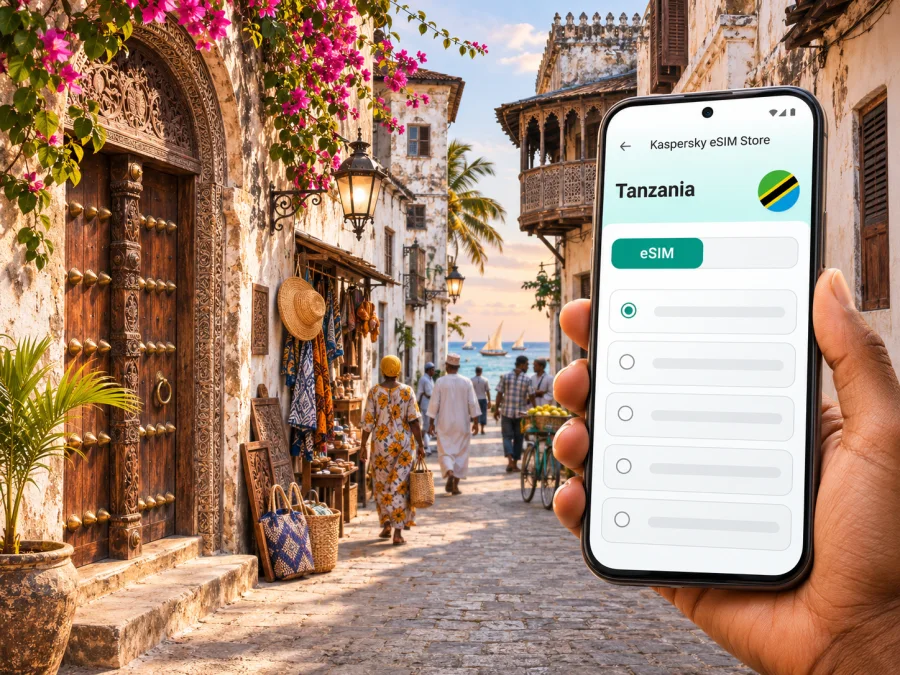
Zanzibar City eSIM: Mobile Connection and Internet for Your Trip
Zanzibar City is often the first urban stop on a visit to Unguja, whether you arrive by air, come over from mainland Tanzania, or spend a few days exploring Stone Town before heading to the coast. A working mobile data connection helps with directions, accommodation messages, ride arrangements, translation, and checking onward travel details. An eSIM can be a convenient option when your phone supports it and the plan you choose includes Tanzania.
This guide focuses on the city itself: the airport approach, the historic centre, the modern districts beyond it, and the practical steps that make mobile internet easier to manage. Coverage and performance depend on the local partner network, the exact street or building, congestion, your device, and the terms of your chosen plan. Treat mobile data as a useful travel tool, while keeping offline information for moments when a signal is weak or unavailable.
First, place Zanzibar City on the map
Zanzibar City is the principal urban centre on Unguja, the largest island in the Zanzibar archipelago, which forms part of the United Republic of Tanzania. The city faces the Indian Ocean on the island’s western side. Its historic quarter, Stone Town, is a UNESCO World Heritage property: a living town with a distinctive street pattern and buildings shaped by Swahili, African, Arab, Indian, and European influences over centuries.
That geography matters when planning connectivity. A Tanzania plan is the relevant country option for a stay in Zanzibar City; a plan labelled for another country or for a region should not be assumed to include the island. Before paying, read the plan’s country list and its conditions. If you will also travel through mainland Tanzania, check that the same plan covers those destinations as well. Regional offers can differ in their included countries and supported partner networks, so the word “East Africa” or a similar label is not enough on its own.
Arrival: get from the airport to town with a plan
Abeid Amani Karume International Airport is on Unguja, about five kilometres south of Zanzibar City, according to the Zanzibar Airports Authority. The actual drive time to your destination varies with traffic, the route, and the time of day, so use a live map only as an estimate. Have your hotel address and a saved map pin ready before you leave the terminal; a street name alone may not be enough to identify a small guesthouse entrance.
Before departure, decide which line will handle mobile data after landing. If you plan to use an eSIM, install it while you have stable Wi-Fi and follow the instructions for your device. Review the plan’s activation conditions: some profiles can be installed in advance but start their validity only after first connection, while other products may use a different trigger. Do not assume a particular start rule. Keep your primary line available for calls or texts if you need it, and make sure you understand which line is selected for data.
A simple arrival checklist:
- Save the accommodation address, phone number, and map pin in an offline note.
- Download an offline map for the city area before travel.
- Check that your eSIM plan explicitly includes Tanzania and that you understand its data limit and validity period.
- Keep the QR code or activation details accessible on another screen or in a secure place if your installation flow requires them.
- Confirm whether data roaming must be enabled for the travel eSIM; follow the plan’s own setup instructions.
- Keep your phone charged and avoid deleting an eSIM profile unless the provider’s support team tells you to do so.
If you arrive without mobile data, do not let the first minutes become a scramble. Connect to a trusted Wi-Fi network where available, contact your accommodation, and use the address saved offline to arrange onward transport. Airport Wi-Fi availability and terms can change, so do not make it the only part of your plan.
Moving between Stone Town and Ng’ambo
The most recognizable part of Zanzibar City is Stone Town, known locally as Mji Mkongwe. Its compact historic lanes are rewarding to explore on foot, but the same close-knit layout can make turn-by-turn navigation confusing. GPS may show your general position while the narrow lanes, shaded passages, and closely spaced buildings make it difficult to distinguish one doorway from another. Use the map as a guide, then check visible landmarks and ask locally when a route is unclear.
Ng’ambo (“the other side”) is the broader urban area east of the historic core. The city’s districts include denser commercial streets and residential neighbourhoods, and visitors may pass through them on the way to markets, hotels, or meeting points. A route that looks short on a map can involve busy roads, one-way sections, or a walk through unfamiliar streets. Check the route before setting out and allow time for pauses rather than navigating while crossing traffic.
For a day in the old town, use this practical sequence:
- Pin your accommodation and the nearest main road before you leave.
- Save the address of your next stop, not only its business name; several places can have similar names.
- Download the map tile or area for offline use and take a screenshot of the route if you expect to be away from Wi-Fi.
- Keep the map open long enough to orient yourself, then put the phone away in crowded lanes.
- If the GPS marker drifts, return to a wider street or a recognizable landmark and recalculate.
Stone Town’s heritage is best experienced at walking pace. UNESCO describes the area as an outstanding Swahili trading town whose urban fabric remains substantially intact, with narrow winding streets, seafront buildings, and a mix of architectural traditions. The street network is part of the place, not a problem to “solve” as quickly as possible. Mobile directions are useful for getting to a meeting point; they do not replace attention to local signs, people, and surroundings.
Where mobile data helps in the city
A dependable data routine is less about being online every second and more about knowing what you need to retrieve. In Zanzibar City, visitors commonly use data for:
| Situation | Useful preparation | What to keep in mind |
|---|---|---|
| Airport transfer | Save the address and driver contact details | Confirm the meeting point directly; map pins can point to a nearby entrance |
| Walking in Stone Town | Download the map and mark a few landmarks | Narrow lanes can make GPS positioning imprecise |
| Hotel check-in | Keep the booking reference and message thread available offline | Do not rely on an incoming message if your connection has not been tested |
| Food, museums, and shopping | Save names and opening details in advance | Hours and availability may change; verify directly when it matters |
| Work calls | Check the room’s Wi-Fi and mobile signal before scheduling | A plan’s data allowance does not guarantee indoor reception or call quality |
| Day trip departure | Save the operator’s meeting point and return details | Confirm timing with the organizer; do not infer it from an old screenshot |
Messaging, navigation, email, and booking confirmations usually consume modest amounts of data compared with video streaming, cloud photo backups, or long video calls. Actual use varies by app settings and media quality. If your package has a cap, disable automatic backups over mobile data, set app updates to Wi-Fi only, and download entertainment in advance. Keep data-saver settings enabled if you want to reduce background use.
When choosing a Tanzania option, you can review eSIM plans for the United Republic of Tanzania and compare the current plan details shown there. Check the included data, validity, activation terms, and country coverage at the point of selection; the page is a place to review available options, not a promise that one package fits every trip or every location.
Choosing an eSIM for a Zanzibar City stay
Start with the shape of your itinerary. A two-night stop in Stone Town, a week based in the city, and a longer route that includes mainland Tanzania have different data needs. Estimate how often you will use maps, whether you need tethering, and whether your accommodation provides reliable Wi-Fi. Then compare the plan’s allowance and validity with your likely use. Avoid choosing by the headline data amount alone: check whether the package has a fixed validity period, any speed or fair-use terms, and a top-up option if one is stated.
A travel eSIM is generally intended to supply mobile data. It may not include a local telephone number, standard voice calls, or SMS. If you need to call a local business, ask whether it has a messaging channel or use your regular number under your home carrier’s terms. Voice and video calls through internet apps use data and depend on both connection quality and the other person’s availability.
Before purchase, check the phone itself. eSIM availability varies by model, sales region, and carrier configuration; names that look almost identical can have different SIM capabilities. A handset purchased for one market may not match the variant sold elsewhere. Confirm eSIM support for the exact model number and confirm that the device is unlocked for another carrier’s profile. Check whether your device supports eSIM and consult the manufacturer’s information for your exact regional version. Do not rely only on a general family name such as a phone series.
The distinction between local carrier eSIM and a travel eSIM also matters. A local operator may provide its own eSIM subject to its registration, eligibility, and activation rules. A travel plan may connect through a partner network and can have different coverage, data, and voice terms. The operator’s domestic eSIM availability does not prove that a separate travel plan uses the same network or provides the same service. Check the specific product’s details for Tanzania rather than inferring from a carrier logo or from another traveler’s report.
A practical pre-trip setup sequence
Set things up before you are tired from a flight. Kaspersky eSIM Store is an app and website where you can choose, arrange, and activate an eSIM with a suitable plan for mobile internet on an international trip. The local mobile service itself depends on the provider and partner network associated with the selected plan.
- Confirm device support. Check the precise model and regional variant, and verify that the phone is carrier-unlocked. A device can have eSIM support in one market and differ in another.
- Compare the plan terms. Confirm that Tanzania is included, review data and validity, and note the activation trigger and any restrictions that matter to you.
- Install on stable Wi-Fi. Follow the on-screen flow and keep the device connected to power if the battery is low. Use the official Android eSIM installation instructions or iOS eSIM installation instructions for the relevant platform.
- Label the lines clearly. For example, name the travel profile “Tanzania data” and retain your usual line for calls or messages if appropriate.
- Choose data settings. Select the travel eSIM for mobile data when your plan is ready to use. Follow its guidance on roaming and avoid switching off the profile while troubleshooting unless instructed.
- Test carefully. When the plan should be active, turn off Wi-Fi briefly and check that a simple page loads. If not, confirm the selected data line, roaming setting, and plan status before changing other settings.
On many phones, installing a profile and starting its plan are separate events, but the exact behavior depends on the plan. Read the activation details before installation so you can decide when to add the profile. If a plan starts on first network registration, installing too early may affect its validity; if it starts on a specified date or after another action, follow that product’s rule instead.
Troubleshooting if you cannot connect
A phone that shows signal bars may still have no usable data session. Work through a short sequence before deleting anything:
- Check that the eSIM profile is enabled and selected for mobile data.
- Check that the plan includes Tanzania and that its validity has begun and has not expired.
- Review the provider’s instructions for data roaming and network selection.
- Toggle airplane mode briefly, then allow the phone time to reconnect.
- Restart the device if the settings look correct but data still does not load.
- Test outside a thick-walled building or move to an open area; indoor reception can differ from street reception.
- If manual network selection is offered, use only the networks listed as supported by your plan or its provider.
- Contact support through the channel shown in your purchase details if the issue persists; share the device model and the troubleshooting steps already completed.
Do not reset network settings or remove the eSIM as a first response. Those steps may erase useful settings or make reinstallation harder, particularly if the original QR code can only be used once. Keep Wi-Fi available for support contact when possible, and save any error messages before changing settings.
Frequently asked questions
Is Zanzibar City in Tanzania?
Yes. Zanzibar City is on Unguja in the Zanzibar archipelago, which is part of the United Republic of Tanzania. For a travel eSIM, check that Tanzania is explicitly included in the plan’s country coverage.
Is Stone Town the whole city?
No. Stone Town is the historic core within Zanzibar City. The wider urban area also includes Ng’ambo and other districts. If you are meeting a driver or checking into a hotel, use the exact address and a map pin rather than assuming every city destination is inside the old town.
Does an eSIM guarantee mobile internet everywhere in Zanzibar City?
No. Service depends on the selected plan’s network arrangements, the location, device, indoor conditions, and temporary network demand. Review plan details and retain offline maps and key booking information.
Will my phone support an eSIM in Zanzibar?
That depends on the exact device model, its regional variant, and whether it is carrier-unlocked. Check the manufacturer’s specifications for the precise model and confirm compatibility before purchase. A similarly named phone sold in another market may have different capabilities.
Can I keep my regular number active?
Many compatible dual-SIM devices can keep a physical SIM or another eSIM alongside a travel profile, but available configurations differ. Your home carrier may charge roaming fees for calls, texts, or data. Review its terms and select the intended line for each service in your phone settings.
Can I use a travel eSIM for ordinary calls and SMS?
Do not assume so. Many travel data plans provide internet access without a local number or standard calls and SMS. Check the exact plan description. Internet calling apps can be used when both parties have access to a suitable data connection.
What should I do if navigation stops loading?
Use your downloaded map, move to a more open location if practical, and check the selected data line and plan status. In Stone Town, use recognizable landmarks and ask for directions rather than staring at a screen while walking.
Should I install the eSIM before travelling?
Often it is convenient to install while connected to reliable Wi-Fi, but activation timing varies by product. Read the plan’s instructions first so that adding the profile does not start validity earlier than intended.
A calm connectivity plan for Zanzibar City
For most visitors, the useful preparation is straightforward: verify that the exact phone variant supports eSIM, compare a plan that names Tanzania, install it according to its own activation rules, and save the city details needed offline. In Zanzibar City, mobile data can make arrival coordination and everyday navigation easier, while local knowledge and offline preparation remain valuable in the maze-like historic centre.
When you are ready to prepare for the trip, choose an eSIM plan for Tanzania in Kaspersky eSIM Store. Review the current coverage, data allowance, validity, and activation conditions, then follow the setup instructions for your device before departure.


