Travel connectivity guide
Zaporizhzhia eSIM: Internet and Mobile Data Guide
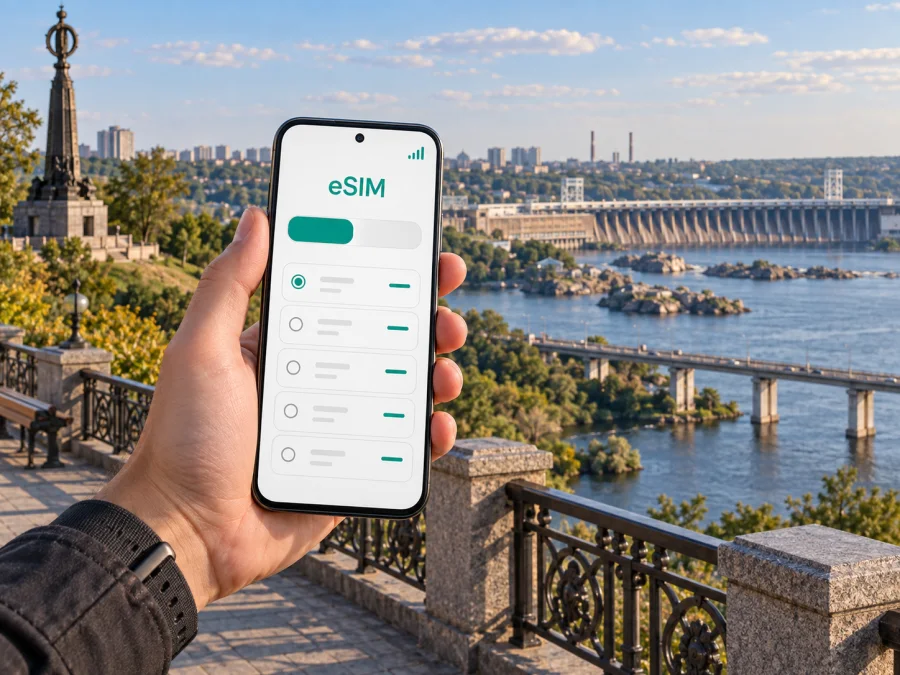
Zaporizhzhia eSIM: Mobile Connectivity and Internet for Your Trip
Zaporizhzhia is a city where plans need a little more flexibility than a standard weekend itinerary. Rail and road arrangements, local transport, temporary service changes and official safety instructions can all affect the day. A reliable way to check directions, message your host and keep travel details at hand is useful from the first leg of the journey.
An eSIM can prepare your phone for mobile internet without changing its physical SIM card. Before you travel to Zaporizhzhia, you can review the route, choose a suitable data allowance and install the eSIM on a compatible, unlocked device. This guide explains how to plan that connection around arrival, local movement, accommodation and work in the city, while leaving room for conditions to change.
Plan the arrival before you leave
Start with the route itself. Ukraine’s airspace is currently closed to civil aviation, so do not plan on a commercial flight arriving in Zaporizhzhia or another Ukrainian city unless official information confirms a change. Many travelers need to arrange an overland journey, often combining rail and road. The right connection depends on your origin, date and the security situation; check current official transport information before buying tickets and again before departure.
Zaporizhzhia-1 is the city’s main passenger railway station. If your itinerary includes a train, save the station name in your notes and keep your ticket details available offline. Departure boards, platform assignments and service notices may change. Allow time to find the correct platform, and follow instructions from railway staff if a service is delayed, rerouted or paused.
If you arrive by road, confirm the exact drop-off point with your driver or host. A hotel address, railway station entrance and a street address can lead to different places, especially when a city has more than one access road or a large station forecourt. Save the address in both text and map form before setting off; mobile data is helpful, but a cached map and written destination give you another way to orient yourself if coverage or battery becomes an issue.
Travel arrangements in Ukraine can change at short notice. Check official travel advice, local air-raid alerts and carrier updates close to the time you move. Follow local authority instructions promptly, including shelter instructions. Do not use a navigation app to override a closure, checkpoint direction or safety notice. A phone is a planning aid; local instructions take priority.
Getting oriented around Zaporizhzhia
The Dnipro River is a defining geographic feature of Zaporizhzhia. The city and its built-up areas extend along both sides of the river, while Khortytsia Island sits within it. This geography matters when you are choosing a hotel or planning a cross-city trip: a destination that looks close on a small map may require a longer road route to reach a bridge or crossing.
Use a map to compare the full route rather than estimating distance from a straight line. Enter the precise hotel, office or meeting address, then check whether the route crosses the river and which crossing it uses. If a route seems unusually short, zoom in and confirm the street names. Keep a second route saved when timing matters, but use it only if current road and safety guidance permits.
For a first stay, it is often simplest to choose accommodation close to the place you expect to visit most: the station, a work site, a hospital, a family address or a meeting venue. A central address can make errands easier, but “central” does not remove the need to check the actual route. Ask the accommodation to confirm the entrance, check-in process and whether reception is staffed at your arrival time. That is especially useful if your train or road journey may run late.
Choose a base by the shape of your day
| Your main plan | What to compare before booking |
|---|---|
| Arrive by train and leave early | Distance to Zaporizhzhia-1, check-in hours and a reliable way to reach the station |
| Attend meetings in one area | Travel time to the exact office address and whether the route crosses the Dnipro |
| Visit family or several addresses | The locations of each stop, bridge crossings and a realistic order for the day |
| Stay for a short stopover | Luggage storage, late arrival arrangements and the time needed to return to your onward transport |
| Work from the hotel | Mobile reception in the room, a backup power option and the property’s internet arrangements |
Mobile internet for city navigation
In Zaporizhzhia, mobile data can help with route changes, messaging, translation, maps and checking transport updates. It is most useful when it supports a plan you have already prepared: save key addresses, download the map area if your app allows it, and keep ticket and booking details available offline. Then a temporary loss of signal does not erase the information you need to continue safely.
Coverage and data performance depend on the local network, your location, the device and current conditions. Do not assume that a connection will be available in every building or at every moment. In a station, hotel or office, use the information provided by staff when a screen or online map conflicts with an announced change. For important calls, keep the number and address in your contacts and notes rather than relying only on a messenger account.
For a visit that includes nearby destinations, think about the whole route rather than only your time inside the city. A trip from Zaporizhzhia to another place in Ukraine may involve rail, road or a transfer, and conditions can differ between legs. Check whether the data plan you select covers the full itinerary and its validity period. Do not infer coverage from a city name or from an old route description; review the current plan terms for the destination you actually need.
Once you know your dates and route, you can review eSIM options for travel in Ukraine. Compare the stated data amount, validity and destination coverage with your own itinerary. Kaspersky eSIM Store is an app and website where you can choose, purchase and activate an eSIM with a suitable plan for mobile internet during an international trip. The selected plan’s terms determine when it starts and how it can be used.
Moving around: transit, taxis and walking
Use current local information to decide how to move between the station, your accommodation and other destinations. Public transport services and timetables can change, so check the latest information at the stop, from the transport operator or through a current local source before you set out. If an app provides several options, compare the destination name and stop location carefully. A similar street or stop name can take you to the wrong side of the city.
For a taxi or pre-arranged car, confirm the pickup point and destination before the vehicle moves. At a large station, agree on a recognizable meeting place rather than saying only “outside.” Share the precise address or map pin, and check that the driver understands which entrance or street you mean. When conditions change, ask your host or transport provider for a safe alternative instead of improvising a route through an unfamiliar area.
Walking can be practical for short trips, but check the full pedestrian route rather than following a car route. Roads, crossings, construction and access restrictions can affect the quickest-looking path. Keep enough battery to use your map, and look up from the screen at crossings and in crowded areas. If an alert or instruction tells you to shelter, stop the journey and follow it rather than trying to reach the next destination first.
Staying connected at hotels and work locations
Before booking, ask the property how guests can connect to the internet and whether that connection is available in the room where you will stay. If you need to work, test your setup early rather than waiting until a scheduled call. Check the power sockets and charging options, keep the meeting link and contact details saved, and have a low-bandwidth way to send a message if video is unreliable.
Mobile internet can serve as a separate route for essential tasks when hotel Wi-Fi is unavailable or unsuitable. It is sensible to reserve it for maps, messages, email and work tools that need it. A video meeting or large upload can use significantly more data than a text exchange, so confirm the plan allowance and monitor use if the trip includes remote work.
Set up an eSIM before the journey
An eSIM is a digital SIM profile installed on a compatible device. It can provide mobile data under the selected plan while your physical SIM remains in the phone. Read the plan details before beginning; installation may require an internet connection. Follow the Android installation instructions or the iOS installation instructions for your device.
Before choosing a plan, confirm that your phone supports eSIM and is not restricted by a carrier lock. Check whether your device supports eSIM. Then compare destination, data allowance, validity and the activation conditions. If your trip includes more than one country or region, confirm that every leg is covered. A plan’s displayed name is not a substitute for its terms.
An eSIM plan for mobile data does not necessarily include a regular phone number, voice calls or SMS. Check the selected plan’s terms. You can continue to use messaging and calling apps over an internet connection, subject to the app and network conditions. If you need ordinary calls or text messages, decide in advance which line or service will handle them and review any charges that may apply.
Match the plan to how you will use the city
The right data allowance depends on your habits and trip. Someone who checks a map occasionally and sends text messages may use less than a traveler who uploads photos, joins video calls or streams media. There is no single allowance that fits everyone. Think through a normal day in Zaporizhzhia and include the arrival and onward journey, since route checks often happen when you are away from the hotel Wi-Fi.
| Travel pattern | Data tasks to account for | Preparation that helps |
|---|---|---|
| One or two nights near the station | Address lookup, messages, ticket checks | Save the hotel and onward ticket offline |
| Several work appointments | Email, calendar, maps and occasional calls | Keep meeting details handy and limit background updates |
| Visiting family across several areas | Navigation, messaging and pickup coordination | Save each address and confirm the river crossing |
| Short stopover | A small number of map checks and essential messages | Keep the return point visible and avoid unnecessary downloads |
| City plus regional travel | Route updates, tickets and changing connections | Check plan coverage for every destination and leg |
Common questions
Can I fly directly to Zaporizhzhia?
Ukraine’s airspace is closed to civil aviation at the time of writing. Check official information immediately before travel, since aviation arrangements can change. Plan your journey using confirmed transport options rather than assuming that a city airport is operating commercial passenger flights.
Will an eSIM work throughout Zaporizhzhia?
No plan can guarantee service at every location or time. Availability depends on the selected plan, local network conditions, the device and circumstances on the ground. Review the plan’s coverage information and keep essential addresses, tickets and contacts available offline.
Can I use my regular number with an eSIM?
Often, a compatible phone can keep a physical SIM and an eSIM profile available, but capabilities and settings differ by model and plan. The data plan itself may not include a regular phone number, voice calls or SMS. Check your device settings and the plan terms before relying on a particular line for calls or texts.
Should I install the eSIM before I arrive?
Installing in advance can make the first steps easier, especially if you will need maps or messages soon after arrival. Read the activation conditions carefully: installation and the start of validity may be separate events or may depend on the specific plan. Make sure you have a stable internet connection while following the setup instructions.
What if mobile data stops working?
First check that the eSIM is selected for mobile data, the plan is still valid and any required settings are enabled. Restarting the device may help in some cases. Follow the plan’s troubleshooting steps and contact support if needed. Keep an offline version of your route and booking information so you can continue to follow local instructions while you troubleshoot.
A calmer way to prepare for Zaporizhzhia
A well-planned visit begins with a current route and a realistic schedule. Confirm transport close to departure, save exact addresses, check how each destination relates to the Dnipro and leave room for changes. Once you know what you will do in the city, choose a data plan whose coverage, allowance and validity fit the entire journey. Keep offline copies of the details that matter and follow local safety instructions as circumstances change.
When your route is set, choose an eSIM plan for your trip to Ukraine through Kaspersky eSIM Store’s app or website. Review the terms, install the profile on a compatible device and activate it as directed. That preparation can make it easier to navigate Zaporizhzhia, coordinate arrival and stay in touch during the parts of the trip where mobile internet is useful.


