
Travel connectivity guide
Zell am See eSIM for Mobile Internet
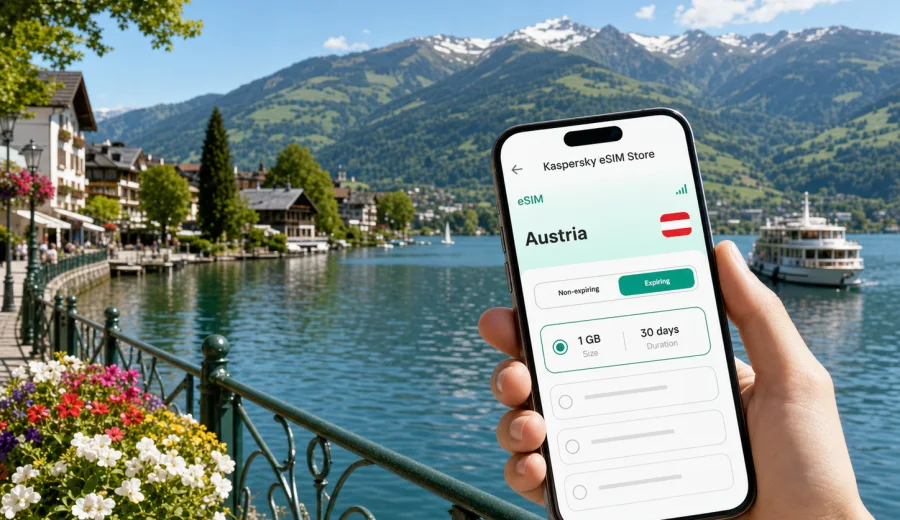
Zell am See eSIM: mobile connection and internet for your Austria trip
Zell am See is compact, scenic, and easy to enjoy on foot, but a stable mobile connection can still shape the whole trip. You may need maps at the railway station, hotel messages after a late arrival, weather updates before heading to Schmittenhohe, route planning around Lake Zell, or mobile internet for a work call between meetings and mountain views. An eSIM helps you prepare data before you start looking for a local SIM shop or relying on public Wi-Fi.
This guide focuses on practical use of eSIM in Zell am See: arrival, local movement, hotels, lakeside walks, mountain lifts, business stays, stopovers, and day trips from the city. Austria is the country context because a city trip normally uses a country or regional data plan rather than a separate Zell am See-only plan.
Why mobile internet matters in Zell am See
Zell am See is a small lakeside city, but visitors often move between several environments in one day. You can arrive by train, check in near the lake, take a bus toward Kaprun, walk along the promenade, and then go up toward Schmittenhohe. Each step can involve a different digital task.
Typical online moments include:
- checking the platform and transfer details at Zell am See railway station;
- opening hotel check-in instructions or apartment entry codes;
- using maps for lakeside paths, bus stops, restaurants, and parking areas;
- checking weather before mountain walks, skiing, or boat trips;
- messaging family, travel partners, guides, or colleagues;
- booking restaurants, taxis, spa slots, equipment rental, or day activities;
- translating short German notices in transport, hotels, and shops;
- keeping work apps, cloud files, and email available during a business stay.
The city is manageable, but the trip can become awkward if you have no data right when you need directions or booking details. Public Wi-Fi may be available in some hotels and cafes, but it is not a complete travel plan. It may require registration, may not cover the street, and may not help while you are moving between the station, lake, lifts, and nearby villages.
Arrival scenarios: when eSIM helps first
Many travelers reach Zell am See by train or rental car rather than by a local city airport. Common routes include Salzburg, Munich, Innsbruck, or Vienna followed by rail or road travel. That makes mobile internet useful before you even reach the lake.
| Arrival situation | Why data helps | Practical eSIM use |
|---|---|---|
| Train connection to Zell am See | Transfers, platform changes, delays, and walking directions | Check schedules and share your arrival time |
| Rental car from a larger airport | Navigation, parking, toll information, hotel access | Keep maps and booking details available |
| Late hotel arrival | Entry codes, reception messages, taxi coordination | Open instructions without waiting for Wi-Fi |
| Ski or hiking transfer | Weather, equipment bookings, lift status checks | Confirm plans while still on the way |
| Business trip | Email, calendar, documents, video-call updates | Stay reachable between transport and hotel |
For the first hour in Zell am See, data is often more valuable than speed tests or technical details. You need enough reliable mobile internet for maps, messengers, reservation pages, and small app updates. If you plan to upload many photos, stream video, or work heavily from cloud tools, choose a larger traffic allowance.
City movement: lake, station, hotels, and lifts
Zell am See has a clear travel rhythm. The railway station is close to the center and the lake. Hotels and apartments may be spread around the old town, the lakeshore, Schuttdorf, Thumersbach, or routes toward Kaprun. Schmittenhohe lifts and mountain access points add another layer to the map.
Mobile data is useful for several local tasks:
- following walking routes between the station, town center, and lakefront;
- checking bus options toward Kaprun, Schuttdorf, and nearby activity areas;
- navigating to cable car stations, hiking starts, ski rental points, and spa hotels;
- finding indoor options when weather changes quickly near the mountains;
- keeping restaurant confirmations and hotel messages available offline and online;
- sharing live location with travel companions if the group splits up.
In a mountain city, weather and timing matter. A sunny morning by Lake Zell can become a cloudy afternoon higher up. With mobile internet on your phone, you can adjust the plan without returning to the hotel lobby to look for Wi-Fi.
How much data to plan for Zell am See
Data use depends on your style of travel. A weekend with maps and messages may need a modest package. A longer stay with remote work, navigation, cloud sync, video calls, and photo uploads needs more.
| Trip style | Common apps | Data planning tip |
|---|---|---|
| Short city break | Maps, messengers, restaurant searches, tickets | A smaller package may be enough if hotel Wi-Fi covers evenings |
| Ski or hiking trip | Weather, maps, lift information, group chats, photos | Allow extra data for outdoor planning and image sharing |
| Family trip | Navigation, translation, kids' entertainment, bookings | Choose more data if several people depend on one phone hotspot |
| Business stay | Email, cloud files, video calls, calendar apps | Pick a package with a comfortable margin |
| Multi-city Austria route | Trains, navigation, hotel apps, work tools | Choose a plan that fits the whole country trip |
Avoid choosing a plan only by the number of days. Think about what you will actually do in Zell am See. A traveler who checks maps twice a day may use far less data than someone who uploads reels from the lake, joins video meetings, or uses mobile hotspot for a laptop.
Choosing an eSIM plan for Zell am See
For a city article, the key point is simple: Zell am See is in Austria, so you should choose an Austria plan or a regional plan that includes Austria and fits your route. The city itself does not need a special separate data destination.
Before selecting a plan, check:
- the destination covered by the plan;
- traffic volume in GB;
- validity period in days;
- when the validity period starts;
- whether top-up is available for the selected plan;
- whether the plan is data-only or includes other services;
- whether your phone supports eSIM and is not locked by a carrier.
If you are preparing the trip in advance, Kaspersky eSIM Store can help you choose, arrange, and activate a suitable eSIM plan for mobile internet in Austria. When your route is focused on Zell am See, you can choose an eSIM plan for your trip to Austria and use it for the city, nearby Kaprun, lake routes, mountain days, and onward travel within the same covered destination.
That first choice is worth making before departure. You do not have to activate everything too early, but having the eSIM prepared can save time after a flight, train ride, or late arrival.
Device compatibility before you travel
Before buying any eSIM plan, check that your device supports eSIM and is not restricted by a carrier lock. This matters more than the city you visit: even the right plan cannot help if the phone cannot install or use an eSIM profile.
Check your device before you depend on eSIM for arrival directions, hotel access, or work calls in Zell am See.
Also confirm these points:
- your phone is updated enough to manage eSIM profiles reliably;
- you know which SIM or eSIM profile should be used for mobile data;
- data roaming can be enabled for the travel eSIM if the plan instructions require it;
- your primary number can remain active for calls or SMS if you need it;
- you have internet access for the initial installation step, either before departure or through a trusted connection.
An eSIM normally helps with mobile data. It may not include a regular phone number, voice calls, or SMS unless the chosen plan clearly says so. For calls and messages, many travelers use internet-based apps over mobile data.
How to install and activate eSIM for Zell am See
You can install the eSIM before the trip or after arrival, depending on the plan instructions and your preference. Installing before departure is often more comfortable because you can use your home Wi-Fi, read each step calmly, and avoid doing setup while standing at a station or hotel reception.
Basic setup flow:
1. Check that your device supports eSIM.
2. Choose Austria or a relevant regional destination.
3. Select a plan by data volume and validity.
4. Complete the purchase process.
5. Install the eSIM profile using the instructions or QR code.
6. Set the eSIM as the mobile data line when you are ready to use it.
7. Enable data roaming for that eSIM if the plan instructions require it.
8. Test mobile data with a small task, such as opening maps or a message app.
For detailed setup steps, use the instructions for Android or the instructions for iOS. Follow the device-specific flow and keep your primary SIM settings clear, especially if you want to receive bank messages or calls on your usual number while using the travel eSIM for data.
Practical scenarios in Zell am See
Weekend by the lake
For a two- or three-day trip, mobile internet is mostly about frictionless movement. You may check into a lakeside hotel, find dinner in the center, walk the promenade, check boat schedules, and send photos. A moderate data plan can be enough if you use hotel Wi-Fi for large uploads and streaming.
Helpful habits:
- save hotel address and booking details before arrival;
- download the city area in your map app as a backup;
- keep mobile data for live navigation, messages, and weather;
- avoid large app updates on mobile data unless necessary.
Ski or mountain trip
For winter travel or mountain days, data planning changes. You may use weather apps, lift information, group chats, maps, photo sharing, and transport updates more often. If you travel with family or friends, one person often becomes the coordinator for meeting points and timing.
Use mobile internet for:
- checking changing weather and visibility;
- coordinating meeting points after skiing or hiking;
- finding rental shops and service points;
- arranging transport back to the hotel;
- keeping emergency contacts and insurance details reachable.
Do not rely on mobile data as your only safety tool in mountain areas. Coverage, battery life, weather, and terrain can affect any phone. Carry offline information and keep your device charged.
Business trip or remote work
Zell am See is also used for conferences, retreats, client meetings, and work stays. In that scenario, eSIM is not only about maps. It can support calendar updates, email, chat, cloud documents, and backup connectivity if hotel Wi-Fi is busy or unstable.
For work, choose a data allowance with a buffer. Video calls, file sync, and laptop tethering can use data quickly. If you plan to use hotspot, check whether your selected plan supports it and keep a charger or power bank nearby.
Stopover or one-night stay
If Zell am See is a stop between Salzburg, Tyrol, or another Alpine route, your mobile internet needs may be brief but important. You need directions, train times, parking, room access, and communication with the next hotel. In this case, a plan covering Austria for the full travel window is more useful than thinking only about one city night.
eSIM, roaming, local SIM, and Wi-Fi in Zell am See
There is no single best option for every traveler. The right choice depends on your phone, trip length, budget, data use, and tolerance for setup.
| Option | Strength | Limitation |
|---|---|---|
| eSIM | Can be prepared before travel; no physical SIM swap; useful for arrival | Requires compatible unlocked device |
| Standard roaming | Uses your existing number and plan relationship | Costs and conditions depend on your home operator |
| Local physical SIM | Familiar option for some travelers | Requires time, shop access, and a physical SIM slot |
| Public Wi-Fi | Useful in hotels, cafes, and some venues | Not available everywhere and may be less convenient while moving |
For many visitors, eSIM is attractive because it reduces the number of errands after arrival. Instead of looking for a SIM shop, you can focus on the train connection, hotel check-in, lake walk, or first meeting.
Checklist before leaving for Zell am See
Use this checklist a day or two before departure:
- Confirm your exact arrival route to Zell am See.
- Save hotel address, booking number, and check-in instructions.
- Check whether your device supports eSIM.
- Choose an Austria or relevant regional data plan.
- Install the eSIM profile while you still have stable Wi-Fi.
- Read when the plan validity starts.
- Decide which line will be used for mobile data.
- Keep your main number available if you need bank confirmations.
- Download offline maps for Zell am See and nearby routes.
- Pack a charger or power bank, especially for mountain days.
This preparation is especially helpful if you arrive in the evening, travel with children, carry ski equipment, or have a meeting soon after reaching the city.
FAQ: eSIM for Zell am See
Do I need a Zell am See-specific eSIM?
Usually no. Zell am See is in Austria, so travelers normally choose an Austria plan or a regional plan that includes Austria. The plan should match your full route, not only the city name.
Can I install eSIM before I arrive?
In many cases, yes. Installation before departure is often convenient because you can use a stable Wi-Fi connection and avoid setup pressure during travel. Check the plan instructions so you understand when validity and data use begin.
Will eSIM replace hotel Wi-Fi?
Not completely. Hotel Wi-Fi is useful for large downloads, streaming, and long work sessions. eSIM is valuable when you are moving around the city, checking maps, using transport, opening bookings, or needing backup data.
Can I keep my regular number active?
Many dual-SIM phones allow your regular SIM and travel eSIM to stay on the device at the same time. Settings vary by phone. You can often keep your main number for calls or SMS while using the eSIM for mobile data.
Is eSIM useful for trips from Zell am See to Kaprun or Salzburg?
Yes, if the plan covers Austria and remains valid during your travel dates. That makes it useful for regional transport, day trips, hotel changes, and route planning beyond Zell am See.
What should I do if mobile data does not start immediately?
Check that the eSIM is installed, selected for mobile data, and allowed to use data roaming if required by the plan instructions. Restarting the phone can also help. If the issue continues, use a trusted Wi-Fi connection to review the setup steps or contact support.
Prepare your mobile internet before Zell am See
Zell am See rewards flexible planning: a lakeside morning, a mountain afternoon, a train connection, a business call, or a quick trip to Kaprun can all happen in the same stay. An eSIM gives you a practical way to prepare mobile internet before those decisions depend on public Wi-Fi or a physical SIM card.
Before you travel, check compatibility, choose a data allowance that fits your route, install the eSIM profile carefully, and keep the plan instructions available. For a city-focused trip in Austria, you can prepare an eSIM plan for Zell am See and Austria through Kaspersky eSIM Store and arrive with mobile data ready for maps, transport, hotel messages, and everyday travel tasks.