
Travel connectivity guide
Zenica eSIM: Mobile Internet and Connection Guide
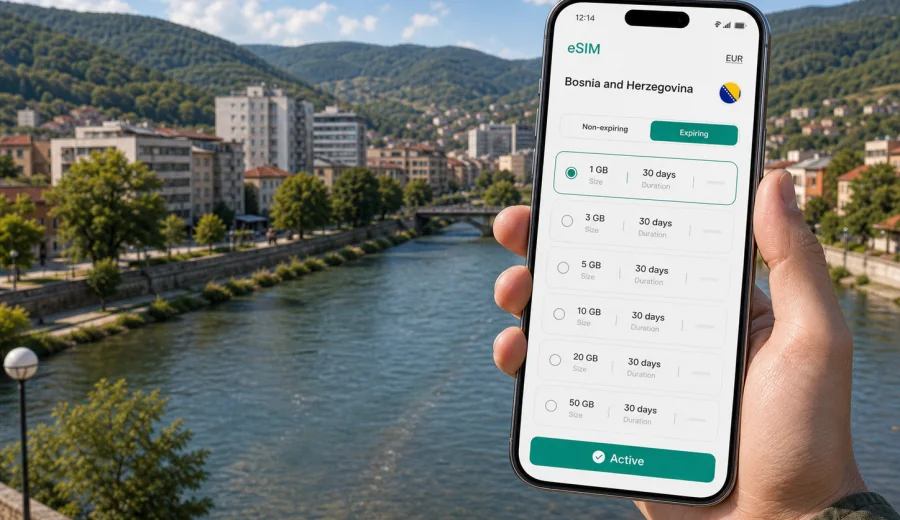
Zenica eSIM: mobile connection and internet for your trip
Zenica is a practical city for travelers moving through central Bosnia and Herzegovina. It sits in the Bosna River valley, surrounded by hills, with rail and road links for business trips, family visits, university travel, stopovers, and regional routes between Sarajevo, Travnik, Doboj, and other parts of the country. Here, mobile internet is not just for photos. It helps you confirm a hotel address, follow maps, check transport times, message a host, translate a menu, and keep work tools available.
An eSIM can make that first hour in Zenica calmer because you do not need to look for a physical SIM card immediately after arrival. You can prepare a digital SIM profile before the trip, then use mobile data once the eSIM is installed, activated, and connected according to the selected plan conditions.
This guide is about using eSIM for Zenica specifically: arrival routes, local movement, city districts, hotels, workdays, short stays, and trips from Zenica to other places in Bosnia and Herzegovina.
Why mobile internet matters in Zenica
Zenica is not a giant capital where every visitor follows the same tourist path. Your day may include a hotel near the city center, an office visit, a walk by the Bosna River, a family address outside the central grid, or a transfer to another town. That variety makes reliable mobile data useful in small but frequent moments.
Common Zenica use cases include:
| Situation in Zenica | Why mobile data helps |
|---|---|
| Arrival by road or rail | Check your route, message the hotel, and follow navigation from the station or drop-off point. |
| Business meetings | Keep email, calendars, maps, and messaging available between offices, hotels, and restaurants. |
| City walks | Use maps for the riverfront, shopping streets, parks, cafes, and nearby neighborhoods. |
| Hotel check-in | Retrieve booking details, contact reception, or share arrival time if plans change. |
| Regional trips | Navigate routes toward Sarajevo, Travnik, Vitez, Doboj, or other towns without depending on public Wi-Fi. |
| Short stopovers | Handle essential tasks quickly: rides, messages, maps, and travel updates. |
The main advantage of an eSIM is preparation. You can choose a plan for the right country before you need it, install the profile on a compatible phone, and avoid spending your first minutes in Zenica searching for a shop. Conditions vary by plan, device, and local network availability, so read the details before you travel.
Arrival scenarios: getting online before you reach the city
Many visitors reach Zenica by road from Sarajevo, by intercity bus, by train, or by private transfer. If you fly into Sarajevo and continue to Zenica, you may need data before you even arrive in the city. Maps, ride coordination, and messages to your hotel or host all become easier when your phone is already ready for mobile internet.
If you travel by bus or train, mobile data is useful for checking arrival time, pickup points, and the walking route from the station area. If someone meets you in Zenica, you can share your live location or send updates when traffic changes. If you drive, your phone can support navigation through the valley, route changes, fuel stops, parking searches, and hotel directions.
Before departure, save the exact hotel or apartment address, key booking confirmations, your first meeting point, a backup route from Sarajevo or another arrival city, and the eSIM installation instructions for your device. This is especially helpful if you arrive in the evening.
Choosing the right amount of data for a Zenica stay
The right eSIM plan depends on how you use your phone, not only on the number of days in Zenica. A light traveler who mostly uses maps and messages may need much less data than someone who works from a laptop hotspot or watches video during long transfers.
Use this planning table as a starting point:
| Trip style | Typical data needs | Practical approach |
|---|---|---|
| One-day stopover | Maps, messages, ride coordination, bookings | Choose a small allowance if you will use hotel Wi-Fi for heavier tasks. |
| Weekend city visit | Navigation, restaurants, photos, messengers, light browsing | Pick a plan that covers the full stay, not only the arrival day. |
| Business trip | Email, video calls, cloud documents, calendar changes | Allow extra data and check whether hotspot use is permitted by the plan. |
| Family visit | Messaging, calls through apps, navigation to residential areas | Choose enough validity to cover the whole visit plus travel days. |
| Regional route | Zenica plus Sarajevo, Travnik, Doboj, or other towns | Use a Bosnia and Herzegovina plan or a regional option that matches your route. |
Try not to size the plan only around the city center. If you will travel between towns, work from different locations, or use maps continuously while driving, data use can rise quickly. Video calls, cloud backups, app updates, and streaming are the main reasons a small allowance disappears faster than expected.
Moving around Zenica with mobile data
Zenica is straightforward to navigate, but mobile internet still helps because travelers often move between practical points rather than famous landmarks: hotels, offices, transport stops, cafes, shopping areas, family addresses, and roads out of the city. The Bosna River gives the city a clear line, while the surrounding hills and neighborhoods can make walking routes less obvious if you are new to the area.
With mobile data active, you can compare walking and driving routes, check road conditions before a regional drive, coordinate pickups, translate short notices, access reservations, and use saved map pins for offices, meeting rooms, and apartments. If you are in Zenica for work, keep a small data buffer for the end of the day, when plans often change.
Preparing your eSIM plan for Bosnia and Herzegovina
For Zenica, choose a plan that covers Bosnia and Herzegovina. A city article should not send you looking for a separate Zenica-only product, because mobile data plans are usually organized by country or region. In Kaspersky eSIM Store, you can review the destination, data allowance, validity period, and plan conditions before deciding what fits your trip.
If you are planning a trip centered on Zenica, you can view eSIM plan options for Bosnia and Herzegovina and compare them with your travel dates, expected data use, and route.
Before you choose a plan, check your device to confirm that it supports eSIM and is not locked in a way that prevents using another mobile data profile. This step matters more than the city you visit. If the phone cannot install or use eSIM, the plan will not help during the trip.
When comparing plan options, look at:
- country or regional coverage;
- data allowance in GB;
- validity period;
- when the validity period starts;
- whether top-up is available;
- whether tethering or hotspot use is supported;
- installation method and QR-code availability;
- refund and support conditions.
Do not assume that the largest plan is always necessary. For a two-day city visit, a moderate allowance may be enough if you use Wi-Fi for heavy downloads. For a work trip, a longer regional route, or frequent hotspot use, a larger allowance can reduce the need to monitor every megabyte.
How to install and activate eSIM for a Zenica trip
Install eSIM when you have a stable internet connection, enough battery, and time to follow the steps carefully. Many travelers prefer to install the eSIM profile before departure, then activate mobile data according to the plan conditions when the trip starts or after arrival. The exact flow depends on your phone and the selected plan.
Basic sequence:
1. Confirm that your device supports eSIM and can use another mobile data profile.
2. Choose a plan for Bosnia and Herzegovina or a suitable region.
3. Complete the checkout for the selected plan.
4. Open the eSIM details in your account, app, or email.
5. Install the eSIM profile using the on-screen steps or QR code.
6. Label the profile clearly, for example "Travel data".
7. Set the eSIM as the mobile data line when you are ready to use it.
8. Keep your primary SIM for calls or SMS if you still need it.
For detailed setup steps, use the Android instructions or the iOS instructions before you travel. Device menus can differ by model and software version, so follow the path that matches your phone.
After activation, test a small task first: open a map, send a message, or load your hotel booking. If something does not work, check that mobile data is assigned to the eSIM profile, data roaming is enabled for that profile if required by the plan, and your phone is not still trying to use another SIM for data.
Practical data checklist for Zenica
Use this checklist while you still have reliable Wi-Fi:
- save your hotel, apartment, and first meeting address in maps;
- install the eSIM profile before you are rushed;
- label your SIM profiles so mobile data is easy to identify;
- pause cloud backups and automatic video downloads on mobile data;
- keep important phone numbers and booking details available offline.
These small steps prevent common travel friction: a phone line set incorrectly, a data-hungry app running in the background, or a QR code that is only available in an inbox you cannot access.
Business trips and remote work in Zenica
Zenica has a practical business-travel profile. You may come for meetings, industrial visits, education, public-sector work, events, or regional coordination. In these cases, mobile internet protects your schedule from small delays: a changed meeting room, a document request, a taxi update, or an email that needs a fast reply while you are away from your laptop.
For business travel, choose a plan with a margin. Calendar apps, attachments, document previews, maps, and messaging add up across several working days. Video calls are the biggest variable, so use office or hotel Wi-Fi when possible and keep eSIM mobile data as a backup.
A good business setup for Zenica:
| Need | Recommendation |
|---|---|
| Email and calendar | Keep mobile data active between meetings. |
| Video calls | Prefer Wi-Fi, with eSIM as a backup when conditions allow. |
| Maps and transport | Save office locations before leaving the hotel. |
| Documents | Download key files on Wi-Fi, then use mobile data for updates. |
| Hotspot | Check plan conditions before tethering a laptop or tablet. |
If your company phone uses a corporate SIM, confirm which line handles mobile data. A clear label such as "Home SIM" and "Travel eSIM" reduces mistakes when you are switching locations quickly.
Hotels, stopovers, and trips from Zenica
Hotel and apartment Wi-Fi is helpful for laptops, video calls, and large downloads, but it does not cover transfers, walks, taxi rides, or routes to nearby towns. Use accommodation Wi-Fi for heavy tasks and eSIM mobile data for maps, messages, travel documents, and urgent work outside the room.
For a one-day stopover, prioritize maps, booking details, messaging, and onward route checks. If Zenica is part of a wider Bosnia and Herzegovina route, save the next destination before leaving the city and keep offline maps as a backup. If your route crosses into another country, choose a plan that explicitly matches that itinerary.
Remember that travel eSIM plans often focus on mobile data. They may not include a local phone number, regular voice calls, or SMS unless the selected plan says so. Keep your primary SIM active if you need bank messages, normal calls, or verification texts.
FAQ: eSIM for Zenica
Is there a Zenica-specific eSIM plan?
Most travel eSIM plans are organized by country or region, not by city. For Zenica, choose a plan that covers Bosnia and Herzegovina.
Can I install eSIM before I arrive in Zenica?
Yes. In many cases you can install the eSIM profile before departure with stable Wi-Fi. Activation timing and validity depend on the selected plan.
Do I need mobile data if my hotel has Wi-Fi?
Hotel Wi-Fi is useful, but it does not help during transfers, walks, rides, meetings, or regional travel.
Will eSIM replace my normal phone number?
Usually not. Travel eSIM plans often focus on mobile data. Keep your primary SIM active if you need calls, SMS, or verification messages.
How much data do I need for Zenica?
For maps, messages, and booking checks, a modest allowance may be enough. For video calls, hotspot use, drives, or several cities, choose more data.
What should I do if mobile data does not start?
Check that the eSIM profile is installed, selected for mobile data, and allowed to use data roaming if the plan requires it. Restarting the phone can also help.
Choose your eSIM plan before traveling to Zenica
Zenica is easiest to handle when your phone is ready before you need it. Prepare the address of your first stop, check that your device supports eSIM, install the profile with stable Wi-Fi, and choose a data allowance that fits your stay rather than only the first day.
Kaspersky eSIM Store helps you choose, set up, and activate an eSIM plan for mobile internet in a foreign trip through the app or website. For Zenica, use the Bosnia and Herzegovina destination and keep enough data for arrival, navigation, hotels, meetings, and onward travel.
Before departure, you can prepare an eSIM plan for your trip to Zenica and keep mobile internet ready for the parts of the journey where public Wi-Fi is not available or convenient.