Travel connectivity guide
Zero1 eSIM in Singapore: what visitors should check
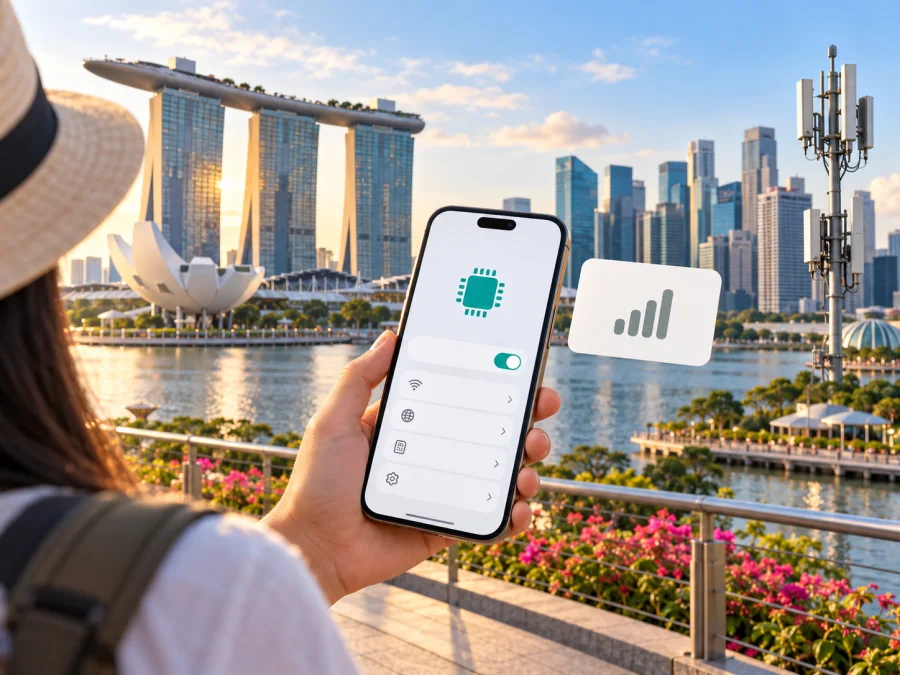
Zero1 eSIM in Singapore: what visitors should know
If you are travelling to Singapore and considering a Zero1 eSIM, the main point to understand is that Zero1’s local mobile plans and its separate travel-data service are designed for different journeys. Zero1’s official mobile-plan information confirms that its Singapore plans can be issued as eSIMs. Its travel-data service, Zero1 2GO, is for outbound travel and its terms currently say that incoming travel to Singapore is not supported through that service. So a visitor should not assume that a Zero1 2GO travel eSIM is a Singapore arrival eSIM.
Zero1 describes itself as a Singapore-licensed mobile virtual network operator (MVNO). This guide covers eligibility, device support, setup, coverage and the difference between local service and travel roaming. Official Zero1 and Kaspersky eSIM Store pages were checked on 17 October 2026; some source pages were last updated earlier. Confirm current terms before ordering. Kaspersky eSIM Store is not affiliated with, endorsed by or an official partner of Zero1. “Zero1” and related marks belong to their respective owners.
Is Zero1 eSIM available in Singapore?
Yes. Zero1’s official announcement, “Zero1 Mobile Plans Now Support eSIM,” says that the operator’s mobile plans support eSIM. The page describes ordering a new mobile plan with the eSIM option and receiving activation details by email. It also covers number porting, QR-code installation and troubleshooting. This confirms that eSIM is a format for Zero1’s local mobile service; it does not mean that every traveller can subscribe or that a particular phone variant is guaranteed to work.
Zero1 also maintains a Help Center category for eSIM. Its support pages include instructions for changing an existing physical SIM to an eSIM, changing an eSIM back to a physical SIM and moving an eSIM to another device. These are account and SIM-management services. If you already use Zero1, check the current instructions for your own account before changing devices or converting a SIM, since the process and any applicable conditions may differ by request.
A local Zero1 eSIM is best considered when you qualify to register for the service and need a Singapore mobile subscription or number. A visitor looking only for mobile data during a short stay should compare that route with travel eSIM options intended for inbound use. Consider what you need the connection to do: local calling and SMS, data for navigation and messaging, continued access to your home number, or a mix of these. A data-only travel eSIM may not provide an ordinary phone number, while a local mobile plan may involve local registration and a longer account relationship.
Zero1 local service and Zero1 2GO are not interchangeable
The Zero1 name appears on both local mobile plans and the separate Zero1 2GO travel-data service, but their destinations and use cases differ. Zero1’s 2GO terms describe its travel SIM and eSIM as products for customers travelling to destinations supported by those plans. The same terms explicitly say that inbound travel into Singapore is not supported. A traveller arriving in Singapore should therefore verify the destination and eligibility of any service before purchase, rather than infer that “travel eSIM” means it will work in Singapore.
For trips from Singapore to another country, 2GO may be relevant as an outbound option, subject to its current destination coverage and terms. It should not be confused with the local Zero1 eSIM that is issued for Singapore service. The operator’s domestic mobile plans and its outbound roaming or travel products can have separate registration steps, network arrangements and support rules.
Who may be able to sign up?
Zero1’s Help Center says foreign nationals can subscribe if they have one of the listed Singapore-issued identity documents, such as an Employment Pass, S-Pass, Work Permit, Student Pass, Dependant Pass or Long Term Visit Pass. The page says the accepted document needs at least six months of validity and that passports and driving licences are not accepted for registration. Its registration guidance also includes NRIC and other specified passes. Requirements should be confirmed with Zero1 because your status and the current application flow determine what can be accepted.
This has a practical consequence for tourists: a passport alone may not meet Zero1’s stated registration requirements for a local service. Do not travel on the assumption that you can sign up at the airport or complete an order with only a passport. Check your eligibility directly before making plans, and ask whether the relevant local plan can be activated by a visitor in your circumstances. If you do not have an accepted identity document, choose a connectivity option whose current terms explicitly fit your travel status.
Existing Zero1 subscribers have a different path from new customers. The operator’s eSIM announcement describes online selection of a plan and eSIM, Singpass verification, payment and an activation email. For an existing physical SIM customer, the Help Center says that conversion to eSIM requires the account holder to attend Zero1’s customer service centre with the original NRIC or Work Permit for verification. Because the in-person instruction is specifically about a SIM change, do not assume it describes every new subscription or every document category.
| Traveller situation | Practical next step |
|---|---|
| Short-term tourist with only a passport | Confirm eligibility with Zero1; its listed foreign-customer IDs exclude passports. Consider a travel eSIM that explicitly supports inbound use in Singapore. |
| Visitor holding an eligible Singapore pass | Ask Zero1 whether your document and intended service qualify, then confirm the process and device requirements before ordering. |
| Current Zero1 customer changing SIM format | Follow the current Help Center process and bring the required original identity document if a physical-SIM conversion is requested. |
| Existing subscriber moving to another phone | Check the transfer instructions before deleting, resetting or trading in the old device. |
If Zero1 is not an option for your visitor status, you can check current eSIM options for Singapore and review the displayed conditions for your trip. This is a general destination page, not a Zero1 tariff or offer.
Device compatibility: check the exact unit
An eSIM-capable product family does not guarantee that every model, regional variant or carrier version supports eSIM. Zero1’s device guidance says that the handset must be eSIM-compatible and carrier-unlocked, and warns that country- and carrier-specific restrictions may apply. Its compatibility list is expressly not exhaustive. A device sold under the same commercial name can have different SIM hardware or software depending on where it was made or purchased.
Before ordering, check your exact model number and region with both the device maker and Zero1. In the phone settings, look for an option to add an eSIM or view an EID. The menu name varies by manufacturer and software version, so use the manufacturer’s support instructions for the exact handset. Confirm that the device is not locked to another carrier; a phone can support eSIM technology but still reject a profile from a different provider while locked.
Device eligibility can also vary by market. The official Zero1 device list notes, for example, that some phones sold in particular markets may differ in eSIM availability. Treat any general model list as a starting point only, not a guarantee for a specific regional version. Check the manufacturer’s technical support page, the model identifier printed in the device settings or packaging, and Zero1’s latest compatibility guidance. For a general pre-purchase check, see eSIM device compatibility.
How ordering and activation work
For a new Zero1 mobile-plan subscription, the operator’s eSIM guide describes choosing eSIM during sign-up, verifying personal details through Singpass, completing the order, then receiving activation details and a QR code by email. The exact sequence can change, and it is subject to the customer qualifying for the service. For a number port-in, Zero1 says activation follows the porting process; it advises waiting for the previous provider’s signal to disconnect before installing the new profile. Follow the instructions in the activation message rather than moving ahead based on a generic eSIM checklist.
For an existing physical-SIM subscriber requesting a change to eSIM, the Help Center currently specifies an in-person identity check at Zero1’s customer service centre. It says the account holder must show the original NRIC or Work Permit. This instruction concerns a SIM-format change and should not be generalized to every registration scenario. Check opening arrangements and the current process with Zero1 before travelling to the centre, especially if your arrival date is close to the date you need service.
A reliable installation sequence is:
- Confirm that the phone is unlocked, eSIM-capable and connected to Wi-Fi or another stable internet connection.
- Complete the applicable Zero1 order or SIM-change process and wait for the operator’s activation instructions.
- Keep the QR code and activation email available on a different screen or printed copy if you will scan it with the phone being configured.
- On iPhone, open the cellular or mobile-data settings and choose the option to add an eSIM. On Android, use the SIM or mobile-network manager and choose the option to add a SIM or eSIM. Exact labels differ between devices.
- Scan the QR code or follow the operator’s current manual setup instructions if scanning is unavailable.
- Label the profile clearly, choose the intended line for mobile data, and test service before depending on it for directions, bookings or account verification.
- Keep the old profile until the new service is confirmed and you understand whether the old number or profile is still needed.
Zero1’s guide notes that QR-code setup attempts are limited and directs customers to support for a replacement when needed; it also says a fee may apply. Avoid scanning repeatedly or deleting an installed profile as a troubleshooting shortcut. If activation fails, check the email for the exact instructions, confirm internet access and device compatibility, and contact Zero1 support with the error details. If the profile was already installed, ask support before removing it or attempting a transfer.
Network, coverage and technology
Zero1 identifies itself as a licensed mobile virtual network operator (MVNO). Its official 5G+ announcement describes the service as powered by Singtel and explains a move from 5G Non-Standalone to 5G Standalone. It says access requires a compatible SIM or eSIM and a device supporting the relevant 5G Standalone mode. These details explain the technology; they do not guarantee that every handset, account or location will connect to 5G.
An eSIM profile alone does not determine network generation. The phone and its regional variant, account provisioning, settings and local availability all matter. Check the current Zero1 requirements for your device, and ask which network mode your account can use. Coverage is also situational: reception can vary inside buildings, underground spaces, vehicles and busy venues. A coverage map is a general guide, not a promise for a particular room or moment. For an important address, check current information with Zero1.
If data does not work, confirm that the Zero1 profile is enabled and selected for mobile data, check for an account or service issue, and restart the phone. If the problem continues, contact Zero1 support. Follow its advice for account-specific activation or network problems.
Local mobile service versus a travel eSIM
A local Singapore mobile plan may suit an eligible subscriber who needs a local account and potentially a local number with voice or text functions. A travel eSIM is usually set up for a trip and may provide data only. Its destination list, local network arrangements, activation conditions and included features depend on the specific service. Check the current terms rather than assuming every eSIM includes calls, SMS or tethering.
For travel into Singapore, choose only a service that explicitly supports inbound use there. Zero1 2GO’s official terms currently exclude inbound travel in Singapore, so it should not be treated as an arrival option. Zero1’s local mobile plan is a separate product with separate signup and eligibility conditions. A tourist who cannot register for local service may find a travel data eSIM more practical if it supports Singapore and their phone is compatible.
Kaspersky eSIM Store is an app and website that helps travellers choose, purchase and activate an eSIM plan for mobile data abroad. Its Singapore destination page was available when checked on 17 October 2026. Review the current destination, network, activation and usage conditions for any option you consider. Availability and terms can change. Kaspersky eSIM Store is not affiliated with Zero1 and does not operate its network or provide its mobile service.
A travel data eSIM may work alongside a home SIM if the handset supports dual-SIM operation. You can select which line handles data and keep the home profile available for calls or texts, but your home operator’s roaming charges and settings still apply. A data-only eSIM does not itself replace a regular phone number. If you need a Singapore number, check the local-plan eligibility requirements.
For a separate travel-data alternative, check the current destination and usage conditions in Kaspersky eSIM Store; its Singapore page is a general store destination, not a Zero1 tariff or offer.
Before you choose: a Singapore checklist
- Destination: Confirm the service supports inbound use in Singapore; outbound travel products are not automatically arrival services.
- Eligibility: For Zero1 local service, confirm accepted identity documents and whether your status qualifies. The Help Center says a passport alone is not accepted for foreign-customer registration.
- Device: Check the exact model and regional variant, eSIM support, carrier-unlocked status and dual-SIM behavior.
- Service type: Decide whether you need a local number and voice/SMS or data for maps and messaging.
- Network: Check current local coverage and which technologies your handset and account support.
- Activation: Arrange stable internet access and keep the provider’s activation email and QR code available.
- Home SIM: Review roaming settings and charges before leaving the home line enabled.
- Terms and help: Review activation and cancellation conditions and save the provider’s support instructions.
Common questions
Can a tourist buy Zero1 eSIM?
Zero1’s Help Center lists Singapore-issued identity documents for foreign registrations and says passports are not accepted. A tourist with only a passport should confirm directly with Zero1 before planning to subscribe. Otherwise, consider a travel eSIM that explicitly supports inbound use in Singapore.
Does Zero1 2GO work on arrival in Singapore?
Its published terms say inbound travel into Singapore is not supported. Check the current terms before relying on the service.
Can I move a Zero1 eSIM to another phone?
Zero1 publishes transfer and re-installation instructions and limits setup attempts. Check the latest process before deleting a profile or resetting the old phone; contact support if a replacement is needed.
Will any eSIM phone work?
No. The phone must support eSIM, be unlocked and have a compatible regional variant. Zero1 says its compatibility list is not exhaustive, so verify with the manufacturer and provider.
Does eSIM mean 5G?
No. eSIM describes the SIM format. Network generation depends on the plan, provisioning, device variant and local availability. Check Zero1’s current 5G requirements for your handset.
What if setup fails?
Check internet access, unlock and compatibility status, then follow the instructions for your operating system. If setup attempts are limited, stop retrying and ask the provider for help before removing the profile.
Make the connection fit your trip
Zero1 offers local mobile plans in eSIM form, with official signup and setup guidance. For a visitor, registration eligibility and the precise device variant are the key checks. Its separate 2GO travel-data service should not be assumed to cover an arrival in Singapore because the terms reviewed exclude inbound use there.
Confirm current requirements with the provider, check that your phone is unlocked and eSIM-compatible, and decide whether you need a local number or data only. To explore a travel-focused option, check current eSIM options for Singapore and review the conditions for your trip. Kaspersky eSIM Store helps travellers choose, purchase and activate a travel eSIM plan; it is separate from Zero1 and is not a substitute for checking local eligibility or coverage.
Public information reviewed
Zero1’s official pages checked on 17 October 2026 include “Zero1 Mobile Plans Now Support eSIM” (updated 29 November 2024), “What devices support eSIM?” (updated 2 December 2024), the Help Center guidance on SIM conversion and foreign-customer registration, the 5G+ announcement, and Zero1 2GO’s terms. The Singapore destination page of Kaspersky eSIM Store was also checked. Conditions, compatibility and availability may change; confirm with the relevant provider before purchase.


