Travel connectivity guide
Zilina eSIM: Mobile Internet for Your Trip
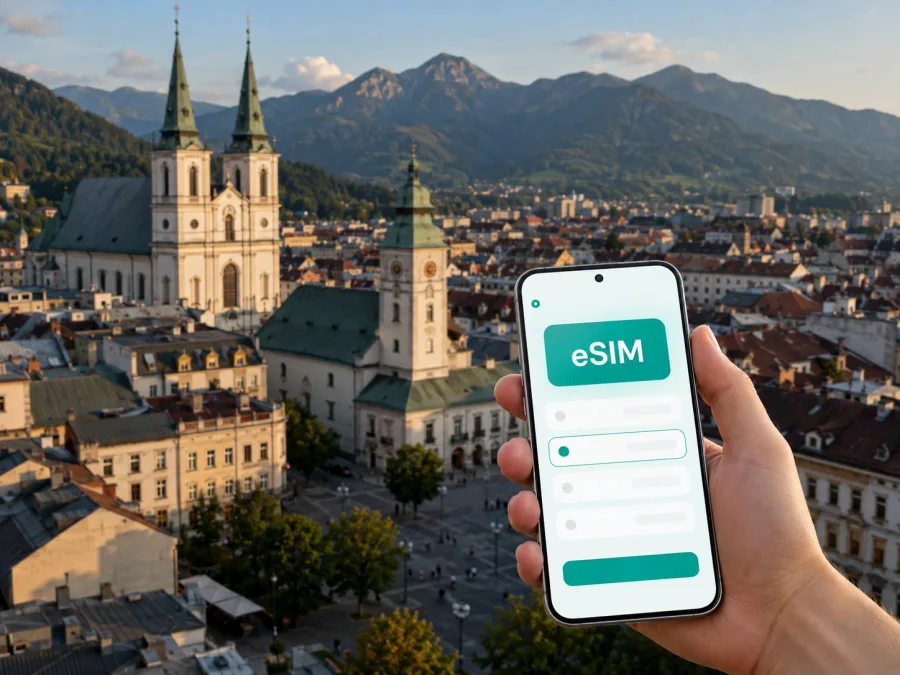
Zilina eSIM: Mobile Connection and Internet for Your Trip
Zilina is a practical base for exploring northern Slovakia. It is a regional centre, a railway and road junction, and a convenient starting point for business visits, short stopovers and trips towards Mala Fatra. That combination means that a stable mobile connection can matter from the moment you arrive: you may need to find your accommodation, check a platform change, order a ride, send a message to a host or follow a mountain route outside the city.
An eSIM, or digital SIM, can help you prepare mobile internet for Slovakia without replacing the physical SIM already in your phone. You select a tariff, install it on a compatible device and use it for mobile data when needed. Kaspersky eSIM Store is an app and website that helps you choose, arrange and activate an eSIM with a suitable tariff for mobile internet during an overseas trip. Check the selected tariff’s data allowance, validity period and destination before travel.
When mobile internet is useful in Zilina
The city centre is easy to explore on foot, but a visit to Zilina rarely stays within one square. You may sleep near the railway station, have a meeting in a business district, visit Budatin Castle across the river, and then continue towards the foothills. Each part of this plan creates small moments when being online is useful.
Arrival and the first hour
On arrival, mobile internet helps you confirm the address and check the quickest way to the hotel. This is especially useful when your accommodation is in a residential area rather than around the historic centre. Keep the booking details available offline as well, but use data for the live parts of the journey: map updates, messages with the host and changes to public transport or road conditions.
Moving between the centre and residential districts
The historic core around Marianske Square is compact, with cafés, services and many places of interest close together. Hotels and apartments are also found beyond the centre, including in districts such as Vlčince, Solinky, Hliny and Bôrik. A map helps with luggage, late returns and larger residential complexes.
City buses and trolleybuses connect the central area with residential districts and important transport points. Routes and departure times can change, so use current journey information for a time-sensitive trip. An eSIM does not replace a ticket or local transport rules; it keeps the information available while you move around.
Navigation for work and short visits
For a business trip, the useful route is rarely just “station to hotel”. It may include an office, a conference venue, a restaurant for a client meeting and a return journey at a different time. Save the addresses before leaving, then keep mobile data available for the parts that cannot be planned exactly: a changed meeting point, a delayed train or a message asking you to use another entrance.
For a short stopover, you might have only a few hours to walk through the centre or continue to the next city. A small allowance may be enough if you download maps in advance and use data mainly for navigation, messages and transport checks.
Areas of Zilina and the connection tasks they create
Thinking in terms of districts makes it easier to choose the right data plan and prepare directions. You do not need a separate tariff for each neighbourhood: the relevant question is how much data your entire Slovakia itinerary will use and how long the tariff must remain active.
| Part of the city | Typical travel task | Why mobile data helps |
|---|---|---|
| Historic centre | Walking between the main square, cafés, services and cultural venues | Live maps, messages and opening-time checks |
| Railway and bus area | Arrival, departure, luggage transfer or a short change | Platform information, route planning and booking access |
| Vlčince and Solinky | Hotel or apartment stay outside the core | Finding entrances, stops and the return route |
| Hliny and Bôrik | Business meetings and longer stays | Sharing locations and coordinating schedules |
| Budatin and the river side | Crossing the city for a visit or a walk | Walking directions and updates while away from the centre |
| Routes beyond Zilina | Day trip, hike or regional appointment | Navigation, messages and checking the next connection |
The table is a planning aid, not a promise of coverage at every point. Buildings, terrain and the selected network can affect the experience. For a rural journey, keep an offline route.
Choosing an eSIM tariff for a Zilina trip
Start with your itinerary rather than a generic data number. A one-day stopover in the centre, a week of meetings and a two-week trip with mountain excursions have different patterns of use.
Match the allowance to your habits
Consider how you normally use your phone abroad:
- Light use: messages, maps, email, occasional searches and transport checks. Download large files and video before departure where possible.
- Regular use: frequent navigation, photo sharing, work mail, ride requests and browsing during the day. Choose more headroom so that a busy day does not consume the full allowance.
- Heavy use: video meetings, cloud work, hotspot use or regular streaming. Check whether the tariff conditions suit this activity and plan a backup for high-volume work.
The exact amount of data cannot be chosen from the city name alone. Navigation, automatic photo backup, social video and app updates can consume more than expected. Before travel, turn off automatic updates over mobile data, review background-data settings and decide whether your laptop will use the phone as a hotspot.
Match the validity period to the whole route
If Zilina is one stop in a wider Slovakia itinerary, count the days from first activation to final departure, not only the nights in the city. Read the tariff conditions carefully: validity, activation and data usage are separate details.
If you arrive late, avoid activating a profile too early unless you have checked the conditions. Keep the QR code accessible and private.
Plan for a city-and-region route
Zilina works well as a base for trips towards Mala Fatra, the Vah valley and nearby historic sites. If your itinerary leaves the city, check that the chosen destination and route are included in the tariff. A country-level option may be more practical than trying to solve each stop separately, but the right choice depends on the offer and your complete route.
Around the middle of your preparation, you can choose an eSIM tariff for a trip to Slovakia and compare the available data allowance, duration and conditions for your route. The selection page is not a substitute for checking your phone: confirm compatibility and operator-unlock status before completing the purchase.
Installing eSIM before departure or after arrival
Installation is easiest with a reliable internet connection, a charged phone and the purchase details at hand. You can prepare the eSIM before leaving home, then select it for mobile data after arriving in Zilina. If you wait until arrival, keep the QR code or profile information accessible.
Step-by-step preparation
- Check the device. Confirm that your smartphone supports eSIM and is not locked to another operator. Regional versions of the same model can differ, so check your device before purchase.
- Review the tariff. Confirm that Slovakia is included, then check the data allowance, validity period, activation conditions and any rules for hotspot use.
- Prepare an internet connection. Use a stable Wi-Fi connection or your existing mobile data to download the eSIM profile.
- Open the mobile-network settings. Choose the option for adding a mobile plan or eSIM. The wording differs between phone models.
- Scan the QR code or follow the profile flow. Use the details provided after your purchase. Keep the screen steady and do not reuse a QR code on an incompatible device.
- Label the profile clearly. A label such as “Slovakia trip” makes it easier to choose the correct line when your regular SIM remains active.
- Select the eSIM for mobile data. Keep your primary SIM available for calls or messages if that suits your plan, but check which line is selected for data.
- Check data roaming settings. Some eSIM profiles require data roaming to be enabled for the eSIM. Follow the tariff instructions and turn off data roaming on the line you do not want to use.
- Test the connection. Open a simple page or send a message. Connection can take a few minutes, especially immediately after arrival or when the device is switching networks.
For more detailed steps, use the Android eSIM installation guide or the iOS eSIM installation guide. The menu names can vary by operating-system version. If the connection does not start, check the selected data line, the APN instructions if provided, the roaming setting and the remaining allowance before changing several settings at once.
Practical scenarios in Zilina
A weekend, work visit or stopover
For a weekend in the centre, download a city map and accommodation details before the trip. Use the eSIM for directions between the station, hotel and historic centre, then for messages and transport checks. For a work visit, save each meeting address with its time and add a transfer buffer. If a laptop or video call is involved, estimate that use separately and check whether hotspot use is supported by the tariff.
Before a regional departure, confirm the time available and the location of the next connection. A short walking loop is more realistic than trying to cover the whole city. Mobile data helps with the return route, messages and last-minute platform or road changes.
A base for Mala Fatra or nearby sights
Plan the route and download key information while you have a strong connection. In hilly or rural areas, reception can vary, so carry a charged battery and an offline route.
What to check before buying
Use this checklist the day before your departure:
- [ ] The phone supports eSIM and is not operator-locked; check your device.
- [ ] The tariff includes Slovakia and matches the full duration of the route.
- [ ] The data allowance fits navigation, messages, work and any hotspot use.
- [ ] You understand when activation starts and when the validity period ends.
- [ ] The QR code or profile information is available in a secure place.
- [ ] Your regular SIM settings are documented before you change the data line.
- [ ] Important hotel, meeting and transport details are saved offline.
- [ ] A charger or power bank is packed for long arrival and transfer days.
- [ ] You know where to get help if installation or activation needs attention.
The common planning errors are overlooking other stops and underestimating background data. Review both before you pay.
Questions travellers ask about Zilina eSIM
Is eSIM useful for a short visit to Zilina?
Yes, if you need navigation, messages or transport information without looking for a physical SIM after arrival. Estimate your usage and choose a validity period that covers the route.
Can I use the eSIM for regular calls and SMS?
Not necessarily. These travel eSIM tariffs are intended for mobile internet and do not include a separate number, voice calls or SMS unless the selected tariff says otherwise. Messaging and calling apps can work over the internet.
Do I need Wi-Fi in Zilina to install an eSIM?
You need an internet connection to download and install the profile, unless the specific process provides another supported option. Install before departure over reliable Wi-Fi or keep existing data access until the profile is ready.
Can I keep my main SIM active?
A compatible dual-SIM phone can often keep both profiles available, but controls depend on the device and operator. Set the travel eSIM as the data line and check that the primary SIM is not using roaming data unexpectedly.
Will one tariff cover trips outside Zilina?
It depends on the tariff’s country or regional coverage. City names do not determine coverage, so check each destination before leaving Zilina.
What if I use all the data?
First check whether the tariff supports a top-up or another permitted option. Until you resolve it, connect to a trusted Wi-Fi network for large downloads, use offline maps and limit background data. The available actions depend on the selected tariff and profile.
Is the Kaspersky eSIM Store a mobile operator?
No. Kaspersky eSIM Store is an app and website that helps you choose, arrange and activate an eSIM with a suitable tariff for mobile internet during an overseas trip. Conditions belong to the selected offer and its local operator arrangements.
A simple plan for staying online
For most trips, the sequence is straightforward: map the route, check your phone, choose a Slovakia tariff, install the profile over a reliable connection, and select it for data when needed. Keep your regular SIM settings under control, save essential information offline and monitor the allowance.
Zilina rewards a flexible itinerary. You may begin on foot in the centre, cross the city for a meeting, continue to Budatin or head towards the surrounding mountains. Preparing mobile internet in advance gives each part of that day a clearer backup without adding a physical SIM to your packing list.
When your destination, device and data needs are clear, choose an eSIM tariff for your Slovakia trip, review the conditions, install it on a compatible phone and activate it when your journey requires mobile internet.


