Travel connectivity guide
Zinder eSIM: Mobile Connection & Internet in Niger
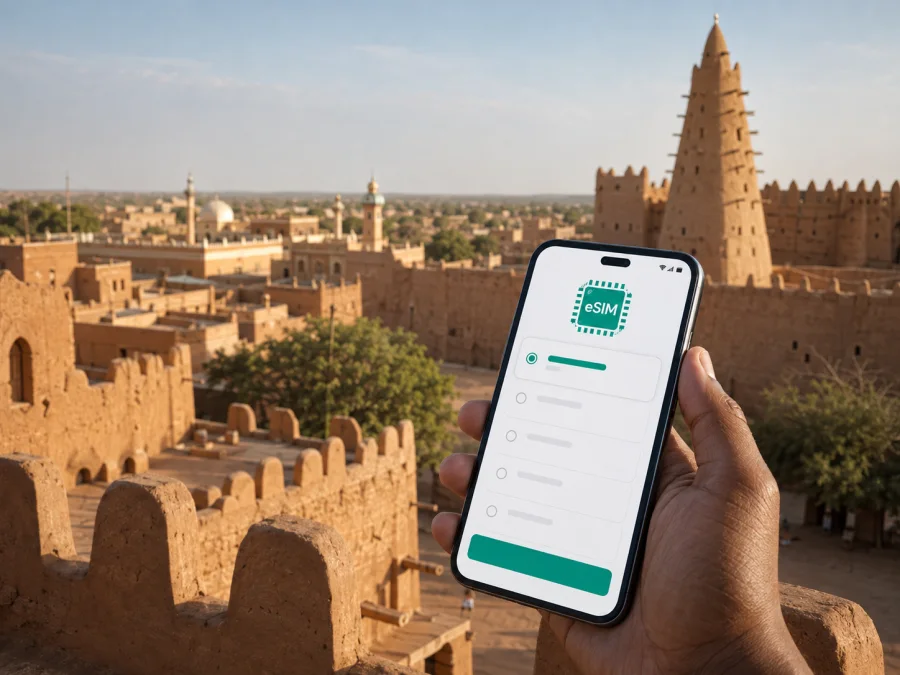
Zinder eSIM: Mobile Connection and Internet for Your Niger Trip
Zinder is a practical destination for travellers who need to stay reachable in southeastern Niger. You may arrive through Zinder Airport, meet a driver, cross town by motorcycle taxi, find a hotel or continue by road. Mobile internet helps you check a message, open a map, confirm a reservation or share your arrival time.
An eSIM is a digital SIM that can be installed on a compatible phone without removing the physical SIM already in the device. For a trip to Zinder, it can be a convenient way to prepare mobile data before departure or set it up after arrival. Kaspersky eSIM Store is an app and website where you can choose, arrange and activate an eSIM with a suitable plan for mobile internet during an overseas trip. The plan conditions, supported destination and validity period depend on the option you select.
Why mobile internet matters in Zinder
Zinder rewards a traveller who plans the first few hours carefully. The city has a historic core, busy commercial areas and residential neighbourhoods that do not all feel the same when you are trying to orient yourself with luggage. A working data connection can support small, practical decisions:
- confirming the meeting place with a host, driver or colleague;
- opening a map while moving between Zinder Airport, accommodation and the city centre;
- translating a short message or checking a local-language phrase;
- sending a location pin instead of describing an unfamiliar street;
- checking a booking, work call or itinerary when public Wi‑Fi is unavailable;
- keeping a trusted contact informed during a transfer.
This does not mean that every route or service will be available online. Maps can be incomplete, a signal can vary by location, and transport arrangements in Zinder may depend on local contacts. Mobile data is best treated as one layer of preparation alongside an offline map, a written address and a confirmed transfer.
The arrival scenario
If you land at Zinder Airport, your immediate priorities are usually simple: identify your driver, reach your accommodation, tell someone that you have arrived and keep enough battery for the next step. Installing an eSIM before departure can reduce the number of tasks you have to complete at the airport. If you prefer to install it after landing, arrange access to Wi‑Fi or another internet connection first, because the eSIM profile may need an online connection during setup.
Before leaving the airport area, save your accommodation address, transfer contact, arrival details and an offline map of Zinder. Keep the key address and contact on paper as a backup.
If the airport transfer is delayed, use data to communicate the change, but do not assume a car or taxi will be waiting without confirmation.
Zinder’s districts and navigation
A local address is often more useful than a city-wide map pin. Birni is the historic Hausa quarter, known for the Sultan’s Palace, mud-brick architecture and narrow lanes. Sabon Gari is associated with the newer commercial centre and market area, while Zengou or Zango is a northern historic area. A hotel or office may be outside these familiar landmarks, so ask for a neighbourhood name plus a market, building or agreed meeting point.
For Birni, download the route in advance and consider a local guide or trusted contact for the final approach. Ask before photographing homes or residents. In Sabon Gari, use mobile data for coordination or translation but keep your phone, cash and documents secure. Across the wider city, do not plan a tight connection around an optimistic map estimate: heat, waiting time, road conditions and ride availability can change the practical journey.
Transport, maps and local movement
Zinder is a city where your transport plan should be more specific than “I will take a taxi.” Depending on the current local situation and the people accompanying you, movement may involve a pre-arranged car, a shared vehicle, a motorcycle taxi or walking for the final part of a route. Availability and safety conditions can change, particularly after dark or outside the central areas.
Use mobile internet for coordination rather than for making assumptions. A good transport message contains four pieces of information:
| What to send | Why it helps |
|---|---|
| Your exact or approximate location | The driver knows where to start |
| The destination and a nearby landmark | The route is easier to confirm |
| Your planned departure time | The other person can judge whether the timing works |
| A backup contact | You have another way to resolve a delay |
For a first trip, agree on the pickup point before leaving, keep the phone charged, carry an offline map and leave time for waiting or finding the correct entrance. Confirm the route again if the driver suggests a different destination.
If you plan to travel from Zinder to another city in Niger, ask about the current road or flight arrangement before building your itinerary around it. Schedules, routes and security conditions are not permanent. A country-wide or regional eSIM option may make sense for a multi-city journey, but check that the selected plan explicitly includes every country or region on your route.
Choosing an eSIM plan for Zinder
The right plan depends less on the name of the city than on what you will do there. A short stopover, a week of field work and a longer route across Niger create different data patterns. Start with the country or region of validity, then compare the data allowance, validity period and any conditions that apply before activation.
Use this planning table as a starting point:
| Trip pattern in Zinder | Typical data activities | What to consider |
|---|---|---|
| Airport stopover or one-night stay | Messages, a few map checks, a booking and a transfer | A small allowance may be enough if video is avoided |
| Several days in the city | Navigation, messaging, translation, work mail and occasional calls in apps | Choose a validity period that covers the complete stay |
| Business visit | Maps, documents, cloud tools, video meetings and hotspot use | Estimate work traffic separately from sightseeing traffic |
| City visit plus road travel | Navigation, location sharing, messages and route changes | Confirm whether the plan covers the wider route, not only Niger |
| Longer stay | Regular browsing, media, updates and repeated map use | Check the conditions for top-up or an additional plan |
These are usage scenarios, not promises about a particular package. The allowance and expiry date are determined by the plan displayed at the time of purchase. Avoid choosing only by the lowest visible price: a smaller allowance can become inconvenient if you use maps, video calls, automatic photo backup or a laptop hotspot.
Once you know your route and approximate use, you can choose an eSIM plan for a trip to Niger. Review the destination, data amount, validity and activation conditions before confirming.
Keep the data allowance under control
Maps and messages are usually lighter than video meetings, social-media video, photo backup or system updates. Download maps and documents before departure, set updates to Wi‑Fi only, disable automatic media backup and check which SIM is selected for data. If you use a laptop hotspot, confirm that tethering is allowed.
Install and activate eSIM before or after arrival
Installation is a short sequence, but it is easier when you do it without airport pressure. Read the plan conditions first and make sure you have the QR code or profile details available. You can use the Android installation instructions or the iOS installation instructions for the relevant device family.
Before installation
Check that your phone supports eSIM and is not locked to another operator. Models can differ by country or region of sale, so do not rely on the name of a phone family alone. Check your device compatibility before you pay or install a profile.
Also have a stable internet connection and enough battery for setup, decide which line should remain active for ordinary calls and SMS, and read when the selected plan starts.
Five-step setup
- Open the mobile-network settings. Find the option to add a mobile plan or eSIM. The wording differs between Android and iOS versions.
- Scan the QR code or enter the profile details. Use the code supplied with your selected eSIM plan and follow the on-screen prompts.
- Name the new line clearly. A label such as “Niger data” can help you avoid choosing the wrong line later.
- Select the eSIM for mobile data. Keep your primary line for calls or messages if you still need it, and verify that the eSIM is the data line.
- Wait for registration and test carefully. Activation or network registration may take several minutes. On some devices, data roaming must be enabled for the eSIM profile to function; follow the plan instructions and watch which line is using data.
If you install before departure, keep the home line as the active data line until you need the travel plan, subject to your device and plan conditions. After arrival, use trusted Wi‑Fi where possible and do not delete the profile while troubleshooting unless support tells you to.
What to check before buying
Confirm that Niger is included, compare the validity period with your dates, read when validity begins, and check whether the tariff is data-only. Review top-up, refund, transfer and device-change conditions before purchase.
Before departure, save accommodation and transfer details offline, tell a trusted contact when you expect to arrive, pack a power bank and check current entry, transport and security requirements, especially for routes beyond Zinder. An eSIM can help you communicate; it cannot guarantee transport availability, access to a district or personal safety.
Three useful Zinder scenarios
1. A first evening after arrival
After meeting your driver, send an arrival message, open the saved map and confirm the next meeting. Then charge the phone and review the active data line.
2. A meeting in the commercial centre
Send the meeting point, estimated departure time and a nearby landmark before leaving. If the pin covers a large commercial area, message when you reach the agreed landmark.
3. A visit to Birni
Download the route while connected, keep it offline, dress respectfully and ask before taking photographs. A local contact can help with the narrow historic quarter.
Limits and troubleshooting
An eSIM may not suit a phone that lacks eSIM support, is operator-locked or has a regional limitation. It is primarily for mobile internet: calls and SMS are excluded unless the selected plan says otherwise. If data fails, check the active data line, enable the eSIM, review the plan’s access-point and roaming instructions, restart the phone if appropriate and avoid deleting the profile as a first response.
Frequently asked questions
Can I use an eSIM when I arrive in Zinder?
Yes, if the plan includes Niger and your device is compatible and unlocked. You can install it before departure or after arrival, but downloading the profile requires an internet connection. Check the activation rules because the validity period may begin at a specified stage of setup or use.
Will an eSIM give me a local telephone number?
Usually not. The travel eSIM scenario is generally for mobile data, and ordinary calls or SMS are not included unless the selected plan explicitly states otherwise. Keep your primary SIM active if you need its number, and check which line is selected for data.
Should I turn on data roaming?
Sometimes. On certain devices, data roaming must be enabled for the eSIM profile to use mobile data abroad. Turn it on only for the intended eSIM line and confirm that your primary line is not using roaming data unintentionally.
What should I do if the phone shows no data?
First confirm that the eSIM is enabled and selected for mobile data. Then check the plan’s network and roaming instructions, restart the phone if appropriate, and wait a few minutes for registration. If the problem continues, contact support with the device model, plan details and the steps you have already tried.
Final preparation checklist
Use this checklist on the day before departure:
- [ ] Niger is included in the selected eSIM plan.
- [ ] The validity period matches your arrival and departure dates.
- [ ] Your phone supports eSIM and is not operator-locked.
- [ ] The QR code or profile details are accessible.
- [ ] Zinder accommodation and transfer information are saved offline.
- [ ] Birni, the airport and important meeting points are marked or written down.
- [ ] Offline maps, translation material and key documents are available.
- [ ] Your primary SIM settings and data line are understood.
- [ ] A charger and power bank are packed.
- [ ] Current travel and security conditions have been checked.
Stay connected with a plan that fits the route
For Zinder, preparation is mostly about reducing uncertainty at the moments when you need directions, a message or a confirmed meeting point. Choose the country or regional scope first, then match the eSIM plan to the length of the stay and the amount of navigation, work and communication you expect. Check compatibility, install the profile carefully and keep offline information as a backup.
When you are ready, choose an eSIM plan for your trip to Niger, review its conditions and activate it on your compatible device. That gives you a clear mobile-internet setup for arrival in Zinder, movement around the city and any onward route that the selected plan actually covers.


