Travel connectivity guide
Zomba eSIM: Mobile Internet in Malawi
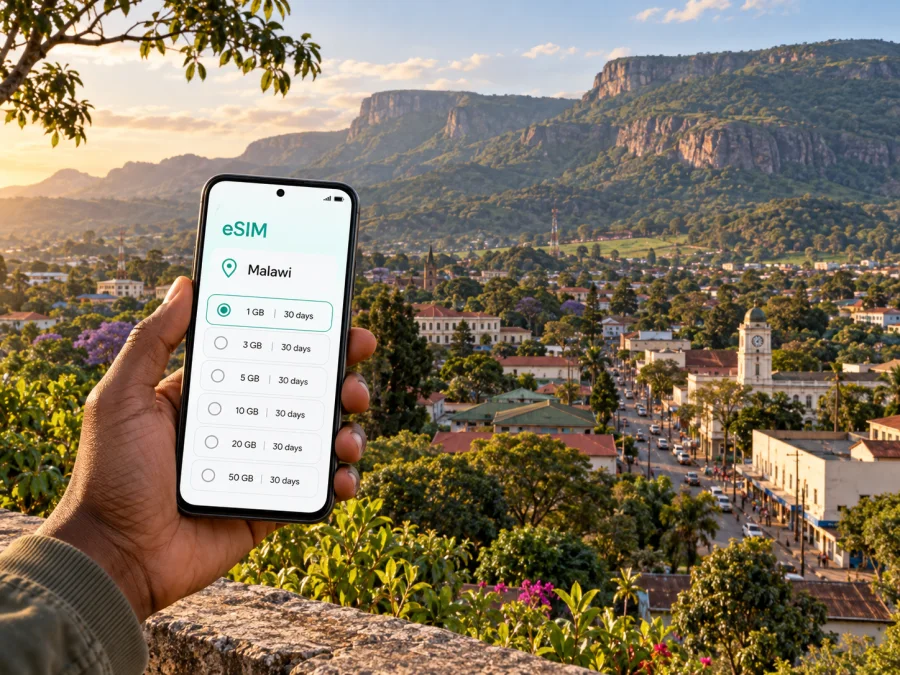
Zomba eSIM: mobile connection and internet for a city trip
Zomba is a compact city with two very different scales of travel: a working town of markets, offices and university life, and the wooded Zomba Plateau rising directly above it. A phone with mobile internet can help you coordinate a road transfer, find your accommodation, message a host and check a walking route before you leave the town. An eSIM can make that connection easier to prepare for, provided your device supports it and the selected plan covers Malawi.
This guide focuses on using an eSIM during a visit to Zomba: arriving overland, moving between the centre and Chirunga, planning time on the Plateau, and deciding what to set up before you travel. It also explains where mobile data is useful and where a downloaded map, local directions or a guide remain the better backup.
Why Zomba needs a city-specific plan
Zomba sits in southern Malawi at the foot of the Plateau. The mountain is part of the city’s identity and shapes many itineraries: visitors may stay in town, go uphill for a walk or viewpoint, and return for food or an overnight stay. The city also has an academic and administrative character, so a trip can combine meetings or university visits with outdoor time.
That mix affects how you use data. In the built-up centre, you may mainly need messages, maps, ride coordination and practical searches. On the Plateau, the day may depend more on a route agreed with a local guide, offline navigation and checking conditions before setting out. Treat mobile service as a useful tool, not as the only way to navigate.
Zomba is also a natural stop between other destinations in the south and the central region. A traveller may arrive from Blantyre, continue towards Liwonde or plan a longer journey north. If the itinerary crosses several places, review the eSIM plan’s country or regional coverage and validity against the full route, rather than choosing it from the Zomba stop alone.
Arriving in Zomba and getting oriented
Zomba is reached by road. The official Malawi tourism site places it about 72 kilometres north of Blantyre and about 290 kilometres south of Lilongwe. Your overall journey may begin at an airport in one of those cities, followed by a road transfer; confirm the current transport arrangement and timing with your carrier, accommodation or local contact before departure. Do not assume that a transfer will be waiting or that a route will take a fixed amount of time.
When you reach Zomba, first identify the address or landmark closest to your accommodation. Names and directions can be easier to confirm with a host than by searching for a hotel in a map app, especially if a property uses a local name or sits outside the central grid. Save the contact details and written directions while you have reliable access to Wi-Fi or mobile data.
A practical arrival sequence is:
- Confirm the exact pickup point and destination with the driver or host.
- Keep the accommodation address available offline, including a nearby landmark.
- Ask locally whether the final stretch is best done by taxi, minibus or on foot.
- Share your expected arrival time with the person meeting you.
- Once settled, check your next day’s route before leaving the centre.
For a short visit, resist the urge to plan every transfer from a map pin alone. A local recommendation can clarify which entrance to use, whether a road is suitable for a car, or how to describe a destination to a driver. Use mobile data to support that conversation and to confirm details, not to replace it.
Moving around the centre, Chirunga and the Plateau
Zomba’s main town area is the most convenient base for errands, meals and onward transport. From there, visitors may head towards the University of Malawi’s campus at Chirunga, historic civic buildings, gardens or the lower slopes. These are distinct stops, even if they look close on a small-scale map. Check the route and ask about the final approach before setting out.
Local transport options can include taxis, minibuses and bicycle taxis, often called kabaza. Availability, fares and suitable modes depend on where you are going and the time of day. Agree on the destination and fare before a trip where appropriate, and ask your accommodation or a trusted local contact which option makes sense for your route. A map can show direction, but it will not tell you whether a vehicle is operating or where it is best to board.
The Plateau is a separate planning decision. Malawi’s tourism information describes it as a mountain overlooking Zomba, with walking routes and viewpoints; visitors can explore it with local guidance. Roads and trails have different conditions, and weather can change the experience. Arrange transport and any guide in advance, carry water and suitable clothing, and check how you will return to town before starting a walk. Do not rely on a phone signal for emergency navigation in wooded or elevated areas.
| Trip segment | Useful preparation | Where mobile data helps |
|---|---|---|
| Arrival into town | Save the address and confirm the pickup plan | Messages, route checking and contacting your host |
| Town centre to Chirunga | Confirm the campus entrance and meeting point | Finding the right approach and updating colleagues |
| Town to the Plateau | Arrange transport and ask about a guide | Coordinating the pickup and checking current plans |
| Day trip beyond Zomba | Confirm the return journey and stop locations | Checking messages and keeping itinerary details together |
Choosing an eSIM for a stay in Malawi
An eSIM is a digital SIM profile installed on a compatible device. It can be useful when you want mobile data without removing your home SIM, and when you prefer to arrange a travel plan before reaching Zomba. Kaspersky eSIM Store is an app and website where you can choose, purchase and activate an eSIM with a suitable plan for mobile internet on an international trip. The mobile service itself depends on the selected plan and its network arrangements.
Before choosing, estimate how you will use your phone in Zomba. A map search or short message uses a different amount of data from uploading video, joining frequent video calls or sharing a hotspot. Think about the whole journey: airport transfer, days in town, time on the Plateau, and onward travel. Then compare the plan’s data allowance, validity period, price and stated coverage with those needs. Conditions vary by plan, so read its details carefully.
You can explore eSIM options for Malawi and compare the available plan details before you travel. A city article should not suggest that every plan, device or location behaves identically. Check the destination and any regional conditions shown for the specific plan you intend to use.
A quick data-use estimate
Use this simple planning method rather than relying on a generic daily allowance:
- Light use: messaging, occasional map searches and basic email.
- Regular use: frequent navigation, browsing and photo sharing.
- High use: video calls, streaming, large uploads or hotspot use.
Your actual consumption depends on app settings, automatic updates and how often you use media. Download maps, boarding details and booking information in advance when possible. Disable automatic downloads over mobile data if you want to keep usage predictable, and use Wi-Fi for large updates when it is available and appropriate.
Where a connection helps during a Zomba visit
A working data connection is especially practical in the transition moments around a trip. It can help you send a changed arrival time, confirm a driver’s location, check a saved hotel detail or tell a colleague that you have reached the campus. Those tasks are often more important than continuous browsing.
For a town walk, save or review your route before leaving. Keep a note of the hotel name and a nearby recognisable point. If you visit historic buildings or public institutions, check opening arrangements with a local contact rather than assuming that a map listing is current. The Old Parliament building is used as a High Court, so treat it as a functioning civic site and follow access instructions rather than expecting it to operate as a visitor attraction.
On a Plateau outing, mobile data can help you coordinate the start and end of the excursion, but it should not replace route planning. Confirm the route with a local guide, agree on the pickup location and carry a power bank if your phone is important for the day. Download offline maps before climbing and keep your accommodation’s number or message thread accessible.
If you are in Zomba for work, prepare the meeting location in writing and share a clear arrival window. The University of Malawi campus is in the Chirunga area, a short distance from the main trading centre, but a specific department or entrance may require local directions. Send the exact building or host contact to your driver instead of relying on a general campus pin. Before a call, check whether the selected plan supports the kind of service you need: an eSIM data plan does not include an ordinary phone number, voice calls or SMS unless its terms explicitly say so. Internet-based calls and messages can work through compatible apps when you have data.
Town stay, university visit or stopover
The right setup depends on the shape of your visit.
One night in town. Prioritise the transfer, accommodation contact and next departure. A modest data allowance may be enough for maps and messages, but estimate based on your habits and check how long the plan remains valid.
Several days with time on the Plateau. Plan for coordination as well as navigation. Save the route and lodging details offline, confirm guide and transport arrangements, and allow for the fact that wooded terrain may make connectivity less predictable.
A university or government-related visit. Ask your host for the entrance, building name and preferred arrival point. Keep the appointment contact in a message thread and leave extra time for the final approach.
A stop between destinations. Check that the plan’s validity covers the entire itinerary, not only the days in Zomba. If you continue to another part of Malawi, verify that the same destination plan applies to that leg.
A longer stay in the south. Consider whether a single-country plan fits your schedule and data needs, and make sure the activation timing matches the plan terms. If your trip later crosses a border, review coverage separately before relying on one plan.
Set up your eSIM before you need it
Start with the conditions: confirm that your phone supports eSIM and is not restricted by a carrier lock. Check your device’s eSIM compatibility, make sure you have a stable internet connection for installation, and keep the QR code or activation details available. The exact menu names differ by device and operating system.
Install and prepare the profile
- Choose a plan. Review its destination, data allowance, validity and activation conditions.
- Open the installation details. Use the QR code or the installation method provided with your order.
- Add the eSIM profile. Follow the on-screen prompts in your phone’s mobile network settings.
- Label the line. Give it a clear name such as “Malawi travel” so you can identify it later.
- Select mobile data settings. Choose the travel eSIM for mobile data when you want to use it, and review the plan’s roaming instructions.
- Wait for setup to finish. Activation or network registration can take several minutes.
- Keep it inactive until needed if appropriate. If you want to begin using the plan later, follow the specific plan’s activation terms and leave the line turned off until the right time.
For device-specific steps, follow the Android eSIM installation instructions or the iOS eSIM installation instructions. Keep your home line available for calls or SMS if needed, and check which line is selected for mobile data before you leave Wi-Fi.
Keep navigation useful when service changes
A travel phone is most helpful when it still works as a reference without a live connection. Before a day trip, save offline map areas where the app allows it, take a screenshot of key directions and store accommodation or guide details in a note. Keep your phone charged and carry a power bank if you will be away for several hours.
Use location sharing selectively with a person who needs your itinerary. Avoid making an unfamiliar route depend on a single live map instruction, especially on a forest road or walking trail. If the route differs from what you expected, pause and ask a local guide or driver before continuing.
For data management, turn off background updates for apps that are not needed during the trip. Use Wi-Fi for large files when appropriate, and check the usage display in your phone settings. The device’s count may not align exactly with the plan’s accounting, so use it as a practical indicator and review the plan’s own usage information where available.
A compact checklist before leaving for Zomba
- Save your accommodation’s address, phone number and a nearby landmark.
- Confirm the road transfer and pickup location with the person arranging it.
- Check your eSIM device compatibility and carrier lock status.
- Compare the Malawi plan’s data, validity, price and activation terms with your itinerary.
- Install the profile using a reliable internet connection and keep its instructions accessible.
- Decide which line will handle mobile data and which line will receive home calls or messages.
- Ask locally about transport to Chirunga, the Plateau or other destinations.
- Download useful maps and booking details for offline reference.
- Carry a charger or power bank for long drives and outdoor plans.
- Keep a little flexibility in your schedule for road and weather conditions.
Common questions about eSIM and Zomba
Is an eSIM useful for a short visit to Zomba?
It can be, especially if you need mobile data for arrival coordination, maps and messages without changing the physical SIM in your phone. Whether it suits you depends on device compatibility, the plan’s validity and how much data you expect to use.
Will my eSIM work everywhere in Zomba and on the Plateau?
Coverage depends on the selected plan’s network arrangements and local conditions. Do not assume that a signal will be available on every road, trail or part of the Plateau. Save key information offline and ask your accommodation or guide about the route.
Can I use the eSIM for normal calls and text messages?
A travel eSIM plan is generally intended for mobile data and does not provide an ordinary phone number, voice calls or SMS unless the plan says otherwise. You can use internet calling or messaging apps while data service is available.
Should I install the eSIM before travelling?
Installing it before departure can make the setup easier because you can use a stable internet connection and take time to follow the steps. Check the plan’s activation conditions first; installation and the start of validity are not necessarily the same event.
Do I need mobile data to explore the Plateau?
Not for every part of the visit. A guide, prepared route and offline map can be more dependable for navigation. Mobile data remains useful for arranging transport and updating your contact, but it should not be your only plan.
What should I do if I am only passing through?
Save directions and lodging or transfer details before you arrive, then confirm the next leg with your driver or host. Choose a plan whose validity and coverage match the full route, even if Zomba is only one stop.
Stay connected on your own terms
A Zomba visit can move from a busy town street to the quiet slopes of the Plateau in a short time. Prepare for both settings: use mobile internet for coordination and everyday searches, while keeping directions and important contacts available offline. Confirm local transport and outdoor plans with people who know the route, and review your plan’s stated coverage rather than assuming a uniform signal.
When you are ready, use Kaspersky eSIM Store to choose and activate a travel eSIM plan that fits your Malawi itinerary. Review the available eSIM plans for Malawi and check the data allowance, validity and activation terms before you travel.


