Travel connectivity guide
Zong eSIM in Pakistan: what to check
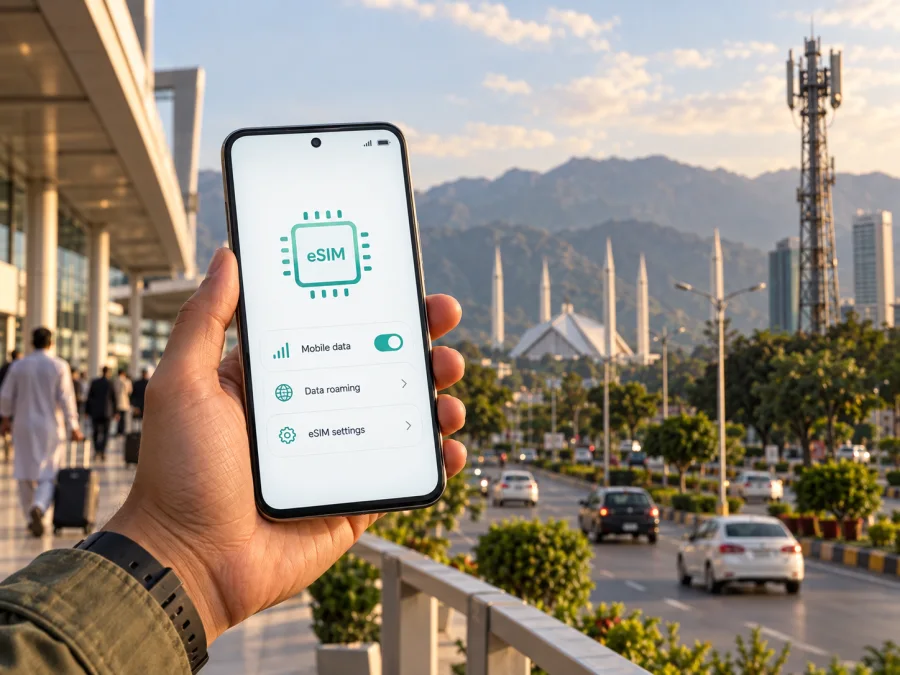
Zong eSIM in Pakistan: activation, compatibility and travel options
If you are planning a trip to Pakistan and are searching for Zong eSIM information, there are two different connection scenarios to keep apart. Zong offers an eSIM format for its own mobile service, while a travel eSIM is designed primarily for mobile internet during a visit. The right choice depends on whether you need a local Zong mobile line, how long you will stay, where you will travel, and whether you can complete local registration requirements.
This guide explains what current public information confirms about Zong eSIM in Pakistan, how activation works, what a foreign visitor should prepare, how network technology and coverage should be checked, and where a travel eSIM can fit into the same journey. The goal is to help you plan a connection without treating a local operator and a travel service as interchangeable products.
Quick answer: does Zong support eSIM in Pakistan?
Yes. On the Zong website, the current eSIM page describes an official process for obtaining and activating a Zong eSIM. The page says that a customer visits a Zong Customer Service Centre or franchise, completes the required verification, receives a physical voucher containing an eSIM QR code, and downloads the profile by scanning it on a compatible device. The page also describes eSIM as an embedded SIM that activates a mobile number without inserting a plastic SIM card.
This confirmation was checked on 21 September 2026. The same page states that an eSIM can be obtained through a new-number process or by replacing an existing Zong number. It also says that biometric verification is required before activation. The exact procedure, supported handsets, service-centre availability and compliance requirements can change, so confirm the latest instructions with Zong before travelling or visiting a branch.
For a visitor, this answer has an important qualification: Zong eSIM is a local operator connection, not automatically a remote travel product. The official process is centred on a Zong service location and identity verification. If you only need mobile internet for a short visit and want to prepare before departure, compare that process with a travel eSIM option and check the conditions of both services.
Zong’s role in the Pakistani mobile market
Zong is a mobile operator serving the Pakistani market. Its public website presents consumer prepaid and postpaid sections alongside business, device and international-service information. This makes it relevant when you need a Pakistani mobile number, local support or a connection activated through an authorised service point. It also means that an arriving traveller should allow for a branch visit, identity checks, device checks and Pakistan’s mobile-equipment rules.
How Zong eSIM activation works
The current Zong eSIM instructions describe a QR-code installation flow. The main steps are:
- Visit an authorised Zong Customer Service Centre or franchise.
- Complete the applicable customer and biometric verification.
- Obtain the eSIM profile voucher and have the number mapped to the profile.
- Connect the compatible phone to the internet or Wi-Fi.
- Open the cellular or SIM settings on the phone.
- Choose the option to add a cellular plan or mobile plan.
- Scan the QR code supplied by Zong.
- Follow the device prompts and select the new profile for the intended mobile services.
Zong gives separate examples for iPhone and Android. On iPhone, use Cellular settings and add a cellular plan; on Android, look for SIM Card Manager or a similar mobile-network menu. Names differ by device and software, so follow the wording on your handset. Keep the QR code private. The phone needs internet or Wi-Fi during profile download, while later service still depends on the line, device, local network and regulatory status.
What a traveller to Pakistan should prepare
Zong publishes a dedicated process for foreign and Afghan customers who want a new prepaid connection. It says that a foreign visitor should attend a Zong Customer Service Centre or franchise with an original valid passport and a valid visa or Pakistan Origin Card, along with the listed entry information and customer form. Because the page concerns a new prepaid connection, do not assume every detail is identical for an existing number or an eSIM replacement.
This was checked on the Zong SIM issuance page on 21 September 2026. Confirm current requirements shortly before the visit, carry original documents, allow time for verification and use an official service point. Zong’s eSIM page also warns that the device’s eSIM IMEI may need attention under Pakistan’s registration system. Check current PTA and DIRBS guidance and ask Zong how it applies to your handset; an eSIM slot alone does not guarantee continued local service.
Before leaving for Pakistan, check these points:
| Check | Why it matters |
|---|---|
| eSIM support | The phone must support an eSIM profile and the relevant cellular bands. |
| Operator lock | A carrier-locked phone may reject a profile from another operator. |
| Documents | A visitor may need original identity and entry documents for a local connection. |
| IMEI status | Pakistan’s device-registration rules can affect continued network use. |
| Internet for setup | The QR profile needs a connection while it is being downloaded. |
| Service location | Zong’s published process directs customers to a service centre or franchise. |
| Backup communication | Keep hotel details and key contacts available during setup. |
Compatible devices and supported technologies
An eSIM is a digital SIM profile stored in the device. Support is not universal: the phone needs suitable hardware and software, and regional variants can differ. Check the exact model in the phone settings and on the manufacturer’s current support page. Zong’s eSIM page includes a supported-handset section, but treat it as current guidance rather than a permanent catalogue.
Zong also publishes 4G guidance and a 5G coverage map. A suitable device may use 4G/LTE where available and 5G only in supported locations with compatible equipment and eligible service. eSIM does not itself mean 5G; radio access depends on the network, location, handset and current conditions.
For a trip, compatibility should be checked at three levels:
- The handset supports eSIM and is not locked to another operator.
- The handset supports the radio technologies and bands used where you plan to travel.
- The local service or travel profile is permitted to connect on that device and in that destination.
Coverage in Pakistan: what can be confirmed
Zong provides a coverage map and a separate 5G coverage page. Use the current map for each planned city or route. It indicates service availability, not identical service in every room, road, valley or building. Terrain, indoor construction, congestion, maintenance and device capability can affect access. Save essential addresses and bookings offline, and keep a backup option if work or transport plans depend on data.
Zong eSIM or travel eSIM for a trip?
A local Zong eSIM and a travel eSIM solve related but different problems.
| Question | Zong eSIM | Travel eSIM |
|---|---|---|
| Main purpose | A local operator connection in Pakistan | Mobile data arranged for a trip |
| Typical setup | Operator service point, verification and QR profile | App or website selection followed by digital installation |
| Local number | May be part of the operator connection, subject to the service | Often data-focused; check the selected offer’s conditions |
| Timing | Usually depends on a local visit and readiness of the line | Can often be prepared before departure if the device and purchase flow allow it |
| Suitable for | Visitors who need local operator service or a Pakistani line | Travellers who mainly need data and want to prepare remotely |
The table is a reference, not a tariff comparison. Exact functions depend on the selected service. Zong may fit a traveller who needs local support or a Pakistani line; a travel eSIM may fit someone who mainly needs data prepared before landing. Neither is automatically right for every itinerary.
Kaspersky eSIM Store as a travel alternative
Kaspersky eSIM Store is an app and website that helps a traveller choose, arrange and activate an eSIM with a mobile-data offer for an international trip. It is not a mobile operator, does not own Zong’s network, and should not be presented as the provider of local coverage. The service is a separate preparation and management route for travel connectivity.
The Kaspersky eSIM Store Pakistan guide, checked on 21 September 2026, describes preparing an eSIM before departure or while a reliable connection is available. The official Kaspersky travel guide explains that users can install a profile, enable it for data and manage it through the app or website. Compatibility still depends on the exact model, region and software version. A travel eSIM is commonly data-focused and may not include a local number, voice calls or SMS; confirm current conditions before relying on it for a particular need.
If a travel eSIM is suitable for your plans, you can choose an eSIM for Pakistan and review the current conditions before purchase. Check the destination, device compatibility, activation timing, supported use and help options. Do not delete your primary SIM until you have decided how you will receive important messages and whether your phone can keep the required line active alongside the travel profile.
Installation and activation checklist for a travel eSIM
The exact menu labels and activation rules depend on the service and device, but the sequence is usually straightforward:
- Confirm that the exact phone model supports eSIM, is unlocked and has the right regional variant.
- Arrange stable internet access before departure or at a trusted location in Pakistan.
- In mobile-network settings, choose to add an eSIM and follow the provider’s flow or scan the private QR code.
- Select the travel profile for mobile data. Enable data roaming only if the provider’s instructions require it, and check that the home line is not using roaming data unintentionally.
- Activate at the permitted time, then test a simple webpage or messaging service. If it fails, review the selected line, roaming setting, APN instructions, signal and destination support.
Common problems and sensible next steps
If the QR code does not scan, increase screen brightness, try a second screen or use the provider’s manual method if one is offered. If the profile installs but there is no data, check that it is switched on, selected for mobile data and configured for any required roaming or APN setting. If a Zong line is not ready after a local visit, ask the representative to confirm verification, number mapping, profile activation and device-registration status. Do not assume that an old QR code can be transferred to a replacement phone without current operator confirmation.
Short planning checklist
Before travelling to Pakistan, confirm:
- whether you need a local Zong number or only mobile data;
- whether your exact phone model supports eSIM in its sales region;
- whether the phone is unlocked;
- which documents a foreign visitor must bring to a Zong service point;
- whether the handset’s IMEI needs current Pakistan registration action;
- which cities and routes are covered according to the current Zong map;
- whether your chosen travel eSIM includes Pakistan and supports your intended use;
- when installation and activation occur;
- which line will be used for mobile data;
- how you will contact support if setup fails;
- which information should remain available offline.
Frequently asked questions
Can I get a Zong eSIM before arriving in Pakistan?
The current Zong eSIM page directs customers to a Zong Customer Service Centre or franchise and describes verification before activation. It does not establish a universal remote process for every foreign traveller. Ask Zong whether your number and customer status can be handled before arrival; otherwise plan for an in-country visit.
Does a Zong eSIM work on any smartphone?
No. The phone must support eSIM, be compatible with the relevant network and be free from an operator lock. Zong publishes a supported-handset section, but exact compatibility can change by model, software and region.
Is Kaspersky eSIM Store affiliated with Zong?
No affiliation is implied. Zong and related marks belong to their respective owners. Kaspersky eSIM Store is a separate app and website for preparing travel eSIM connectivity; it is not Zong, does not own Zong’s network and is not presented here as Zong’s official partner.
Can conditions change after publication?
Yes. eSIM availability, documents, supported devices, coverage, registration rules and activation steps can change. Recheck the latest public information with Zong and with the travel eSIM service before purchase or activation.
Conclusion
Zong eSIM is a confirmed local option in Pakistan, with an operator-led process involving an authorised service location, verification, a QR profile and a compatible phone. Travellers should allow for document checks, device-registration requirements and current coverage limits. If the main need is mobile data prepared digitally, Kaspersky eSIM Store is a separate travel alternative. Review the eSIM option for Pakistan before the trip.
This article is informational and was checked on 21 September 2026 against current public Zong and Kaspersky pages. It does not guarantee coverage or activation. Zong and Kaspersky eSIM Store are separate services with no affiliation implied here.


