Travel connectivity guide
AIS or Advanced Info Service eSIM in Thailand
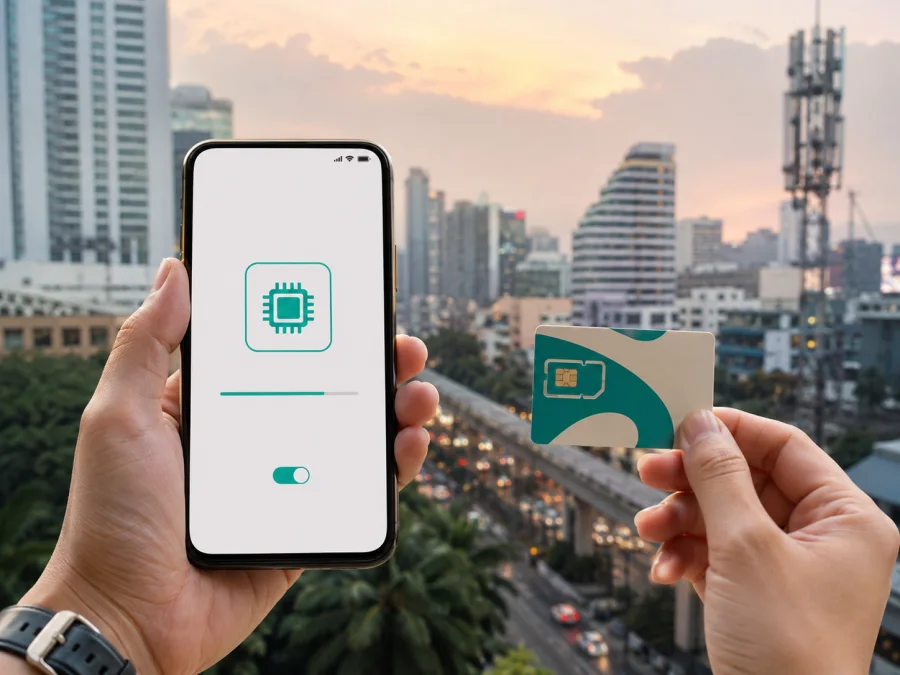
AIS or Advanced Info Service eSIM in Thailand
If you are travelling to Thailand and want mobile internet without changing the physical SIM in your phone, an eSIM from AIS or Advanced Info Service may be one of the local connection options to investigate. An eSIM is a digital SIM profile installed in a compatible device. It can make the arrival process more orderly: you can prepare the device in advance, keep your primary number available for selected tasks, and choose which line handles mobile data after landing.
This guide explains what the operator publicly confirms about eSIM, prepaid and tourist services in Thailand, how activation can work, what a visitor should check before departure, and where a travel eSIM can fit into the same trip. The information was checked on 7 September 2026 against current public pages from AIS or Advanced Info Service, including its English eSIM guidance, tourist information and network technology pages. Conditions, identity procedures and device support can change, so treat the operator’s latest instructions as the final reference before purchase or activation.
AIS or Advanced Info Service in the Thai market
AIS or Advanced Info Service is a mobile communications operator serving customers in Thailand. Its public pages cover mobile voice and internet services, prepaid and postpaid access, online ordering and support through shops and digital channels. For a traveller, the local route is tied to an account or SIM registration process rather than only to installing a data profile.
The name used here refers to one operator: AIS or Advanced Info Service. A local eSIM can suit a traveller who needs a Thai mobile identity or the operator’s customer channels. A travel eSIM is a separate option for mobile internet. The practical fit depends on the device, identity documents, itinerary and need for calls or messages.
The operator’s tourist pages show that prepaid and tourist-oriented services are generally available for international visitors through online and in-person channels. Check the current offer, registration flow and conditions on the day you buy. This guide stays at a general level and focuses on the connection process.
Is eSIM available from AIS or Advanced Info Service?
Yes, current official public information confirms that the operator supports eSIM for compatible devices and makes eSIM available for new connections as well as for some existing customers. Its English eSIM page says that both prepaid and postpaid individual customers can use the service when the device supports eSIM. The same page explains that a new eSIM can be obtained through the AIS online store or at an AIS Shop, while an existing physical SIM can in some cases be converted or transferred through the stated process.
The operator also has a current tourist page with a general “Buy eSIM” route for selected tourist services. That confirms that a visitor can investigate an operator eSIM before or during a trip, but it does not mean that every device, nationality, payment method or channel will have the same flow. Availability can be affected by the product selected, identity verification, local rules and the information supplied during registration.
For this reason, check three things together: whether the current offer is still open to visitors, whether your device model and regional version are supported, and which identity document is accepted for your purchase. If a shop or online page asks for additional verification, complete it only through the operator’s official process. Do not assume that an eSIM purchased for one purpose can be moved freely to a different phone or reused after its profile has been deleted.
What a traveller can expect from a local eSIM
A local eSIM is part of the operator’s own mobile service. Depending on the service and registration status, it may be associated with a local number and may support the operator’s normal calling, messaging and internet functions. That can matter if you need local calls, SMS verification or customer service through the operator. The exact functions are determined by the service conditions, not by the eSIM format itself.
The local route also has a more formal setup. You may need to provide passport details, complete identity checks and follow Thai SIM registration requirements. The operator’s tourist information says that foreign visitors should register a tourist SIM before use and that continued use can require a further identity confirmation under National Broadcasting and Telecommunications Commission, or NBTC, rules. Keep the passport used for registration available and follow the current instructions shown by the operator or its authorised shop.
A local profile is not automatically the best choice for every itinerary. A traveller who only needs data for maps, translation, bookings and messaging may prefer a data-focused travel eSIM with a remote purchase flow. Someone who needs a local number, local voice service or a shop-based support route may find an operator connection more suitable. The right comparison is about requirements and process, not about a general claim that one type is always better.
Coverage and supported technologies in Thailand
The operator’s current technology pages describe 4G and 5G mobile access in Thailand. Its 5G coverage page lists service areas across all 77 provinces, while noting that radio coverage can vary with the device, terrain, buildings, weather and other conditions. A nationwide service statement does not promise the same result inside every hotel, on every island or along every road.
The operator’s 5G FAQ identifies 700 MHz, 2600 MHz and 26 GHz bands and notes that a compatible phone and settings are required. The available technology also depends on service conditions and location. If your phone supports only 4G, check the device and service requirements for 4G use.
Use coverage information as a planning aid. For Bangkok, islands, national parks, mountain roads and rural areas, allow for local variation. Download key maps or bookings in advance and keep offline alternatives available when connectivity matters.
Performance depends on the phone, radio bands, traffic and surroundings. It is more accurate to say that AIS or Advanced Info Service offers 4G and 5G technologies in Thailand, with availability varying by location, device and active service.
Device and regional compatibility
Before purchase, confirm that the phone is eSIM-capable and unlocked. The eSIM page from AIS or Advanced Info Service lists supported device families and software requirements for self-service conversion and transfer, and notes that supported actions differ between device families. Check the exact model and regional version rather than relying on a product family name.
Use this pre-flight table as a practical reference:
| Check | Why it matters | What to do |
|---|---|---|
| eSIM support | The device must contain an eSIM function | Open mobile-network settings and check for an option to add a mobile plan or eSIM |
| Operator lock | A locked phone may reject a different profile | Confirm that the phone is unlocked before travelling |
| Model and region | Similar models can have different connectivity features | Compare the exact model with the operator’s current compatibility information |
| Software | Installation screens and transfer functions can require a supported version | Install pending system updates before departure |
| Second line settings | The phone must know which profile supplies mobile data | Decide which line handles data and review roaming settings |
| Internet for setup | Download and identity checks need a connection | Use reliable Wi-Fi or an existing connection during installation |
If you keep a physical home SIM active, label the lines clearly. Select the intended eSIM for mobile data, review data roaming for that line, and disable automatic data switching if the phone could move data to the wrong profile.
How activation can work
The official eSIM guidance describes online purchase, QR-code installation and app-based installation, subject to the current order and verification flow. An AIS Shop can assist with a new connection. Existing customers may have conversion or transfer options, depending on the device and customer type.
The general sequence is:
- Check device compatibility and unlock status before ordering.
- Select a current eSIM service through the operator’s official channel.
- Provide the requested identity and passport information if you are a foreign visitor.
- Complete the required verification before attempting installation.
- Connect the phone to stable Wi-Fi, then scan the QR code or follow the app’s installation steps.
- Add the profile in the phone’s mobile-network settings and give it a clear label.
- Choose the correct line for mobile data and test the connection.
The order can differ: one flow may use automatic app installation and another a QR code. Follow the on-screen instructions and do not scan a code on more devices than allowed. Deleting an eSIM profile does not necessarily cancel the underlying service, and recovery may require operator assistance.
If activation is planned before departure, install it while you have dependable internet and time to contact support. If service begins after arrival, confirm which action starts it. Keep confirmation and registration details secure, and do not share a QR code publicly.
Prepaid and tourist access: what to verify
Tourist and prepaid access is generally available for international visitors through the operator’s online and in-person channels. Before purchase, check passport eligibility, the registration route, whether installation can happen before arrival, device and band support, and whether you need a local number or only internet. Airport and online availability can differ, and offers can change. Use the current official instructions rather than an old screenshot or reseller description.
Local operator eSIM or travel eSIM?
The two approaches solve related but different problems. A local eSIM from AIS or Advanced Info Service follows the operator’s local registration environment and may suit a traveller who needs a local number or shop assistance. A travel eSIM is usually arranged around mobile internet for a destination and may be installed remotely. Choose according to your need for local identity, voice and SMS, pre-trip preparation, and support.
Kaspersky eSIM Store is a possible travel alternative for the mobile-internet part of a Thailand trip. It is an application for iOS and Android and a website where you can choose, arrange and activate an eSIM with a suitable travel plan for the selected destination. Kaspersky eSIM Store is not a mobile operator, does not own the Thai network and does not provide network coverage. The underlying connectivity depends on the relevant service and local network arrangements.
You can choose an eSIM plan for Thailand when a data-focused travel setup fits your needs. Before ordering, check compatibility, operator lock status, destination, the selected conditions and the activation point. Kaspersky eSIM Store eSIMs are generally intended for mobile internet; do not assume that they include a phone number, voice calls or SMS unless the selected conditions say so.
Installation checklist for a smooth arrival
- Check eSIM support and unlock status.
- Complete the current identity or passport process.
- Install through the QR code or app while on reliable Wi-Fi.
- Label the profile and select it for mobile data.
- Enable data roaming only for the profile that requires it, then test a page or map.
Keep the home line available only if you understand its roaming behaviour. Do not delete a profile during troubleshooting; ask the relevant provider whether the issue is activation, verification, device compatibility or local coverage. Keep order details private and do not share a QR code publicly.
Frequently asked questions
Can a visitor obtain an AIS or Advanced Info Service eSIM online?
The current official eSIM and tourist pages provide online purchase routes. A visitor must still follow the current identity, passport and device requirements.
Can the eSIM be installed before flying to Thailand?
It depends on the selected service and verification flow. Read the current instructions before scanning the QR code and ask the operator if the sequence is unclear.
Will every phone receive 5G in Thailand?
No. 5G depends on the device, supported bands, active service, local coverage and radio conditions.
Is a travel eSIM the same as a local operator number?
Usually not. A travel eSIM may be data-focused and may not include a normal number, calls or SMS. Confirm the purpose before purchase.
Final checklist before choosing
AIS or Advanced Info Service publicly confirms eSIM support for compatible devices, online and shop-based activation, and general prepaid and tourist availability in Thailand. Its pages also describe visitor registration and 4G/5G technology. Check the exact service on the purchase date.
For a local connection, verify passport registration, compatibility, activation, bands and needed services. For data-focused travel, Kaspersky eSIM Store can help choose and activate an eSIM without presenting itself as the Thai network. Coverage varies, and a local number, calls or SMS should never be assumed from the eSIM format alone.
Kaspersky eSIM Store is not affiliated with AIS or Advanced Info Service and is not its official partner or distributor. For a travel-ready setup, review the current Thailand eSIM options and complete the checks before departure.


