Travel connectivity guide
Bitel eSIM in Peru: What Travelers Should Know
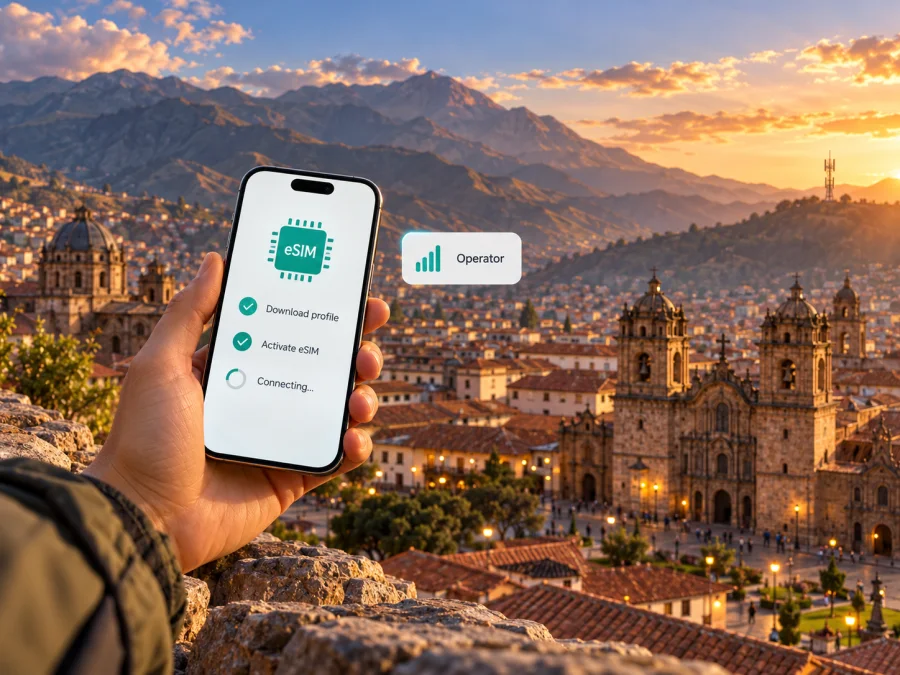
Bitel eSIM in Peru: what travelers should know
Bitel eSIM is a local mobile-service option to consider if your trip includes Peru and your phone supports eSIM. Bitel’s current eSIM information explains how customers can request the digital SIM, scan an activation QR code and use it in a compatible device. The steps and eligibility may differ depending on whether you are opening a new line or changing an existing one, so confirm the current process with Bitel before you travel. This guide describes Bitel’s Peru service and practical checks for visitors; it is not an offer from Bitel. Bitel and related marks belong to their respective owners. Kaspersky eSIM Store is not affiliated with Bitel and is not its official partner or distributor.
Is Bitel eSIM available in Peru?
Yes. Bitel’s official “E-SIM Bitel” page describes eSIM as a supported service and explains that a compatible phone can use a digital profile instead of a physical SIM card. The page outlines QR-based setup and says that the customer should visit an authorized Bitel store to obtain the QR code after completing the required identity check. It also describes replacing a physical SIM with an eSIM and changing back through a store. Bitel lists options to migrate between prepaid and Control service types, subject to its current requirements. These are local-line processes; they do not automatically mean that a visitor can buy or activate a Bitel line remotely before arriving in Peru.
The same Bitel page says that a phone bought abroad may be used if it supports eSIM and has no active regional restriction. That statement is useful, but it is not a guarantee for every handset, software version or device variant. A phone can have a familiar model name while a regional version lacks eSIM hardware or has different network bands. Before relying on Bitel eSIM, check the precise model number and country variant in the phone’s settings or manufacturer documentation, confirm that the device is unlocked, and ask Bitel whether that exact model can be registered.
Bitel’s public eSIM page is a general customer-information page, not a tourist-specific onboarding guide. It does not clearly set out every document or eligibility rule for a short-term foreign visitor. Bitel’s “Requirements to Access Bitel Service” page, checked on 1 November 2026, lists a valid passport among foreign identity documents for prepaid and Control service. Confirm with Bitel that this requirement applies to your situation and eSIM activation, and whether registration must be completed in person. If you need a local phone number, calls or SMS, ask whether the line type available to you includes those services and what conditions apply. Do this before making a store visit, as identification and registration rules can change.
Bitel as a mobile operator in Peru
Bitel is the consumer brand of Viettel Perú S.A.C., the company named in the footer of Bitel’s official site. It operates a mobile network in Peru and presents both physical SIM and eSIM options to customers. This makes Bitel a possible local connection for people who are staying in the country, need a Peruvian mobile number, or prefer dealing with a local operator for account questions. The operator’s services and requirements are its own; a travel eSIM selected through another service is a separate product and does not become a Bitel line.
Bitel’s official coverage page provides a location-based map and describes its reference information for 3G and 4G coverage in Peru. The map lets users check by department, province, district and populated place, and distinguishes between guaranteed coverage areas and areas with additional network capacity. It is a planning tool, not a promise that a particular indoor location, road or moment will have a signal. The map page also warns through its framing that the coverage representation is referential. Check the precise destinations on your itinerary and remember that terrain, buildings, congestion, maintenance and the handset itself can affect service.
As of 1 November 2026, Bitel’s “E-SIM Bitel” and “Mapa de Cobertura” pages describe the eSIM process and make a coverage map available. The eSIM page specifically describes QR activation and authorized-store handling. The coverage information reviewed describes 3G and 4G, while the operator may update network layers and availability separately. Check the current map and ask Bitel about technology availability in the places you plan to visit. A device’s support for a network generation does not by itself confirm local coverage or that a particular line profile is provisioned for it.
How Bitel eSIM activation works
Bitel’s public instructions describe a process that starts with obtaining the eSIM through an authorized store and validating the customer’s identity to receive a QR code. The customer then opens the mobile-network settings, chooses the option to add a mobile plan, scans the code and waits for the operator’s confirmation. Menu names vary between Android and iOS, and between software versions. Use the labels shown on your own device rather than looking for an identical screen.
Before going through the process, ask the store or Bitel support to confirm that your line type, device and requested transaction can be handled as you expect. The public page describes both new eSIM use and certain changes from an existing SIM, but current eligibility, document checks and availability should be confirmed directly. Ask whether the QR code is issued in the store, whether you need an internet connection during installation, and what to do if the profile download is interrupted. Do not scan or delete a profile until you understand whether the activation code can be used again; follow Bitel’s current instructions for replacement or recovery.
A typical preparation sequence is:
- Check the exact device. Confirm eSIM support for your regional variant and make sure the phone is unlocked. The manufacturer’s compatibility list and Bitel’s current device guidance can help; a generic model-family name is not enough when variants differ.
- Confirm registration requirements. Ask Bitel which identity documents and in-person steps apply to a visitor and to the line type you want.
- Keep an internet connection available. A Wi-Fi connection may be useful while downloading a profile or completing setup. Do not depend on the new profile for internet access before it has registered successfully.
- Obtain the activation details from Bitel. Follow the channel and identity validation specified by the operator. Keep the QR code private because it is linked to your mobile service.
- Add the mobile plan in your phone settings. Select the system option for adding an eSIM or mobile plan, then scan the QR code provided by Bitel.
- Wait for confirmation. Allow the phone and network time to complete activation. If the profile does not install, note the error and contact Bitel before deleting it or repeatedly retrying.
- Choose how the phone uses each line. If you retain a home SIM, choose which line handles mobile data, calls and messages. Check the settings carefully so the home line does not use roaming data unintentionally.
- Test before leaving a reliable connection. Confirm that the Bitel line appears as active and can connect where service is available. If it does not, ask Bitel to check the account and activation state.
For general travel eSIM installation through Kaspersky eSIM Store, see the iOS installation instructions or Android installation instructions. These explain the Kaspersky eSIM Store flow; they are not Bitel activation instructions. For device support, use the device compatibility check and verify regional variants with the phone maker and Bitel.
What to check before choosing a local line
A little preparation can prevent a mismatch between your plans and the service you receive. Bitel’s eSIM availability is confirmed by its public eSIM page, but that page should not be read as confirmation that every traveler, device or line category qualifies. Before buying or converting a line, verify the parts that apply to your own trip.
- Device and regional version: Identify the full model code, not just the phone’s product family. Some market variants omit eSIM or differ in supported network bands. Confirm eSIM support in the settings and check that the device is not carrier-locked.
- Visitor registration: Ask which original identity documents are required, whether registration uses biometric validation, and whether the process is available to non-residents. Bitel’s eSIM page mentions identity validation but does not provide a complete visitor checklist.
- Where you can complete the process: The eSIM page points customers to authorized stores for obtaining the QR code. Confirm the location, opening hours and whether an appointment or separate account step is needed. Do not assume every shop can perform every type of activation.
- Line and service type: Clarify whether the option available to you is prepaid or another local service, and whether it provides a local number, voice service and SMS. Confirm the current conditions directly with Bitel.
- Coverage along the route: Search the operator’s map for each destination rather than checking only the arrival city. For travel outside urban areas, prepare offline directions and a backup contact method.
- Phone settings: Learn how to switch data between SIM profiles and how to disable data roaming on your home line if you do not intend to use it. The exact menu differs by device.
- Support and recovery: Save Bitel’s current customer-support details and ask what information is needed if a QR code fails, a phone is lost or an eSIM must be replaced.
These checks are useful even if you decide to use a travel eSIM instead of a Bitel line. The main question is whether you need a local number and local account or simply want mobile data for your time in Peru. A traveler who expects to make ordinary calls may want to retain their regular SIM for calls and SMS while selecting a different profile for data. Confirm any roaming charges or line-specific restrictions with the home provider before departure.
Bitel eSIM and a travel eSIM: different use cases
A Bitel eSIM is a digital version of a local operator SIM. It is associated with a Bitel service and is activated under the operator’s eligibility and registration rules. Depending on the service arranged with Bitel, it may suit someone who needs a Peruvian number or local service features. The customer deals with Bitel for the line, activation and account questions.
A travel eSIM is designed around connectivity while visiting one or more destinations. The exact features depend on the selected product. Kaspersky eSIM Store is an app and website that helps users choose, purchase and activate an eSIM with a plan for mobile internet during an international trip. Its Peru page lets travelers check the current destination options before deciding. A travel eSIM may be useful when a visitor wants to arrange data without first obtaining a local physical SIM, but it should not be represented as a Bitel product or as a replacement for every function of a local mobile line.
The Kaspersky eSIM Store Peru destination page, including its FAQs on setup and included service, checked on 1 November 2026, describes this travel eSIM as data-only and says it does not include a separate phone number, ordinary mobile calls or SMS unless a specific product says otherwise. The Help Center provides a support channel for questions. Internet-based calling and messaging apps can work over data, subject to each app’s account and connectivity requirements. Keep your usual line available if you need its number for calls, bank verification or messages, and review its roaming settings. Check what a chosen travel plan supports before purchase; do not infer its network partner, coverage or terms from the Bitel name.
If you want to browse current travel eSIM options for Peru, check the Peru destination page. These travel products are separate from a Bitel local line; Kaspersky eSIM Store does not operate a local network. Compare the functions you need—especially data, number availability, activation timing and where the service works—using the current product terms. Do not choose by the word “eSIM” alone: local and travel profiles can be digital SIMs but serve different purposes.
| Question | Bitel local eSIM | Travel eSIM |
|---|---|---|
| Who provides the mobile service? | Bitel, subject to its registration and account rules | The provider shown in the selected travel product’s current terms |
| Main use | A local mobile line in Peru | Mobile data during travel, depending on the selected product |
| Is a local phone number included? | Ask Bitel about the specific line offered to you | Do not assume one; the Kaspersky eSIM Store travel eSIM is described as data-only |
| Where is setup handled? | Bitel’s current activation channel, including an authorized store as described on its eSIM page | The relevant app or website instructions for the selected travel product |
| What should you verify? | Visitor eligibility, documents, exact device, coverage and line conditions | Device compatibility, destination, supported service, activation and current plan terms |
Using mobile data around Peru
Before leaving the airport or a reliable Wi-Fi connection, check which line your phone uses for mobile data. With two SIM profiles, label them clearly, disable automatic data switching if you do not want the phone to use your home line, and check roaming settings for each profile separately. Menu names differ between devices.
Bitel’s coverage map is a planning reference, not a guarantee of service at every indoor location or point on a route. Search each stop, especially when traveling outside major towns, and save maps, booking details and accommodation addresses for offline access. If data stops working, confirm the right profile is active, restart the phone if needed and contact the provider for that profile. Avoid deleting an eSIM as a first troubleshooting step because its activation code may not be reusable.
Frequently asked questions
Can I activate Bitel eSIM before I arrive in Peru?
Bitel’s public eSIM page describes obtaining the QR code through an authorized store and completing an identity check. It does not confirm a remote pre-arrival process for foreign visitors. Contact Bitel before travel to ask whether your case can be handled remotely or whether you must visit a store in Peru.
Can a phone purchased abroad use Bitel eSIM?
Bitel says a foreign-purchased phone can be used if it is eSIM-compatible and has no active regional restriction. Confirm the exact model and regional variant with the manufacturer and Bitel, and make sure the phone is unlocked. The same model name can cover different hardware variants.
Does Bitel eSIM work with prepaid service?
Bitel’s eSIM information describes migration between prepaid and Control service types, which indicates that eSIM can be relevant to those customer processes. It does not by itself confirm that every prepaid activation is available to every visitor. Ask Bitel about current eligibility, documents, activation channels and conditions for the line you want.
Do I have to visit a store?
Bitel’s eSIM page instructs customers to go to an authorized store to obtain the QR code and describes identity validation there. Confirm the current procedure with Bitel before setting out, since steps can vary by the type of activation or account transaction.
A practical choice for your trip
Choose Bitel eSIM if you need a local mobile line and can complete the operator’s registration and activation process. Verify visitor eligibility, the exact device variant, service features and coverage for each destination before committing. Bitel’s public pages confirm eSIM support and explain a QR-based process, but they do not establish that every visitor or device will qualify.
Consider a travel eSIM if your main need is mobile data and you want to arrange the service through an app or website for the trip. Kaspersky eSIM Store helps you choose, purchase and activate a travel eSIM plan; it does not provide the underlying network or a local Bitel number. Review the current product details and confirm device compatibility before purchase. You can check travel eSIM options for Peru and use the compatibility information before selecting a plan.
Bitel, Peru’s location-based coverage map and the Kaspersky eSIM Store product pages can change. Bitel’s “E-SIM Bitel” and “Mapa de Cobertura” pages, and its “Requirements to Access Bitel Service” page, were checked on 1 November 2026; confirm activation steps, visitor requirements, available technologies and coverage directly with Bitel before your trip. Confirm current travel eSIM features in Kaspersky eSIM Store as well. All operator names and marks belong to their respective owners; Kaspersky eSIM Store is not affiliated with Bitel and is not its official partner or distributor.


