
Travel connectivity guide
eSIM in Chiang Rai: Mobile Internet Guide
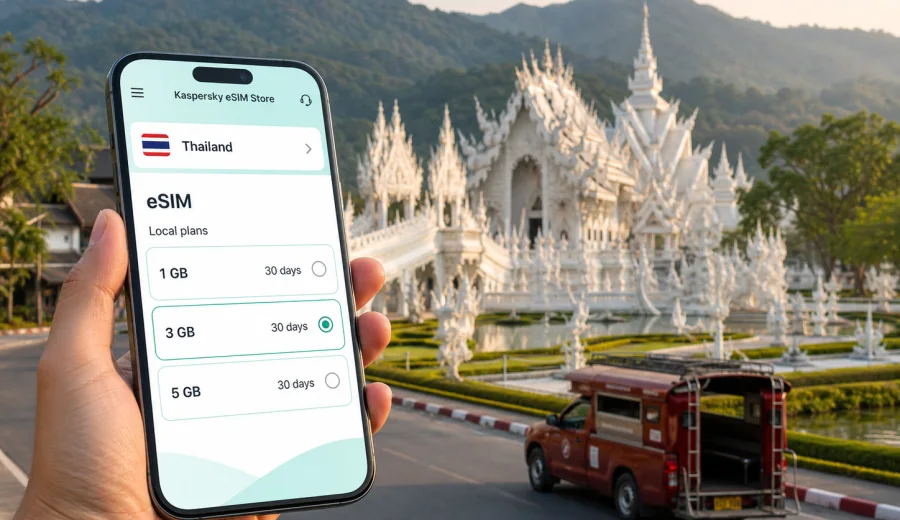
eSIM in Chiang Rai: mobile connection and internet for your trip
Chiang Rai is a city where many trips start calmly but move quickly once you land. You may arrive at Mae Fah Luang - Chiang Rai International Airport, take a transfer to a hotel near the Clock Tower, plan a visit to the White Temple, and then decide whether to continue toward Doi Tung, the Golden Triangle, or other towns in northern Thailand. In this kind of itinerary, mobile internet is not just a convenience. It helps you check maps, message a driver, confirm hotel details, translate short phrases, and keep your travel plan flexible.
An eSIM can make that first day easier because you do not need to look for a physical SIM card after arrival. With a compatible phone, you can prepare a digital SIM profile before the trip or shortly after you reach Chiang Rai, choose a tariff for Thailand, and use mobile data for the practical parts of the journey. Kaspersky eSIM Store is an app and website where you can quickly choose, set up, and activate an eSIM with a suitable data plan for mobile internet during an international trip.
This guide focuses on Chiang Rai city travel: airport arrival, local movement, hotels, sightseeing routes, business trips, stopovers, and day trips from the city. Thailand matters because the eSIM tariff is selected for the country, but the real question is how mobile data helps once you are moving around Chiang Rai.
Why mobile internet matters in Chiang Rai
Chiang Rai is smaller and quieter than Bangkok or Chiang Mai, yet many useful places are spread out. The airport is outside the central hotel area. The White Temple is south of the city. The Blue Temple, Wat Phra Kaew, the Kok River area, the Night Bazaar, and bus connections sit in different parts of the urban area. Day trips often go beyond the city limits. A stable data connection helps you keep those pieces connected.
You may need mobile internet in Chiang Rai for:
- navigation from the airport to your hotel;
- messaging a driver or hotel reception;
- checking opening hours and route options while you are already outside;
- using maps around the Clock Tower, Night Bazaar, and river areas;
- translating menus, signs, and short travel messages;
- confirming domestic flights, bus departures, and car rental details;
- sharing your location with travel companions;
- using messenger calls when ordinary voice calls are not included in the eSIM tariff.
eSIM is especially useful if your trip includes short stays. When you are in Chiang Rai for two or three days, spending time comparing local SIM counters may not be worth it. A prepared eSIM profile lets you focus on reaching the hotel, checking your route, and starting the trip with fewer errands.
Arrival at Mae Fah Luang - Chiang Rai International Airport
Many visitors first need data before they need anything else. At the airport, mobile internet helps with transport, booking confirmations, and quick orientation. If your hotel arranged a transfer, you can message the driver. If you use a taxi or app-based transport where available, you can confirm the pickup point. If you are renting a car, you can open the booking details and start navigation before leaving the airport area.
The airport is manageable, but the first hour after landing can still be busy: baggage, immigration for international arrivals, transport decisions, hotel messages, and family updates often happen at the same time. When an eSIM is already installed on your phone, you can switch to the travel data line after arrival and avoid depending only on public Wi-Fi.
Before departure, save offline essentials too: your hotel address, booking reference, passport copy in a secure place, and the address in Thai if your hotel provides it. eSIM gives you mobile data, but offline backup is still useful if you are between networks, your battery is low, or you need to show an address quickly.
Chiang Rai travel scenarios where eSIM helps
| Scenario in Chiang Rai | Why mobile data helps | Practical tip |
|---|---|---|
| Airport to hotel | Maps, pickup messages, hotel address, route checks | Activate the eSIM only when you are ready to use the data plan, unless the tariff conditions say otherwise. |
| Clock Tower and Night Bazaar | Walking routes, restaurant searches, messaging friends | Keep your main SIM for calls if needed and set eSIM as the mobile data line. |
| White Temple and Blue Temple | Navigation between sites, transport coordination, photo backup | Check data use before uploading large photo sets on mobile data. |
| Day trip to Doi Tung or Golden Triangle | Route planning, weather checks, map updates | Download map areas in advance and use eSIM for live updates. |
| Business visit | Email, calendars, messenger calls, document access | Choose a data volume that matches work calls and file transfers. |
| Short stopover | Fast orientation without a local SIM errand | Install the eSIM before travel so setup is not your first task after landing. |
The main benefit is control. You choose a tariff for Thailand, see the data volume and validity period, and understand the conditions before you rely on it during the trip. The right amount of data depends on your habits, not only on the number of travel days.
How much data to plan for Chiang Rai
There is no single correct data volume for every traveler. A quiet trip with maps, messages, restaurant searches, and occasional translation uses much less data than a work trip with video meetings and cloud documents. Chiang Rai also encourages day trips, and those routes can increase map and messaging use.
Use this simple planning approach:
- Light use: maps, messengers, email checks, boarding passes, translation, and hotel communication.
- Medium use: everything above plus social media, route research, ride coordination, and regular photo sharing.
- Heavy use: video calls, remote work, cloud files, streaming, hotspot use, and large uploads.
For a short city break, many travelers can manage with moderate data if they use hotel Wi-Fi for large updates and backups. For a business trip, family travel, or a route that continues to Chiang Mai, Bangkok, or another Thai destination, it is usually more comfortable to choose a tariff with extra room. Mobile data often disappears faster when you use maps all day, share a hotspot with a laptop, or upload videos.
Choosing an eSIM tariff for Chiang Rai
For a city article, the correct destination is the country where the city is located. Chiang Rai belongs to Thailand, so you should choose a Thailand eSIM tariff rather than searching for a separate Chiang Rai-only option. The same country tariff can support your mobile internet needs in Chiang Rai and other Thai destinations covered by the selected plan conditions.
When comparing options, pay attention to:
1. Data volume: choose enough gigabytes for maps, messaging, travel apps, and any work tasks.
2. Validity period: match the tariff duration to the whole stay, including arrival and departure days.
3. Destination: check that the tariff is for Thailand or for a region that includes Thailand, if you are using a regional route.
4. Activation rules: review when the validity period starts and what steps are needed on your device.
5. Device compatibility: confirm that your smartphone or tablet supports eSIM and is not locked to one carrier.
6. Voice and SMS conditions: many travel eSIM tariffs focus on mobile data and may not include a regular phone number, calls, or SMS unless the plan states otherwise.
At this stage of planning, you can use Kaspersky eSIM Store to choose a suitable mobile internet option for Thailand before your Chiang Rai trip. Keep the choice practical: a traveler staying near the city center for a weekend may need less data than someone driving to mountain viewpoints, working from a hotel, and continuing through northern Thailand.
Device checks before you buy
Before choosing an eSIM tariff, check the device rather than assuming it will work. eSIM support depends on the phone model, region of purchase, software settings, and carrier lock status. Some phones with similar names can have different eSIM support in different markets.
Use this checklist before your trip to Chiang Rai:
- Your phone supports eSIM.
- The phone is not locked to a carrier that blocks other mobile profiles.
- The operating system is up to date enough for eSIM setup.
- You know where mobile data line settings are on the device.
- You have a stable internet connection for installation.
- You understand whether the selected tariff starts immediately or after connecting to a supported network.
If you are not sure, check your device before purchase. This is better than discovering the problem at the airport or after you have left your hotel Wi-Fi.
Installing eSIM before the trip or after arrival
Many travelers prefer to install the eSIM before departure and activate mobile data after landing. This reduces friction at the airport because the eSIM profile is already on the device. You still need to follow the tariff conditions, because installation, activation, and the start of validity can vary by plan.
A typical setup flow looks like this:
1. Choose Thailand as the destination and select a suitable eSIM tariff.
2. Complete the purchase and open the eSIM details in your profile, app, or email.
3. Install the eSIM using the on-screen steps or QR code.
4. Give the eSIM line a clear label, such as Thailand travel.
5. After arrival, set the eSIM as the line for mobile data.
6. Enable data roaming for the eSIM if the device or tariff instructions require it.
7. Test maps and messaging before leaving the airport or hotel.
For device-specific setup, follow the instructions for Android or the instructions for iOS. Keep your primary SIM active for your regular number if you need bank messages, account verification, or calls, and use the eSIM profile for mobile data when that matches your travel setup.
Local movement in Chiang Rai
Chiang Rai’s central area is easy to understand once you have your bearings, but mobile internet makes local movement smoother. The Clock Tower, Saturday Walking Street area, Night Bazaar, temples, cafes, and riverfront spots are close enough for short rides or walks, yet visitors often combine several stops in one day. Data helps you decide whether to walk, call transport, or return to the hotel before going out again.
For transport and navigation, mobile internet helps with:
- checking the route from the Old Bus Station area to your hotel;
- comparing walking time and car travel time;
- messaging a driver if a pickup point changes;
- saving locations for temples, restaurants, and viewpoints;
- reading recent travel notes from your hotel or tour provider;
- avoiding confusion when a place has multiple English spellings.
If you rent a scooter or car, do not rely only on live maps. Save the route, keep a power bank, and avoid handling the phone while driving. eSIM is a connectivity tool, not a substitute for local road awareness, offline preparation, or safe transport choices.
Hotels, guesthouses, and remote work
Chiang Rai has hotels and guesthouses for different travel styles: central stays near the Clock Tower and Night Bazaar, quieter riverside properties, boutique stays outside the center, and practical airport-area options. Most travelers expect Wi-Fi at the hotel, but mobile data still matters. Hotel Wi-Fi can be slow, password-protected, unavailable before check-in, or inconvenient when you are between locations.
For remote work, an eSIM can serve as a backup connection for:
- email and calendar access during transfers;
- messenger calls when hotel Wi-Fi is unstable;
- two-factor authentication and account alerts;
- file downloads that cannot wait until you return to the room;
- using a laptop hotspot when the selected tariff and device settings allow it.
Check hotspot availability in the tariff conditions and device settings before you depend on it. If you expect long video meetings, choose more data than you would for a sightseeing trip and keep important calls close to reliable Wi-Fi whenever possible.
Day trips from Chiang Rai
Many Chiang Rai itineraries include places outside the compact city center. The White Temple is a common short trip south of the city. The Blue Temple and Wat Huay Pla Kang are often combined with city sightseeing. Doi Tung, Mae Sai, tea plantations, and the Golden Triangle area can take a full day depending on your plan.
Mobile internet is useful on these routes, but you should not assume that every rural or mountain area will feel the same as a city street. Coverage, speed, and signal stability depend on local networks, terrain, buildings, weather, and the selected tariff conditions. Prepare as if the connection may vary, especially outside town.
Before a day trip:
- download an offline map area;
- save your hotel address and driver contact;
- keep the eSIM line selected for mobile data;
- charge the phone and power bank;
- check the weather before leaving;
- avoid using all your data on uploads during the first part of the route;
- keep travel documents and booking details available offline.
This approach gives you the advantage of mobile data without depending on it for every single step.
eSIM and regular phone calls
Travel eSIM tariffs are often designed for mobile data. They may not include a local phone number, regular voice calls, or SMS unless this is clearly stated in the tariff conditions. For many travelers in Chiang Rai, this is acceptable because hotel messages, driver communication, family updates, and work chats can run through internet-based apps.
Still, plan for situations where a regular call may be useful. Your home SIM can remain in the phone for calls and SMS while the eSIM handles mobile data, if your device supports that setup and your home carrier settings allow it. Watch roaming costs on the primary SIM and check which line is selected before making calls.
In practical terms:
- use eSIM for maps, messaging apps, browser access, email, and travel tools;
- keep your primary SIM for your regular number if you need it;
- check whether data roaming should be enabled only for the eSIM line;
- avoid accidental roaming on the primary SIM if your home plan is expensive abroad.
A practical setup plan for the first day
The easiest eSIM plan for Chiang Rai is the one you finish before you need it:
1. Before departure: check device compatibility and choose a Thailand tariff.
2. Before the flight: install the eSIM profile while you have stable Wi-Fi.
3. On arrival: set eSIM as the mobile data line when allowed by the tariff instructions.
4. At the airport: test maps and messaging before leaving.
5. During transfer: confirm the hotel address and estimated route.
6. At the hotel: connect to Wi-Fi for large updates and keep eSIM as your outside connection.
7. In the evening: check remaining data before uploading photos or using hotspot.
This is particularly helpful if your flight arrives late or you need to meet a driver. The goal is to remove small connection problems that can complicate arrival and movement.
Quick answers about eSIM in Chiang Rai
Do I need a Chiang Rai-specific eSIM?
No. Chiang Rai is in Thailand, so you normally choose a Thailand eSIM tariff or a regional tariff that includes Thailand, depending on your route and the available options.
Can I install eSIM before I travel?
In many cases, yes. Install the eSIM while you have stable internet, then follow the tariff instructions for activation and mobile data use after arrival.
Will eSIM replace my regular phone number?
Usually no. Many travel eSIM tariffs are for mobile data and do not include ordinary voice calls or SMS unless the plan states otherwise. You can use internet-based calling and messaging apps over mobile data.
Is hotel Wi-Fi enough for Chiang Rai?
Hotel Wi-Fi is useful, but it does not help during airport arrival, transfers, day trips, walking routes, or transport coordination. eSIM is most useful when you are away from the hotel.
Can I use eSIM for a trip from Chiang Rai to other parts of Thailand?
If the selected tariff covers Thailand and remains valid for your travel dates, it can support mobile data beyond Chiang Rai according to the plan conditions and local network availability.
What should I check first if data does not work?
Confirm that the eSIM is installed, selected for mobile data, and allowed to use data roaming if required. Restarting the phone can also help after setup. If the issue continues, check the plan instructions and contact support.
Final checklist before you leave for Chiang Rai
- Choose the tariff for Thailand, not a generic city label.
- Check eSIM compatibility and carrier lock status.
- Install the eSIM while you have reliable Wi-Fi.
- Save hotel, transfer, and route details offline.
- Label the eSIM line clearly in phone settings.
- Keep the primary SIM only for the tasks you actually need.
- Monitor data use if you upload photos, use maps all day, or share a hotspot.
- Keep Kaspersky eSIM Store details available in your profile, app, or email.
Chiang Rai rewards travelers who can move at their own pace: a calm morning near the river, a temple route outside the center, a night market plan after sunset, or a longer drive into northern Thailand. Mobile internet helps make those decisions while you are already on the road. With Kaspersky eSIM Store, you can prepare an eSIM tariff for your trip to Thailand, install it on a compatible device, and keep mobile data ready for Chiang Rai without making a physical SIM card your first errand.