Travel connectivity guide
Mascom eSIM in Botswana: availability and setup
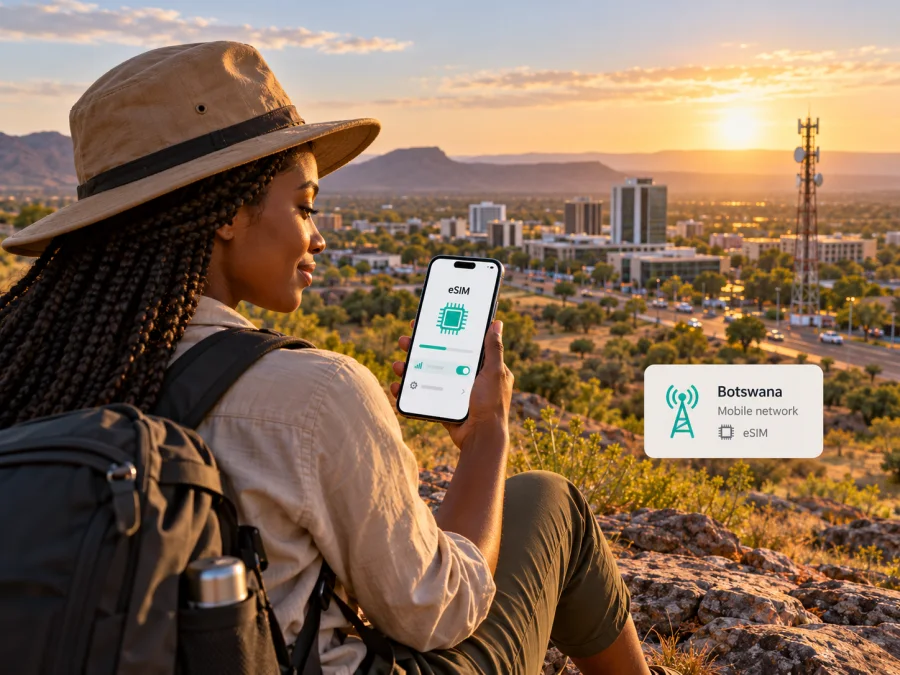
Mascom eSIM in Botswana: how to connect and what travellers should check
Mascom has a locally available eSIM service in Botswana. Its published instructions describe getting an eSIM QR code through a Mascom shop and scanning it on a compatible device. That makes a local Mascom eSIM a possible option if you need a Botswana mobile line, but the steps involve the operator’s own registration and account processes. Before travelling, confirm the current requirements, shop availability and whether your device variant is supported directly with Mascom.
This guide explains what the operator currently publishes, what remains important to check before a trip, and how a travel eSIM can fit a separate mobile-data need. It does not list Mascom plan names or plan-specific prices and allowances. Details below were checked on 18 October 2026 against Mascom’s “Mascom eSIM”, “Contact Us” and “Coverage Map” pages and Kaspersky eSIM Store’s English website and official product guidance. Conditions can change, so confirm the current process with Mascom before relying on it.
Mascom and mobile service in Botswana
Mascom is a mobile operator serving customers in Botswana. Its official website presents the brand’s local prepaid and postpaid customer support, mobile services and shop network. For a visitor, the practical point is that a Mascom eSIM is a local operator service: it is associated with Mascom’s customer and registration processes, rather than being an automatically anonymous data profile that can be switched on without operator checks.
The operator’s eSIM page confirms that Mascom offers eSIM service and says customers can visit a Mascom Shop to obtain a QR code, then scan it with a compatible device. The same page describes eSIM as a way to activate and manage mobile plans on a supported device. It also says existing Mascom customers can request a SIM swap to eSIM. A swap can affect the physical SIM connected to that same mobile number, so do not convert your primary number until you understand which card or profile will remain active and how to recover access if you replace or lose the phone.
Mascom’s public page is useful as a starting point, but it does not answer every traveller-specific question in one place. It does not clearly set out a single eSIM journey for every visitor type, every account status, or every phone variant. A foreign visitor should ask Mascom whether a new local line can be registered in their circumstances, what identity documents are accepted, whether a shop visit is required, and whether the eSIM can be issued before arrival. Do not assume that an eSIM QR code can be purchased remotely or that a prepaid account has identical registration steps to an existing subscriber’s SIM swap.
Mascom’s Contact Us page says customers can bring an original Omang or valid passport to a Mascom shop for customer information updates. That information relates to KYC updates and should not be treated as a complete list of requirements for opening a new account or obtaining an eSIM. Ask the operator which documents and steps apply to your specific request. The page also lists customer support channels for prepaid and postpaid customers and a number for callers outside Botswana; check the live contact page for the latest details before calling.
Is Mascom eSIM available in Botswana?
Yes. Mascom’s official “Mascom eSIM” page confirms the service and describes the QR-code process. It says to visit a Mascom Shop, obtain the QR code, and scan it on the phone. The page also provides phone-setting paths for checking whether eSIM can be added on certain Apple, Samsung, Google and Huawei devices, and points users with other devices to their phone manual.
The page’s supported-device information is not a guarantee that every product bearing a listed family name will work. eSIM support can vary by exact model, regional version, software, carrier lock and device condition. A device that has an eSIM menu may still have a region-specific limitation or be locked to a different provider. Check the full model identifier and the phone’s eSIM status with Mascom before you travel. If you are bringing a tablet or wearable rather than a phone, ask separately; the operator’s compatibility and activation information may not cover your particular use case.
How to obtain and activate a Mascom eSIM
Based on the operator’s current public instructions, a visitor considering a Mascom eSIM can use this preparation sequence:
- Confirm the device. Check the exact model and regional variant with Mascom, and verify that the phone is unlocked and supports eSIM. Do this before travelling rather than relying only on a generic model list.
- Ask about eligibility. Contact Mascom and explain whether you are a new visitor, an existing prepaid customer or an existing postpaid customer. Ask which identity documents, registration steps and account type apply.
- Confirm where to complete the request. Mascom’s published eSIM page points customers to a Mascom Shop for the QR code. Check shop location, opening hours and whether the shop can assist with your particular request.
- Keep a working internet connection available. eSIM setup may require an internet connection to download the mobile profile. Use secure Wi-Fi or another connection while installing it, and do not delete an existing working SIM profile as a troubleshooting step unless Mascom tells you to.
- Scan the QR code and follow the phone prompts. Use the device’s mobile-network settings to add the eSIM. Give the profile a clear label so you can distinguish it from a home line or a separate travel-data profile.
- Check the line before depending on it. Confirm with Mascom that the profile is active and test the services you need. Keep the original SIM and its account information safe until you know which line is working.
- Set mobile-data preferences deliberately. If your device has multiple SIM profiles, select which one should provide mobile data and review data roaming settings for each profile. This avoids accidentally using a home line for data abroad.
If the phone reports that the QR code cannot be added, stop and verify the model, software and profile status with Mascom. Repeated scans may not solve an expired, previously used or account-specific QR code. If a profile is already installed, deleting it could make recovery harder; ask the operator before removing it.
Device compatibility: check the precise variant
A model name alone is not enough to establish eSIM compatibility. Manufacturers sometimes sell different regional variants under the same commercial name. Older and newer releases within one family can also differ. The Mascom compatibility page contains a list of supported device types and device-specific checks, but it should be treated as guidance rather than a substitute for confirming the full model number with the operator.
Before departure, check all of the following:
- Your phone’s exact model code and country or regional version.
- Whether the phone is carrier-unlocked.
- Whether the operating system is current enough for its eSIM functions.
- Whether your device already has the maximum number of profiles installed or active.
- Whether the phone can keep your home SIM active while using another profile for data.
- Whether the eSIM menu is available in the device settings and an EID is shown, if the manufacturer uses that check.
- Whether Mascom can issue a profile for the particular device and account type you plan to use.
To inspect general device support for a travel eSIM, use the eSIM device compatibility check. For installation steps, follow the relevant iOS eSIM installation instructions or Android eSIM installation instructions. These guides explain installing a travel eSIM profile; Mascom’s own shop and account requirements still apply to a Mascom line.
Coverage and technology: what is safe to conclude
Mascom’s official Coverage Map page presents a map and a list of named places in Botswana where it reports coverage. The page includes locations such as Gaborone and Francistown, alongside many other towns and settlements. Treat it as an operator-published planning reference, not as a promise of uninterrupted service at every address, indoors, on a road, or at a remote stop. A map or place list cannot predict signal inside a particular building, terrain, weather-related disruption or temporary maintenance.
The public eSIM page confirms the digital SIM service but does not set out a complete, current list of radio technologies and frequency bands for every location. For this reason, this guide does not claim that a particular generation of mobile network, speed or band is available everywhere in Botswana. If your trip depends on specific network support, ask Mascom which technologies and bands apply to your destination and device variant. You can also check the operator’s coverage map for the exact area and ask about any known local limitations.
Local Mascom service or a travel eSIM?
A local Mascom eSIM may suit a traveller who needs a Mascom mobile line and can complete the operator’s account and registration process. It can be relevant when you need a local number or services associated with a local mobile account. Confirm the available services and applicable conditions with Mascom; this article does not assume that every visitor can obtain the same line or use the same activation route.
A travel eSIM is a separate option to consider when the main requirement is mobile data for a trip and you prefer to prepare the eSIM before arriving. Kaspersky eSIM Store is an app and website that helps travellers choose, arrange and activate an eSIM data plan for international travel. It is not a mobile operator, does not own a network, and does not itself provide mobile internet. Service is delivered under the selected plan’s terms through the relevant service provider.
The official Kaspersky eSIM Store guidance describes the service as intended for mobile data; it should not be assumed to include a local phone number, ordinary voice calling or SMS. Keep your existing line available for calls or messages if you need it, and check its roaming conditions with your home provider. Before choosing a travel eSIM, review the currently displayed destination, supported device requirements, plan conditions and activation instructions in the app or website. The available options may change, and this guide makes no claim about a specific Botswana plan or its current inclusion.
If you want to browse the current travel eSIM service, visit the Kaspersky eSIM Store website. This is the English homepage, where you can check the destinations and options currently displayed; it is not a Botswana tariff page. Compare the type of service you need rather than assuming that a travel data profile replaces a local Mascom line. Some travellers use one line for calls and another for data, where the phone supports that arrangement.
| What you need | What to confirm |
|---|---|
| A local Mascom mobile line | Eligibility, registration documents, shop process and services available on the account |
| A digital SIM profile | Exact device variant, carrier lock status, QR-code process and profile recovery steps |
| Service in a particular area | Mascom’s current coverage map and any location-specific limitation |
| Mobile data for travel | Destination availability, device compatibility and the current terms shown by the travel eSIM service |
| Your home number while away | Roaming status, incoming-call and SMS arrangements, and how to prevent unwanted data use |
Preparing for a trip to Botswana
Before travelling, contact Mascom about visitor eligibility, accepted documents and shop availability. Confirm your phone’s full model identifier and regional variant. If you use a travel eSIM, install it while you have reliable internet and keep its instructions available offline. Label SIM profiles clearly, select the intended line for mobile data and check your home provider’s roaming settings. Recheck operator information shortly before departure.
If eSIM setup does not work
If a profile installs but does not connect, check that the intended line is enabled and selected for mobile data. Follow Mascom’s instructions for its own line and the travel eSIM provider’s instructions for a travel profile; their activation and roaming settings may not be identical. Mascom’s Contact Us page lists separate support routes for prepaid and postpaid customers and contact information for callers outside Botswana. Use the current official details. For a travel eSIM, contact the support channel shown in its app or website and include the device model and error message. Do not share a QR code through unofficial channels.
Frequently asked questions
Does Mascom support eSIM in Botswana?
Yes. Mascom’s official “Mascom eSIM” page confirms its eSIM service and describes obtaining a QR code through a Mascom Shop. Check current shop, eligibility and registration details with the operator before visiting.
Can a visitor get a Mascom eSIM?
The public page confirms the service but does not clearly describe one universal sign-up process for all foreign visitors. Ask Mascom whether a new visitor can register, which documents are accepted, and whether the request must be completed in person. The operator’s KYC information mentions an original valid passport for customer information updates, but that alone does not establish every new-account requirement.
Will my phone work with Mascom eSIM?
It may, if the exact regional variant supports eSIM, is unlocked and is accepted by Mascom. Check the operator’s compatibility information and confirm the full model code with Mascom. A broad family name or the presence of an eSIM menu is not conclusive for every market variant.
Does an eSIM guarantee coverage throughout Botswana?
No. eSIM is a digital SIM format, not a coverage guarantee. Mascom’s Coverage Map page lists locations where it reports service, but signal can vary by exact place, building, terrain and network conditions. Check the current map and ask Mascom about your route.
Is a travel eSIM the same as a Mascom eSIM?
No. A Mascom eSIM is issued as part of Mascom’s local mobile service and customer processes. A travel eSIM is selected for travel under its own terms and may be designed for data rather than a local number. Kaspersky eSIM Store helps users choose, arrange and activate a travel eSIM; it is not the operator or network provider.
Where can I get current activation help?
For a Mascom line, consult Mascom’s current eSIM page or customer support and ask about your account, document and device situation. For a travel eSIM, use its installation instructions and the help channel in the app or website. Keep the two processes separate when asking for support.
Key points
Mascom publicly confirms eSIM service in Botswana and describes a QR-code process through its shops. Travellers should verify device variant, account eligibility, identification requirements and shop availability directly with the operator. Its online coverage map is a useful area-planning reference, not a guarantee of service everywhere, and the public eSIM page does not establish a complete nationwide technology or band list.
If you need a local Mascom line, confirm the current registration and activation steps before travelling. If you mainly need mobile data while abroad, a travel eSIM may be another option to review alongside your home SIM. Check the current destination and terms before deciding, and ensure your device supports eSIM.
Mascom and related names are used only to identify the operator discussed. Kaspersky eSIM Store is not affiliated with or endorsed by Mascom. Public service, registration, device and coverage information may change; confirm current details with the relevant provider before purchase or activation.


