Travel connectivity guide
MTN eSIM in Guinea-Bissau: what to check
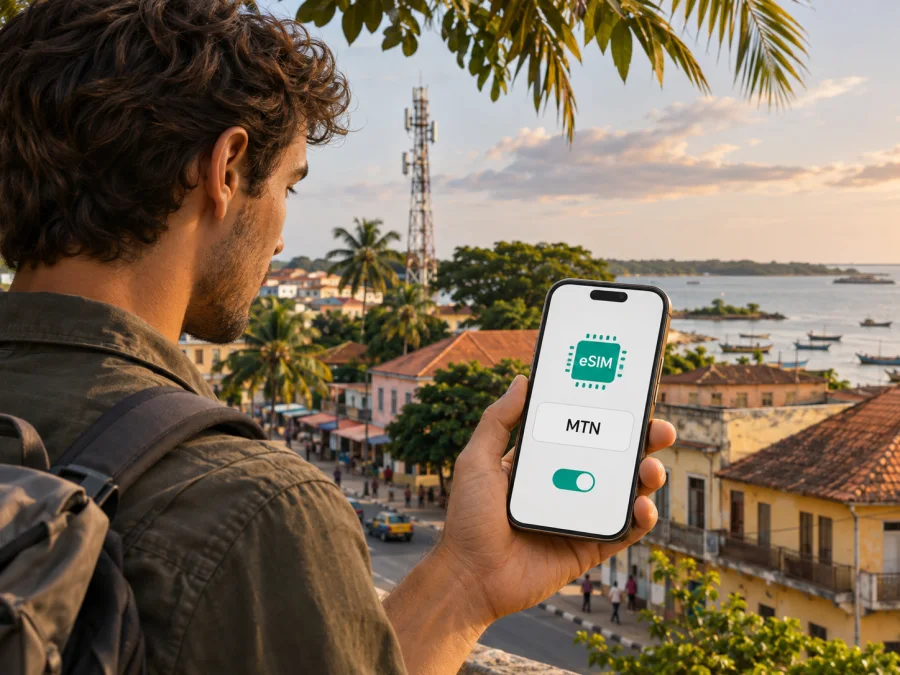
MTN eSIM in Guinea-Bissau: what travellers should check
If you are looking for an MTN eSIM for Guinea-Bissau, start by checking which company currently operates the local network. MTN Group and Telecel Group announced that the transfer of MTN Guinea-Bissau, also known as Spacetel, to Telecel was completed on 7 August 2024. Guinea-Bissau’s national regulator, ARN, reported the share transfer in August 2024, and its current mobile coverage page labels the former MTN network as Telecel. The name MTN therefore describes the requested historical operator identity; it does not by itself confirm that a visitor can now obtain a local eSIM from an MTN-branded service in Guinea-Bissau.
As of 2 November 2026, I could not confirm a current public eSIM offer, activation process, tourist SIM procedure or eSIM-compatible prepaid service for Guinea-Bissau from an official local operator page. The evidence reviewed confirms the ownership change and current Telecel naming, but it does not confirm whether the local operator has since introduced eSIM. Check with Telecel or ARN before relying on an MTN-branded profile. This guide keeps the requested MTN topic intact while explaining what the change means for a trip and how to prepare a data connection without assuming eSIM availability.
MTN and the Guinea-Bissau mobile market
MTN operated in Guinea-Bissau through Spacetel. MTN Group’s joint announcement dated 7 August 2024 says the transfer of MTN Guinea-Bissau (“Spacetel”) to Telecel Group Mobile was complete. ARN’s notice, published on 15 August 2024, also reports the transfer of Spacetel SA – MTN Guinea-Bissau shares to Telecel and says services were to continue during the handover. ARN’s current mobile coverage page labels the former network as Telecel and provides 2G, 3G and 4G information.
This history matters when searching for “MTN Guinea-Bissau eSIM.” Older SIM packaging, saved contacts, handset settings or directories may still display MTN or Spacetel. That legacy name does not prove MTN Group still owns the local operation or that an MTN-branded eSIM can be issued today. Confirm the current service brand, support channel and SIM formats with the provider now managing the network.
Guinea-Bissau is the exact country for this guide; it is distinct from neighbouring Guinea, which has a different regulator and mobile market. Check that any product explicitly covers Guinea-Bissau rather than relying on a search result that says only “Guinea.” The transfer announcement does not explain visitor eligibility, documents, number portability or eSIM availability. If you have an older MTN/Spacetel SIM, ask whether your account remains active and how replacement or support is handled.
Is an MTN eSIM available in Guinea-Bissau?
As of 2 November 2026, I could not verify a current local MTN eSIM offer or activation procedure from an official public source. MTN Group’s announcement confirms the transfer; ARN’s current materials identify the former network as Telecel. Neither confirms whether the local provider has since introduced eSIM, how visitors could register, or whether activation can happen before arrival. Do not treat an old MTN label as proof of current eSIM support.
This is a limit on what could be confirmed publicly, not a claim that eSIM is technically impossible. Ask Telecel or ARN whether the current Guinea-Bissau service issues eSIM profiles, whether visitors are eligible, which identity documents are required, and whether a profile can be activated outside the country. If staff use “MTN” or “Spacetel,” confirm that their instructions apply to the current service.
A travel eSIM is separate from converting a local SIM. It may connect through a local partner, but its seller, activation, number features and support can differ from the local operator’s service. A page that mentions Guinea-Bissau or an MTN network does not prove that the local operator sells that travel eSIM or that it includes a Guinea-Bissau number. Check the provider and exact destination details before purchase.
What to ask the local provider
Before relying on an eSIM, ask:
- Does the current service support consumer eSIM, or only physical SIM cards?
- Can visitors register, and what identity documents or steps are required?
- Can the profile be issued before arrival, or only at a local service point?
- Which network and brand name should appear after installation?
- Does the service include data only, or a local number, voice and SMS too?
- Where can you find the latest coverage details and support instructions?
- What should you do if the profile fails to install or register?
Request current written instructions and confirm who provides the service before sharing documents or paying an unofficial seller. Keep a backup option if eSIM support is unclear.
Coverage and mobile technology
ARN publishes separate radio coverage maps for Telecel and Orange, with 2G, 3G and 4G layers. Its page also lists former MTN network stations under the Telecel name. These maps help with broad route planning, but they cannot guarantee a usable signal inside every building or at every point on a road. Terrain, distance from a site, power, device bands and indoor construction can affect service.
The regulator’s coverage page includes station information through December 2023, so it is not a live signal monitor. Ask for the latest information if you need service in a specific town, rural area, island or work location. A travel eSIM may use only selected local partner networks; its availability cannot be inferred from the regulator’s general operator maps.
ARN’s published layers show 2G, 3G and 4G for Telecel. The sources reviewed here do not establish a current 5G launch or guarantee 5G for visitors. Confirm current technology and supported bands with the provider, and check that your exact handset variant supports them. A device may support eSIM but still have limited network compatibility.
For a trip between Bissau, other towns, roads or islands, download maps and essential travel details before leaving reliable Wi-Fi. Check coverage for your route and keep offline copies if connectivity is important; no national map promises continuous service everywhere.
Local SIM, prepaid service and travel eSIM
A local SIM or prepaid service can be useful if you need a local number, conventional calls, SMS or an account tied to a Guinea-Bissau number. Confirm visitor registration, required identification, available SIM formats and support with the current provider. Prepaid service in general does not prove that an eSIM version is available.
A travel eSIM may be convenient for mobile data if its country coverage and installation terms suit your trip. It still depends on device compatibility, internet access during setup and provider instructions. A data-only travel eSIM may not include a local number, ordinary calls or SMS. If you need those features, confirm them explicitly and decide which line your phone should use for calls, messages and data.
These options serve different needs. Check the exact country, network access, technology, number features, activation conditions, registration and support. Do not treat an unverified local eSIM and a travel plan as interchangeable.
Kaspersky eSIM Store is an app and website that helps travellers choose, arrange and activate an eSIM plan for mobile internet abroad. It is not a mobile operator, does not own a Guinea-Bissau network and does not itself provide mobile internet or coverage. The link below opens Kaspersky eSIM Store’s general English homepage for browsing current travel options. It is not a Guinea-Bissau tariff page or confirmation of local availability. Check the destination and network details shown there.
Browse Kaspersky eSIM Store’s current travel eSIM options
Before installing an eSIM
Confirm that your exact phone model and regional variant support eSIM and that the device is not carrier-locked. Manufacturers can sell similarly named phones with different SIM hardware. Check the full model code and settings, then use the device compatibility check before purchase. A model family name alone may not identify the version you own.
Prepare the phone on a stable internet connection. Keep the QR code and instructions accessible, and do not delete an installed profile unless the provider says it can be reinstalled. Some QR codes are single-use. Installation also may not equal activation: the plan’s start condition depends on the provider, so check whether it starts on installation or on a later network connection.
Install on iPhone or Android
- Read the plan instructions. Confirm whether setup uses a QR code, app or direct installation, and when the provider recommends installing it.
- Connect to reliable Wi-Fi. Keep the phone online while downloading the eSIM profile.
- Add the plan. On iPhone, open Settings, then Cellular or Mobile Data, and choose Add eSIM. On Android, open mobile network or SIM settings and choose the eSIM option. Labels vary by model and software version.
- Install the profile once. Scan the QR code or follow the stated method. Label the new line so you can identify it.
- Select the data line. Choose the travel eSIM for mobile data only when you intend to use it. Check data switching so another SIM is not used unexpectedly.
- Follow the activation timing. Installation may not start the plan. Use the instructions supplied for the selected product.
- Enable roaming only if required. Some travel eSIMs need data roaming on that profile. Check which line is selected before changing this setting.
- Troubleshoot without deleting the profile. Once activation is due and you are in the destination, check the selected line, toggle airplane mode or restart the phone, then contact the provider if needed.
Kaspersky eSIM Store’s Android installation instructions are written for Samsung and note that steps vary by model and software version. Its iOS instructions show a QR-code flow. Follow the instructions for your own plan if they differ. Installing a travel eSIM does not establish that it was issued by the local operator.
Practical checks for a trip to Guinea-Bissau
Before departure: confirm the destination is Guinea-Bissau, check local eSIM support and visitor registration with the current provider, verify the full phone model and unlock status, and review the selected travel eSIM’s country, network and activation details. Save the installation steps and purchase confirmation for offline access.
At arrival: activate the profile only as instructed. Check which line is selected for mobile data and enable roaming only on the intended profile if required. If you choose a local physical SIM, use an authorized service point and ask about registration. Keep account details until the line works.
During the trip: monitor which SIM uses data and keep offline maps and travel documents. If service drops, check local coverage and the travel provider’s supported network list; do not assume another network will connect automatically. For work-critical access, arrange a backup method.
If setup fails: verify the profile is on, the correct line is selected and the activation condition has been met. Change APN settings only if the provider supplies instructions. Restart or toggle airplane mode, then contact the operator or seller. Do not delete a profile until support confirms it can be restored, and protect QR codes and account credentials.
Questions travellers often ask
Can I buy an MTN eSIM for Guinea-Bissau now?
I could not verify a current official local MTN eSIM offer as of 2 November 2026. MTN Group transferred its former local operation to Telecel in 2024, and ARN now identifies the network as Telecel. Ask the current provider whether eSIM is available to visitors.
Is MTN still the local network name?
MTN is the requested historic operator identity associated with Spacetel. ARN’s current coverage page uses Telecel for the former network. Confirm the current brand and service with the provider.
Does a travel eSIM that mentions MTN come from the local operator?
Not necessarily. A travel eSIM has its own provider and may connect through a partner network. A network name does not establish who sells the product, whether it includes a local number, or any affiliation.
Will a travel eSIM provide a Guinea-Bissau phone number?
Do not assume so. Many travel eSIMs focus on data and may not include a local number, ordinary calls or SMS. Check the product details or ask the local provider if those features are essential.
Can I keep using an old MTN or Spacetel SIM?
The ownership transfer does not confirm the status of an individual account. Ask the current provider whether your SIM remains active and how replacement or account recovery works before travel.
Will every eSIM phone work on the local network?
No. The exact handset must support eSIM, be unlocked and support the network’s bands and technology. Regional variants differ, so confirm the full model number with the manufacturer and provider.
Where can I check coverage?
ARN publishes Telecel and Orange coverage maps. Check the latest map for your route, but remember that it cannot guarantee service in every building or location. Travel eSIM users should also confirm which local networks their provider supports.
Is Kaspersky eSIM Store an MTN service?
No. It is an app and website that helps travellers select, arrange and activate an eSIM plan for mobile internet abroad. It is not MTN, Telecel or a mobile operator and does not own or provide the local network. The homepage link is for browsing current options, not confirmation that a Guinea-Bissau plan is available.
A clear way to plan
For travel to Guinea-Bissau, treat “MTN eSIM” as a search phrase that needs a current ownership and availability check. MTN Group transferred its former local operation to Telecel in 2024, and ARN’s current coverage materials use Telecel. Public information reviewed for this guide does not verify a local eSIM offer or visitor activation path. Confirm both with the current provider, and check technology and coverage for your route.
If you need mobile data, assess any travel eSIM separately: confirm Guinea-Bissau is explicitly included, review the supported local network, check your device and understand the activation conditions. Local subscriber SIMs and travel plans can differ in number, voice, SMS and registration features. Keep offline essentials available and plan a backup if continuous access matters.
Kaspersky eSIM Store can help you review current travel eSIM options through its website or app. The homepage link above is not a country-specific MTN offer. For local network details, use current information from Telecel and ARN. This article is independent and is not affiliated with MTN Group, Telecel Group, Spacetel or any Guinea-Bissau mobile operator. Brand names belong to their respective owners.


