Travel connectivity guide
MTN eSIM in Zambia: activation and travel guide
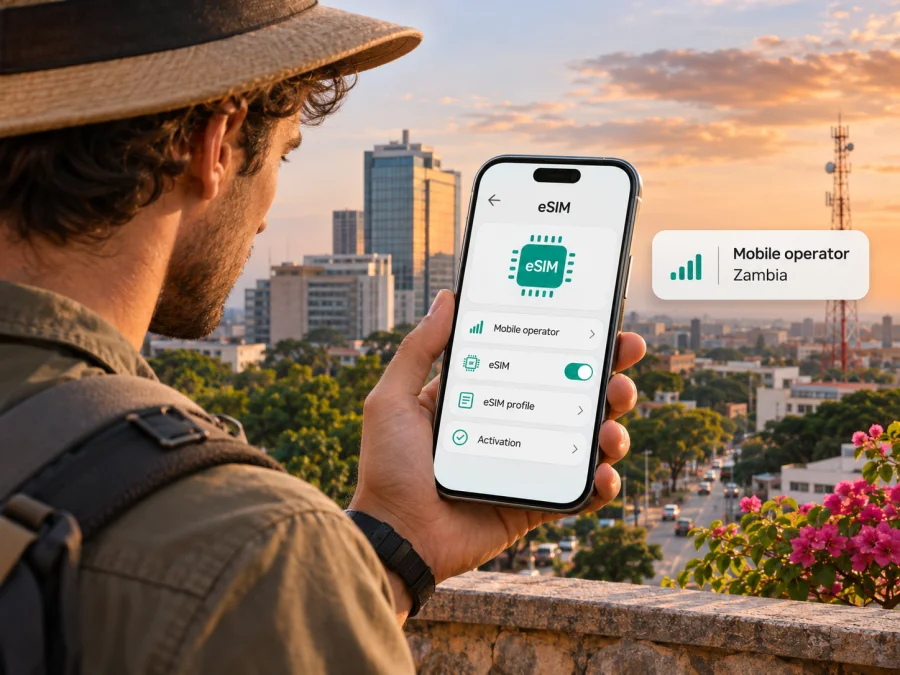
MTN eSIM in Zambia: activation, coverage and travel options
If you are travelling to Zambia or already use MTN there, an eSIM can help you keep a mobile line active without inserting a plastic SIM card. MTN Zambia currently describes eSIM support on its official website. The practical route depends on whether you already have an MTN line, whether it is prepaid or contract, and whether you can visit a service centre. This guide explains those distinctions and the checks to make before travelling.
Last checked: 3 November 2026. MTN Zambia’s official eSIM, SIM-registration, About and coverage-map pages and the MTN Zambia Travel eSIM website were reviewed on this date. Requirements and service availability can change; confirm your case directly with MTN before travelling.
The short answer
MTN Zambia offers eSIM for eligible devices. Its published process is not presented as a fully self-service online conversion: the operator directs customers to an MTN store for device eligibility checks and assistance. MTN says existing Hybrid contract customers can proceed through the described activation process, while prepaid customers should visit a nearby store. For a new eSIM registration or SIM swap, the published instructions say to attend a service centre in person; live facial capture is required as part of registration or a swap.
That distinction matters for visitors. Having an eSIM-capable phone does not by itself mean you can download a new MTN Zambia profile from overseas. If you need a local MTN number, contact the operator before arrival about the current registration process, the service centre you can use, and the identification documents accepted for your status. If you already have a working MTN number, ask whether your specific account can be converted and what happens to the physical SIM during the change.
MTN Zambia also has a separate MTN Travel eSIM site for travel connectivity. Its public pages describe a data-only eSIM and online installation options. This is a travel-data service, not the same thing as converting a local MTN Zambia number to eSIM. Check its current destination, network, activation, compatibility and service terms before deciding whether it fits your journey.
MTN in the Zambian mobile market
MTN Zambia is a mobile telecommunications operator in Zambia and part of the wider MTN Group. Its About page describes voice, data and digital services for retail customers. The page calls MTN a “leading” provider; that is the company’s own description, not a comparative assessment in this guide.
Zambia is the specific country market discussed here. A local MTN subscriber line and a travel eSIM that works in Zambia are different products, even when both involve MTN branding. A local line may suit someone who needs a Zambian number, voice or SMS service, or a longer-term connection. A travel eSIM may suit a visitor who mainly needs data and wants to prepare online. Check whether a product includes a phone number and calls or texts; the term “eSIM” alone does not answer that.
What MTN Zambia says about eSIM
MTN Zambia’s official eSIM page confirms that the operator supports eSIM and describes activation with help at an MTN store. It says a device must support eSIM. The page describes an existing MTN consumer Hybrid contract as eligible for the stated activation route and directs prepaid customers to visit a nearby MTN store. It also cautions that the physical SIM will be disconnected during the process and that Wi-Fi access is needed to continue activation. The operator says the activation step is expected to take a few minutes, but a traveller should allow time for identity checks, store availability, account checks and troubleshooting rather than planning around the advertised setup time alone.
For new registration and eSIM swaps, MTN says customers must physically visit a service centre and that its existing SIM-registration or swap process applies. The published steps include presenting documents so the customer’s details can be captured; MTN says live facial capture is required for both registration and swap. This means a visitor should not assume that a QR code can replace the registration process or that a new local line can be activated remotely from another country.
MTN’s separate Travel eSIM website describes eSIM installation through its online service and publishes a device compatibility list and FAQ. That service should be evaluated on its own terms. Its FAQ says compatible devices are required, while the operator’s local eSIM page describes store-based assistance for local MTN service. Do not assume the online flow for a travel-data product will activate, replace or preserve a local MTN Zambia telephone number.
Before you choose a local MTN eSIM
Use this checklist before changing a physical SIM or visiting a service centre:
- Check the exact phone variant. Confirm eSIM support in the manufacturer’s specifications and device settings. Regional variants can differ, and a carrier-locked phone may block another profile.
- Identify the account type. MTN’s published route distinguishes Hybrid contract customers from prepaid customers; prepaid customers are directed to a store. Ask whether your particular line is eligible.
- Confirm SIM changeover. MTN warns that the physical SIM disconnects during activation. Ask what happens to the old profile and do not discard it until the new line is working.
- Plan for registration. New eSIM registration and swaps require an in-person visit under MTN’s published instructions, including live facial capture. Confirm the required documents and which outlet handles the request.
- Prepare Wi-Fi and time. MTN says Wi-Fi is needed to continue activation after physical SIM disconnection. Allow time for identity and account checks, store access and troubleshooting.
- State the service you need. Converting an existing number, registering a new line, replacing a SIM and buying travel data are separate requests. Confirm number, voice, SMS and data functionality for the product you choose.
Registration and documents for visitors
MTN Zambia’s SIM-registration page lists identification categories for Zambians and non-Zambians. For non-Zambians, it lists a foreign passport with a valid visa or permit attached, as well as refugee and asylum certificates. Its eSIM page says documents are presented at the outlet and live facial capture is used for new registration or a swap. These published instructions do not guarantee that every visitor is eligible for every account type.
Before travelling to a store, contact MTN to confirm which original documents you need, whether your immigration status qualifies, and whether the chosen outlet handles eSIM registration. Ask if the account holder must attend. A data-only travel eSIM may be more relevant if you do not need a local number, but it will not automatically receive SMS sent to your home number or provide ordinary cellular calls.
Coverage, technology and where to check
MTN Zambia links a coverage map from its official website. Check the towns and route segments relevant to your trip and read the map legend. A map cannot promise reception inside every building, on every road or at every hour. Terrain, distance from a site, construction, congestion, power and device radio bands can affect the connection. For rural travel or border crossings, ask MTN about the specific places where you need service and keep offline maps or other backup information available.
MTN has published information about 5G in Zambia, including an announcement of a pilot in 2022. That establishes that the operator has discussed and deployed newer network technology; it does not establish current 5G availability at every destination or for every eSIM. The result depends on local coverage, device bands, profile provisioning and network conditions. Check the map and confirm support for your exact phone. A travel profile may have different access from a local subscriber profile.
Local MTN service or a travel eSIM?
A local operator account and a travel-data eSIM answer different needs. MTN Zambia’s local eSIM instructions are relevant when you need an MTN subscriber line and can complete the operator’s in-person steps. A travel eSIM may fit a visitor whose main requirement is internet access and who wants to arrange installation online. Compare service type and setup conditions, not the brand name alone.
| Question | Local MTN Zambia eSIM | Travel eSIM for Zambia |
|---|---|---|
| Purpose | MTN subscriber line or conversion of an eligible existing line. | Mobile data for travel, according to the selected product’s terms. |
| Arrangement | MTN directs customers to a store or service centre. | The travel service describes online selection and installation. |
| Number and calls | Confirm the account type and functions with MTN. | Do not assume a phone number; MTN Travel eSIM describes its Zambia product as data-only. |
| Main checks | Eligibility, ID, physical attendance, device support and coverage. | Compatibility, network, activation timing, destination and terms. |
This is a decision aid, not a tariff comparison. Availability and service terms can change. Read the current provider information and do not treat an online travel listing as confirmation that a local MTN account has been registered in your name.
A practical setup plan
If you already have an MTN Zambia line
Check the line type and exact phone first. MTN’s published activation instructions describe the Hybrid contract route and direct prepaid customers to a store. Contact MTN to confirm that your line is eligible, which outlet can handle the request, what verification is required and what happens to your physical SIM. Keep Wi-Fi available. When the profile is active, confirm the correct line is enabled and test the services you need before leaving the store.
If you need a new local line
Ask MTN whether you can register for the account type you need, which documents apply to your status and whether the outlet supports eSIM registration. Plan for in-person attendance and facial capture. MTN says self-registration and self-SIM swap are not currently available in this process. If your phone is incompatible or you cannot complete registration during the visit, ask about the normal physical-SIM process; registration requirements still apply.
If you choose travel data
Check compatibility and unlock status before purchase. Install over stable Wi-Fi using the provider’s instructions, and confirm when the service starts. At the destination, select the travel eSIM for data and enable roaming only if directed by the provider. Keep your home SIM for calls or verification if required, and disable data switching or roaming on it if you want to avoid unintended charges. If connection fails, check that the profile is enabled and selected for data, restart the phone and review the provider’s APN guidance. Do not delete a profile as a first step because some activation codes can only be used once.
Installing an eSIM on a compatible phone
Exact menu names vary by manufacturer, operating-system version and device variant. Before starting, check eSIM compatibility, confirm the device is not carrier-locked, and make sure you have a stable internet connection. For a travel eSIM, use the supplied QR code or the provider’s guided installation process. For a local MTN profile, follow MTN staff instructions because the account registration and conversion steps are part of activation.
Typical steps for a travel profile are:
- Open the mobile-network or cellular settings and choose the option to add an eSIM or mobile plan.
- Scan the QR code supplied by the provider, or use its app-based installation flow. If the QR code is displayed on the same phone, use the provider’s manual or in-app method.
- Give the new profile a clear label so you can distinguish it from your home SIM.
- Keep your primary line selected for calls and texts if you want to continue using it, then choose the travel profile for mobile data when appropriate.
- Follow the provider’s instructions for data roaming and APN settings. These details vary by eSIM service, so do not copy settings from an unrelated profile.
- After arrival, enable the correct profile and test a webpage or messaging app. Check that the phone has selected the expected line for mobile data.
Kaspersky eSIM Store provides general installation guides for iOS and Android. Android menus differ by model, and the published Android guide is specific to Samsung. These instructions apply to installing a travel eSIM through the service; for an MTN Zambia local line, follow MTN’s own process. Check device eSIM compatibility before choosing a travel profile.
Kaspersky eSIM Store as a travel-data option
Kaspersky eSIM Store is an app and website that helps travellers choose, arrange and activate an eSIM with a plan for mobile internet abroad. It is not a mobile operator, does not own a Zambian network and does not itself provide connectivity. It is separate from an MTN Zambia subscriber account and does not register a local MTN number.
The Zambia destination page lists travel eSIM options provided through local telecommunications providers. Listings and partner networks can change, so check the current destination, product type and terms before selecting an option. The service’s FAQ describes its standard travel eSIM as data-only unless a specific product states otherwise. This can suit someone who needs internet for maps, messaging or email, but it is not a substitute for a local number or SMS service where those are required.
If this separate option fits your trip, check eSIM availability for Zambia and review the current conditions. Confirm device compatibility, install over a reliable connection, keep your primary number available if needed and select the correct SIM for mobile data after arrival. A dual-SIM phone may allow a physical home SIM for calls and a separate eSIM for data; check your device and home carrier settings.
Common questions
Does MTN Zambia offer eSIM?
Yes. MTN Zambia’s official eSIM page describes local eSIM support and a store-assisted process. It distinguishes Hybrid contract customers from prepaid customers, who are directed to a store. Confirm the current rules for your account directly with MTN.
Can a tourist register for MTN eSIM online?
MTN says new eSIM registration and swaps require a physical visit to a service centre, and self-registration is not currently available in this process. Confirm eligibility, documents and the relevant outlet before travelling. MTN Travel eSIM is a separate online travel-data service, not local-number registration.
What documents should a visitor bring?
MTN’s SIM-registration page lists a foreign passport with a valid visa or permit attached for non-Zambians, plus other specific categories. Check the current requirements for your circumstances before visiting.
Does an eSIM-capable phone always work?
No. Confirm the exact regional variant supports eSIM, is not carrier-locked and is accepted by the relevant service provider.
Will a travel eSIM give me an MTN number or 5G?
Do not assume it will provide a phone number; MTN Travel eSIM describes the Zambia service as data-only. MTN’s 5G publications and coverage-map entry do not guarantee 5G at every location or for every profile. Check the current product details and map.
Before you go
MTN Zambia confirms local eSIM support, with an operator-directed store process and in-person steps for new registration or a swap. Check the exact device, account type, identity requirements and service centre before relying on a local MTN eSIM during a trip. For reception, review MTN’s coverage map against the places you will visit and plan a backup for stretches where mobile service may be limited.
If you only need travel data, compare the current terms of a travel eSIM with your requirements for coverage, activation, calls and SMS. Kaspersky eSIM Store can help you choose and activate a travel eSIM for mobile internet, subject to the product conditions for Zambia. MTN and Kaspersky eSIM Store are independent services; Kaspersky eSIM Store is not affiliated with, endorsed by or an official partner of MTN Zambia. Product names and trademarks belong to their respective owners.


