Travel connectivity guide
MTNL eSIM in India: what to check
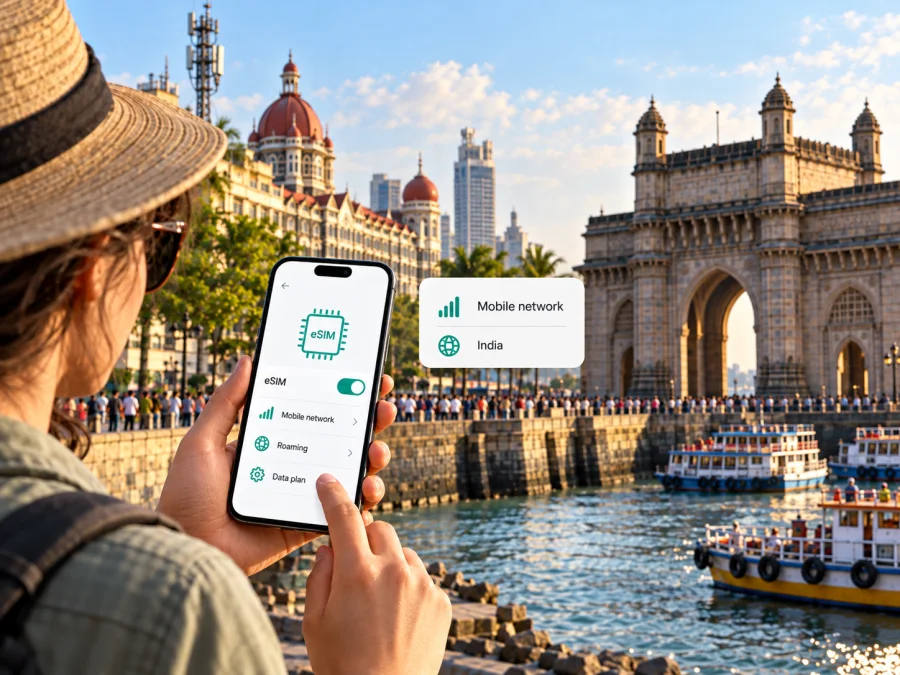
MTNL eSIM in India: what travellers should check
If you are travelling to India and want to use an MTNL mobile connection, check the service area, current activation options and device support before you make plans around an eSIM. MTNL’s public-facing mobile information describes conventional mobile services, including prepaid service, but I could not verify a current MTNL page confirming that customers can request or activate an eSIM. Treat MTNL eSIM availability as unconfirmed and ask MTNL directly before travelling.
India is the country; MTNL’s mobile footprint is a more specific market. The operator’s published information focuses on Delhi and Mumbai, rather than presenting MTNL as a nationwide mobile network. A trip to another Indian state should not be assumed to fall within MTNL’s own service area just because the destination is in India. Check the exact city and locality with the operator, and distinguish its own service from roaming arrangements or coverage supplied by another network.
This guide was checked on 17 October 2026. MTNL Mumbai’s official website currently presents mobile sections for prepaid, postpaid, 3G data services and number portability. Its Mobile page describes GSM 3G service in Mumbai, while the site provides a Mumbai coverage-map link. These pages explain the operator’s published service categories; they do not establish that every listed service is currently sold, that every address is covered, or that an eSIM can be issued. MTNL’s customer-facing information can change, so confirm the current position directly with the operator before relying on it.
MTNL’s place in India’s mobile market
Mahanagar Telephone Nigam Limited (MTNL) is an Indian telecommunications company and a public sector undertaking of the Government of India under the Ministry of Communications, as stated on the MTNL Mumbai official website. The company provides several types of telecommunications services. For a traveller researching an MTNL eSIM, the key distinction is geographical: MTNL’s own public mobile pages are organized around its local markets, particularly Mumbai and Delhi, rather than a single mobile service that should be presumed available throughout India.
India’s national mobile market and MTNL’s individual service area are not interchangeable. A mobile line that works in one city may rely on different arrangements when used elsewhere, and service availability can depend on the subscriber’s home network, roaming status, handset and current operator agreements. Do not infer that MTNL operates a native mobile network at every destination in India from the country name alone. If your itinerary includes several cities, ask which parts of the route are served directly and which, if any, depend on roaming.
The Telecom Regulatory Authority of India (TRAI) includes Mahanagar Telephone Nigam Limited in its “Service Providers” directory, checked on 17 October 2026. That listing confirms MTNL’s identity as a recognized service provider; it is not a real-time coverage checker and does not say that every mobile product is available at every location. For practical travel planning, use MTNL’s current local coverage information and ask customer care about the specific address, building or route you expect to use.
What MTNL currently publishes about mobile service
MTNL Mumbai’s official website currently exposes a Mobile menu with prepaid, postpaid, 3G data and mobile-number-portability sections. The official “3G Services” and “Mobile” pages describe GSM-based 3G mobile service. The site also links to a Mumbai coverage map. This is useful context about the operator’s published mobile offering, but old service descriptions or pages left online are not a guarantee of current sale, activation, network availability or performance.
The current public information reviewed for this article did not establish a general MTNL 4G or 5G offer. It also did not provide a reliable current basis for describing network speed or quality. For that reason, travellers should check the technology supported at their exact destination instead of relying on a generic claim about India or on the capabilities of a phone alone. A device may support a radio technology that is not available from a particular operator in a particular area.
Is an MTNL eSIM available in India?
I could not confirm MTNL eSIM support from a current public MTNL source. The MTNL Mumbai mobile pages reviewed for this guide describe mobile services and conventional SIM-based processes, but they do not give an eSIM ordering, conversion or activation procedure. Apple Support’s “Find wireless network providers that offer eSIM on iPhone” India section, checked on 17 October 2026, names supported providers but does not list MTNL. That list is specific to Apple device support and cannot, by itself, prove whether an eSIM is available for every other device type. Together, these checks are not enough to claim that MTNL eSIM service is offered or that it is categorically unavailable.
Before buying a device or changing a number, contact MTNL and ask a direct question: “Can I get a new MTNL eSIM, or convert my existing MTNL number to eSIM, for this exact phone model and city?” Ask whether the answer applies to prepaid, postpaid or both, whether a visit to an MTNL customer service centre is required, and what identity or account checks currently apply. Get the instructions from MTNL itself and confirm how the profile is delivered. Do not scan a QR code or follow a conversion guide that is not clearly issued by the operator.
Check the exact device variant
An eSIM-capable product family does not guarantee that every device sold under the same model name includes an eSIM component. Manufacturers may release different hardware or software variants for different countries and sales channels. A phone bought in India, a device imported from another market and a carrier-supplied handset can have different capabilities or restrictions even if their commercial names look alike.
Check the manufacturer’s specification for the exact model or regional variant, then look in the phone’s settings for an option to add a mobile plan or eSIM. The menu wording differs across operating systems and versions. You can also use the device maker’s official support page or contact its support team. If the phone is carrier-locked, ask the original carrier whether it can be unlocked before you expect to use another provider’s eSIM. A compatible handset is only one requirement: the operator must also support the relevant eSIM activation method and account type.
For a quick device check, consult the eSIM device compatibility guide. If you already have an eSIM profile, review the setup steps for Android or iPhone. Those instructions apply to installing an eSIM profile on a compatible device; they do not confirm that MTNL issues one.
Prepaid service, new connections and visitor questions
MTNL’s public mobile pages include prepaid and postpaid service categories. That is a general description, not confirmation that a new prepaid connection is currently available for every applicant or at every service centre. The operator’s public pages do not provide a current, clear tourist-specific eSIM offer that could be confirmed during this review. If you want a local MTNL number, confirm whether new connections are being issued at your destination and which customer category can apply.
Travellers from abroad should not assume that the process is identical to buying a data-only travel eSIM. A local mobile subscription may involve account registration, identity verification, a local service address or an in-person step, depending on current rules and the operator’s process. The reviewed MTNL information includes general application and customer-care sections but does not give a single up-to-date checklist for international visitors. Ask MTNL what documents are accepted, whether a passport is sufficient in your circumstances, whether an Indian address or local contact is required, and whether activation can be completed remotely. Confirm requirements before you travel to a shop or provide personal documents.
If you already have an MTNL SIM, find out whether it is active and whether it is registered in the city where you plan to arrive. Ask how to check the account status and whether the line can roam outside its home area. A phone showing “no service” may reflect an inactive line, a registration problem, a coverage gap, a setting or a roaming limitation; it does not on its own identify the cause. MTNL customer care can confirm what applies to your number.
Coverage and network technology: use location-specific information
Coverage is a local question. An operator’s service map or a general service-area statement cannot guarantee signal inside a particular hotel, station, office, home or underground space. Buildings, terrain, congestion, device bands and network configuration can all affect reception. MTNL’s official Mumbai site provides a coverage-map entry and publishes mobile material describing 3G service; check the latest map and ask the operator about the exact location before you depend on a connection for time-sensitive use.
The public MTNL material reviewed here does not provide a current, complete national map of MTNL mobile service. It also does not support broad statements about speeds, indoor performance or comparative network quality. If you will travel beyond Delhi or Mumbai, ask whether connectivity is provided by MTNL directly, by a roaming partner, or not available for your line. A roaming connection is not the same as MTNL having its own network presence at every stop.
MTNL local service and a travel eSIM are different options
A local MTNL mobile line may be suitable for someone who needs an operator account in MTNL’s service area, including a local number or the services attached to that account. Whether a visitor can obtain one, whether eSIM is supported, and where that line works must be confirmed with MTNL. A local subscription may require operator-specific registration and activation steps.
A travel eSIM is a separate way to prepare mobile data for a trip. Kaspersky eSIM Store is an app and website that helps users choose, arrange and activate an eSIM with a data plan for international travel. Its India destination page, checked on 17 October 2026, identifies local telecommunications providers for the available data service. It is not MTNL, does not own a mobile network and does not itself provide cellular coverage. Its India destination page identifies local telecommunications providers for the data service; check the current conditions shown for the selected offer before purchase. Do not assume that a travel eSIM uses MTNL or provides a local MTNL number.
The travel eSIM service described by Kaspersky eSIM Store is for mobile data and does not include an ordinary phone number, voice calls or SMS unless the conditions of a particular offer explicitly say otherwise. You can generally keep a primary SIM in the phone for existing calls and messages while selecting the travel eSIM for mobile data, subject to the device and account settings. Calls through internet messaging apps use data and require those apps and accounts to be set up.
The difference is practical: an MTNL line is an operator subscription whose availability depends on the operator, its service area and eligibility rules. A travel eSIM is an independent data option for the chosen destination. It can help avoid waiting to arrange a local physical SIM, but it does not replace every local operator function. If you need a local number, bank verification by SMS or regular voice calling, confirm those requirements before deciding that data-only service will be sufficient.
After reviewing the distinction between a local operator line and a travel data profile, you can view eSIM options for India. Kaspersky eSIM Store helps you choose and activate a suitable travel data eSIM; availability, network partner and plan conditions are shown with the offer and should be checked at the time of selection.
Installing and activating a travel eSIM
The exact setup depends on the device and the provider. In general, complete installation while you have a stable internet connection and follow the instructions supplied with the eSIM. Keep the QR code or installation details private, because they are linked to the profile issued to you. Do not delete a profile during troubleshooting unless the provider says it can be installed again.
- Check compatibility. Confirm that the exact device variant supports eSIM and is not locked to another carrier.
- Choose the destination and offer. Check that the selected conditions cover your actual route and use case.
- Install the profile. Use the provider’s on-screen installation flow or scan its QR code in the phone’s mobile-network settings.
- Label the lines. Give your home SIM and travel eSIM clear names so you can select the right profile.
- Choose mobile data. Set the travel profile as the data line when you want to use it; keep your primary line available if you need its number.
- Review roaming settings. Enable data roaming for the travel profile only if its instructions require it.
- Test the connection. Once in the service area, check that the travel profile is enabled and that mobile data is assigned to it.
Installing a profile and starting a data package are not always the same action. Read the activation instructions for the selected product so that you know when service is intended to begin. If the phone does not connect, check the selected data line, profile status, network selection and roaming setting, then contact the provider’s support team. Avoid repeated deletions or QR rescans unless support confirms that they are safe.
Common questions about MTNL eSIM in India
Can I buy an MTNL eSIM before travelling?
MTNL eSIM availability could not be confirmed from the current public information reviewed for this guide. Ask MTNL whether it issues eSIMs for new customers or converts existing numbers, and confirm the process for your exact device and account type. Do this before relying on an eSIM for arrival connectivity.
Does a phone that supports eSIM automatically work with MTNL?
No. The handset must support eSIM in its exact regional variant, be eligible for another operator profile and be unlocked where necessary. MTNL must also support eSIM activation for the relevant account. Device compatibility by itself does not confirm operator support.
Is MTNL mobile service available everywhere in India?
Do not assume that it is. MTNL’s published mobile information is focused on its local service areas, particularly Delhi and Mumbai. Ask MTNL whether your itinerary is within its direct service area or relies on roaming. Coverage and service options can differ by location.
Can a foreign visitor get an MTNL prepaid connection?
The public pages reviewed do not provide a current, complete visitor checklist. Ask MTNL whether new prepaid connections are being issued to foreign visitors at your destination and what identity, address and in-person verification requirements apply. Confirm this before visiting a shop.
Does a travel eSIM give me a local MTNL number?
Do not expect that. The travel eSIM option discussed here is intended for mobile data, not an MTNL subscription. Check the selected offer’s terms for any exception, and use a local operator if you need a local number, regular calls or SMS.
Can I use my MTNL SIM and a travel eSIM at the same time?
Many devices can store multiple SIM profiles, and some can keep two lines active, but the available combinations differ by model and variant. You may be able to keep your MTNL line for calls or messages and select the travel eSIM for data. Check your phone maker’s instructions, then confirm roaming and billing conditions with MTNL before using the original line abroad or outside its home area.
What should I do if an MTNL line does not connect?
Check whether the account is active, the line is enabled in settings, the phone supports the available local technology and the location is within the service or roaming area. Then contact MTNL customer care for account-specific help. If you are using a separate travel eSIM, contact that eSIM provider about its profile and data service instead.
Before you go
The most important point is to verify the operator and the geography separately. India is a large country; MTNL’s published mobile information is associated with specific metro service areas, and the current public sources reviewed here did not confirm MTNL eSIM issuance. Ask MTNL directly about your city, customer type, phone variant, activation method and documents. Treat a legacy webpage, a model-family specification or a national destination label as insufficient proof by itself.
If you only need mobile data for a trip, Kaspersky eSIM Store can help you prepare a separate travel eSIM for a supported destination. Check device compatibility, the offer’s current conditions and the network information displayed when you choose it. Use a local MTNL service when you need the operator’s own account features and MTNL confirms that the service is available to you.
Editorial note: MTNL and the MTNL name are used solely to identify the operator discussed. Kaspersky eSIM Store is not affiliated with, endorsed by or an official partner of MTNL. Availability, activation methods, device support and network coverage may change; verify them with the relevant provider before purchase or travel.


