Travel connectivity guide
my by NT eSIM in Thailand: what to check
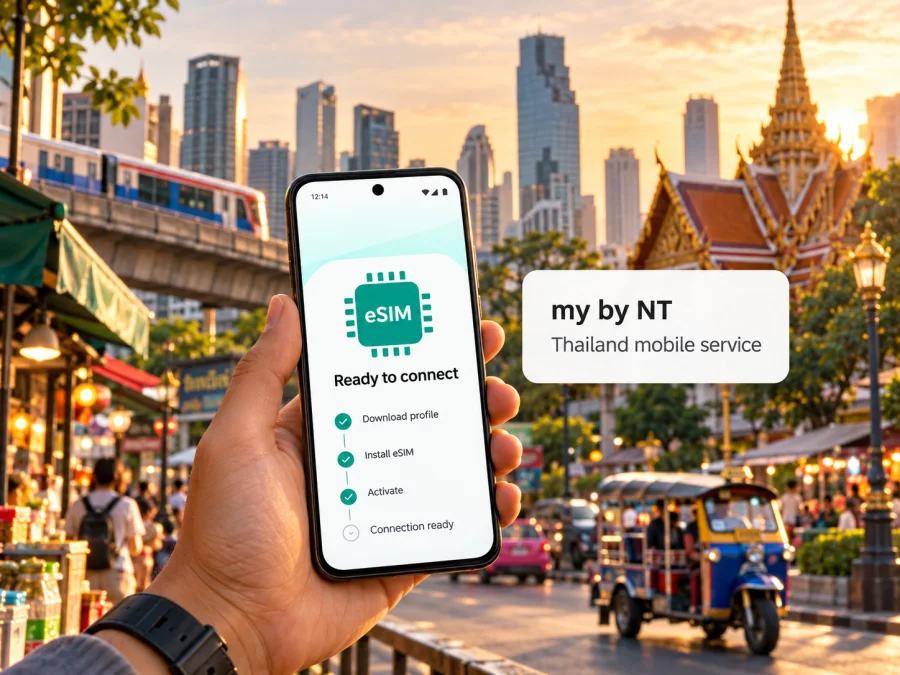
my by NT eSIM in Thailand: availability, activation and travel checks
Published: 18 October 2026. The names my by NT and Kaspersky eSIM Store belong to their respective owners. Kaspersky eSIM Store is not affiliated with my by NT, NT, or an official partner or distributor of either service.
If you are searching for a my by NT eSIM in Thailand, the operator’s official website currently documents an eSIM service. Its FAQ says that subscribers can request a new number as an eSIM or convert an existing my number at an NT customer service center. The same FAQ also says international roaming is not available on my by NT eSIM. That distinction matters: the service is described as an eSIM for using my by NT in Thailand, not as a travel eSIM for arriving visitors who need roaming connectivity.
This guide explains what the current official information does and does not establish, how to check whether the service fits your situation, and what to prepare before travelling. Do not rely on an eSIM listing alone as proof that a particular phone, subscription, or visitor can activate it. Confirm the current process and requirements with NT before making it your only way to get online.
What my by NT is and what its eSIM offer means
my by NT is a mobile service brand presented on NT’s official website. The site separates prepaid and postpaid services and lists a dedicated eSIM section under each. NT’s eSIM FAQ describes the service as a digital alternative to a plastic SIM that can support calls and internet like a regular SIM. It says users can request a new eSIM number or convert an existing my number at an NT customer service center.
This establishes that my by NT eSIM is part of the operator’s regular Thai mobile service. It does not establish that every account can be converted, that every visitor can register, or that a tourist can complete the process remotely. NT’s public pages reviewed for this article do not confirm a tourist-specific eSIM or online visitor registration. If you are not already a subscriber, ask NT whether a foreign visitor can apply, what identity checks apply, where the request can be made, and whether you must visit in person.
A local Thai subscription and a travel eSIM answer different needs. A my by NT line may suit someone who wants the operator’s domestic service or already has a my number. A travel eSIM is arranged for mobile connectivity during a trip, and its supported countries, network, activation method, and included features depend on the specific product. Neither label alone guarantees voice, SMS, or roaming.
Check the roaming limitation before you travel
The most important travel detail in NT’s my eSIM FAQ is that international roaming is not available for the service. The statement concerns my by NT eSIM; it should not be generalized to every other my by NT product or SIM format. Since service rules can change, confirm the current position directly with NT if you plan to leave Thailand.
If you are visiting Thailand, do not assume that a local eSIM can be installed or used abroad before arrival. NT’s FAQ directs new eSIM requests and conversions to NT customer service centers; the official pages reviewed do not confirm a remote process for foreign visitors. If you need data as soon as you land, arrange a separate option for that period unless NT confirms that you can complete its process in time.
Before relying on my by NT, ask about visitor eligibility, required identification, the application location, eligible account types, current activation steps, and what happens if the profile is deleted or the phone is replaced. Confirm roaming separately for your itinerary. Make decisions based on your own account and device, not a general description of eSIM technology.
Is my by NT eSIM suitable for a visitor to Thailand?
The service may fit if you already use my by NT or need its domestic mobile service and can complete the operator’s application process. If you are visiting and want data without a local registration step, compare a travel eSIM as a separate option. This is a difference in use case, not a claim that one service is universally better or cheaper.
| Your situation | What to establish first |
|---|---|
| Existing my by NT number | Whether your account can be converted and how service changes during conversion. |
| New Thai number | Visitor eligibility, identification, where to apply, and whether a service-center visit is needed. |
| Connectivity before landing | Whether any remote setup is available; the public pages do not confirm it. |
| Travel outside Thailand | Whether roaming is available; the current FAQ says it is not for my by NT eSIM. |
| Multi-country trip | Whether a travel-data option covers each destination on your route. |
Device compatibility: check the exact phone variant
An eSIM-enabled model name does not guarantee that every regional version of a phone supports eSIM. Manufacturers sometimes sell different hardware or software variants under the same family name. A device bought in one country may therefore differ from the version sold in another market, and carrier locking or software restrictions may also affect activation.
NT’s FAQ gives a practical preliminary check: dial *#06# and look for an EID. It says a phone without an EID cannot use my by NT eSIM. NT also limits its stated eSIM support to smartphones and tablets, excluding smartwatches and other IoT devices. Treat this as a first check rather than complete approval: the FAQ does not certify every device variant, operating-system version, or network setting.
Before travelling, check all of the following:
- Look for an EID. Use the device’s status or identity screen, or the check described by NT. If there is no EID, do not expect the handset to add an eSIM profile.
- Confirm the exact model code. Check the product label or device settings and compare the full model variant with the manufacturer’s support information for the country where it was sold.
- Check for a carrier lock. A phone restricted to another provider may refuse a new profile or prevent it from registering. Ask the seller or current provider to confirm the lock status.
- Confirm operating-system support. Install current system updates before travel and check that the phone offers an option to add an eSIM in its mobile-network settings.
- Ask NT to confirm the device. The published compatibility page contains a device-compatibility section, but if your model is absent or your regional variant is unclear, contact NT before requesting service.
- Keep a working internet connection for setup. Profile installation may require an online connection. If NT provides a QR code or another activation method, follow the instructions it gives for your device and keep the activation details private.
Do not delete a working eSIM simply to troubleshoot it. NT’s FAQ warns that a deleted profile cannot be restored from the handset; ask the operator how to reissue or replace a profile before taking an action that removes it. Also check whether contacts or other information are stored on the physical SIM, phone, or cloud. NT says SIM data are not automatically transferred when changing to eSIM, apart from information already saved on the phone or in cloud storage.
For a general compatibility overview, use the eSIM device compatibility guide. That guide is separate from NT’s own device list and cannot confirm eligibility for a specific my by NT account. The operator’s compatibility information and support team remain the right place to confirm a particular device and profile.
How to request, install, and activate my by NT eSIM
NT’s published information supports a cautious process rather than a promise of instant activation. The FAQ says requests to convert a number or open a new eSIM line can be made at NT customer service centers. The operator’s eSIM area also has separate instructions for iOS and Android, which indicates that device setup depends on the operating system. Because the pages do not provide a complete English-language traveler workflow, confirm the latest steps with NT and ask for assistance in a language you understand.
Before requesting the profile
- Confirm that your phone variant supports eSIM and is not locked to another provider.
- Confirm that your account or application is eligible and ask what identity documents are required.
- Ask whether your request is for a new local number or a conversion of an existing my by NT number. These are different actions.
- Ask whether you must visit a service center and whether the request can be completed at your intended location.
- Confirm that the eSIM can meet your needs in Thailand and review the current roaming limitation if you will travel onward.
- Back up contacts and account information. Do not assume details stored only on a physical SIM will transfer automatically.
During setup
Follow the installation instructions NT provides for your phone. The broad process for an eSIM is to add the carrier profile in the phone’s cellular or mobile-network settings, verify the profile name, and select the line for the functions you intend to use. Exact menu names vary by phone and software version, so use the device manufacturer’s instructions alongside NT’s directions. If the operator gives you a QR code, scan it only in the device setup flow and keep it away from other people; activation codes can be sensitive.
Wait for the phone to complete installation before removing a physical SIM or changing the default data line. If the eSIM replaces your active SIM, ask NT when the old SIM stops working and how to confirm the converted number is live. A second SIM profile can be useful for keeping a home line available, but dual-SIM behavior varies by device. The service FAQ describes profile and active-line limits for my eSIM; check those current limits with NT if you intend to store several lines or use two at once.
After installation
Check that the correct line is enabled and that mobile data is assigned to the line you intend to use. If the phone shows no service, verify that the profile has finished activating, restart the device if NT recommends it, and check the operator’s current network settings. Do not invent or change access-point settings based on an unrelated online post. The official my by NT site has an APN settings section; follow that guidance or ask NT support if data does not work.
Test calls, messages, and mobile data before depending on the eSIM for travel logistics. If data works but an app, call, or text does not, confirm which service is included with your particular subscription. An eSIM is a way to store a mobile subscription in the device; it does not automatically mean the line is data-only or that every communication feature is enabled.
Coverage and mobile technologies
Coverage varies with location, device, service, and current network conditions. Do not infer that a national coverage label guarantees signal inside every building, on every island, or along every route. NT’s my by NT site has a service-area section and a checker specifically labelled for its 700 MHz service. Use the current checker for planned stops, then ask NT which technologies and bands apply to your account and phone. A map or checker is a planning aid, not a promise of service at a specific address.
Check connectivity at key points such as the airport, accommodation, and travel route. If maps or booking information are essential, save them for offline use and keep a backup way to contact people. These are useful travel preparations regardless of which provider you use.
my by NT eSIM and a travel eSIM: different jobs
A my by NT eSIM is the digital form of a my by NT mobile subscription. NT says its eSIM supports calls and internet like a regular SIM, while its FAQ currently says international roaming is unavailable. A travel eSIM is selected for use in a destination or group of destinations; its network access, activation, and voice or SMS features depend on that product’s terms.
Choose based on the task. If you need a Thai number or already have a my by NT account, ask NT about domestic eSIM eligibility and registration. If you are visiting and cannot complete an application in person, check whether a travel eSIM is available for your dates and route. It may focus on data and may not include a regular number, voice calls, or SMS. Check the conditions rather than assuming.
Some travelers keep a primary line for calls or verification codes and use a second profile for data. Whether this works depends on the device’s dual-SIM features and both services’ terms. Confirm which line is selected for mobile data and whether the home line could incur roaming charges. my by NT’s stated eSIM roaming restriction is especially important if your trip continues outside Thailand.
Kaspersky eSIM Store is an app and website where users can select, arrange, and activate an eSIM data plan for an international trip. It is not a mobile operator, network owner, or provider of mobile internet access. Network service is delivered under the applicable product conditions. Use the destination page to check whether a Thailand option is currently listed, then review its coverage and terms.
You can browse current Thailand eSIM options in Kaspersky eSIM Store. This destination page is for checking travel eSIM availability and current terms. It is not a my by NT tariff page and does not mean Kaspersky eSIM Store operates NT’s network or guarantees a particular carrier connection. Review the conditions shown for the product you choose.
A practical checklist for your Thailand trip
- Define the route. Are you travelling to Thailand or onward elsewhere? The my by NT eSIM roaming limitation matters outside the country.
- Confirm eligibility. Ask NT whether your account or visitor status qualifies and which documents are required.
- Check the service channel. The published FAQ points to NT service centers. Confirm whether an in-person visit is still required.
- Verify your exact phone. Check the EID, model variant, operating system, and carrier-lock status.
- Review local coverage. Use the current checker for planned destinations, particularly islands or rural stops.
- Keep a fallback. Save essential travel details offline and consider a separate data option if a local application cannot be completed before you need connectivity.
- Test before relying on it. Confirm the active profile and required services while you can still reach support.
Frequently asked questions
Does my by NT offer eSIM in Thailand?
Yes. NT’s official site has a dedicated my eSIM section with information under prepaid and postpaid services. Confirm current eligibility and the request process with NT.
Can a tourist apply online before arrival?
The official pages reviewed do not confirm online registration or a tourist-specific process. The FAQ says new eSIM requests and conversions can be made at NT service centers. Ask NT about visitor eligibility, documents, and whether you must attend in person.
Can I use it outside Thailand?
The current NT FAQ says international roaming is not available on my by NT eSIM. Confirm the latest rule before travelling onward.
How do I check whether my phone supports it?
NT’s FAQ suggests checking for an EID and says its service supports smartphones and tablets, not smartwatches or other IoT devices. Regional variants can differ, so confirm the full model code with the manufacturer and NT.
Can I convert my physical SIM or restore a deleted profile?
NT says conversion can be requested at a service center. Its FAQ also warns that a deleted eSIM profile cannot be retrieved. Ask about conversion and reissue before removing a working profile, and back up data stored on your physical SIM.
Does eSIM automatically include calls, SMS, and data?
NT describes my eSIM as supporting calls and internet like a regular SIM, but the services available to you depend on your subscription. Confirm the details of your own account.
Choose based on your trip and eligibility
my by NT eSIM is a documented option within NT’s Thai mobile service, with eSIM information for prepaid and postpaid users. The operator’s current FAQ identifies NT service centers as the request channel for a new eSIM or conversion and states that international roaming is not available. Those details make the eSIM more straightforward to assess as a domestic service than as a ready-made roaming solution for an international trip.
If you already use my by NT, contact NT to check your account, device, service-center process, and the implications of converting your SIM. If you are visiting Thailand, first establish whether you can obtain the local service and whether it will be available when you need it. If you need a separate travel-data option, review the Thailand destination in Kaspersky eSIM Store and read the current product terms. It is a travel option, not a my by NT package or a representation of NT coverage.
Information checked on 18 October 2026. NT’s my by NT eSIM service pages and FAQ, its compatibility and 700 MHz service-area sections, and Kaspersky’s official eSIM Store page were reviewed for this article. Service availability, registration rules, device support, roaming, coverage details, features, and travel eSIM conditions can change. Confirm the latest information with NT and review the current terms of any travel eSIM before applying or travelling.


