Travel connectivity guide
NT Mobile eSIM in Thailand: what to check
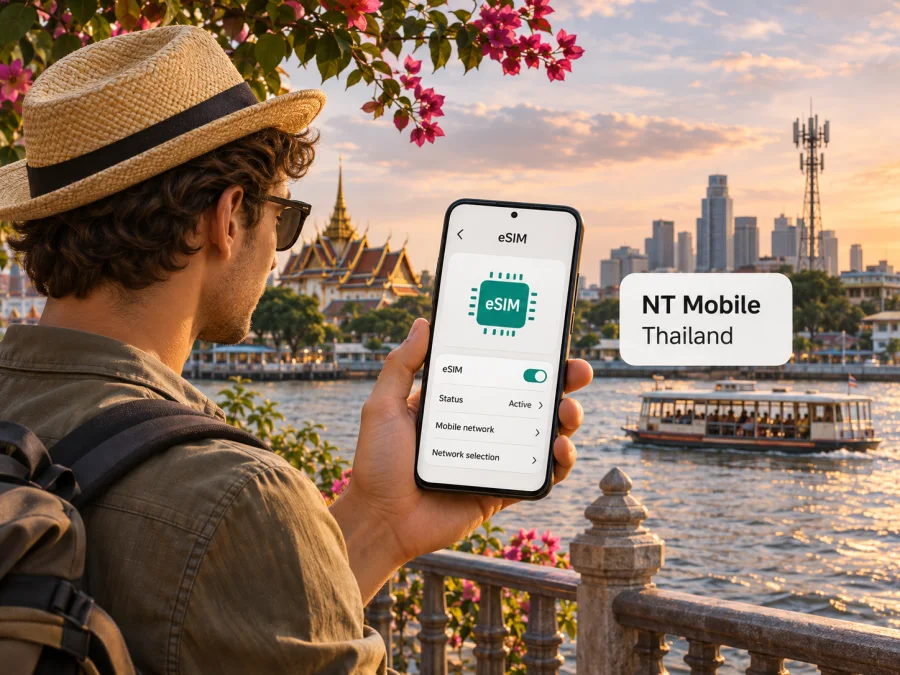
NT Mobile eSIM in Thailand: current status and travel options
If you are searching for an NT Mobile eSIM in Thailand, the first thing to know is that NT Mobile is now a legacy service name. National Telecom (NT) announced that NT Mobile customers would be moved automatically to my by NT after NT Mobile’s spectrum licence ended on 3 August 2025. The current operator pages describe mobile and eSIM services under my by NT, so a traveller should check the current service name and eligibility before visiting a service centre or relying on an older NT Mobile SIM.
An eSIM can be useful in Thailand when you want to keep your regular SIM in place while adding a digital mobile profile. But NT’s documented my by NT eSIM process is a local mobile service process, not a simple tourist download. The operator says new activations and SIM-to-eSIM changes are handled at NT customer service centres, and its published roaming FAQ says international roaming is not currently available for my eSIM. That distinction matters if you need data while travelling outside Thailand.
This guide explains NT Mobile’s transition, current my by NT eSIM information, and what visitors should check before choosing a local or travel eSIM.
NT Mobile and my by NT: what changed
NT Mobile was a National Telecom mobile service brand. In an announcement dated 24 April 2025, NT said NT Mobile customers would transfer automatically to my by NT without changing their SIM cards, and would continue using service through NT’s 700 MHz spectrum and partner networks. The same announcement linked this transition to the end of the NT Mobile spectrum licence on 3 August 2025. These details come from NT’s corporate news page, checked on 3 November 2026.
The practical implication is that “NT Mobile” may still appear on an older SIM, account record or search result, but it should not be treated as proof that a separate NT Mobile product can be newly activated today. NT’s current consumer mobile information presents my by NT as its retail mobile service. The operator’s current pages are the place to confirm the status of a particular number, SIM, or account.
NT’s site describes my by NT as a mobile service of National Telecom Public Company Limited. It says the service uses NT’s 700 MHz spectrum together with partner networks and supports 4G, 5G and 3G, as well as voice. This is a description of the operator’s service arrangement, not an independent measurement of network performance. A listed technology or a nationwide service statement does not guarantee a particular signal indoors, on a ferry, on a remote island, or along every road.
For a visitor, the main practical points are that the legacy name may remain on older SIMs, current eSIM information is published under my by NT, and NT directs customers to its service centres for activation. Eligibility, identity checks and processes can depend on the account and current rules.
Is an NT Mobile eSIM available in Thailand now?
The clearest current evidence is under my by NT, rather than the discontinued NT Mobile brand. NT’s my by NT eSIM help page says the service can be used by existing customers with prepaid or monthly accounts, people opening a new number, and customers transferring a number from another provider. The same page limits eligibility to numbers operating on NT’s 700 MHz network. It therefore supports the conclusion that my by NT eSIM service is documented, but it does not establish that an NT Mobile-branded tourist eSIM is available for immediate online purchase.
The operator describes eSIM as a digital SIM that can support calls, incoming calls and internet use in the same way as a conventional SIM. NT’s instructions say customers can request a conversion or new number at NT customer service centres. The page does not describe a visitor-only online activation flow. If you are visiting Thailand, do not assume you can download an NT profile remotely, activate it with a foreign passport online, or complete the process without an in-person visit. Ask NT directly about current registration requirements for non-residents.
The operator’s device check is straightforward: dial *#06# and look for an EID. NT says a phone without an EID cannot use its eSIM service. Its FAQ also says the my by NT eSIM is for smartphones and tablets, and is not supported on smartwatches or other IoT devices. Device support can vary by exact model and market variant, so the EID check is useful but does not replace confirmation that a particular handset is accepted by the operator.
An important restriction is roaming. The current NT eSIM FAQ says international roaming cannot be enabled for my eSIM at the time described on the page. In practical terms, this service is intended for use within its supported local service area, rather than as an eSIM profile that you can expect to keep using abroad. Since operator policies can change, check again directly with NT if your trip includes another country or if you need your Thai number to roam.
There is also a difference between “prepaid” and “tourist-ready.” NT’s help page says prepaid customers can use its eSIM process, but that alone does not confirm a dedicated tourist package, remote identity verification, English-language registration, or a walk-in process for every visitor. If you are not already an NT customer, ask whether a new prepaid number can be opened as an eSIM at a service centre and what passport or other identification is required. The public information reviewed for this guide does not set out a complete foreign-visitor checklist.
How to approach activation as a traveller
For a traveller who wants NT’s local service, verify activation before making a special trip to a service centre. NT’s published method uses customer-service assistance, but its site does not promise that every location can handle every account type or foreign document.
Before you go, prepare the following questions:
- Can a visitor open a new line, and is a passport sufficient for registration?
- Can the line be activated directly as eSIM, and does it meet NT’s 700 MHz eligibility condition?
- Is the exact phone variant supported and does it have an EID?
- What happens to the existing number and any SIM-stored data during conversion?
- Is international roaming still unavailable for this eSIM?
NT says SIM-stored information is not automatically carried over, so back up contacts first. It also warns that a deleted eSIM profile may not be recoverable. Follow NT’s setup instructions, then check which line is selected for mobile data, calls and messages.
Device and account checks before you travel
Use this checklist before committing to a local operator eSIM:
- Check for an EID. Dial
*#06#and confirm that an EID appears. If it does not, NT says the device cannot use its eSIM service. - Check the exact device variant. Phones sold under the same model name can differ by country or carrier. Confirm the regional version with the manufacturer and NT.
- Check the carrier lock. A handset locked to another carrier may reject a profile from a different provider. Ask the original seller or carrier to confirm the device is unlocked.
- Check line eligibility. NT’s published eligibility is tied to my by NT numbers using its 700 MHz service. Ask NT how that applies to your number or a new account.
- Check identity requirements. Confirm the current registration rules for a foreign visitor; the public eSIM FAQ does not fully specify them.
- Keep a fallback. Retain access to Wi-Fi, your primary SIM or another supported connection until the new line is confirmed to work.
Coverage and network expectations
NT’s public mobile page describes my by NT service over the 700 MHz band, in cooperation with partner networks, and lists 4G, 5G and 3G capability. It also describes service coverage across Thailand’s provinces. These are the operator’s own service descriptions, checked on 3 November 2026; they should not be read as a guarantee of uninterrupted coverage or as a comparative quality ranking.
Actual experience depends on location, compatible phone bands, network load, buildings, terrain and correct provisioning. Coverage can differ between a city centre, an underground station, a resort, a rural road and an island. Check NT’s current service-area information for your route and keep maps or essential details available offline. Historic references to NT Mobile’s former spectrum do not establish present-day support; confirm the bands and network configuration for your phone and current my by NT service.
The National Broadcasting and Telecommunications Commission (NBTC), Thailand’s regulator, has separately explained that mobile eSIM services from Thai operators are subject to the same general oversight and registration framework as physical SIMs. This reinforces why an eSIM should not be assumed to bypass local identity requirements. That public regulator discussion was available in an NBTC meeting document and was checked on 3 November 2026. For a personal application, follow the instructions given by the operator and the rules applicable at the time.
Local my by NT eSIM or travel eSIM?
A local operator eSIM and a travel eSIM solve related but different problems. A my by NT line is a Thai mobile service associated with NT’s local subscriber process. NT says its eSIM can work as a normal mobile line for voice and internet, subject to eligibility and local network use. This can suit people who live in Thailand, already have an eligible number, or can complete NT’s registration process in person.
A travel eSIM is designed around a destination or multi-country trip. Depending on the specific product, it may provide mobile data through partner networks and may be set up before departure. Read the terms for the selected eSIM carefully: network availability, activation timing, data allowance, duration, tethering and voice or SMS support vary by product. A data-only travel eSIM normally does not replace a Thai phone number for ordinary calls and SMS. You may keep your regular line available for calls or messages while assigning mobile data to the travel profile, but check your home carrier’s roaming settings and charges.
If you want to prepare mobile data for a trip to Thailand without relying on a visit to a local service centre, browse the current Thailand eSIM options in Kaspersky eSIM Store. This destination page is for checking available travel eSIM choices; it is not an NT Mobile tariff page and does not mean that Kaspersky owns or operates Thailand’s mobile networks. Kaspersky eSIM Store is an app and website that helps you choose, arrange and activate an eSIM with a travel data plan. eSIM products and related services are provided by a technology partner, while local network service is supplied according to the selected product’s terms.
Choose the approach based on what you need:
| Your situation | What to consider |
|---|---|
| You already have a my by NT number | Ask NT whether the number is eligible for eSIM and whether conversion affects your service. |
| You have an old NT Mobile SIM | Confirm that migration to my by NT completed and that the number remains active. |
| You are visiting briefly and need data | A travel eSIM may avoid a local service-centre visit, but check its coverage, data-only status and activation rules. |
| You need a Thai number for calls or SMS | Verify local registration and number availability with NT; a travel data eSIM may not provide a local number. |
| You will travel outside Thailand | Arrange a separate roaming or travel-data solution; NT’s current eSIM FAQ says international roaming is unavailable. |
| You need service in remote areas | Check current location-specific coverage and maintain offline navigation and a backup connection. |
No option should be chosen from the brand name alone. Compare the service model, local registration steps, device support, roaming, and the specific written terms that apply to your journey. Avoid assuming that a travel eSIM uses NT’s network unless the product information explicitly identifies its supported local networks.
What to check when choosing travel data
If you select a travel eSIM, confirm device compatibility and unlock status, the destination coverage, when activation begins, and whether the product includes only data. Check the current written terms for data, duration, fair use, supported network and hotspot rules before checkout. These details vary and can change. If you need a Thai number or verification codes, confirm that the selected service supports them; a data-only eSIM does not replace ordinary calls and SMS.
Installation and first connection
Installation differs across phone makers and software versions, so use the on-screen instructions supplied for the eSIM you selected. The general sequence is:
- Check compatibility. Confirm eSIM support, an EID and the absence of a carrier lock. You can also check device compatibility.
- Choose the service. For my by NT, ask NT about line eligibility and service-centre registration. For travel data, review the destination and product conditions.
- Install the profile. Follow the provider’s setup flow using a reliable internet connection; use only its official QR code or in-app instructions.
- Set line preferences. Label the eSIM, select it for data if appropriate, and check that data switching will not use your home line unexpectedly.
- Connect and verify. After arrival, enable the profile and check service. Keep activation and support details available offline.
For a my by NT eSIM, the published route is to request service at an NT customer centre, not to follow the generic travel eSIM purchase flow. Ask NT to guide the installation and confirm the line is provisioned before deleting or replacing a physical SIM. For travel data, use the provider’s own activation directions and support channel.
Common questions
Can I buy a new NT Mobile eSIM online as a tourist?
The current public material reviewed here does not confirm an online tourist eSIM under the NT Mobile name. NT Mobile service was migrated to my by NT, and the my by NT eSIM page says new activations or conversions are requested at NT customer service centres. It does not provide a complete visitor-specific online registration process. Confirm eligibility, identity documents and availability with NT before relying on a local activation.
Does my by NT currently support eSIM?
Yes. NT’s current my by NT help page documents eSIM for eligible existing, new and ported numbers, with eligibility tied to the 700 MHz service. It describes activation through an NT customer service centre and identifies smartphones and tablets as supported device categories. Check your exact number and phone with the operator because those published conditions may not cover every account or handset variant.
Can I use a my by NT eSIM outside Thailand?
NT’s current eSIM FAQ says international roaming is not available for my eSIM. Treat it as a local Thai service unless NT confirms an updated roaming arrangement for your line. If your itinerary includes another country, plan for a separate supported connection.
Does an NT eSIM include a Thai phone number?
NT describes its eSIM as a conversion or activation of a mobile number that can support calls, incoming calls and internet like a conventional SIM. The exact number and account arrangement depend on whether you convert an existing line, open a new one, or transfer a number. Confirm what is issued before completing registration.
Is every eSIM-capable phone compatible with NT?
No universal guarantee is published. NT recommends checking for an EID by dialing *#06# and says its service supports smartphones and tablets. The exact regional variant, carrier lock, radio support and account provisioning can still affect use. Confirm the precise model with NT before making a purchase or travelling to a service centre.
Can I keep my regular SIM active?
Many dual-SIM phones support a physical SIM and eSIM together, but configuration varies. Select the intended data line and review your home operator’s roaming settings and charges.
Is Kaspersky eSIM Store affiliated with NT?
No. Kaspersky eSIM Store is not affiliated with, endorsed by, or operated by NT or NT Mobile. It is an app and website that helps travellers choose, arrange and activate an eSIM travel data plan. It is not a mobile operator, network owner or mobile internet provider.
Before you decide
For the current NT Mobile status, remember that NT announced customer migration to my by NT when the older licence ended in August 2025. NT’s current service information documents an eSIM option under my by NT, with local eligibility and customer-centre steps; it also says international roaming is unavailable. These are useful starting points, but the operator must confirm your account, device, documents and any process changes.
If you already use NT service in Thailand, check directly whether your number is now on my by NT and whether it qualifies for eSIM. If you are a visitor looking for mobile data without a local in-person process, compare travel eSIM options for Thailand and read the terms for the selected product. Explore current Thailand travel eSIM options and check device compatibility before you travel.
The official sources consulted for this guide were NT’s 24 April 2025 migration announcement, NT’s current mobile-service and my by NT eSIM help pages, and an NBTC public meeting document. They were checked on 3 November 2026. Availability, registration rules, network arrangements and product conditions can change. Kaspersky eSIM Store is not affiliated with NT Mobile or my by NT.


