Travel connectivity guide
Tcell eSIM in Tajikistan: what to check
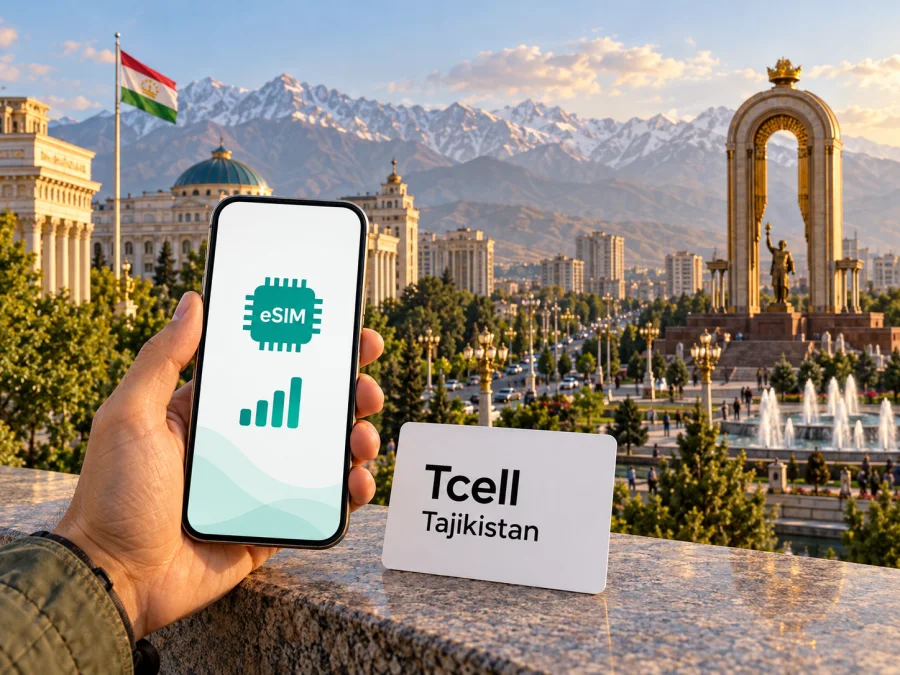
Tcell eSIM in Tajikistan: activation, coverage and travel checks
This independent guide is not affiliated with Tcell or its parent company. Tcell and related names are used only to identify the service discussed.
If you are travelling to Tajikistan and considering a Tcell eSIM, the main point to know is that Tcell does offer eSIM for its mobile service. The operator’s public FAQ lists a question about obtaining or replacing an eSIM, and a Tcell public-channel announcement describes visiting a customer service centre for assistance with activation. That is a local operator eSIM: it is intended to connect a Tcell line to Tcell’s network. It is different from a travel eSIM arranged for mobile data during a trip.
Tajikistan is a sovereign country in Central Asia. The World Food Programme’s November 2025 Tajikistan Country Brief describes it as landlocked and mountainous. This matters for a visitor’s connectivity planning: a city-centred itinerary and a route into high mountain or remote areas are not the same coverage scenario. An eSIM changes how a subscriber profile is stored on a compatible device; it does not create coverage where the radio network is unavailable.
The current public information checked for this guide is dated 1 November 2026. Tcell’s English website describes the company’s mobile service, links to its coverage map and refers to 4G/LTE and 5G availability. Its Russian-language FAQ includes “How to get or replace eSIM?” and its official public channel says customers can visit a Tcell service centre to get help activating eSIM. The operator’s site does not make every account, eligibility or remote activation condition clear on the pages reviewed, so confirm the process directly with Tcell before travelling if you need a local number or want to convert an existing line.
What Tcell eSIM means for a visitor
Tcell is a mobile network operator serving customers in Tajikistan. It offers mobile connectivity through its own local service, with a published coverage map and customer support channels. For a traveller, an eSIM may make sense if you want a local Tcell number and the operator confirms that your device and customer situation are eligible. You should treat that confirmation as a separate question from whether your phone supports eSIM in general: the handset must support the feature, and the local carrier must be able to provision its service on that model.
The operator’s public eSIM announcement describes the digital SIM as supporting the same mobile services as its physical SIM and directs customers to service centres for setup help. This is useful if you need a regular local mobile line, such as for calls or texts as well as data. The announcement is not a complete current traveller guide, however. It does not establish that every visitor can obtain eSIM online, that any particular identity document is accepted, or that activation can be completed from abroad. Ask Tcell about the current requirements, available languages, whether a new line can be issued to a non-resident, and whether your eSIM can be installed before arrival.
A local line and a travel data eSIM serve different purposes. A locally issued Tcell profile is associated with Tcell’s mobile service and may be the more relevant route when you need a Tajikistan number. A travel eSIM is commonly designed for mobile data in a destination and may not include a local phone number, ordinary voice service or SMS. Read the product terms carefully: the word “eSIM” alone does not tell you which of these functions are included.
How to obtain or replace a Tcell eSIM
Tcell’s official FAQ currently lists “How to get or replace eSIM?” as a support topic. The operator’s public-channel eSIM post says to contact a Tcell customer service centre and says its staff can help with activation. Those two official references support an in-person route, but they do not answer every practical question a traveller may have. Contact Tcell in advance to confirm a nearby service point, whether an appointment is needed, what identification is required, whether a new subscription is available to visitors, and whether replacing a profile disables the old one immediately.
If you are arriving from abroad and need data as soon as you land, consider a backup connection for the first hours. You may be able to use your home operator’s roaming, a second already-installed travel eSIM, or Wi-Fi at a trusted location while you visit an operator service point. Check the roaming terms with your home provider before relying on that option. A travel data eSIM can be convenient for an itinerary that does not require a local number, while a Tcell line may be preferable when local voice, SMS or local-number services matter. The right choice depends on your trip and the current conditions each provider confirms.
Coverage and mobile technologies in Tajikistan
A coverage map is a planning aid, not a promise of uninterrupted service. Tcell’s official coverage-map page names locations including Dushanbe, Khujand, Tursunzoda, Vahdat, Nurek, Kulob, Isfara, Hisor and Ishkashim. The page lets users look up an address or place. Check the map for the exact accommodation, work site and route you expect to use, and ask Tcell whether the map refers to voice, data or a specific technology where that distinction matters.
Tcell’s English homepage references both 4G/LTE and 5G. The public page does not imply that both technologies are available everywhere, nor that a phone will remain on the same network mode along a journey. The practical experience depends on the location, local infrastructure, the device’s supported frequency bands, network load, indoor conditions and terrain. In a mountainous country, a route through valleys or sparsely populated areas can have gaps even when a town appears on a coverage map. Download maps, tickets and essential travel information before leaving a reliable connection, and do not plan a remote excursion on the assumption that messaging or navigation will work continuously.
The device itself is another part of coverage planning. A handset may support eSIM but lack radio bands used by a particular local network, or a regional hardware version may have a different SIM configuration from a model with the same retail name elsewhere. Apple Support’s “Find out which size SIM card your iPhone or iPad uses” page, checked on 1 November 2026, explains that eSIM and physical-SIM configurations vary by market and model. That is a general device-variant caution, not a claim that a particular Tcell customer’s phone is supported. Check the exact model identifier, country of sale, carrier lock status and manufacturer specifications; then ask Tcell to confirm compatibility with its own eSIM process. Do not infer eSIM support from the phone’s appearance or the family name printed on its box.
If you will use a travel eSIM instead of Tcell, verify which local network it uses in Tajikistan, whether it permits manual network selection, and whether its data service is available in the specific places on your itinerary. A country listing on a storefront means that a product is offered for that destination; it is not a guarantee of Tcell access, a particular local network, or signal in all parts of the country. Check the product’s current network and coverage notes before purchase.
Tcell eSIM or a travel eSIM?
The decision is less about which option is universally better and more about what you need the line to do. Use the following checks before deciding:
| Your priority | What to check |
|---|---|
| A Tajikistan mobile number | Ask Tcell whether a new line can be issued to you and what registration steps apply. |
| Keeping an existing Tcell number | Ask about conversion or replacement, account ownership checks and recovery if the phone is lost. |
| Data with no local number requirement | Review a travel eSIM’s destination, data-only status, supported local network and activation terms. |
| A route beyond major towns | Check the exact route against current coverage information and prepare offline resources. |
| A phone bought in another market | Confirm the exact regional model, eSIM availability, carrier lock status and network bands. |
If you decide a travel data eSIM suits your itinerary, you can check the current eSIM options for Tajikistan. The destination page is for browsing available travel eSIM products; it is not a Tcell tariff page and should not be read as a specific Tcell offer. Kaspersky eSIM Store is an app and website that helps users choose, arrange and activate an eSIM with a suitable plan for mobile data on an international trip. It is not a mobile operator, does not own a network and does not itself provide mobile internet coverage. The terms for the selected product determine its functions and service details.
Check your phone before travelling
Before ordering a Tcell eSIM or a travel eSIM, verify the following on the exact handset you will carry:
- eSIM support: Check the manufacturer’s page for the precise model number and its country or region variant. Similar model names can have different SIM capabilities.
- Carrier lock: Make sure the phone is not restricted to another mobile provider. If uncertain, ask the provider that sold the device.
- Available eSIM slots: Check how many profiles can be stored and how many can be active at the same time. This differs across models.
- Network compatibility: Compare the device’s supported bands with the network information supplied by the relevant operator or travel eSIM provider.
- Operating system and settings: Install current updates before departure and confirm you know how to select the line for mobile data.
- Installation access: Keep the QR code or installation details accessible on another screen or printed copy if required; the phone generally cannot scan a code displayed only on itself.
- Connectivity during setup: Use a stable Wi-Fi connection when installing the profile, unless the operator gives different instructions.
You can also check eSIM device compatibility before choosing a travel option. This check is separate from asking Tcell whether it can issue or activate its own profile for your line. A compatible phone alone does not establish eligibility with an operator, while an operator’s support for eSIM does not mean that every regional version of every phone is compatible.
Installation and setup checklist
The exact Tcell setup steps depend on the method the operator provides. Follow the instructions that come with your profile and ask a Tcell representative to clarify any step that differs from a generic QR-code installation. In general, complete the following before you need the connection:
- Confirm eligibility and device support with Tcell before ordering or replacing a profile.
- Connect to Wi-Fi and save the activation details somewhere accessible during setup. Treat the QR code as private account information.
- Add the eSIM in your phone’s cellular or SIM settings, following the instructions Tcell gives you; menu names vary by device.
- Label the profile “Tcell” and select which line should handle calls, texts and data.
- Check roaming settings for the selected line. Some travel eSIMs require data roaming; follow Tcell’s directions for a Tcell profile.
- Test the profile before departure if possible. If it must be activated in Tajikistan, follow Tcell’s timing instructions.
For more detailed device steps, use the iOS eSIM installation guide or the Android eSIM installation guide. The Android guide is written for Samsung settings and menus can vary by manufacturer. These are Kaspersky eSIM Store travel-eSIM instructions; Tcell may use a different activation flow for its local service, so follow the instructions supplied by Tcell for a Tcell profile.
When you arrive, select the intended SIM for mobile data and confirm that the home line is not using data roaming unless you have explicitly chosen that. Give the phone a few minutes to register after installation or a change of location. If it does not connect, check that the profile is enabled, mobile data is assigned to the intended line, airplane mode is off and automatic network selection is enabled unless the provider has instructed otherwise. Restart the device only after noting the settings you changed. If the problem continues, contact the provider that issued the eSIM; Tcell support can assist with a Tcell profile, while the travel eSIM provider handles its own product.
What a travel eSIM can and cannot replace
A travel eSIM is useful when your priority is data and you want to prepare the connection before you travel. Depending on the selected product, it may let you use navigation, messaging, email and web services without changing the physical SIM in your phone. It does not automatically provide a Tajikistan telephone number or access to Tcell’s customer account. If you need calls to local numbers, SMS verification, or services that require a locally registered line, confirm those needs with Tcell or another local provider.
Common questions about Tcell eSIM in Tajikistan
Does Tcell offer eSIM?
Yes. Tcell’s public FAQ lists a question about getting or replacing eSIM, and the operator’s public channel describes its eSIM service. The public material reviewed on 1 November 2026 says customers can seek activation help at a Tcell service centre. Confirm current availability and eligibility directly with Tcell before relying on a particular activation route.
Can I activate a Tcell eSIM before arriving in Tajikistan?
The reviewed public information does not clearly confirm remote pre-arrival activation for every customer. Ask Tcell whether you can receive and install the profile abroad, whether it must be activated at a service point, and whether the line can be issued to a visitor. Plan a backup connection if you need internet immediately after landing.
Does an eSIM mean I do not need to register with the operator?
No such conclusion should be assumed. The eSIM is a digital form of SIM profile; it does not by itself remove account, identity or registration requirements. Tcell’s public pages reviewed here do not set out every requirement for every visitor. Ask the operator what documents and steps apply to your circumstances.
Will Tcell eSIM work everywhere in the country?
No mobile network should be treated as available in every location. Tcell publishes a coverage map with named places and a location lookup, but actual reception can vary with terrain, buildings, device support and network conditions. Check the specific route and make offline plans for remote areas.
Can I use a Tcell eSIM and keep my home SIM active?
Many dual-SIM phones can use more than one line, but the number of active profiles and available combinations depend on the exact device. Confirm your model’s limits. Choose the line for mobile data carefully, and review the home operator’s roaming settings and charges before travel.
Is a travel eSIM the same as Tcell eSIM?
No. A Tcell eSIM is a digital subscriber profile for Tcell’s local mobile service. A travel eSIM is a separate product for travel connectivity and may be data-only. It may connect through a local network, but the network and included features must be confirmed in that product’s current terms.
What if my device is eSIM-compatible but activation fails?
Compatibility is only one condition. The device may be locked, the regional variant may differ, the profile may already have been used, or the account may need verification. Ask the provider that issued the profile to check the activation status. Do not delete the profile or scan the same QR code repeatedly unless support tells you to do so.
A practical plan for your trip
Before travelling, decide whether you need a local Tajikistan number or only data. For a Tcell line, contact the operator to confirm visitor eligibility, service-centre steps, accepted documents and whether setup can happen before arrival. For data-only use, check a travel eSIM’s current local network, destination coverage and activation terms. In either case, confirm the exact phone variant is unlocked and supports eSIM.
If your route includes remote or mountainous areas, save maps and essential trip details for offline use. Review coverage for the actual route, then select the intended SIM for mobile data after arrival. Keep a backup connection in mind for the first hours if your chosen eSIM cannot be activated until you reach a service point.
This guide reflects Tcell’s public English homepage and coverage map, its eSIM-related FAQ entry and public eSIM channel post, and Kaspersky eSIM Store’s destination page and setup guidance, checked on 1 November 2026. Public offers, registration requirements, activation methods, device compatibility and coverage details can change. Confirm the conditions that apply to your own trip with the relevant provider before you travel.


