Travel connectivity guide
True Corporation eSIM in Thailand: what to check
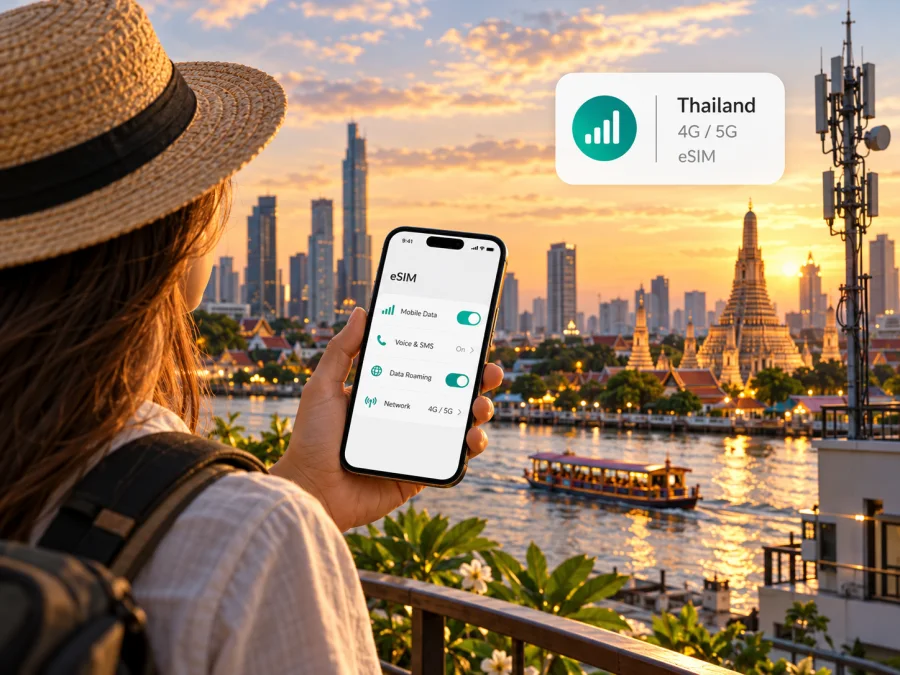
True Corporation eSIM in Thailand: a practical guide for travellers
If you are travelling to Thailand and considering a True Corporation eSIM, first decide whether you need a Thai number, local prepaid service, or mobile data for a short stay. True’s official site currently lists tourist eSIM options for visitors to Thailand, and its help pages also describe eSIM registration and activation for existing prepaid and postpaid numbers. These are related but distinct routes: a tourist product is intended for a visit, while changing an existing SIM to eSIM is an account-management process.
This guide explains what the public information confirms, what you should check before purchase, and how to prepare your phone. It does not list individual plans or prices because these can change. Confirm the latest eligibility, registration steps, coverage and service terms with True before you travel.
What True Corporation is in Thailand
True Corporation Public Company Limited is a Thai telecommunications company whose consumer services include mobile connectivity under the True brand. Its investor-facing company information describes mobile and fixed broadband operations and reports 5G availability across Thailand’s 77 provinces. That is a company-level description of network footprint, not a promise that a particular street, building, island, train route or handset will receive a given signal.
The corporate site also presents prepaid and postpaid service. For a traveller, the relevant distinction is practical: prepaid service is paid for in advance and may suit a temporary visit or a traveller who wants to manage a separate local line; postpaid is tied to an account and its own eligibility and billing conditions. Which option is available to a visitor, and the documents needed to register it, depend on the specific product and current rules.
True’s public English tourist-SIM page identifies tourist SIM and eSIM channels for people visiting Thailand. It says tourist service is for individual visitors, that the SIM must be registered with a valid passport in line with Thai requirements, and that it is available through True and dtac service centres, airport locations and the online store. The same page explains that service is for use in Thailand. Read the current conditions on the purchase page before ordering, since product availability and terms can change.
Does True support eSIM?
Yes. True’s official eSIM and support pages document eSIM as a supported SIM format. The support instructions describe managing a number in the True app and registering a prepaid or postpaid SIM, including identity verification. The official tourist page also presents eSIM as an option for visitors. This confirms eSIM availability in True’s service, but it does not mean every True plan, device, customer type or purchase route can use an eSIM.
There are two common situations to keep separate:
- You are opening a new line for a visit. Check the current Thailand tourist eSIM listing, visitor eligibility, passport requirements, payment and delivery steps. Confirm that the eSIM variant is actually selected; an online listing may also offer a physical SIM.
- You already have a True number. True’s help centre describes registering a SIM through the True app and selecting the number to convert or manage as eSIM, followed by identity verification. Existing-customer account access and verification can be required, so this is not necessarily the same flow as buying a tourist eSIM.
True also publishes an eSIM product for international roaming. That page describes travel from Thailand to other countries, so it should not be confused with the local tourist eSIM used by someone visiting Thailand. If a page refers to roaming, check the direction of travel and the supported destination before relying on it.
Public-source check: True’s “Tourist SIM and eSIM for Traveller in Thailand” page, “How to Register True SIM via True App” help article and company information page were reviewed on 17 October 2026. The public pages confirm tourist eSIM availability and passport-based registration in general. They do not establish that every visitor can complete every purchase step remotely, that every device variant is eligible, or that a tourist eSIM includes the same calling and messaging features as a regular line.
What to check before you buy
An eSIM is a digital SIM profile downloaded to a compatible device. The phone still needs an available eSIM capability and permission to activate another profile. A phone can support eSIM in one country or model variant and lack it in another, even when product names look identical. A carrier lock, an unsupported operating-system version, a full profile list or a region-specific hardware variation may also prevent installation.
Use this checklist before you pay:
- Check the exact model code and regional variant, and confirm that the handset is unlocked and eSIM-capable.
- Ask True whether the tourist eSIM is available for your nationality and dates, and how passport verification works.
- Confirm the delivery method, the point when service begins, and whether the product includes data only or also a local number, calls and SMS.
- Review device, hotspot and out-of-country restrictions. Keep your primary SIM available if you rely on it for calls or account recovery.
True’s tourist terms state that a valid passport is required for SIM registration. Treat registration as part of activation, not as an optional extra. If the online checkout asks for information you cannot provide, contact True or visit an official service counter rather than entering inaccurate details.
Tourist eSIM or an existing local line?
A tourist eSIM is designed around a visitor’s stay. It can be useful when you want a separate profile ready for local service and do not want to remove your home SIM. True’s tourist information says that its visitor service is available in eSIM and physical-SIM forms, with online and in-person purchase channels. The precise services, validity, registration requirements and post-use options depend on the current offer and are intentionally not reproduced here.
An existing True customer may instead convert or manage a current number through the True app, subject to account access and identity checks. A visitor without an existing account should not assume that this flow applies to a first-time tourist purchase.
A travel eSIM from a travel service may be data-focused and may not include a local number for ordinary calls or SMS. It can suit maps and messaging apps, while a local tourist line may matter when you need local calling. Compare the inclusions shown for the actual product rather than relying on the label “travel eSIM.”
Kaspersky eSIM Store is an app and website that helps travellers choose, purchase and activate an eSIM plan for mobile data abroad. It is not a Thai mobile operator, does not own a network and does not itself provide mobile connectivity. If you want to review a travel-data option for this destination, browse the Thailand eSIM Store page and check the terms shown for the specific plan. This page is a place to review current options; it is not a True Corporation tariff page and does not guarantee that a plan uses True’s network.
Coverage and network technology
True’s company information states that its 5G service is available in all 77 provinces. Its network pages discuss 5G, including standalone 5G in designated areas. The tourist terms refer to access through supported mobile technologies and say actual performance depends on coverage, user demand, device compatibility and environmental or technical factors. These details are useful context, but they do not translate into guaranteed reception everywhere in Thailand.
Coverage is local. Signal can vary between an outdoor street and a hotel interior, between a city centre and a rural road, or from one floor to another. Terrain, building materials, congestion and the phone’s supported bands all matter; a nationwide statement cannot confirm service at a particular address or future time.
Check True’s current coverage information for your destinations and whether your model supports the relevant bands. For navigation or essential contact, keep offline maps and booking details available as a backup.
How to prepare and activate a True eSIM
The exact sequence depends on whether you are buying a visitor product or converting an existing number. Follow the instructions that come with your order and do not delete a working profile while troubleshooting unless True tells you to do so. In general, the process looks like this:
- Check the phone. Confirm eSIM support for the exact regional model, unlock status, operating-system version and available eSIM profile space.
- Choose the correct product. Make sure the checkout describes a Thailand visitor eSIM if you are travelling to Thailand. A roaming eSIM for use abroad from Thailand is a different product direction.
- Complete registration. Provide the identification requested by True. For tourist SIM registration, True states that a valid passport is required. Complete any verification step before expecting service to work.
- Keep the installation details accessible. If True sends a QR code or setup link, save it somewhere available on another screen or device. Many phones cannot scan a QR code that is displayed on the same handset being configured.
- Add the eSIM on a reliable connection. Use the phone’s mobile-network settings to add a SIM or eSIM, then follow the on-screen instructions or the operator’s app flow. Do not scan an order QR code repeatedly if it has already been used.
- Label the line. Give the profile a clear name such as “Thailand” so that it is easy to distinguish from your home SIM.
- Choose the data line. Set the intended eSIM as the mobile-data line when you are ready to use it. Keep voice and SMS defaults on the line you prefer, if the device lets you choose them separately.
- Arrive and check network access. If the service requires local use or a first connection in Thailand, wait until you arrive. Enable data roaming only if the operator’s instructions for that profile require it, and confirm the chosen data line before browsing.
- Test essential services. Open a simple web page, send a message through an internet app and check that your regular number remains reachable if needed. If service does not start, use True’s support channel and provide the order or account reference.
For an existing True number, True’s published help flow uses the True app and identity verification. App labels can change, so follow the current screen prompts rather than an older walkthrough. For a new tourist line, use the registration and setup information provided with that specific order. If an eSIM is installed before departure, do not assume it should be switched on immediately; confirm when activation and usage begin.
If you use a travel eSIM through Kaspersky eSIM Store instead, check your device compatibility and follow the installation instructions shown in the app or site. Make sure you understand which SIM is selected for data and whether roaming must be enabled for that profile. Keep both the purchase confirmation and support details available offline.
Which option may fit your trip?
| Your situation | What to investigate | Practical point |
|---|---|---|
| Short visit and need a local service | True’s current tourist eSIM and registration flow | Confirm passport verification, supported services and how the eSIM is delivered. |
| You need a Thai number for local contact | The exact tourist product’s number, voice and SMS inclusions | “eSIM” describes the SIM format, not the services included. |
| You already use True | True app instructions for registration, conversion or profile management | Existing account access and verification may be required. |
| You only need data for maps and messaging | A travel-data eSIM or a local data option | Check country coverage, data validity, hotspot use and activation rules. |
| You will visit multiple countries | A plan that explicitly covers each destination | A Thailand-only service may not work after you cross a border. |
| Your phone has a regional variant | Manufacturer and carrier confirmation for the exact model | Similar model names do not guarantee identical eSIM support. |
Before buying, match the service to your route, need for a local number and passport registration requirements. Verify that the particular product includes a number if you need one for local calls or bookings.
What to do if the eSIM does not connect
Start with the basics and change one setting at a time:
- Confirm the profile is installed, switched on and selected for mobile data.
- Check that registration and any identity verification are complete.
- Restart the phone or briefly toggle airplane mode, then allow it to register.
- Follow the product’s instructions for roaming and network selection. Do not change APN values unless support provides them.
- Check local coverage and confirm the device is unlocked and supports eSIM in its regional configuration.
- Contact the seller or operator that issued the eSIM; a travel-data plan and a True tourist line have different support routes.
Do not erase the eSIM profile as a first troubleshooting step. Some profiles cannot be installed a second time after removal. If you are considering a reset or reinstall, first confirm with support whether the QR code or activation token can be reused.
Common questions
Can a visitor buy a True eSIM for Thailand?
True’s public tourist page lists eSIM as a visitor option and describes online and in-person purchase channels. A valid passport is required for tourist SIM registration according to True’s terms. Check the current order flow for your nationality, device and dates because listing a product does not guarantee that every checkout route is available to every traveller.
Is a tourist eSIM the same as a True roaming eSIM?
No. True’s tourist page is for use by visitors in Thailand. Its international roaming eSIM page describes travel from Thailand to other countries. Confirm the direction of travel on the page before purchasing.
Will the eSIM work in every phone sold under the same model name?
Not necessarily. Regional versions may differ, and carrier locks or software conditions can affect activation. Verify the exact model code and market variant with the device maker or your carrier before paying.
Does eSIM automatically include voice calls and SMS?
No. The SIM format does not determine the service bundle. True’s tourist page describes different service types, including a data-only option; check the particular product’s current inclusions. A travel-data eSIM may be limited to internet access, in which case internet calling apps can work when data is available, but they do not replace a regular telephone number.
Is 5G guaranteed throughout Thailand?
No. True reports 5G coverage across the country’s provinces, but actual access depends on location, device compatibility, the product and current network conditions. Check current coverage for the places you will visit.
What if my device does not support eSIM?
Ask True about a compatible physical SIM option, which the tourist page also lists. Alternatively, look for another connectivity method suitable for your device and route. Keep the choice tied to your need for data, a local number and registration requirements.
Is Kaspersky eSIM Store affiliated with True Corporation?
No. Kaspersky eSIM Store is not affiliated with True Corporation. It is an app and website that helps travellers choose, purchase and activate eSIM plans for mobile data abroad; it does not operate True’s network or provide mobile service itself.
A practical decision
True Corporation offers eSIM through its Thai services, including a tourist eSIM option shown on its public visitor page. For a traveller arriving in Thailand, the most relevant checks are whether the tourist eSIM is currently available through the channel you intend to use, whether your phone’s exact regional model supports eSIM, how passport verification works, and which services the selected product includes. Existing True customers should use the separate account process described in True’s app support instructions.
Coverage and technology statements should be read as general network information, not a guarantee at a particular place or time. Review current terms before purchase, keep a backup way to reach essential information and contact True if the registration or activation flow is unclear. If you would like to review a separate travel-data option for Thailand, see the current destination page in Kaspersky eSIM Store; confirm its individual conditions and network details before deciding.
Sources checked on 17 October 2026: True Corporation investor “Company Information”; True Help Center, “How to Register True SIM via True App”; True’s “Tourist SIM and eSIM for Traveller in Thailand” page and its service conditions; True network information; and the Kaspersky eSIM Store Thailand destination page. Product terms, eligibility, coverage and available purchase channels can change after this check. Kaspersky eSIM Store is not affiliated with True Corporation.


