Travel connectivity guide
Tune Talk eSIM in Thailand: roaming and setup
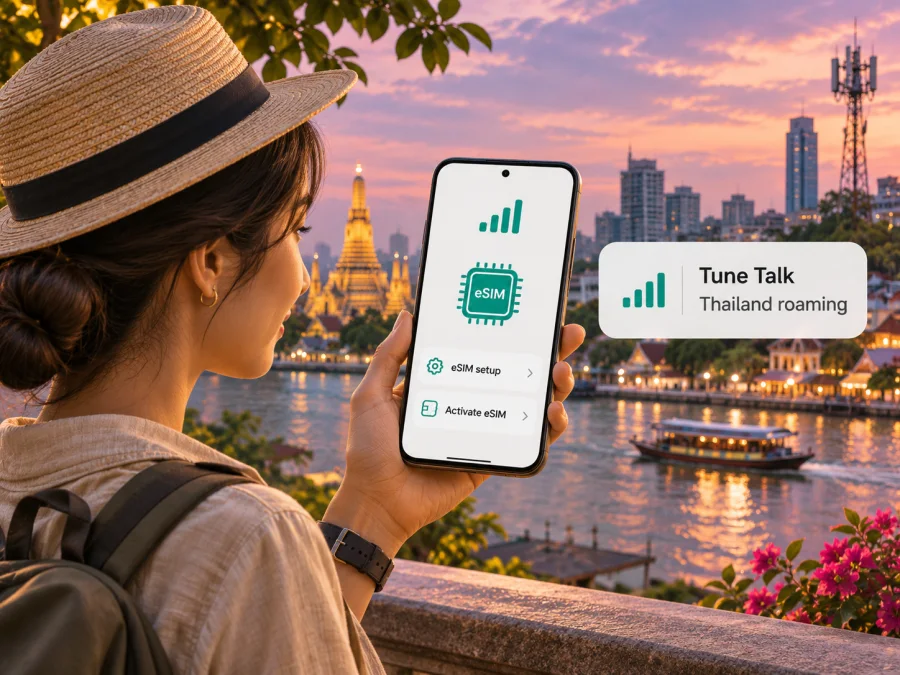
Tune Talk eSIM in Thailand: roaming, setup and travel checks
If you are planning a trip to Thailand and searching for a Tune Talk eSIM, first check what “in Thailand” means for your situation. Tune Talk is a Malaysian mobile service brand. Its eSIM is a digital version of a Tune Talk subscriber SIM, and its current roaming information lists Thailand as a destination for eligible Tune Talk customers travelling from Malaysia. This is different from buying a local Thai Tune Talk plan: the official pages checked do not present Tune Talk as a Thai mobile operator or confirm a Thailand visitor eSIM sold under that brand.
For an existing Tune Talk subscriber, the relevant question is whether the account and service are eligible to roam in Thailand and what the current conditions are. A visitor who does not already have Tune Talk service should not assume they can sign up for a Malaysian number as a Thailand tourist product. Confirm eligibility, charges and any registration requirements directly with Tune Talk before departure.
Tune Talk’s “Tune Talk eSIM” page, Help Centre “Frequently Asked Questions (FAQs),” “Tune Talk FREE Global E-Roaming” page and “About Tune Talk” company page were checked on 3 November 2026. The Thailand destination page on Kaspersky eSIM Store was checked on the same date. Tune Talk’s pages describe eSIM activation through its digital channels and roaming in Thailand through international partner networks. They do not identify a specific Thai partner network on the roaming page, guarantee a particular radio technology in Thailand, or establish a local Tune Talk network there. Conditions can change, so confirm the current status in the Tune Talk app or with Customer Care.
Is Tune Talk a Thailand mobile operator?
No public operator information checked for this guide establishes Tune Talk as a Thailand-based mobile operator. Tune Talk’s company page describes a Malaysian telecommunications business, while its eSIM instructions refer to Tune Talk users, plans and account registration. Thailand appears in a separate roaming context: eligible subscribers travel with their Tune Talk service and connect through international roaming partners.
This geographic distinction matters. A Tune Talk eSIM profile can be associated with a Malaysian Tune Talk service and may be used while the subscriber is physically in Thailand if roaming is available for that account. That does not make the profile a local Thai SIM, and it does not mean that Tune Talk sells a Thai number or a tourist eSIM intended for visitors who have no Tune Talk account.
The same difference applies to coverage language. Tune Talk’s Thailand roaming page lists Thailand among its roaming destinations. It says roaming depends on partner networks and that local performance, coverage and available network generation can differ from the user’s home service. A destination being listed is useful evidence of service eligibility, but it is not a promise of uniform reception in every province, building, island or transport route.
| What you are trying to do | What the current official information supports |
|---|---|
| Use an existing Tune Talk service during a Thailand trip | Thailand is listed for Tune Talk international roaming. Eligibility depends on the subscriber’s current service and conditions. |
| Install Tune Talk as an eSIM | Tune Talk describes eSIM requests and activation through its app or website for eligible new and existing Tune Talk users. |
| Buy a Tune Talk tourist eSIM for Thailand without a Malaysian account | The pages checked do not confirm this as a Thailand visitor offer. Ask Tune Talk before relying on it. |
| Get service from a Thai Tune Talk network | The pages checked do not establish a local Tune Talk network in Thailand. Roaming is the documented relationship. |
This is why “Tune Talk eSIM Thailand” can describe two different searches: a Malaysian customer taking their eSIM to Thailand, or a visitor looking for a local Thai eSIM sold by Tune Talk. The official information supports the first scenario for eligible subscribers; it does not confirm the second.
How Tune Talk eSIM and Thailand roaming fit together
An eSIM is a digital SIM profile installed on a compatible phone or tablet. Tune Talk’s eSIM instructions describe selecting an eSIM through its app or website, completing the required account and registration steps, receiving a QR code or other installation details, and activating the profile through the app. Exact screens may vary as Tune Talk updates its services and as device software differs.
Using an eSIM at home and roaming with that eSIM abroad are related but separate steps. Installing the profile does not itself prove that Thailand roaming is active. Before travelling, check that your Tune Talk account is in good standing, that the service you use is eligible for roaming in Thailand, and whether any separate action is required for your account. Tune Talk currently describes some roaming access as part of qualifying Malaysian services, but eligibility and terms are service-specific. This article does not list plan names or package parameters; review the current terms in the Tune Talk app or official Help Centre.
When the phone connects abroad, it uses an available roaming partner network rather than a Tune Talk-owned local radio network in Thailand. Tune Talk says the network generation and experience depend on its partner and local conditions; it does not promise a particular 4G or 5G connection for every roaming location. Your handset, supported frequency bands, indoor conditions, congestion, local infrastructure and the partner network can all affect service.
A roaming list should therefore be treated as a confirmation that the destination is included in the service description, not a detailed coverage map. If you will travel beyond major urban areas, take ferries, move between islands or need a reliable work connection, check current roaming information for the locations and usage you care about. Keep an offline copy of essential tickets, hotel details and maps in case mobile service is temporarily unavailable.
Who should consider this option?
Tune Talk eSIM roaming in Thailand is most relevant to someone who already uses Tune Talk in Malaysia and wants to keep that service while travelling. It may be convenient if the subscriber wants to retain the same line and the account qualifies for Thailand roaming. Before relying on it, verify the exact eligibility rules and any charges or usage limits that apply to the account. Do not infer those details from a general destination list.
It may not be the right assumption for a traveler who has never subscribed to Tune Talk, needs a Thai mobile number, or wants a product designed specifically for a short visit to Thailand. In that case, compare the practical requirements of a local Thai SIM or a travel eSIM: identity or registration steps, voice and SMS needs, the destination covered, the activation process, the device’s eSIM capability and the conditions shown before purchase.
A travel eSIM can be a useful alternative when you want to prepare mobile data for a trip without replacing a physical SIM. Kaspersky eSIM Store is an app and website that helps travelers choose, arrange and activate an eSIM with a suitable data plan for an overseas trip. It is not a mobile operator, network owner or provider of mobile internet. Check the destination and current conditions shown for Thailand before choosing an option.
This destination page is for browsing Kaspersky eSIM Store options for Thailand; it is not a Tune Talk tariff page and does not indicate that Tune Talk is the network provider. A travel eSIM and a Malaysian Tune Talk subscriber line solve different needs. The former is generally selected for data in a destination or region, while the latter is the customer’s home mobile service used abroad through roaming. Check the product terms to see whether data, voice, SMS, a local number and tethering are included before deciding.
Before travelling: a practical checklist
Before relying on Tune Talk in Thailand, confirm these points:
- Account eligibility: Ask Tune Talk whether your active service can roam in Thailand and whether your account requires an extra step.
- Current terms: Review applicable charges, usage conditions and destination details in the Tune Talk app or official Help Centre. A country list alone does not tell you every account’s conditions.
- Device and lock status: Check eSIM support for the exact model and regional variant, and make sure the phone is not locked to another provider. Device names can cover versions that differ by market.
- Account access: Make sure you can sign in and receive any verification email or message needed to manage your line.
- Installation and roaming: Download the profile using a reliable internet connection and follow Tune Talk’s setup sequence. Its roaming guidance tells users to enable data roaming on the relevant line.
- Backup access: Save key tickets, addresses and maps offline. If you need an uninterrupted work connection, arrange a backup rather than assuming roaming works identically everywhere.
For more general setup help, see the device compatibility check.
How to install or prepare an eSIM
Tune Talk says users can request an eSIM through its app or website. The process can differ for a new user, a subscriber replacing a physical SIM, or someone changing devices. Complete any registration or number verification first, then use the QR code or manual details supplied for your account. Do not install a profile earlier than the operator’s instructions allow.
- Check compatibility for your exact device and regional variant, and connect to Wi-Fi or another working internet service.
- Complete account registration and follow the current activation steps in the Tune Talk app or confirmation email.
- Add the eSIM profile. On iPhone, open Settings and look under Mobile Service or Cellular for Add eSIM. On Android, look under Connections, Network & Internet or SIM manager. Labels vary by device and software version.
- Choose the right line. In Thailand, set mobile data to the intended profile and enable data roaming for the Tune Talk line if required by its instructions.
Tune Talk’s Help Centre describes a replacement process when changing devices. Do not assume a profile can simply be copied to another phone. Removing it may interrupt service; check Tune Talk’s current replacement instructions before deleting or switching profiles. If setup fails, contact the operator rather than repeatedly scanning a code or removing other SIMs.
What to do if service does not work in Thailand
First check whether the eSIM profile is installed and active. If it appears in settings but has no service, confirm that your Tune Talk account qualifies for Thailand roaming and that data roaming is enabled on the correct line. Restart the phone once after landing so it can register with an available local partner. Follow Tune Talk’s current troubleshooting guidance before changing manual network settings.
If you contact support, have your device model, approximate location, account status and the message shown on screen ready. Do not share passwords or one-time codes in an open conversation. Tune Talk lists app or website live chat and customer-care phone options for roaming questions; check the current contact details in its official channels. Keep another way to access maps and essential information in case service is temporarily unavailable.
Calls, messages and mobile data
Tune Talk eSIM is a subscriber SIM profile rather than automatically a data-only travel profile. The services available in Thailand depend on the account and roaming conditions. Confirm how calls, SMS and data are treated for your line before travel; a domestic service feature should not be assumed to apply abroad.
A separate travel eSIM may be data-only and may not include a conventional number, voice calls or SMS. Check the selected product’s terms. On a dual-SIM device, choose which profile handles data, calls and messages, and review your home line’s roaming settings to avoid unintended use.
Frequently asked questions
Does Tune Talk eSIM work in Thailand?
Tune Talk’s current roaming page lists Thailand for eligible subscribers. That describes a Malaysian Tune Talk service used abroad through roaming partners, not a local Thai operator. Check your account’s current eligibility and conditions before leaving.
Can I buy Tune Talk eSIM as a tourist in Thailand?
The official pages checked describe eSIM for Tune Talk users and do not confirm a Thailand tourist eSIM for visitors without a Tune Talk account. Ask Tune Talk whether you can register from your location and use the service in Thailand; do not assume a tourist offer is available.
Is Tune Talk a Thai mobile network?
The company information reviewed describes Tune Talk as a Malaysian mobile service brand. For Thailand, the current public information describes international roaming through partner networks and does not establish a local Tune Talk network.
Do I need to enable data roaming, and will I get 4G or 5G?
Tune Talk’s roaming guidance says to enable data roaming on the relevant line. The operator does not guarantee a specific network generation while roaming; access depends on the local partner, location and device.
Can I move the eSIM to another phone?
Do not assume the profile can be copied. Tune Talk describes a replacement process for changing devices. Follow its current instructions before removing the profile or switching phones.
Does it include a Thai phone number?
The information reviewed does not establish that a Tune Talk eSIM provides a Thai number. It is associated with Tune Talk subscriber service in Malaysia. If you need a local number, confirm the features of a Thai service with that provider.
A clear choice before you go
For a current Tune Talk subscriber, the relevant Thailand option is roaming, subject to account eligibility and the conditions Tune Talk shows at the time of travel. For a visitor seeking a local Thai Tune Talk eSIM, the official pages checked do not confirm that product. Keep the difference clear, check device and account requirements, and verify roaming conditions before relying on the connection.
If a separate travel eSIM is more suitable for your trip, Kaspersky eSIM Store helps you review available destination options and activate an eSIM for mobile internet while travelling. Check the current Thailand page, device compatibility and the terms shown for any selected option before purchase.
Kaspersky eSIM options for Thailand
Tune Talk is named solely to identify the service discussed. Kaspersky eSIM Store is not affiliated with Tune Talk and is not Tune Talk’s official partner or distributor. Tune Talk and related marks belong to their respective owners.


