Travel connectivity guide
Wantok eSIM in Tonga: What to Check
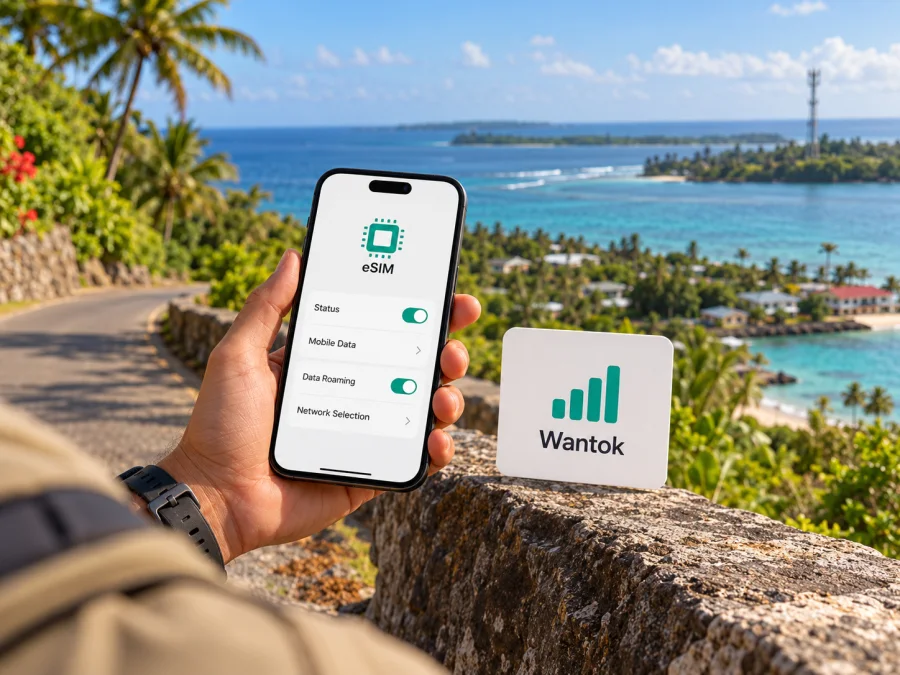
Wantok eSIM in Tonga: what travelers should check
If you are travelling to Tonga and searching for a Wantok eSIM, the key point is to confirm the product before you plan around it. Wantok’s current public pages describe telecommunications and ICT services in Tonga, including WanTok Mobile, but the operator’s publicly accessible information does not confirm that it offers a subscriber eSIM or a travel eSIM. An eSIM profile from another provider that may work in Tonga is a separate service and does not mean that it is supplied by Wantok.
This guide explains what is publicly established, what remains uncertain, and how to check your phone and connectivity options before departure. It does not list or compare specific operator plans. Information was checked on 1 November 2026 against Wantok’s website and support pages, the Communications Commission Tonga’s public operator register, and the currently accessible Kaspersky eSIM Store pages. Service details can change, so confirm current terms directly before purchase or travel.
What Wantok offers in Tonga
Wantok is a named telecommunications provider in Tonga’s market. The Communications Commission Tonga public register lists Wantok Tonga among the country’s communications providers and gives a contact number. Wantok’s own website describes its services in Tonga, directs customers to its support team, and identifies a Nuku’alofa office. Its public service pages include WanTok Mobile, residential and business connectivity, and other ICT services. These facts establish a local presence; they do not establish that every product shown on the website is available throughout the country or that Wantok operates a specific kind of mobile radio network in every destination.
Wantok’s WanTok Mobile page describes app-based calling, chat and SMS, and says users can obtain a local WanTok number in Tonga and Vanuatu on a smartphone. The page does not say that the number is delivered through an eSIM, explain whether it uses a conventional mobile SIM, or specify whether the service is an ordinary mobile subscription for visitors.
The operator’s support page includes a section titled “WanTok Network Coverage,” but the public text does not provide a clear written list of islands, radio technologies, or eSIM roaming partners. Coverage should therefore be checked for the exact islands and locations on your itinerary, rather than inferred from the company’s address or from the word “Tonga” in a service description. This matters on an island trip: the places where you sleep, transfer between boats or flights, and spend time away from a main town may have different connectivity options.
What is confirmed, and what needs a direct check
| Topic | What current public information supports | What to verify with Wantok |
|---|---|---|
| Local presence | Wantok is listed by the communications regulator and has a Tonga website and Nuku’alofa support contact. | Which service desk handles visitor enquiries and purchases. |
| Mobile service | WanTok Mobile describes calls, chat, SMS and a local number for Tonga and Vanuatu. | Whether the service is sold to short-term visitors, how it is activated, and whether a physical SIM or any eSIM option is involved. |
| eSIM | No current public Wantok page reviewed for this guide confirms a Wantok eSIM for Tonga. | Whether Wantok now supports eSIM, which device and customer types qualify, and how activation works. |
| Coverage and network technology | Wantok’s support site points to a coverage section. | Exact island and location coverage, available mobile technologies, roaming arrangements, and any limitations. |
| Registration and payment | The public pages reviewed do not set out a complete visitor onboarding checklist. | Required identity documents, eligibility, payment methods, opening hours and support arrangements. |
This is a status check, not a claim that Wantok cannot provide an eSIM. Product pages and customer procedures can change without every search result being updated. If eSIM is important, ask Wantok to confirm it in writing before relying on it. The operator’s Support page provides contact channels and Nuku’alofa office details. Ask which service applies to travelers and request current instructions and terms.
Does Wantok eSIM work for a trip to Tonga?
At the time of review, the answer cannot be confirmed from a current public Wantok eSIM page. It would be inaccurate to say that Wantok definitely offers a Tonga eSIM, or to provide steps for installing one as though the profile were verified. It would also be inaccurate to assume that Wantok Mobile’s app-based number is an eSIM. Contact Wantok before buying a device-specific eSIM product, entering personal information, or expecting a QR code or one-tap installation.
When you contact the operator, make the question specific. Ask whether the product is an eSIM profile installed in your phone’s SIM settings, or an app-based mobile account; whether it is available to a visitor who does not already have a Wantok account; whether it provides mobile data, a local number, calls and texts, or some combination; and whether it can be activated before arrival. Confirm whether the phone must be unlocked, whether the profile can be installed outside Tonga, whether identification is required, and where to get help if activation fails. Do not send passport or payment details through an unverified social-media account or a link you did not request.
A useful reply should identify the actual service, supported devices or operating-system requirements, activation steps, eligibility, payment and support channel. If Wantok confirms it only offers a mobile app account or a physical SIM, treat that as the service it describes; it is not interchangeable with an eSIM. If its answer is that an eSIM is available, confirm whether it is its own subscriber product or a travel data service routed through a partner. The name of the company shown in an app store, a local phone number, or a “SIM” label alone does not settle this question.
Wantok, local connectivity and travel eSIMs
A local operator service and a travel eSIM solve related but different problems. A local mobile service may be relevant if you need a Tonga number, local calls or SMS, ongoing service, or help from a local office. The exact Wantok service and requirements must be confirmed with the company. A travel eSIM is generally set up for mobile data in a destination, and its data connection may use a partner network. It may not provide a local number or support ordinary calls and SMS. These are general product distinctions, not claims about an unverified Wantok eSIM.
For a trip, choose based on what you need the connection to do. If you mainly need maps, messaging apps, email, ride or accommodation coordination, and web access, a data-only travel eSIM may be enough if its destination coverage and terms fit your route. If a Tongan number or conventional calls and texts are essential, ask Wantok whether its local service meets that need and how a visitor can obtain it. Keep your home SIM available for account verification or urgent calls if your handset supports dual SIM use, and check your home operator’s roaming settings so it does not use data unexpectedly.
Do not assume that a travel eSIM will connect through Wantok. The operator, radio network, roaming partner and service terms depend on the particular eSIM product, and they should be checked on that product’s destination page. Likewise, a product labelled “Tonga” does not by itself guarantee service on every island, at sea, inside buildings, or along every road. Coverage maps and network availability can change; terrain, weather, congestion, power and backhaul interruptions can affect service. Keep offline maps, booking details and key contact information available for moments when mobile data is unavailable.
Coverage and network technology
Tonga is an archipelago, so country-level availability is not enough for an island itinerary. Ask about each island, town, accommodation and port you expect to visit, and whether the answer applies to Wantok’s mobile service or another product. Wantok’s support page includes a “WanTok Network Coverage” section, but the public text reviewed here does not specify a current coverage map’s date, radio technologies or visitor conditions. Do not treat a general coverage reference as a guarantee at a particular location or at sea. If you need a particular technology, ask the operator which is available at your destinations and confirm any device requirements. Keep maps and travel details offline as a backup.
Getting a local Wantok service
Wantok’s mobile page describes WanTok Mobile and a local number for Tonga, but not a visitor eSIM activation process. Use the sequence below as a list of questions, not as confirmation that eSIM sign-up is available:
- Contact Wantok through the Support details on its official Tonga website and ask specifically about eSIM availability for visitors.
- Confirm how the service is delivered: an eSIM profile, physical SIM, app-based account, or another arrangement. Ask separately about data, calls, SMS and a local number.
- Check identity, eligibility, payment, remote registration and any in-person requirements.
- Ask about coverage and technologies for the exact islands on your itinerary.
- If eSIM is confirmed, verify your exact phone variant is unlocked and supported; obtain current installation steps and support details before paying.
If Wantok cannot confirm the product or details needed for your route, consider a separate travel data option. The Kaspersky eSIM Store Tonga page shows current destination options for browsing. It is not a Wantok tariff page and does not establish that Wantok supplies those options. Read the provider, device, coverage and activation terms before choosing.
Checking whether your phone can use eSIM
Even when an eSIM product is available, compatibility is specific to the device and sometimes its sales market. A familiar model name does not always mean that every regional version has an eSIM chip or the same software functions. Since no Wantok eSIM support was confirmed in the current public information, do not treat a compatibility check as evidence that Wantok itself offers eSIM.
Use the phone manufacturer’s specifications and settings as the first check. Look for an “Add eSIM” or “Add cellular plan” option in the cellular or SIM settings. If the menu is absent, that alone does not always prove incompatibility, but it is a reason to verify the exact model number with the manufacturer or service provider. Check that the phone is not locked to a home carrier and that your operating-system version is supported. A device can support eSIM in one market variant and lack it in another.
Before installing any travel eSIM, read the seller’s device and activation instructions. Ensure you have a stable internet connection during installation, keep the QR code available on another screen or printed copy if needed, and do not delete the eSIM profile while troubleshooting unless support tells you to. Some activation codes can only be used once. If an eSIM profile has already been installed, do not assume it can be transferred to a replacement phone; confirm the product’s transfer and reissue rules first.
For help with general installation, see the Kaspersky eSIM Store Android instructions or iOS instructions. These pages explain setup for Kaspersky eSIM Store products and should not be read as Wantok activation instructions. You can also review eSIM device compatibility before choosing a travel product.
Setting up a travel eSIM for Tonga
If you select a travel eSIM from a provider whose current Tonga destination details are clear, follow that provider’s instructions. Before departure, check that the exact phone variant supports eSIM, is carrier-unlocked, and has room for another profile. Confirm which locations are covered, whether the service is data-only, when it starts, and whether data roaming must be enabled on that eSIM. Install over reliable Wi-Fi if the seller permits pre-installation, label the profile, and save support details offline. Keep your primary number available if you need calls or verification, and check the data-line and automatic-switching settings to avoid accidental use of your home SIM abroad.
After arrival, switch on the travel profile and select it for mobile data. Enable roaming only if the travel provider’s instructions require it for that profile. If it does not connect, check the selected data line and follow the seller’s steps for network selection and APN settings. Do not delete the profile during troubleshooting unless support directs you; some activation codes are single-use. A data-only product may support internet calling and messaging apps but does not necessarily provide a local number, ordinary calls or SMS. Confirm voice needs separately.
Choosing between a local service and travel data
There is no single best choice for every traveler. Consider the trip length, islands visited, need for a Tongan number, existing phone setup and whether you need data immediately on arrival. A verified local service may be useful for local calling or ongoing service, subject to Wantok’s eligibility and activation rules. A travel eSIM may be easier to prepare before a trip when you need internet data and its coverage terms match your itinerary. These choices can also be combined in a dual-SIM phone, but only if the device supports the configuration and the settings are carefully checked.
| Your priority | What to confirm |
|---|---|
| A local Tonga number | Ask Wantok whether its current mobile service gives visitors a number, how it is delivered, and whether voice and SMS work on your phone. |
| Data on arrival | Confirm a travel eSIM’s activation timing, destination coverage and installation process before departure. |
| Several islands | Ask for location-specific coverage information and keep offline maps and travel details. |
| Calls to home | Check whether your existing number can remain active and whether internet calling meets your needs. |
| A physical SIM | Confirm where it can be obtained, required identification, handset size and whether the phone is unlocked. |
| Help during setup | Save support contacts and ask which team handles service or eSIM activation questions. |
A visitor should not infer price, data allowance, validity, included services, or eligibility from a general description of WanTok Mobile. Those are conditions of a particular product and should be checked directly with Wantok. This article intentionally does not reproduce plan names, prices, allowances or validity periods. For current terms, rely on the operator or the travel eSIM provider selling the exact product you intend to use.
Frequently asked questions
Does Wantok offer eSIM in Tonga?
I could not confirm a current Wantok eSIM offer from the operator’s public pages reviewed on 1 November 2026. Wantok’s website describes WanTok Mobile and other services, but does not provide a current eSIM product page or installation guide. Contact Wantok directly to check whether an eSIM has since become available and whether visitors can use it.
Is WanTok Mobile an eSIM?
The WanTok Mobile page describes calling, chat, SMS and a local number on a smartphone. It does not identify the service as an eSIM or explain how a mobile profile is installed. Ask Wantok whether the number is delivered through an app, a physical SIM, an eSIM, or another arrangement before assuming it fits your phone setup.
Will an eSIM work on every phone sold under the same model name?
No. Regional versions can differ. Confirm the exact model number, eSIM support, operating-system requirements and carrier-unlock status with the device maker and the service provider. A phone with eSIM capability is not proof that a specific operator or travel product supports it.
What if I need coverage on outer islands?
Ask the provider about each named island and the exact places where you plan to stay or travel. The public Wantok support page points to a coverage section, but the available information reviewed here does not establish a current coverage guarantee for each location or service type. Save maps and important travel details offline as a practical backup.
Before you travel
- Ask Wantok directly whether it currently offers eSIM to visitors and how that product is delivered.
- Confirm coverage for your named destinations, plus registration, activation and support requirements.
- Check your precise phone variant, carrier-lock status and dual-SIM settings.
- Save setup instructions, contacts, maps and travel references offline.
If Wantok confirms a compatible local product, follow its current instructions. Otherwise, compare a separate travel option and verify its terms. Kaspersky eSIM Store is an app and website that helps travelers select, arrange and activate eSIM plans for mobile data abroad; it is not a mobile operator, does not own a Tonga network, and does not itself provide mobile internet. You can check the current Tonga travel eSIM options to see whether a listed product fits your device and route. The destination page is for browsing travel options, not a claim that a particular Wantok plan is available there.
Wantok and WanTok Mobile are mentioned for informational purposes. This article is not affiliated with or endorsed by Wantok, WanTok Mobile, or the Communications Commission Tonga. Confirm current product availability, eligibility, coverage and activation details with the relevant provider before relying on them.


