Travel connectivity guide
Feels eSIM in Thailand: availability to check
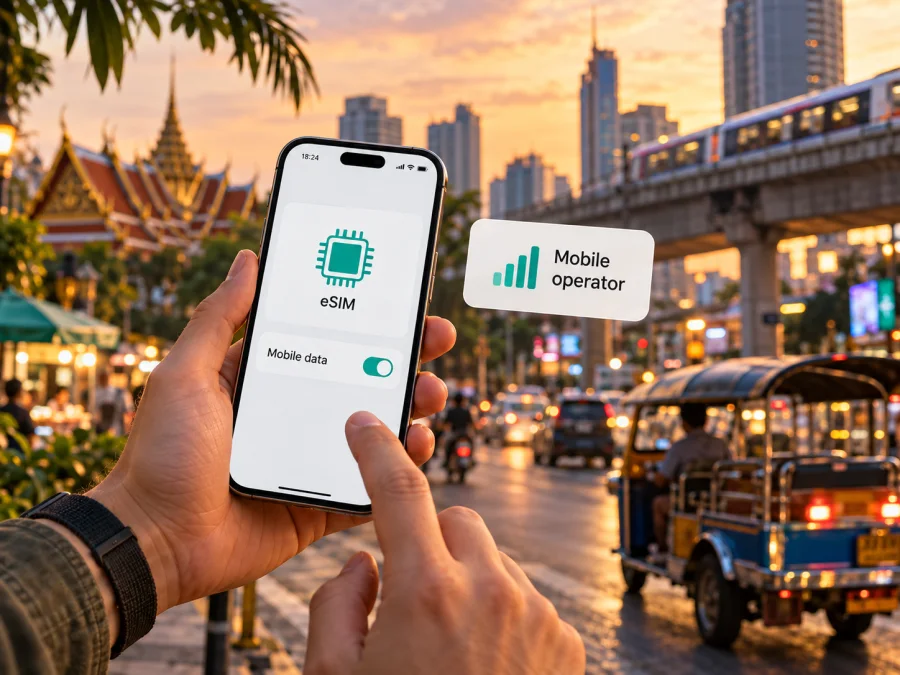
Feels eSIM in Thailand: current availability and what travelers should check
Travelers searching for a Feels eSIM in Thailand should start with a current-status check. Feels’ own website now displays a notice that its mobile service ended in August 2025 following the end of its spectrum agreement. That notice means the older Feels service descriptions should not be read as proof that a Feels SIM, prepaid service, tourist offer, or eSIM can currently be ordered or activated. As checked on 17 October 2026, I could not verify an active Feels eSIM offer for visitors in Thailand.
This distinction matters when planning mobile data. Thailand is the destination country; Feels is a particular Thai mobile-service brand, and its service status is a separate question. A phone that supports eSIM, a Thai network that offers eSIM, and an eSIM product sold under the Feels name are not interchangeable facts. Confirm each one independently before relying on it during a trip.
Feels in Thailand: the status to know first
Feels Telecom Corporation Company Limited describes Feels as a mobile virtual network operator (MVNO). Its About page explains that the business provided mobile voice, data and messaging over National Telecom Public Company Limited’s network. The same page describes 3G and 4G service and lists radio bands used under that arrangement. Those details explain the earlier service model; they do not establish that the service is still operating after the company’s termination notice.
The most direct current statement is on Feels’ own website: a service-termination notice says that, because the spectrum agreement ended in August 2025, the company had to stop its services. This is more relevant to a traveler making a decision now than older descriptions of coverage, technology, prepaid service or network reach. The notice does not say that an eSIM service continues separately, and no current public Feels eSIM activation or purchase instructions were found in this check.
The Thai National Broadcasting and Telecommunications Commission (NBTC) Procheck directory still includes a Feels entry among the names shown in its mobile-service section. A directory entry is useful for identifying the brand within the Thai market, but it does not override Feels’ own shutdown announcement or confirm that new service can be purchased. Listings and company pages can also remain online after a product changes or closes. For travel planning, treat the service as discontinued unless Feels or the regulator publishes a newer, explicit statement that identifies an active service and explains how customers can obtain it.
What the public information confirms
| Question | What can be said from current public information |
|---|---|
| Is Feels a Thai telecom brand? | Feels Telecom Corporation identifies itself as a Thai mobile virtual network operator. |
| Is Feels’ earlier network arrangement documented? | The company’s About page describes services over National Telecom’s network. This is historical context, not confirmation of current availability. |
| Does Feels currently offer an eSIM to travelers? | No current official eSIM offer, purchase path or activation guide was verified on 17 October 2026. |
| Does Feels currently sell prepaid or tourist service? | The company has older prepaid materials, but its termination notice says mobile services stopped. Do not assume that older offers remain available. |
| Can a visitor activate a Feels profile on arrival? | No current official activation instructions were found, so a traveler should not plan on this without direct confirmation from Feels. |
The wording is intentionally precise: “not verified” does not mean that every phone or every Thai network lacks eSIM capability. It means the current public information reviewed does not support a claim that Feels itself is selling or activating an eSIM in Thailand today. Ask Feels directly whether it has resumed or replaced the service before buying anything marketed under that name. If you already have a Feels SIM or profile, contact the company to ask whether it remains usable and what support, if any, is available; do not infer continuing service from a saved profile or an old app listing.
What Feels’ older network information means
Feels’ About page describes its former MVNO arrangement over National Telecom’s network and mentions 3G and 4G service. The company’s termination notice says mobile services stopped after its spectrum agreement ended in August 2025. Treat the About-page technology and coverage statements as historical context, not a current coverage map or proof of network access. A host network’s coverage or eSIM capability cannot be attributed to Feels without a current agreement and confirmation.
For that reason, this article does not promise Feels reception in Bangkok, Chiang Mai, Phuket, on islands or on rural routes, and does not claim that its earlier network arrangement remains available. Actual connectivity depends on an active service, the network arrangement, device compatibility, local conditions and other factors. Network technology in Thailand also does not establish that Feels has an eSIM product.
What to confirm with Feels before relying on it
If Feels is the brand you intended to use, ask the company for a clear answer to each point below. Use the contact information published on Feels’ own site, and keep a record of the response if you are making travel arrangements around it.
- Has Feels resumed mobile service after the termination announced for August 2025?
- Is there an eSIM product for new customers, or does Feels currently issue physical SIMs only?
- Can an international visitor register, and what identification or registration steps are required?
- Can a customer complete purchase and activation before arriving in Thailand?
- Which network currently carries the service, and where can the current coverage information be checked?
- Does the service support the traveler’s exact phone model and regional hardware variant?
- Is mobile data included, and are voice calls or SMS available under the chosen service?
- What happens to an existing SIM or eSIM profile after the shutdown notice?
Do not rely on a generic answer such as “eSIM works in Thailand.” The useful confirmation should identify Feels, the specific product, the current network relationship, who may register, and the supported activation method. If support gives only historical information, ask whether the answer applies to a new customer now. If no answer is available, make another arrangement rather than assuming that an old SIM or QR code will work after landing.
eSIM, physical SIM and travel data: choosing the right route
A local mobile service may suit someone who needs a local number, voice service, SMS or longer-term access. Eligibility, identity checks, registration, device compatibility and service availability must be confirmed with the provider. A local eSIM is not automatically available to every visitor, and a physical SIM may require a store visit or an unlocked device with a compatible SIM slot.
A travel eSIM is a separate arrangement for mobile data in a destination or region. Review the current offer’s destination, included services, activation terms and supported network. Data-only travel eSIMs do not provide a conventional local phone number, voice calls or SMS unless the offer explicitly says otherwise. Internet messaging and calls can work through apps when data is available, but account verification may still depend on your regular number.
Kaspersky eSIM Store is an app and website that helps travelers choose, arrange and activate an eSIM with a plan for mobile internet abroad. It is a travel option to consider separately from Feels. Kaspersky is not a Thai mobile operator, does not own a mobile network and does not itself provide mobile internet coverage. The Thailand destination page presents travel eSIM options supplied through local telecommunications providers; check its live conditions before choosing.
If this fits your trip, view the eSIM options for Thailand and check that the destination and terms match your route. This is a travel-data option, not a Feels subscription. If you need a local number or carrier-specific services, contact the relevant provider directly.
Local service and travel eSIM compared
| Consideration | Feels local service | Travel eSIM option |
|---|---|---|
| Current availability | Feels’ notice says mobile service ended in August 2025; do not assume new service is available. | Depends on the destination offer at purchase. |
| Intended use | Historically a local mobile service; current status requires confirmation. | Mobile data for a trip, subject to the offer’s terms. |
| Phone number | Do not assume new-number availability while service is discontinued. | Usually data-focused; verify voice or SMS explicitly. |
| Activation | No current Feels eSIM instructions were verified. | Follow the selected eSIM’s installation steps. |
This is a description of service types, not a ranking. The right option depends on whether you need data only, a local number, longer-term service or access across several countries. Confirm that service is active, the device is compatible and the terms fit the trip.
Before buying or installing any eSIM
Confirm support for the exact phone model and regional variant. Similar device names can refer to different hardware; some market variants may not include eSIM. Check the manufacturer’s information and the phone’s cellular settings. The eSIM menu alone does not confirm that the device is unlocked or free of market restrictions. Ask your seller or home provider about carrier lock, and check with your organization if the phone is managed.
Read the live offer for destination coverage, service type, activation steps and any requirements. Save the instructions where you can reach them offline. Installing a profile may require an internet connection, so arrange Wi-Fi or install in advance when the instructions allow. Decide which line should handle calls and SMS and which should provide mobile data. Check roaming settings with your home provider; some travel profiles require data roaming to be enabled for that eSIM.
How to install a travel eSIM on a compatible device
These are general steps for a travel eSIM arranged through Kaspersky eSIM Store. They are not Feels activation instructions. Feels’ current eSIM availability was not verified, so do not use this process as evidence that a Feels profile can be ordered.
- Check compatibility and unlock status. Confirm eSIM support for the exact device variant and ensure the device is not carrier-locked. You can check eSIM device compatibility before continuing.
- Choose the destination and read the offer terms. Confirm Thailand is covered and that the included service suits your need. Review activation requirements and save the instructions.
- Use a stable internet connection for installation. Wi-Fi is useful while adding the profile, especially if you are setting up before departure.
- Add the eSIM profile. Open cellular or mobile-network settings and follow the in-app or on-screen installation flow. If prompted to scan a QR code, use the code associated with your order and do not share it publicly.
- Label the lines clearly. For example, identify your home SIM and travel eSIM so you can select the intended line for data and calls.
- Choose the travel eSIM for mobile data when appropriate. Keep your normal number available for calls or messages if needed, while checking that the home line is not using costly roaming data.
- Enable data roaming only as instructed for the travel profile. Some travel eSIMs require it to connect. Check which line the setting belongs to before switching it on.
- Wait for registration and test basic access. Connection time can vary. If the profile does not connect, check the selected data line, the destination settings and the troubleshooting steps supplied with the eSIM.
For platform-specific steps, see the Android eSIM installation guide or the iPhone eSIM installation guide. Menu labels can differ by operating-system version and device maker. Keep your home SIM available until the travel profile is working and you have confirmed that essential account verification methods remain reachable.
Common questions about Feels eSIM in Thailand
Does Feels currently offer eSIM in Thailand?
I could not verify a current official Feels eSIM offer, customer purchase route or activation guide on 17 October 2026. Feels’ website instead carries a notice that its mobile service ended in August 2025. Contact Feels for a newer statement before relying on any Feels-branded SIM or eSIM listing.
Is Feels still a mobile operator in Thailand?
The NBTC directory still shows a Feels entry, while Feels’ own notice says mobile services ended in August 2025. Do not treat the directory entry as proof of active service; ask Feels whether it has restarted.
Can I use an older Feels SIM or profile after the service ended?
Do not assume so. A saved profile does not prove that the subscription can register on a network. Contact Feels for account-specific advice and arrange another connection if you need access while traveling.
Does a phone with eSIM support mean it can use Feels eSIM?
No. Device support is only one requirement. There must also be an active Feels eSIM product, an eligible account, a supported device variant and a working network arrangement. Current public sources did not verify those Feels-specific conditions.
Is a travel eSIM the same as a local Feels SIM?
No. A local operator service and a travel eSIM are distinct products with different terms, providers and possible services. A travel eSIM is often designed for mobile data abroad and may not include a local number, voice calling or SMS. Review the offer and decide whether data-only access meets your needs.
Can I use a Kaspersky eSIM Store option instead?
Kaspersky eSIM Store helps users choose, arrange and activate travel eSIMs for mobile internet. Check the live Thailand options and terms. Kaspersky is not the network operator and does not itself provide coverage.
What if I need calls and text messages?
Confirm that the service you choose includes a regular number, voice and SMS. A data-only eSIM can support internet messaging and calls in apps, but it does not automatically replace a local phone number or SMS. Keep access to the number used for banking, travel accounts and verification, and check with your home provider about roaming before departure.
Where can I verify the current Feels status?
Use Feels’ official contact channel and ask specifically whether mobile service has resumed after the August 2025 termination notice, whether a new customer can sign up, and whether eSIM is available. The NBTC’s public mobile-service directory can provide regulatory context, but a directory entry alone is not confirmation that a particular product can be purchased today.
A short checklist for your trip
- Treat Feels service as discontinued unless Feels publishes or confirms a restart.
- Do not assume Feels offers eSIM, prepaid or tourist service based on older web pages.
- Verify that the exact phone model and regional variant support eSIM and are unlocked.
- Confirm that the provider, destination coverage and activation process are current.
- Choose a data line deliberately and check roaming settings for each SIM profile.
- Keep installation details, travel documents and essential addresses available offline.
- Make a backup connectivity plan for arrival and for places where coverage may vary.
Sources and scope
As checked on 17 October 2026, Feels Telecom Corporation’s official website displayed a service-termination notice, alongside an About page, prepaid service terms and an MVNO wholesale description. The NBTC Procheck directory listed Feels, and Kaspersky eSIM Store published current Thailand destination information and installation guidance. Feels’ About page contains older network information; it is included only as background, not as a current coverage or active-service claim. Feels’ termination notice is the basis for the availability warning. Contact Feels directly to confirm any later change.
Feels is named solely to identify the service discussed. Kaspersky eSIM Store is not affiliated with Feels Telecom Corporation and is not its official partner or distributor. Company names and marks belong to their respective owners.
If you need mobile data for a trip to Thailand, first confirm the provider is currently active and that the specific service fits your device and route. If you are considering a travel eSIM, review the Thailand destination options and read the current conditions before purchase.


